






Hi Taskaders 👋
With summer right around the corner, we're back with another exciting update for Taskade. Dive in and let us know what you think!
TL;DR: Keyboard shortcuts and custom due dates shipped in 2020 — the foundations of Taskade's keyboard-first workflow. Today they live alongside natural-language dates and slash commands, multiple project views, and AI agents. Taskade Genesis turns any prompt into a living app powered by automations and 100+ integrations.
Then → Now: What started as Cmd+Shift+/ shortcuts is now a full slash-command palette, natural-language due dates, and agent-driven scheduling across multiple project views.
| Speed-up | 2020 | Today (2026) |
|---|---|---|
| Shortcuts | Keyboard shortcuts panel | Shortcuts + slash commands + command palette |
| Due dates | Minute-precision picker | Picker + natural-language dates + recurring |
| Reminders | Email + push | Email + push + automation triggers |
| Invite | One-click workspace add | One-click + link + SSO + domain allowlist |
| Follow-through | Manual | Automations + agent follow-up actions |
  ┌───────────────────────────────────────────────┐
  │  Action            Shortcut                   │
  ├───────────────────────────────────────────────┤
  │  Bold              ⌘B    / Ctrl+B             │
  │  Italic            ⌘I    / Ctrl+I             │
  │  Highlight         ⌘⇧H   / Ctrl+Shift+H       │
  │  Complete task     ⌘⏎    / Ctrl+Enter         │
  │  Indent            Tab                        │
  │  Move task ↑/↓     ⌘⇧↑   / ⌘⇧↓                │
  │  Quick search      ⌘K    / Ctrl+K             │
  │  Shortcut panel    ⌘⇧/   / Ctrl+Shift+/       │
  └───────────────────────────────────────────────┘
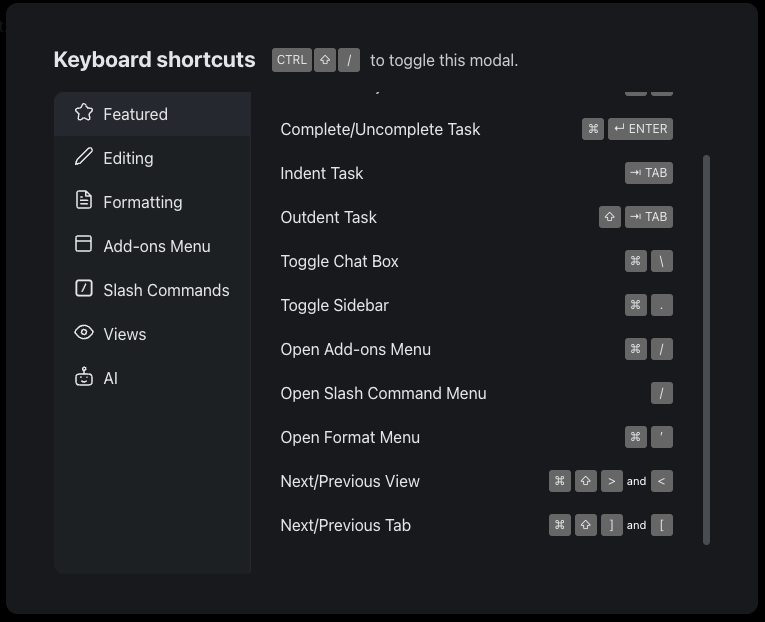
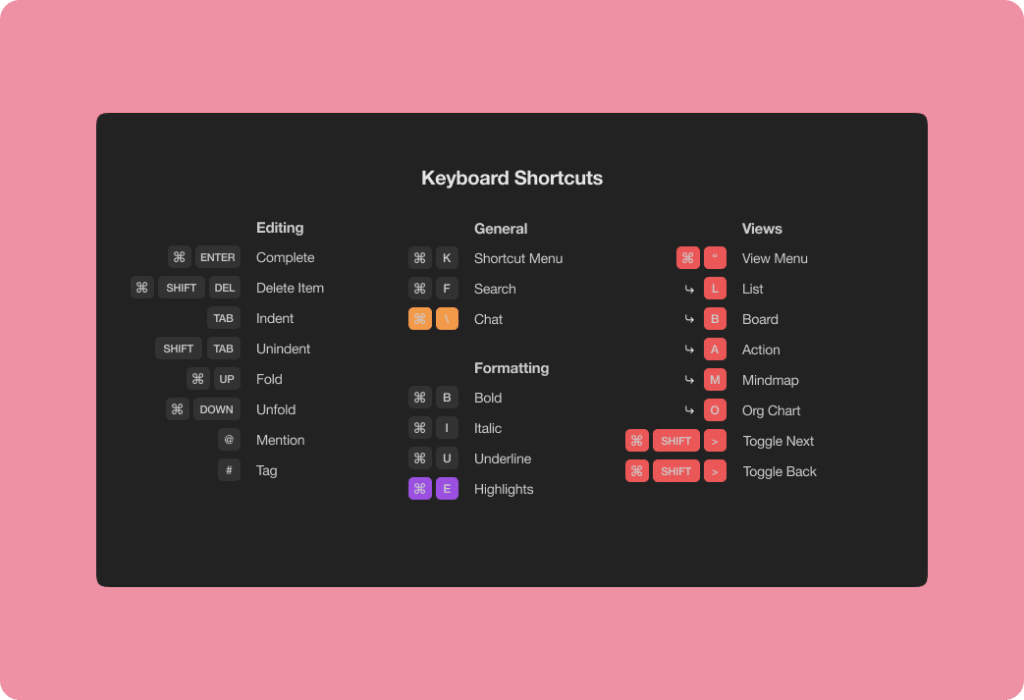
⚡️ Keyboard Shortcuts
We've added new keyboard shortcuts to improve your workflow and productivity. From highlighting text to toggling views, you can perform actions quickly and with ease.
⚡️ Custom Due Dates
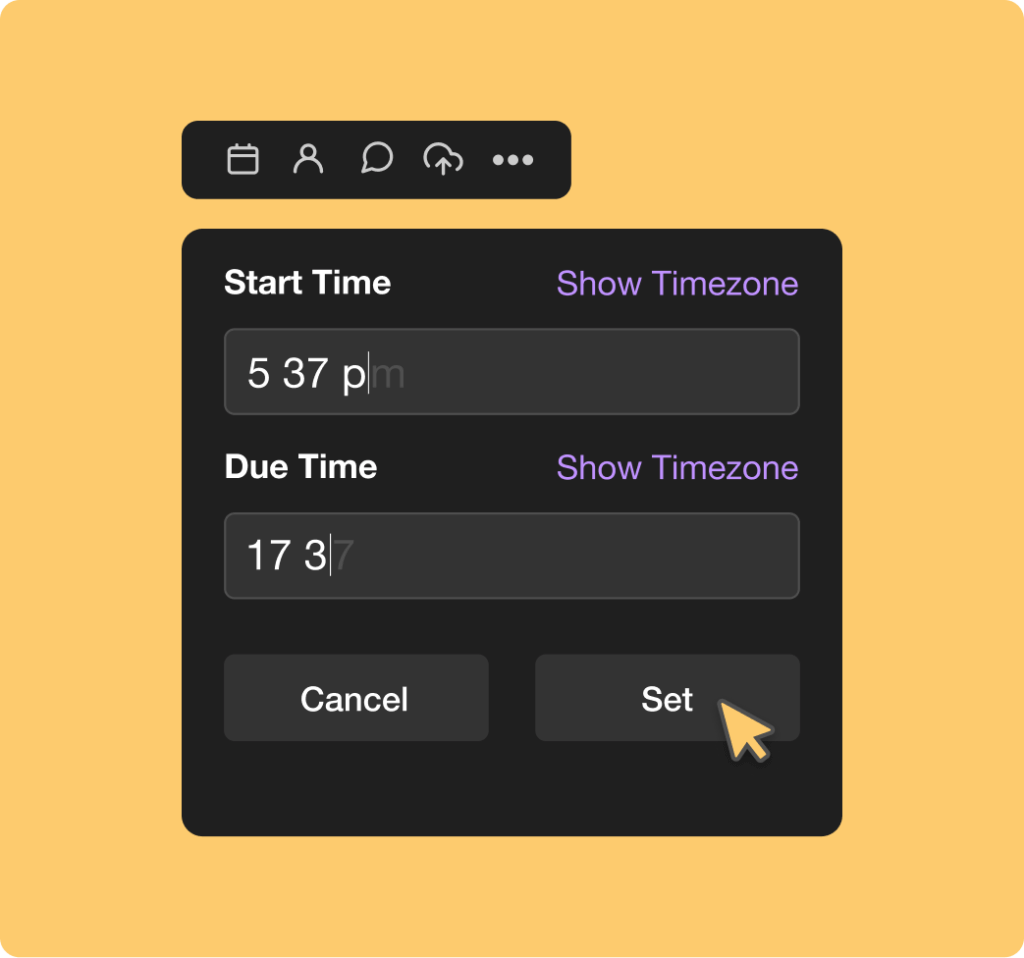
You can now set custom due dates by the minute. Select the exact time to be reminded via email and push notifications.
⚡️ One-Click Invite
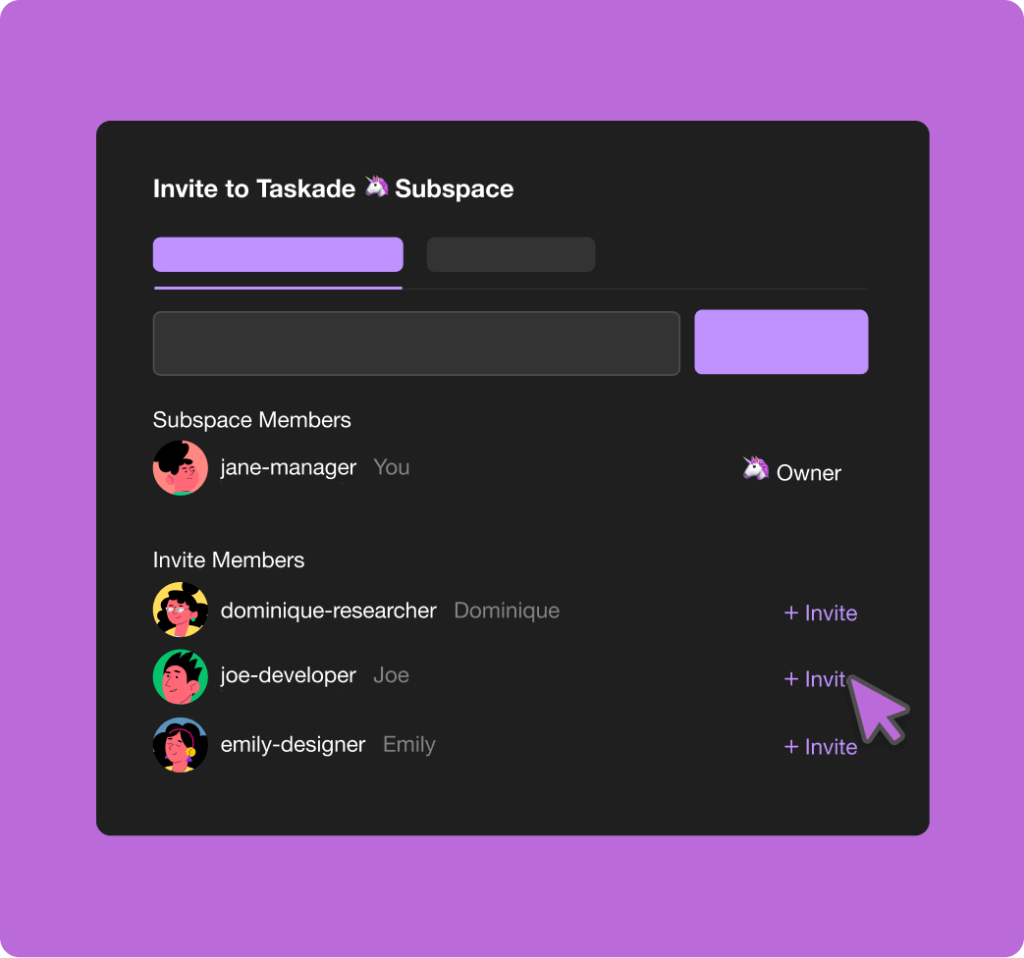
Instantly add workspace members to your team projects and subspaces with one simple click.
Related Reading:
We hope you are staying safe in these difficult times. Thanks again for supporting Taskade, and as always, don’t hesitate to reach out if you need anything at all. We’re here for you! 😊
— Team Taskade 🐑
Frequently Asked Questions
What keyboard shortcuts does Taskade support?
Taskade offers comprehensive keyboard shortcuts for text formatting (bold, italic, highlight), view switching, task management (complete, indent, reorder), and navigation (quick search, project search). Press Cmd/Ctrl+Shift+/ to display the full keyboard shortcuts reference panel.
Can I set custom due dates with specific times in Taskade?
Yes. Taskade's due date picker supports minute-level precision. Set the exact date and time for a task deadline, and receive email and push notifications when the task is due. Custom due dates sync across web, mobile, and desktop apps.
How do I invite team members to a Taskade project?
Use one-click invite to instantly add workspace members to any project or folder. Click the invite button, select team members from your workspace roster, and they're added immediately — no need to send separate email invitations for people already in your workspace.
Does Taskade send due date reminders?
Yes. When you set a due date on a task, Taskade sends reminders via email and push notifications at the scheduled time. You can customize reminder timing to receive alerts minutes or hours before the deadline, ensuring you never miss an important task.