download dots

Features

One App. One Prompt. Powered by Real-time Workspace.

Compare Plans and Features

Free

Free
/

Genesis Platform

Users Included
Team members included in your plan.<br><br>Collaborate in real-time with shared AI agents, workspaces, and apps. Each member gets full access to your workspace DNA—memory, intelligence, and execution layers.
1
AI Apps
Transform ideas into live applications instantly.<br><br>Genesis builds dashboards, forms, workflows, and tools—all connected to your workspace DNA. Each app stays permanently connected to your AI agents, automations, and projects. Build landing pages, client portals, or custom tools from simple prompts.
3
AI Agents
Your digital workforce—the Intelligence pillar of your workspace DNA.<br><br>Agents learn from your workspace memory, make decisions, trigger automations, and evolve over time. They form the reasoning layer of your Genesis apps, processing requests and making context-aware decisions based on real business knowledge.
1
Automations
The Execution pillar—workflows that automate and integrate.<br><br>Respond to events, orchestrate complex workflows across 100+ integrations, and feed results back to your projects. When you create a Genesis app, automations become the execution layer—processing payments, sending notifications, updating records, and orchestrating app logic automatically.
3
Workspaces
Organize projects, teams, and clients into dedicated spaces.<br><br>Each workspace has its own DNA—memory (projects), intelligence (agents), and execution (automations). Keep everything organized and separate while maintaining real-time sync across all your workspaces.
1
Monthly AI Credits
Credits usable across everything in Taskade—agents, automations, and app generation.<br><br>Build live dashboards, tools, and websites with built-in memory and integrations powered by your Workspace DNA.<br><br>No code. No setup. Just creation. Credits renew monthly.
1,000
Private & Unlisted Apps
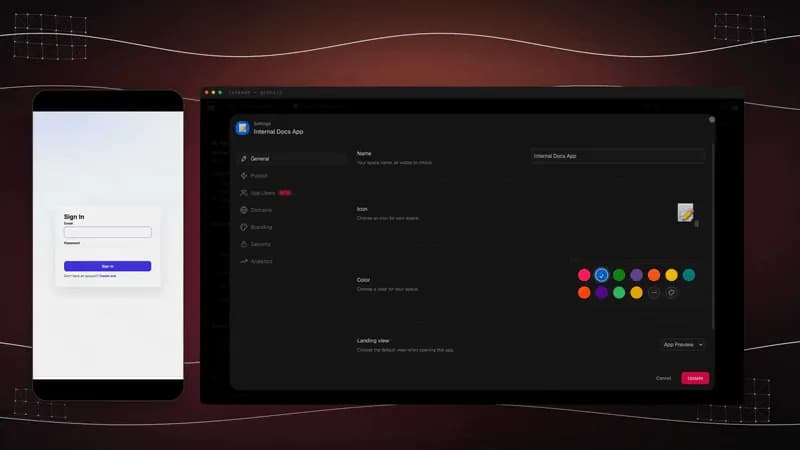
Keep your apps private or share them with unlisted links.<br><br>Control who can access your creations. Perfect for internal tools, client projects, or personal dashboards. All apps are encrypted and securely hosted.
Live Web Hosting
Publish and host live apps with full-stack hosting.<br><br>Your apps are always online, fast, and connected to your workspace DNA. No external hosting required. Build production-ready applications that stay live and shareable.
Background Agents
Run AI agents in the background 24/7.<br><br>Agents continue working even when you're away—monitoring, processing, and executing tasks autonomously. They actively participate in your work by learning from memory, making decisions, and triggering execution workflows.
Remove Taskade Branding
White-label your AI apps and workspaces by removing all Taskade branding.<br><br>Perfect for agencies, consultants, and businesses delivering professional client-facing solutions. Create branded links and remove watermarks from shared agents and apps.
Custom Domains
Publish your AI apps and workspaces under your own custom domain (e.g., app.yourbrand.com).<br><br>Full CNAME support for seamless DNS configuration. Perfect for agencies and businesses wanting to maintain brand consistency across all client-facing applications.
White-Label & Client Delivery
Complete white-labeling with custom logos, colors, and branding on all your AI apps and shared links.<br><br>Create a seamless brand experience for your clients and team. Deliver professional client portals and branded solutions without any Taskade watermarks or branding.
Team Collaboration
Collaborate with your entire team in real-time with advanced admin controls.<br><br>Share workspaces, assign roles, set permissions, and monitor usage across your organization. Work together on AI apps, agents, and automations with live editing and instant sync.
Admin Dashboard
Centrally manage your entire organization from one powerful dashboard.<br><br>Control user permissions, monitor workspace activity, track usage analytics, and get insights into team productivity. Export detailed reports and optimize workflows based on data-driven analytics.

AI Agents

Custom AI Agents
Build, train, and deploy agents for any role or task.<br><br>Each agent learns from your workspace context and becomes the Intelligence pillar of your apps. Agents actively participate in your work by learning from memory, making decisions, triggering execution, and evolving over time as your workspace grows.
1
Train Agents with Your Data
Upload PDFs, docs, spreadsheets, images, and files to train AI agents on your knowledge.<br><br>Sync cloud storage like Google Drive and Dropbox. Add URLs to scrape websites, YouTube videos, and web searches. Your agents learn from projects, tasks, and workspace context to become experts in your domain.
Knowledge Ingestion (Files & Links)
Add files, URLs, YouTube videos, and web content to your agent's knowledge base.<br><br>Support for PDFs, CSVs, docs, spreadsheets, markdown, and more. Add projects from your workspace, links from websites and blogs, or connect Google Drive, Dropbox, Box, and OneDrive. All sources are indexed, searchable, and automatically synced.
Agent Generator
Describe your needs in plain language and instantly generate ready-to-use agents.<br><br>Use EVE (Taskade Assistant Agent) or the AI Agent Generator to create agents with the right skills, tools, and knowledge. Add business context during generation to create agents tailored to your domain.
AI Kits
Package agents, projects, and automations as reusable kits.<br><br>Clone and deploy entire workflows instantly. Share complete solutions with your team or the community. Each kit includes pre-configured agents, automations, and workflows you can customize.
Multi-Agent Teams
Group your AI agents into teams that work together seamlessly.<br><br>When you chat with an AI team, agents automatically pick the best member to respond—or collaborate to give you a complete answer. Create teams for marketing, sales, support, or any workflow. Assign them to tasks, chat with them in projects, or run them inside automation workflows.
Custom Agent Tools
Create custom tools with triggers and actions for your agents.<br><br>Give agents the ability to create projects and tasks, exchange information with external platforms, and interact with each other. Connect agents to any API, automation workflow, or integration. Prompt agents to use specific tools during conversations.
Private AI Chat
Chat privately with your AI agents from anywhere in Taskade.<br><br>Use custom commands with '/' shortcuts, invite team members to shared agent chats, and interact with agents in projects or automation workflows. All conversations are encrypted and secure within your workspace.

Intelligence

AI Models
Access the latest frontier models from OpenAI, Anthropic Claude, and Google Gemini.<br><br>Designed for complex reasoning, planning, and system building. Build sophisticated apps, dashboards, and tools. Choose from fast models for quick tasks or advanced models for deep analysis. Train agents and automate workflows with cutting-edge AI capabilities.
Basic
Knowledge Sync
How often agents auto-refresh their knowledge from connected sources.<br><br>Dynamic knowledge sync keeps your agents up-to-date automatically. When you add projects or links to agent knowledge, they refresh on schedule—ensuring agents always have the latest information from your workspace, cloud storage, and web resources.
Manual
Advanced Reasoning
Enable advanced reasoning capabilities for complex multi-step problem solving.<br><br>Agents can analyze context, break down complex tasks, and make sophisticated decisions. Perfect for data analysis, strategic planning, and handling intricate workflows that require deep understanding and logical progression.
Long-Context Agents
Agents that can process and remember larger amounts of context.<br><br>Handle extensive documents, long conversations, and complex multi-part queries with more coherent, detailed responses. Perfect for analyzing large datasets, maintaining context across extended workflows, and understanding intricate business requirements.

Automations & Workflows

AI Automations
The Execution pillar—workflows that automate and integrate.<br><br>Connect Taskade with 100+ apps to run tasks on triggers. Respond to events, orchestrate complex workflows, and feed results back to your projects. When you create a Genesis app, automations become the execution layer—processing payments, sending notifications, and orchestrating app logic automatically.
Scheduled Workflows
Schedule automations to run at specific times or intervals.<br><br>Set up recurring tasks, reports, and workflows that execute automatically every hour, day, week, or month. Perfect for daily standups, weekly reports, monthly analytics, and any time-based business process.
Agentic Workflows
Build multi-step flows with conditions, branches, and AI decision-making.<br><br>Use your custom AI agents in automation flows to handle tasks, make decisions, and streamline workflows. Create intelligent workflows that adapt based on agent analysis. Agents can respond to queries, run commands, and orchestrate complex multi-step processes.
Background Execution
Run automations and agents in the background 24/7.<br><br>Workflows continue executing even when you're away. Agents monitor, process, and execute tasks autonomously. Automations respond to events, orchestrate workflows, and create feedback loops that keep your workspace alive and productive around the clock.
Multi-Step Flows
Chain multiple actions together into sophisticated workflows.<br><br>Use loops, filters, branches, and conditions to create complex automation flows. Each step can trigger the next automatically. Combine triggers, actions, delays, and AI agents to build powerful 'if this, then that' workflows that handle entire business processes.
Web Search & Scraping
Give agents the ability to search the web and scrape websites in real-time.<br><br>Pull live data from URLs, YouTube videos, and web searches to keep your agents informed and up-to-date. Use web scraping actions in automations to extract content, monitor websites, and gather information from any online source.
Forms & AI Apps
Build forms that trigger automations and create AI-powered apps.<br><br>Collect data and process it automatically. When a form is submitted, trigger workflows that create projects, send notifications, update databases, or run AI agents. Perfect for lead capture, surveys, bookings, and any data collection workflow.
API & Webhooks
Build custom integrations with our powerful REST API and webhooks.<br><br>Connect Taskade to proprietary systems, automate complex workflows, and create tailored solutions that fit your exact tech stack requirements. Trigger automations from external services or send data to any endpoint.

Workspace & Data

Real-Time Sync
Live editing, chat, and collaboration across all devices.<br><br>Changes sync instantly for everyone. Work together on projects, chat with team members, and collaborate on AI apps in real-time. Your workspace stays synchronized across web, desktop, and mobile apps with full offline support.
Views
List, Table, Kanban, Calendar, Mind Map, and Gantt views.<br><br>See your work in the format that works best for you. Switch between views instantly—no data loss. Projects default to Table view for easy data management, perfect for database projects in Genesis apps. Each view offers unique ways to visualize and interact with your data.
Basic
Templates
Save and reuse custom project templates.<br><br>Clone production-ready templates from the community. Each template includes pre-configured agents, automations, and workflows you can customize. Build once, reuse everywhere—perfect for standardizing processes across your team.
5
Custom Fields & Schema
Add custom fields and create structured data schemas for your projects.<br><br>Organize data exactly how you need it. When Genesis creates an app, it automatically generates database projects with custom fields and relationships. Perfect for CRM apps, booking systems, inventory management, and any structured data use case.
Version History
Restore previous project revisions.<br><br>Never lose work with automatic version tracking. See what changed, when, and by whom. Restore to any point in your project's history. Perfect for collaboration, auditing, and recovering from mistakes.
7 days
Guests & Link Sharing
Invite unlimited guests and share projects with custom link permissions.<br><br>Control access at every level—public, private, unlisted, or password-protected. Share workspaces, projects, and apps securely. Perfect for collaborating with clients, external teams, or stakeholders while maintaining control over sensitive information.
Public links

Integrations

100+ Integrations
Seamlessly integrate with Gmail, Google Calendar, Slack, Microsoft Teams, Salesforce, HubSpot, and 100+ other tools.<br><br>Sync data bidirectionally and automate workflows across your entire tech stack. Connect your workspace DNA to the tools you already use—no code required.
Google Drive, Dropbox, OneDrive
Import, attach, and train agents on files from your cloud storage.<br><br>Sync data bidirectionally. Add files directly from Google Drive, Dropbox, Box, or OneDrive to agent knowledge. Automations can trigger on new files or folders. Perfect for keeping your workspace synchronized with your existing file storage.
Slack, Discord, Notion, GitHub
Notify, sync, and connect agents to your communication and development tools.<br><br>Send messages to Slack channels, create GitHub issues, post to Discord, or sync with Notion. Automations can trigger on new messages, mentions, or events. Agents can interact with these platforms through custom tools.
Zapier, Make, n8n
Connect to thousands of apps for cross-platform workflows.<br><br>Automate anything, anywhere. Use Zapier, Make, or n8n to extend Taskade's automation capabilities. Connect to services that don't have direct integrations. Build complex workflows that span multiple platforms and tools.
Custom Integrations
Build custom integrations to connect Taskade with proprietary systems and internal tools.<br><br>Use HTTP requests, webhooks, and the REST API to create tailored solutions that fit your exact tech stack requirements. Connect to legacy systems, internal APIs, or any service with an API endpoint.
API Access
Full REST API access for developers.<br><br>Build custom applications and automate workflows programmatically. Create projects, tasks, and automations via API. Integrate Taskade into your existing applications or build entirely new tools on top of your workspace DNA.

Security & Support

Password-Protected Sharing
Add passwords to public share links.<br><br>Keep sensitive information secure while collaborating externally. Share workspaces, projects, and apps securely with password protection. Control access and protect client data, internal documents, or any sensitive information.
MFA
Enable multi-factor authentication for added account security.<br><br>Protect your workspace from unauthorized access with an extra layer of security. Require team members to verify their identity using authenticator apps or SMS codes. Essential for protecting sensitive business data and client information.
Workspace Backups
Automatic backups of your entire workspace.<br><br>Your data is always safe and recoverable. All projects, agents, automations, and apps are automatically backed up. Combined with version history, you can restore to any point in time. Never lose your workspace DNA.
Usage Analytics
Get deep insights into team productivity, agent performance, app usage patterns, and automation success rates.<br><br>Export detailed reports, track KPIs, and optimize workflows based on data-driven analytics. See which agents are most effective, which automations run successfully, and how your team uses the workspace.
Priority Processing
2x faster AI generation with priority compute.<br><br>High-performance processing means your apps build faster and run smoother, even during peak hours. Get priority access to AI models for faster agent responses, quicker app generation, and smoother automation execution.
Enterprise SSO
Enterprise-grade security with SAML Single Sign-On, SCIM user provisioning, and advanced access controls.<br><br>Integrate seamlessly with Okta, Azure AD, or Google Workspace. Automatically provision and deprovision users. Maintain complete control over who has access to your workspace with enterprise identity management.
Support
Help center, community forums, email support, and dedicated success managers based on your plan.<br><br>Priority plans get faster response times and direct access to senior engineers. Business plans include personalized onboarding, training sessions, and proactive assistance. Enterprise includes dedicated Customer Success Manager and 24/7 support.
Community

Frequently asked questions.

One prompt. One app. Powered by your workspace.

What is Taskade Genesis?

Taskade Genesis is the AI-native workspace where one prompt becomes a live app.

Build dashboards, client portals, CRM systems, and internal tools — all connected to your projects, AI agents, and automations. No code. No templates. Just describe what you need.

Start building for free →

What can I build with Taskade?

Anything you can describe. Here's what teams build every day:

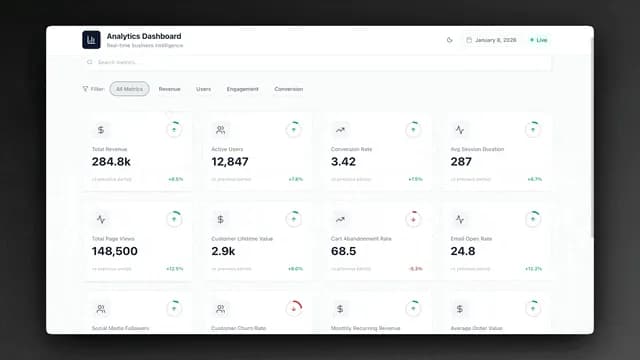
  • Dashboards — KPI trackers, analytics views, real-time reports
  • Client Portals — Branded workspaces for external collaboration
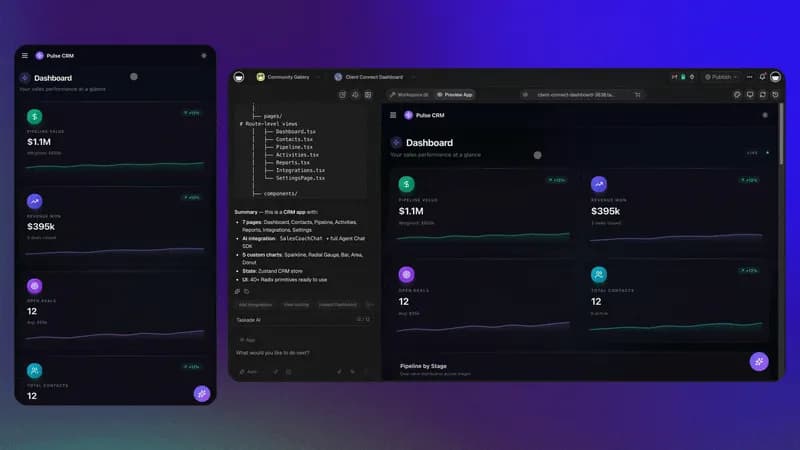
  • CRM Systems — AI-powered follow-ups and pipeline management
  • Internal Tools — HR workflows, inventory trackers, approval systems
  • Landing Pages — Event pages, product launches, documentation sites
  • AI Assistants — Custom agents trained on your data

Every app is connected to your workspace DNA — projects, agents, and automations work together.

Why upgrade from Free to Pro?

Free is great for exploring. Pro unlocks the full power of Genesis:

| Free | Pro | |------|-----| | 3 apps | Unlimited apps | | 1 agent | Unlimited agents | | 3 automations | Unlimited automations | | 1,000 credits | 50,000 credits | | Fast models | Frontier AI models |

Pro users build 20-50x more apps per month. Most teams upgrade within the first week.

See all Pro features →

Which AI models does Taskade support?

Taskade integrates the latest frontier models from OpenAI, Anthropic Claude, and Google Gemini.

  • Free: Fast, efficient models for everyday tasks
  • Pro+: Frontier models for complex reasoning, planning, and code generation

We continuously update to the latest models — you always have access to the best AI available.

Does Pro include unlimited apps?

Yes. Pro includes unlimited apps, unlimited workspaces, and unlimited AI agents.

Build as many apps as you need — there's no cap on creativity.

How many credits do I need per app?

Simple apps use 500 to 2,000 credits. Complex apps with multiple pages and automations may use more.

  • Free: 1,000 credits/month (build 1-2 apps)
  • Pro: 50,000 credits/month (build 20-50+ apps)
  • Business: 150,000 credits/month (team-wide building)

Credits renew monthly. Need more? Pay-as-you-go packs are available anytime.

What happens if I run out of credits?

Your apps keep running normally. Only AI generation uses credits.

You can still edit, share, and use all your existing apps. Buy top-up credit packs anytime to keep building.

Which plan includes integrations?

Pro and higher include all 100+ integrations:

  • Communication: Slack, Gmail, Microsoft Teams
  • Storage: Google Drive, Dropbox, OneDrive
  • Development: GitHub, GitLab, Webhooks
  • Automation: Zapier, Make, custom APIs

Connect your entire stack and let automations bridge everything.

Which plan is best for teams building internal tools?

Business is ideal for teams. You get:

  • Shared credit pool (150,000/month)
  • Unlimited team members
  • Advanced analytics
  • Admin controls and permissions
  • Priority support

Compare plans →

Which plan is best for agencies building client apps?

Business for most agencies — includes custom domains, white-labeling, and branded links.

Enterprise for large deployments with private cloud, SSO, and dedicated support.

Talk to sales →

Which plan includes custom domains?

Business and Enterprise plans include custom domains.

Publish your apps at app.yourcompany.com with full CNAME support. Perfect for client-facing portals and branded experiences.

When is Taskade branding removed?

Business and Enterprise plans let you fully white-label your apps:

  • Remove "Powered by Taskade" watermarks
  • Custom branded share links
  • Your logo, your colors, your domain
Can I upgrade later without losing my work?

Yes — everything stays intact when you upgrade.

Your apps, agents, workflows, projects, and data carry over seamlessly. Upgrade anytime to unlock more features.

Who owns the apps, agents, and content I create?

You do — 100%.

Everything you build is yours to keep, export, and use commercially. We never claim ownership of your content.

Is my data private and secure?

Yes. Your data is never used to train AI models.

  • Encrypted in transit and at rest
  • GDPR compliant
  • SOC 2 Type II certified
  • Enterprise SSO available

Learn more about security →

Who uses Taskade?

Teams at Netflix, Airbnb, Nike, TransUnion, and thousands of startups and agencies use Taskade to build AI-powered workflows.

  • Agencies build client portals and automate reporting
  • Startups ship internal tools in hours, not weeks
  • Enterprise teams create department-wide dashboards

Join 500,000+ teams building with Taskade.

See customer stories →

Do you offer discounts?

Yes — we offer discounts for students, startups, and nonprofits.

Apply for a discount →

Got a question? Get in touch.

Our team is here to help you build, automate, and scale with Taskade. Get personalized support for your productivity journey.

Decorative dots patternDecorative cross patternDecorative squares pattern