

See the alternative working — clone in 60 seconds
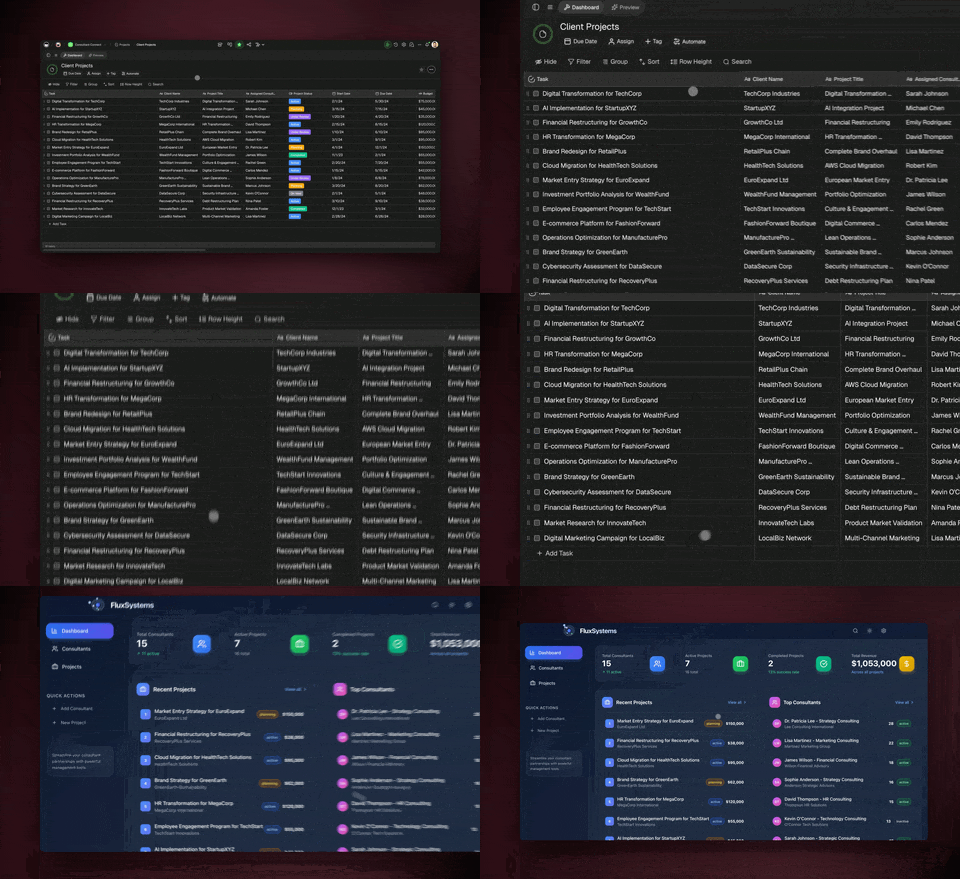
No signup, no credit card. Open the live sales pipeline → (opens in new tab)
| Capability | Motion | Taskade Genesis |
|---|---|---|
| Pricing (starting) | $19–$49/seat/month | $0 Free · $16/mo Pro (10 seats) |
| Cloneable live demo | ❌ | ✅ |
| Built-in AI agents | AI add-ons only | ✅ 33 built-in tools |
| Automation engine | Limited workflow rules | ✅ Temporal-backed, 100+ integrations |
| Workspace DNA loop | ❌ | ✅ ▲ Memory · ■ Intelligence · ● Execution |
Honest verdict: If your goal is to auto-block your calendar, Motion is the cleanest tool in the category. If your goal is to actually execute the work — apps, agents, automations, team operations — Taskade is the workspace where that happens.
The fundamental difference
Motion solves a real and frustrating problem: most knowledge workers maintain a separate task list and a calendar that don't talk to each other. Motion fixes this by auto-scheduling tasks into open calendar slots, rescheduling when things slip, and protecting focus time. For solo operators and managers drowning in meetings, this is a genuinely powerful workflow.
Taskade comes at the problem from the other direction. The reason your calendar is overloaded is that work itself isn't being executed efficiently. Workspace DNA — Memory (Projects), Intelligence (Agents), and Execution (Automations) — turns the workspace itself into the execution layer. AI Agents take action. Automations fire across 100+ integrations. Genesis builds the apps your team needs. The calendar gets lighter because the work itself is getting done.
Motion asks: "When should this task happen?" Taskade asks: "Should a human even need to do this task?"
What is Taskade?
Taskade is an AI-native workspace where teams plan, build, and ship in one place. Founded by John Xie, Dionis Loire, and Stan Chang in 2017 and Y Combinator-backed, Taskade is used by over a million people worldwide. The platform combines:
- Genesis — turn a prompt into a deployed app with custom domains, password protection, and OIDC/SSO via GenesisAuth.
- AI Agents v2 — first-class digital teammates with persistent memory, 33 built-in tools, custom tools, and the ability to be embedded publicly.
- Automations — durable workflows powered by reliable workflow infrastructure with branching, looping, and filtering across 100+ bidirectional integrations.
- Real-time collaboration — multiplayer editing, comments, built-in chat, video calls, and 7-tier role-based access.
- Seven project views — List, Board, Calendar, Table, Mind Map, Gantt, and Org Chart.
What is Motion?
Motion (usemotion.com) is an AI calendar and task auto-scheduler founded in 2019 by Omid Roshan and Ethan Li, also Y Combinator-backed. The product's core proposition is that you list your tasks, deadlines, and priorities, and Motion's algorithm time-blocks them into your Google Calendar or Microsoft 365 calendar — and reshuffles automatically when meetings shift.
Motion's genuine strengths: Best-in-class AI calendar auto-scheduling, automatic task rescheduling when meetings move, clean time-block UX, strong meeting-booking assistant, and a thoughtful priority/deadline model. For individuals who live and die by their calendar, Motion is one of the sharpest tools in the category.
Motion's positioning is honest: it is an AI calendar with task management built in, not a full collaborative workspace. The pricing reflects this focus — $19 per month for individuals, $12 per seat per month for teams (annual), and a Pro tier at $49 per month for advanced AI features.
Feature-by-feature deep dive
Calendar auto-scheduling and time blocking
- Motion is the category leader here. Auto-schedules tasks based on priority, deadline, duration, and calendar availability. Reshuffles when meetings move. This is its core strength — credit where due.
- Taskade offers a Calendar view and scheduled automation triggers, but auto-blocking your day into focus chunks is not the product focus. If aggressive time-blocking is your need, Motion does it better.
AI agents that take action
- Taskade ships AI Agents v2 — persistent memory, 33 built-in tools (web search, file analysis, project management, image generation, code execution, and more), custom tools you define, and public embedding inside Genesis Apps.
- Motion focuses on scheduling AI, not execution agents. There is no agent platform.
Workflow automations and integrations
- Taskade includes durable Automations with branching, looping, and filtering across 100+ bidirectional integrations. Triggers pull external events in (Slack messages, Gmail, Sheets rows, Calendly events, webhooks). Actions push data out (Stripe checkouts, Shopify orders, Notion syncs, Salesforce updates, GitHub PRs).
- Motion integrates primarily with Google Calendar, Microsoft 365, and a handful of task sources. It is not a general-purpose automation platform.
App building
- Taskade Genesis turns a single prompt into a deployed app with UI, data model, agents, and automations connected. Output runs at a shareable URL with custom domains and SSO.
- Motion does not build apps. Its scope is your calendar.
Team collaboration
- Taskade is workspace-native: real-time multiplayer editing, comments, built-in chat, video calls, and granular 7-tier role-based access (Owner, Maintainer, Editor, Commenter, Collaborator, Participant, Viewer).
- Motion is designed primarily for individual calendar optimization. Team features exist but the product DNA is single-user productivity.
Project views
- Taskade offers seven project views — List, Board, Calendar, Table, Mind Map, Gantt, and Org Chart. The Timeline scrolling component lives inside the Gantt view.
- Motion is calendar-first by design with a list view alongside.
The Workspace DNA advantage
Motion's mental model is "the AI puts the right task on the right time slot." Taskade's mental model is Workspace DNA: a self-reinforcing loop between three pillars.
- Memory (Projects) — Your team's docs, tasks, files, and structured data become the substrate every agent reasons over. The longer you work, the smarter the workspace gets.
- Intelligence (Agents) — Custom AI Agents with persistent memory, 33 built-in tools, and the ability to call external MCP servers or your own custom tools. Agents are first-class teammates, not floating chat windows.
- Execution (Automations) — Durable workflows triggered by external events (Slack, Gmail, Stripe, GitHub, Calendly, webhooks, schedules) that read from Memory and act through Intelligence — then write the results back into Memory. The loop closes.
Motion is brilliant at one slice of the productivity stack — calendar logistics. Taskade runs the entire DNA loop continuously, so the work that would otherwise need scheduling gets executed by agents and automations directly.
Pricing
| Plan | Taskade | Motion |
|---|---|---|
| Free | Free Forever — limited AI credits, full app builder access | 7-day trial only |
| Individual / Pro | Pro $16/month annual (10 seats, unlimited apps) | $19/month individual; $49/month Pro |
| Team / Business | $40/month — unlimited seats, higher AI capacity | $12/seat/month team (annual) |
| Max | $200/month — maximum AI generation capacity | N/A |
| Enterprise | $400/month with custom SLA | Enterprise custom |
Taskade includes AI credits, hosting, deployment, agents, integrations, and automations in a flat subscription. Motion's pricing is straightforward calendar-first SaaS pricing — fair for what it does, but tightly scoped.
When to choose each
Choose Motion if:
- You are an individual or small team whose primary pain is a chaotic calendar.
- You want best-in-class AI auto-scheduling and time-blocking.
- Your task list and Google Calendar / Microsoft 365 are the center of your workday.
- You don't need AI agents that execute multi-step workflows or a full collaborative workspace.
Choose Taskade if:
- You want AI agents that actually execute work, not just schedule it.
- You need workflow automations across Slack, Gmail, Stripe, Salesforce, Notion, and 100+ other integrations.
- You want to ship deployed apps, dashboards, portals, and internal tools from prompts.
- You're building a team workspace with chat, video, and collaborative project views.
- You want a flat subscription that includes hosting, agents, automations, and team collaboration.
Use both if: Many teams use Motion for personal calendar discipline and run their team operations, agents, automations, and Genesis app building inside Taskade. The two cover different layers of the productivity stack.
Frequently asked questions
Is Motion better than Taskade for time blocking?
Yes — Motion is best-in-class for AI calendar auto-scheduling. Taskade is not a dedicated calendar tool. The two solve adjacent but different problems.
Does Motion include AI agents or workflow automations?
No. Motion's AI is focused on scheduling. Taskade ships AI Agents v2 and durable automations across 100+ integrations.
Which AI models does Taskade use?
Taskade routes across 15+ frontier models from OpenAI, Anthropic, and Google. Routing is automatic by plan tier.
Can I use Taskade and Motion together?
Yes. Many teams use Motion for personal calendar logistics and Taskade for team execution, agents, automations, and Genesis app building.
Does Taskade have a Genesis app builder like Motion?
Motion does not have an app builder. Genesis turns a prompt into a deployed app with custom domains, SSO via GenesisAuth, and Community Gallery publishing.
Build without permission
Motion gives you a tighter calendar. Taskade gives your team a workspace where agents execute work, automations fire across 100+ integrations, and Genesis ships deployed apps.
- Build with Genesis — One prompt, one deployed app
- Browse the Community Gallery — Clone apps shipped by other Genesis builders
- Read the Workspace DNA explainer — How Memory, Intelligence, and Execution work together
Explore Taskade
- AI App Builder — Build complete apps from one prompt
- AI Agent Platform — Digital teammates that work 24/7
- Vibe Coding — Natural-language app creation
- AI Website Builder — Sites in seconds
- Workflow Automation — AI-powered business automation
- AI Knowledge Base — Train agents on your data
Build without code
- AI App Generator — Full apps from prompts
- AI Dashboard Generator — Business dashboards
- AI Website Generator — Sites in seconds
- AI Form Generator — Smart intake forms
Related reading
- Build Without Permission — Our manifesto
- How Workspace DNA Works — The architecture
- Origin of Living Software — The future of apps
- Agentic Workflows That Replace Your Startup's Busywork
- Stop Worshipping Prompts, Start Building Workflows
- AI Tools Built with Taskade Genesis