

See the alternative working — clone in 60 seconds
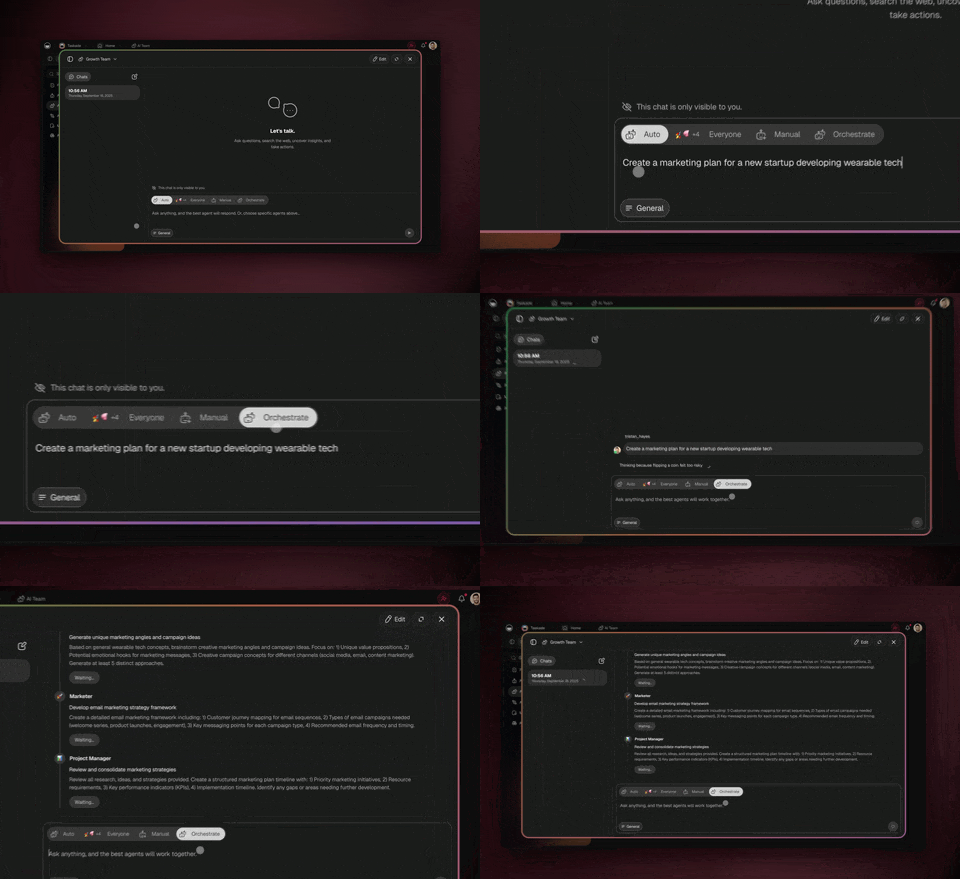
No signup, no credit card. Open the live multi-agent workspace → (opens in new tab)
| Capability | Lindy | Taskade Genesis |
|---|---|---|
| Pricing (starting) | Free; Pro $49.99/mo, Business $199.99/mo | $0 Free · $16/mo Pro (10 seats) |
| Cloneable live demo | ❌ | ✅ |
| Built-in AI agents | Yes, custom agents | ✅ 34 built-in tools |
| Automation engine | Limited / no native integrations | ✅ Temporal-backed, 100+ integrations |
| Workspace DNA loop | ❌ | ✅ ▲ Memory · ■ Intelligence · ● Execution |
Overall winner: ✅ Taskade Genesis — for anyone who wants deployed apps, persistent agents, automations, and a workspace in one platform. Lindy remains a strong pick for operators who want a clean trigger-driven AI agent builder.
Table of Contents
- Quick Comparison Table
- The fundamental difference
- What is Taskade Genesis?
- What is Lindy?
- Feature-by-feature deep dive
- The Workspace DNA advantage
- Pricing and total cost of ownership
- Where Lindy has the edge
- What users say
- When to choose each
- Frequently asked questions
- Build without permission
The fundamental difference
Lindy is a chat-based AI agent builder. You configure a "Lindy" — an agent that watches an inbox, joins a calendar event, listens to a Slack channel, or fires on a webhook — and the agent does its job whenever the trigger fires. The unit of value is a well-configured trigger-driven assistant.
Taskade Genesis starts further down the pipeline. You describe what you want and Genesis returns a deployed application with AI agents, real-time data, automation workflows, and team collaboration already wired in. Your workspace is the backend. Your projects are the database. Your agents are the runtime that lives next to a deployed product surface.
Lindy asks: "What event should an agent respond to?" Genesis asks: "What app should exist, and what agents should live inside it?"
What is Taskade Genesis?
Taskade Genesis is the AI app builder inside the Taskade workspace. It is built on Workspace DNA — Memory (Projects), Intelligence (AI Agents), and Execution (Automations) — a self-reinforcing loop where what your team does becomes the substrate the agents reason over. Founded by John Xie, Dionis Loire, and Stan Chang in 2017, Taskade is a Y Combinator-backed platform with over a million users and a public Community Gallery of apps anyone can clone.
A single prompt to Genesis can produce a customer support portal, an ops dashboard, a CRM, a knowledge base, a form-driven intake system, or an internal tool — all with built-in AI agents, automations, custom domains, password protection, and the option to embed publicly with GenesisAuth. No DevOps. No CI/CD. No infrastructure to maintain.
Genesis is for everyone — founders, marketers, ops, product managers, customer success, and yes, engineers who want to skip plumbing and focus on the idea.
What is Lindy?
Lindy is an AI agent platform centered on business workflow triggers. You build a Lindy by describing what you want it to do, picking the trigger (Gmail, Slack, calendar, webhook, schedule), and connecting the integrations it needs. The product has earned a deserved reputation for clean UX, founder-led marketing, and a growing library of pre-built agent templates.
Lindy at a glance: Free tier plus paid plans at roughly $49.99 per month (Pro) and $199.99 per month (Business). Strong native triggers across email, Slack, and calendar. Credit-based usage. Active agent template marketplace. Designed for operators automating personal and team workflows.
Teams that pick Lindy usually do so because they have a specific repetitive process — qualifying leads from inbound email, summarizing meetings into a CRM, routing customer questions in Slack — and they want a clean, focused agent that handles it. Lindy is genuinely good at that shape of problem.
Where Lindy is less natural is the deployed app surface. It is not designed to ship a customer-facing portal, an internal dashboard, or a multi-view project workspace. That is a different shape of product.
Feature-by-feature deep dive
App generation
- Taskade Genesis turns a single prompt into a deployed application with UI, data model, AI agents, and automations connected. You can iterate visually or in natural language. The output runs immediately at a shareable URL.
- Lindy does not generate deployed apps. It builds and runs trigger-driven agents that live inside the Lindy product itself.
AI agents that take action
- Taskade ships AI Agents v2 — first-class digital teammates with persistent workspace memory, 34 built-in tools (web search, file analysis, project management, image generation, code execution, and more), custom tools you define, and the ability to be embedded publicly inside Genesis Apps.
- Lindy ships clean trigger-driven agents that handle inbound events. The agents are well-built; the difference is that they live inside Lindy rather than inside a deployed app surface you control.
Workflow automations and integrations
- Taskade includes durable Automations with branching, looping, and filtering across 100+ bidirectional integrations. Triggers pull external events in (Slack messages, Gmail, Sheets rows, Calendly events, webhooks). Actions push data out (Stripe checkouts, Shopify orders, Notion syncs, Salesforce updates, GitHub PRs).
- Lindy has native triggers across email, Slack, and calendar plus a growing integration library. The trigger UX is one of the cleanest in the category — Genesis matches the breadth, Lindy matches the focus.
Team collaboration
- Taskade is workspace-native: real-time multiplayer editing, comments, chat, video calls, and granular 7-tier role-based access (Owner, Maintainer, Editor, Commenter, Collaborator, Participant, Viewer).
- Lindy supports team workspaces and shared agents. The collaboration model is centered on the agent rather than on a shared project canvas.
Project views and visual editing
- Taskade offers seven project views — List, Board, Calendar, Table, Mind Map, Gantt, and Org Chart — plus visual app editing without writing code. The Timeline scrolling component lives inside the Gantt view.
- Lindy is an agent-builder UI, not a project workspace. There is no concept of a Mind Map or a Gantt view because that is not what Lindy is for.
Workspace memory and context
- Taskade's Workspace DNA gives every agent persistent context across projects, files, integrations, and the live state of your business.
- Lindy maintains per-agent memory tied to that agent's runs. Powerful for trigger-driven work, less powerful for institutional knowledge that compounds across projects.
Trigger UX
- Lindy wins outright here on focus and polish. The "this email arrives → run this agent" flow is one of the cleanest in the market.
- Taskade matches the breadth via Automations, and the trigger types are wider, but Lindy's specific email-first, calendar-first UX is a genuine strength.
The Workspace DNA advantage
Lindy's mental model is "an agent fires on a trigger." Genesis's mental model is Workspace DNA: a self-reinforcing loop between three pillars.
- Memory (Projects) — Your team's docs, tasks, files, and structured data become the substrate every agent reasons over. The longer you work, the smarter the workspace gets.
- Intelligence (Agents) — Custom AI Agents with persistent memory, 34 built-in tools, and the ability to call out to MCP servers or your own custom tools. Agents are first-class teammates that live in the workspace, not floating chat sessions.
- Execution (Automations) — Durable workflows triggered by external events (Slack, Gmail, Stripe, GitHub, Calendly, webhooks, schedules) that read from Memory and act through Intelligence — then write the results back into Memory. The loop closes.
Lindy is excellent at the trigger → agent slice of this loop. Genesis runs the entire loop continuously, which is why the longer you use it, the more your workspace itself becomes the thing that builds the next app.
Pricing and total cost of ownership
| Plan | Taskade Genesis | Lindy |
|---|---|---|
| Free | Free Forever — limited AI credits, full app builder access | Free — limited credits |
| Pro | $16 / month (annual) — unlimited apps, 10 seats | ~$49.99 / month — credit pool |
| Business | $40 / month — unlimited seats, higher AI capacity | ~$199.99 / month — larger credit pool |
| Max | $200 / month — maximum AI generation capacity | n/a |
| Enterprise | $400 / month with custom SLA | Custom |
Lindy's pricing is credit-pool style: each agent run burns credits, and busy trigger-driven workflows can drain a plan faster than expected. Taskade's pricing is workspace-style: a flat subscription includes AI credits, hosting, deployment, agents, integrations, and automations. For teams that want a predictable monthly number rather than a metered one, Genesis is the more comfortable shape — especially as agent usage grows.
Where Lindy has the edge
Honest comparison matters. Lindy genuinely wins on a few axes that a workspace-style platform is not always optimizing for.
- Trigger UX polish. The email, Slack, and calendar trigger flow is one of the cleanest in the category and a real strength.
- Focused agent builder. Lindy is opinionated about what a Lindy is, and that focus makes the product easy to learn.
- Founder-led marketing and community. Lindy has built a strong public brand and a vocal user community that ships templates regularly.
- Agent marketplace. The pre-built Lindy templates are a great way to skip the blank-page problem for common workflows.
Taskade Genesis chooses the broader trade — deployed apps, persistent workspace, multi-view collaboration — because most teams want the agent and the surface it lives in to come from the same platform. Both choices are legitimate.
What users say
Lindy has a deserved reputation as one of the cleaner trigger-driven AI agent products on the market. Recurring themes across product reviews and operator forums:
- "Best email-triggered agent builder" — particularly for inbox triage and meeting follow-up.
- "Pre-built templates save real hours" — the marketplace gets specific praise.
- "Watch your credits on busy inboxes" — high-volume triggers can drain a paid plan.
The honest critique: Lindy is not the product you log into to run a deployed app or a multi-view project workspace. It is the product you call when you want a clean trigger-driven assistant. That focus is the strength and the limit.
Genesis users typically show up because they want to ship a portal, a dashboard, a CRM, an internal tool, or a customer-facing app — and they want agents and automations to live inside that surface. Browse the Community Gallery for examples.
When to choose each
Choose Lindy if:
- Your need is a clean trigger-driven assistant for email, Slack, calendar, or webhooks.
- You like the focused, opinionated agent-builder UX.
- The pre-built Lindy template marketplace already covers your workflow.
- You do not need a deployed app surface or a multi-view project workspace.
- You are comfortable with a credit-pool pricing model.
Choose Taskade Genesis if:
- You want to ship a working app, not just a trigger-driven agent.
- Your team needs persistent AI agents that live inside a workspace your customers can also use.
- You need workflow automations across Slack, Gmail, Stripe, Salesforce, Notion, and 100+ other integrations.
- You want seven project views, real-time collaboration, and granular role-based access.
- You want one flat subscription that includes hosting, agents, automations, and team collaboration.
Use both if: Some teams use Lindy for a specific inbox or meeting agent and use Taskade as the workspace where the deployed apps, dashboards, and automations actually live.
Frequently asked questions
Is Lindy better than Taskade Genesis for AI agents?
They are aimed at adjacent jobs. Lindy is a focused trigger-driven agent builder. Genesis is a workspace where agents live next to deployed apps, automations, and projects. The "better" answer depends on whether you want an agent or a system.
How much does Lindy cost in 2026?
Lindy offers a Free plan, a Pro plan around $49.99 per month, and a Business plan around $199.99 per month, with credit-based usage and additional credit packs available. Pricing tiers can shift, so check Lindy's pricing page for current numbers.
Does Lindy build deployed applications?
Lindy builds and runs agents inside its own product. Genesis ships deployed apps at a shareable URL with custom domains and SSO.
Does Taskade Genesis include workflow automations?
Yes — durable automations with branching, looping, and filtering across 100+ bidirectional integrations. Lindy has clean native triggers and a growing integration library too.
Which AI models does Taskade Genesis use?
Taskade routes work across 15+ frontier models from OpenAI, Anthropic, and Google. Plan tier auto-selects the model so you never wire up API keys.
Build without permission
Lindy gives operators a clean trigger-driven agent builder. Genesis gives everyone — engineers and non-engineers alike — a workshop where the apps come out finished, hosted, and ready for users.
- Build with Genesis → — One prompt, one deployed app
- Browse the Community Gallery — Clone apps shipped by other Genesis builders
- Read the Workspace DNA explainer — How Memory, Intelligence, and Execution work together
Explore Taskade Genesis
- AI App Builder — Build complete apps from one prompt
- Vibe Coding — Natural-language app creation
- AI Agent Platform — Digital teammates that work 24/7
- AI Website Builder — Sites in seconds
- Workflow Automation — AI-powered business automation
Learn the Genesis architecture
Your living workspace includes:
- Create Your First App — 5-minute tutorial
- Custom AI Agents — The Intelligence pillar
- Projects & Databases — The Memory pillar
- Automations & Workflows — The Execution pillar
Build without code
- AI App Generator — Full apps from prompts
- AI Dashboard Generator — Business dashboards
- AI Website Generator — Sites in seconds
- AI Form Generator — Smart intake forms
- Browse Community Apps — Clone and customize
Related reading
- Build Without Permission — Our manifesto
- How Workspace DNA Works — The architecture
- Origin of Living Software — The future of apps
- What Is an Agent Hosting Platform? — Hosted vs self-hosted agents
- Host Your First AI Agent — From prompt to deployed agent
- Agentic Workflows That Replace Your Startup's Busywork — Real automation patterns
- Stop Worshipping Prompts, Start Building Workflows — Prompts vs systems
- How to Train AI Agents With Your Knowledge — Make agents smarter over time