






The best AI wiki and knowledge base tool depends on who reads it. An internal team wiki, a customer help center and developer docs are three different jobs, and each one has a clear leader in 2026. This guide compares 13 tools, with the free plan and the cheapest paid plan of each. We checked each vendor's pricing page on 2026-10-19.
TL;DR: For an internal team wiki, Notion, Confluence and Slab are the common picks, and Taskade adds AI agents that answer from your docs. For a customer help center, Zendesk and Document360 lead. Taskade has a Free plan, Pro is $10 a month billed yearly, and a custom domain is on Pro. See plans and prices
If you want the method first, read our guide to how to build a knowledge management system. For a personal wiki, see the best AI second brain apps. For a step-by-step setup, see how to build a team knowledge base with AI.
What Is the Best AI Wiki and Knowledge Base Software in 2026?
The best knowledge base software in 2026 is the one built for your reader. Pick Taskade for a team wiki that AI agents answer from, Notion for flexible docs, Confluence for Atlassian teams, Slab for a clean small-team wiki, Zendesk for a support help center, and GitBook for developer docs. Each pick is below.
- A team wiki that answers questions: Taskade, with AI agents that read your pages
- Flexible docs and databases: Notion
- Teams on Jira: Confluence
- A clean wiki for a small team: Slab
- Docs that get checked for stale facts: Slite
- Developer and API docs: GitBook
- A help center inside a support desk: Zendesk
- A free wiki on your own server: BookStack or Outline
What Is an AI Wiki? Traditional Wiki, AI Wiki and LLM Wiki Compared
An AI wiki is a wiki where AI does part of the work people used to do by hand. In a traditional wiki, people write, search and update every page. In an AI wiki, AI finds pages by meaning and answers questions with sources. In an LLM wiki, an AI agent writes and updates the pages too.
| Traditional wiki | AI wiki | LLM wiki (agent-written) | |
|---|---|---|---|
| Who writes pages | People | People, with AI drafts | An AI agent, from your sources |
| How you find an answer | Keyword search, page tree | Ask a question, get a cited answer | Ask the agent, which reads its own index |
| Who keeps pages current | Page owners, when they remember | Owners, with review reminders and AI checks | The agent, on each new source and each health check |
| Typical tools | BookStack, older Confluence spaces | Notion, Confluence with Rovo, Slab, Slite, Guru, Taskade | A folder of Markdown files run by a coding agent, or a workspace where agents can write |
The "LLM wiki" name comes from an idea file that Andrej Karpathy published as a GitHub gist on 2026-04-04. His point is that most AI over documents re-reads raw files on every question, so nothing builds up. In his pattern, the agent compiles each new source into linked wiki pages once, then keeps those pages current.
+---------------------------------------------------------------+
|        THE LLM WIKI PATTERN (Karpathy gist, 2026-04-04)       |
|                                                               |
|  RAW SOURCES   articles, papers, files      (never edited)    |
|       |                                                       |
|       v  INGEST: the agent reads a source, writes a summary,  |
|       |          updates linked pages, logs the change        |
|  THE WIKI      linked Markdown pages        (agent-owned)     |
|       |                                                       |
|       v  QUERY: the agent reads the index, answers with       |
|       |         citations, files good answers as new pages    |
|  THE SCHEMA    one file of rules and page conventions         |
|                                                               |
|  LINT: on a schedule, the agent looks for contradictions,     |
|        stale claims, orphan pages and missing links           |
+---------------------------------------------------------------+
The gist describes a personal setup: an agent on one side and a Markdown editor on the other. A team that wants the same loop without a code editor needs three parts in one place: pages people can read, an agent that reads and answers from them, and a scheduled job that runs the agent and saves what it finds. In Taskade, those are projects, a custom agent with the projects on its Knowledge tab, and an automation that runs an Ask Agent step and writes the result back with an Add Task step.
The Best Knowledge Base Software at a Glance
The table below shows each tool's best use, free plan and cheapest paid plan, as listed on each vendor's pricing page on 2026-10-19. "Yearly" means the monthly price when you pay for a year. Two vendors, Guru and Document360, publish no price, so they sit at the end of the list.
| # | Tool | Best for | Free plan | Cheapest paid plan |
|---|---|---|---|---|
| 1 | Taskade | A team wiki with AI agents | Yes, 2 members, 1 agent | Pro $10/mo yearly, up to 10 members |
| 2 | Notion | Flexible team docs | Yes, 1 person | Plus $10/member/mo yearly |
| 3 | Slab | A clean small-team wiki | Yes, up to 10 users | Startup $6.67/user/mo yearly |
| 4 | Slite | Docs that get checked and fixed | No, 14-day trial | Basic $10/member/mo yearly |
| 5 | Confluence | Atlassian teams | Yes, up to 10 users | Standard $7.15/user/mo monthly |
| 6 | GitBook | Developer docs | Yes, 1 user | Essential $65/site/mo yearly + $12/user |
| 7 | Tettra | Slack Q&A | No, 30-day trial | Scaling $8/user/mo, 10-user minimum |
| 8 | Nuclino | A lightweight wiki | Yes, 50 items | Starter $6/user/mo yearly |
| 9 | Outline | Open source with a cloud option | Self-hosted Community Edition | Cloud $10/mo for 1 to 10 members |
| 10 | BookStack | A free self-hosted wiki | Yes, MIT license | No paid plan |
| 11 | Zendesk | A help center with ticketing | No, 14-day trial | Suite Team $55/agent/mo yearly |
| 12 | Guru | Answers inside Slack and the browser | No | No public price |
| 13 | Document360 | A customer help center | No | No public price |
How We Compared These Tools
We compared each tool on four questions, using only the vendor's own pricing and product pages, read on 2026-10-19. We did not run a hands-on benchmark of search accuracy, so this list makes no accuracy claims. The four questions below are the ones a buyer can check on their own.
+-----------------------------------------------------------------+
|              FOUR QUESTIONS FOR EVERY KNOWLEDGE BASE            |
|                                                                 |
|  1. WHO READS IT?      team only | customers | developers       |
|  2. HOW DO YOU FIND?   keyword   | by meaning | ask a question  |
|  3. WHO KEEPS IT TRUE? nobody    | page owner | review reminder |
|  4. WHAT DOES IT COST? free tier | per user   | flat price      |
|                                                                 |
|  Source for every price: the vendor pricing page, 2026-10-19    |
+-----------------------------------------------------------------+
| Question | Why it matters | What to look for |
|---|---|---|
| Who reads it? | A help center and a team wiki need different tools | Public pages, custom domain, login for staff |
| How do you find things? | Keyword search fails when people use other words | Search by meaning, AI answers with sources |
| Who keeps it true? | Old pages make people stop trusting the wiki | Page owners, verification, review reminders |
| What does it cost? | Per-user prices grow with every hire | Free tier size, flat team prices, AI add-ons |
In short, these four questions give a comparison of AI-powered wiki platforms on the AI capabilities that matter: semantic search by meaning, AI answers, and a way to catch outdated pages before readers stop trusting them.
1. Taskade: Best for a Team Wiki With AI Agents
Taskade is a workspace where wiki pages, projects, AI agents and automations live together. You write pages as projects and add them to a custom AI agent as knowledge. The agent answers questions from those pages and shows which sources it used.
Who it is for: small and mid-size teams that want the wiki, the tasks and the AI in one tool at one flat price.
Strengths
- Agents answer from live projects, files, web pages and videos (agent knowledge)
- Publish an agent at a public link for customers (public agents)
- One prompt to Taskade Genesis builds a live wiki portal app, and automations keep pages moving
- Pro covers up to 10 members for one flat price
Limits
- No ticket desk: a support team that needs tickets fits Zendesk better
- No Git sync for docs, as GitBook offers
| Plan fact | Detail |
|---|---|
| Free plan | Unlimited projects, 2 members, 1 AI agent, no AI credits to start |
| Cheapest paid | Pro $10/mo billed yearly ($120/yr), up to 10 members, 50,000 AI credits a month |
| Custom domain | Pro and up, $10/mo billed yearly (up to 10 on Pro, unlimited on Business and up) |
| Prices checked | 2026-10-19, taskade.com/pricing |
2. Notion: Best for Flexible Team Docs
Notion is a docs and database workspace that many teams already use for their wiki. Pages, databases and templates fit almost any structure. In 2026, the full Notion AI set (Notion Agent, AI Meeting Notes and Enterprise Search) is on the Business plan, and Free and Plus get a trial of it.
Who it is for: teams that want a flexible, good-looking wiki and already know Notion.
Strengths
- A polished editor and a very large template gallery for wikis, handbooks and team spaces
- Databases turn a wiki into structured lists, such as a policy register or a project index
- Business adds an AI agent, meeting notes and search across connected apps
Limits
- Full AI costs $20 per member a month on yearly billing, double the Plus price
- On the Free plan, page and block limits apply once a workspace has 2 or more members
| Plan fact | Detail |
|---|---|
| Free plan | Unlimited blocks for 1 person, limited for 2+ members, 5 MB uploads, AI trial |
| Cheapest paid | Plus $10/member/mo yearly ($12 monthly) |
| Full AI | Business $20/member/mo yearly ($24 monthly) |
| Prices checked | 2026-10-19, notion.com/pricing |
3. Slab: Best for a Clean Wiki on a Small Team
Slab is a focused team wiki with a fast editor and topic-based structure. It does one job, internal documentation, and keeps the reading view clean. Unified search reaches into connected tools such as Google Drive and GitHub, and the plan table lists AI Ask, AI Autofix and AI Predict.
Who it is for: engineering, product and operations teams that want a calm, simple wiki.
Strengths
- Free for up to 10 users and guests, with 90 days of version history
- Topics instead of deep folders, which keeps the wiki easy to scan
- Search that reaches content in connected tools, not only Slab pages
Limits
- Slab is only a wiki. Tasks, project boards and automations need another tool
- The Free plan caps attachments at 10 MB and keeps 30 days of usage analytics
| Plan fact | Detail |
|---|---|
| Free plan | Up to 10 users, unlimited posts and topics |
| Cheapest paid | Startup $6.67/user/mo billed yearly ($8 monthly) |
| Next tier | Business $12.50/user/mo billed yearly |
| Prices checked | 2026-10-19, slab.com/pricing |
4. Slite: Best for Docs That Get Checked and Fixed
Slite is a team knowledge base that puts AI search and doc upkeep first. Ask answers questions from your docs on every plan, and each doc can carry a verification status. The Pro plan adds the Slite Agent, search across connected tools, and doc fact-checking with suggested fixes.
Who it is for: remote and async teams that want answers from their docs and help to keep those docs true.
Strengths
- A doc verification workflow on every plan, so readers can see which pages an owner checked
- Ask (AI search and answers) and AI answers in Slack, both on Basic
- Pro checks docs for facts that no longer hold and suggests a fix
Limits
- No free plan: a 14-day trial, then a paid plan per member
- Basic caps Ask at 30 questions per seat a month and AI writing at 30 edits per user a month
| Plan fact | Detail |
|---|---|
| Free plan | No. 14-day free trial, no card required |
| Cheapest paid | Basic $10/member/mo billed yearly |
| Next tier | Pro $20/member/mo billed yearly, with the Slite Agent |
| Prices checked | 2026-10-19, slite.com/pricing |
5. Confluence: Best for Teams on Atlassian
Confluence is the wiki that Atlassian sells next to Jira. It handles large page trees, strict permissions and deep links to Jira issues. Rovo, Atlassian's AI, adds search, chat and agents to the paid plans, and the Free plan covers up to 10 users with 2 GB of storage.
Who it is for: companies that already plan their work in Jira and want docs in the same family.
Strengths
- A real Free plan for up to 10 users, which is rare at this level
- Jira links, page templates and space permissions that suit large organizations
- Rovo search, chat and agents come with paid plans, with no separate AI seat
Limits
- The menus and settings take time to learn for a non-technical team
- Annual pricing comes in user tiers, so you buy a tier, not an exact seat count
| Plan fact | Detail |
|---|---|
| Free plan | Up to 10 users, 2 GB storage |
| Cheapest paid | Standard $7.15/user/mo on monthly billing (1 to 100 users) |
| Yearly | Standard tier from $720/yr for up to 10 users |
| Prices checked | 2026-10-19, Confluence pricing |
6. GitBook: Best for Developer Docs
GitBook publishes product and API documentation as a branded public site. Docs can sync with a Git repository, so engineers edit in their own workflow and writers edit in the browser. The Free plan includes 1 user and unlimited page views, and paid plans add a custom domain and AI answers.
Who it is for: software teams that publish developer docs, API references and public guides.
Strengths
- Two-way sync with Git, so docs live next to the code
- No traffic limit on published docs, even on Free
- Ultimate adds AI features for readers, and paid plans include AI credits ($20 on Essential)
Limits
- Pricing is per site plus per user, so a 10-person docs team pays $185 a month on Essential
- GitBook is built for public docs, not for an internal team wiki with tasks
| Plan fact | Detail |
|---|---|
| Free plan | 1 user, unlimited page views, 10 agent messages a week |
| Cheapest paid | Essential $65/site/mo billed yearly + $12/user/mo |
| Trial | 14 days on paid plans |
| Prices checked | 2026-10-19, gitbook.com/pricing |
7. Tettra: Best for Answering Repeat Questions in Slack
Tettra is a knowledge base built around Slack questions. When someone asks a question in Slack, Tettra suggests an existing answer or sends the question to an expert, and the reply becomes a page. Page owners get reminders to verify their content, which keeps answers current.
Who it is for: teams where the same questions come up again and again in Slack.
Strengths
- A Slack-first loop that turns answers into reusable pages
- Owners and verification reminders for each page
- A simple editor that non-technical teams pick up fast
Limits
- No free plan, and a 10-user minimum on Scaling
- Tettra is a Q&A knowledge base, not a full docs or project tool
| Plan fact | Detail |
|---|---|
| Free plan | No. 30-day free trial, no card required |
| Cheapest paid | Scaling $8/user/mo, 10-user minimum |
| Yearly | 20% off on yearly billing |
| Prices checked | 2026-10-19, tettra.com/pricing |
8. Nuclino: Best for a Lightweight, Fast Wiki
Nuclino is a lightweight wiki that loads fast and stays out of your way. Pages link to each other, and you can view the same items as a list, a board or a graph. Its AI assistant, Sidekick, answers questions from your workspace, and it comes with the Business plan.
Who it is for: small teams that want a quick, uncluttered wiki with real-time editing.
Strengths
- Real-time collaborative editing with a minimal interface
- A graph view that shows how pages connect
- A low Starter price per user
Limits
- The Free plan caps you at 50 items and 3 canvases
- The Sidekick AI assistant needs the Business plan
| Plan fact | Detail |
|---|---|
| Free plan | Up to 50 items, 3 canvases, 2 GB total storage |
| Cheapest paid | Starter $6/user/mo billed yearly ($8 monthly) |
| AI | Sidekick on Business, $10/user/mo billed yearly ($12 monthly) |
| Prices checked | 2026-10-19, nuclino.com/pricing (prices from the page data) |
9. Outline: Best Open Source Wiki With a Cloud Option
Outline is an open source team wiki with a modern editor and fast search. You can host it yourself for free with the Community Edition, or pay for the cloud version. The cloud price is flat for a team range, not per user, which makes it cheap for a team of 10.
Who it is for: teams that want open source and the choice between self-hosting and a managed cloud.
Strengths
- A free self-hosted Community Edition
- Flat cloud pricing: $10 a month covers 1 to 10 members
- A clean editor with Markdown shortcuts and collections
Limits
- The Community Edition has limited features and no support
- After the 30-day cloud trial, the knowledge base becomes read-only until you add a payment method
| Plan fact | Detail |
|---|---|
| Free plan | Self-hosted Community Edition, $0 |
| Cheapest paid | Cloud $10/mo for 1 to 10 members ($79/mo for 11 to 100) |
| Self-hosted Business | $4/user/mo billed yearly, 10-user minimum |
| Prices checked | 2026-10-19, getoutline.com/pricing |
10. BookStack: Best Free Self-Hosted Wiki
BookStack is a free, open source wiki that you install on your own server. It organizes content as shelves, books, chapters and pages, which suits manuals and handbooks. The project is MIT licensed and active, with release v26.09 on its home page. It has no AI features of its own.
Who it is for: IT teams and organizations that must keep their docs on their own servers.
Strengths
- Free with no user limit, under the MIT license
- A clear book-and-chapter structure that non-technical readers understand
- Full control of your data and your hosting
Limits
- You run the server, the backups and the updates
- No built-in AI answers or agents
| Plan fact | Detail |
|---|---|
| Free plan | Yes, self-hosted, MIT license |
| Cheapest paid | No paid plan. Paid support plans exist |
| AI | None built in |
| Checked | 2026-10-19, bookstackapp.com |
11. Zendesk: Best for a Help Center With Ticketing
Zendesk is a customer support desk with a built-in help center. Customers search articles before they open a ticket, and agents link articles in their replies. The cheapest plan with a help center is Suite Team, priced per support agent, so a large team of readers costs nothing extra.
Who it is for: support teams that want the help center and the ticket queue in one product.
Strengths
- Help center articles connect to tickets, chat and email in one desk
- Priced per support agent, not per reader
- A 14-day free trial of the full suite
Limits
- No free plan, and the Support Team plan does not include the help center
- Zendesk is built for customer support, not for an internal team wiki
| Plan fact | Detail |
|---|---|
| Free plan | No. 14-day free trial |
| Cheapest with a help center | Suite Team $55/agent/mo billed yearly ($69 monthly) |
| Help centers | 1 on Suite Team |
| Prices checked | 2026-10-19, zendesk.com/pricing |
12. Guru: Best for Answers Inside Slack and the Browser
Guru delivers short, verified knowledge cards inside the tools people already use: Slack, the browser and the CRM. Experts get reminders to verify their cards, so sales and support teams can trust an answer. Guru now sells a custom package and lists no public price.
Who it is for: sales and support teams that need trusted answers inside their daily tools.
Strengths
- A verification workflow with named experts and review reminders
- A browser extension and Slack app that bring answers to the reader
- AI search that favors verified cards
Limits
- No public price, no free plan and no self-serve trial on the pricing page
- Short cards suit quick answers better than long documentation
| Plan fact | Detail |
|---|---|
| Free plan | No |
| Cheapest paid | No public price. Pricing is "tailored to your organization's scale" |
| Nonprofits | Reduced cost through Guru for Good |
| Checked | 2026-10-19, getguru.com/pricing |
13. Document360: Best for a Customer-Facing Help Center
Document360 is a documentation platform for public help centers and internal knowledge bases. It handles categories, versions, translations and article analytics, and its AI assistant, Eddy AI, helps readers search and helps writers draft. The pricing page now gives a custom quote after a short questionnaire.
Who it is for: software companies that publish a large customer help center in several languages.
Strengths
- Strong versioning and category structure for large documentation sets
- One platform for public and private knowledge bases
- Article analytics that show which pages need work
Limits
- No public price, so you cannot compare cost without a sales call
- Not a collaboration workspace: no tasks, boards or team chat
| Plan fact | Detail |
|---|---|
| Free plan | Not listed on the pricing page |
| Cheapest paid | No public price. "Prices around your specific configuration" |
| Price factors | Seats, workspaces, languages, security, AI add-ons |
| Checked | 2026-10-19, document360.com/pricing |
Other Options for Personal Knowledge
Two popular tools are left out of the ranking because they serve one person, not a team. Mem has a Free plan, then Plus at $9 a month. Obsidian is free, and Sync costs $4 per user a month billed yearly (checked 2026-10-19). Our AI second brain apps guide covers both in depth.
What You Pay for a 10-Person Team
A 10-person team pays from $0 to about $2,400 a year for an internal wiki, based on the list prices above (computed on 2026-10-19). Per-user tools grow with every hire. Flat-price tools, such as Taskade Pro and Outline Cloud, stay the same up to 10 members. Help center tools price by support agent instead.
| Tool | Plan for 10 people | Per month | Per year |
|---|---|---|---|
| Confluence | Free (up to 10 users) | $0 | $0 |
| Slab | Free (up to 10 users) | $0 | $0 |
| BookStack | Self-hosted, plus your server | $0 | $0 |
| Taskade | Pro, up to 10 members | $10 | $120 |
| Outline | Cloud, 1 to 10 members | $10 | $120 |
| Nuclino | Starter, 10 x $6 yearly | $60 | $720 |
| Confluence | Standard, 10-user annual tier | $60 | $720 |
| Slab | Startup, 10 x $6.67 yearly | $66.70 | $800 |
| Tettra | Scaling, 10 x $8 | $80 | $960 |
| Notion | Plus, 10 x $10 yearly | $100 | $1,200 |
| Slite | Basic, 10 x $10 yearly | $100 | $1,200 |
| GitBook | Essential, 1 site + 10 users | $185 | $2,220 |
| Notion | Business with full AI, 10 x $20 | $200 | $2,400 |
| Zendesk | Suite Team, priced per support agent | $55 per agent | $660 per agent |
The free tiers matter too. Confluence and Slab are free for 10 users, which is hard to beat for a plain wiki. The question is what you add on top: AI answers, tasks, or a public help center.
Free Plans Compared: What You Get Without Paying
Seven of the 13 tools have a free plan, and they differ a lot in size. Confluence and Slab cover 10 users, Notion covers 1 person fully, and Nuclino caps you at 50 items. Taskade's Free plan includes AI agents but starts with no AI credits: you earn credits through referrals and invites, or buy a credit pack.
Slite, Tettra, Zendesk, Guru and Document360 have no free plan. Slite, Tettra and Zendesk offer a free trial instead.
| Tool | Free plan users | Main free limit | AI on the free plan |
|---|---|---|---|
| Taskade | 2 members | 1 AI agent, 3 Taskade Genesis apps | Yes, credits earned or bought |
| Notion | 1 person (limits for 2+) | 5 MB uploads, 7-day history | Trial only |
| Slab | Up to 10 | 10 MB attachments | Check the plan table |
| Confluence | Up to 10 | 2 GB storage | Rovo is on paid plans |
| GitBook | 1 | No custom domain | 10 agent messages a week |
| Nuclino | Not stated | 50 items, 3 canvases | Sidekick is on Business |
| BookStack | Unlimited (self-hosted) | You host it | None |
How to Choose a Knowledge Base in 60 Seconds
Start with your reader, then your stack, then your budget. Customers need a help center tool. Developers need docs that sync with code. A team that wants answers, tasks and AI in one place fits Taskade. A team that wants only a wiki fits Slab, Confluence or Notion.
When to Pick Which: Decision Matrix
The decision matrix below matches a common team situation to the tool that fits it best. Use it when two tools look close. A team rarely needs more than one knowledge base, so pick the row that describes your main reader and your main tool today.
| Your situation | Best pick | Why |
|---|---|---|
| A team wiki that AI agents answer from | Taskade | Agents read your projects and files, Pro is flat for 10 members |
| A free wiki for up to 10 people | Confluence or Slab | Both are free for 10 users |
| Your team plans work in Jira | Confluence | Jira links and Rovo AI on paid plans |
| You want flexible docs and databases | Notion | Templates and databases, full AI on Business |
| A public help center with tickets | Zendesk | Help center and ticket desk in one |
| Public developer docs | GitBook | Git sync and unlimited page views |
| Docs must stay on your own server | BookStack or Outline | Free self-hosted editions |
| Repeat questions in Slack | Tettra or Guru | Slack-first answers with verification |
| Docs that must be checked for stale facts | Slite | Doc verification on every plan, fact-checking on Pro |
How an AI Wiki Answers a Question
An AI wiki answers a question in three moves: it finds the pages that match the meaning of the question, it writes a short answer from those pages, and it shows the sources. The answer is only as good as the pages behind it, so page owners and regular reviews still matter.
In Taskade, you set this up on an agent's Knowledge tab. You can add projects, files such as PDFs and spreadsheets, web pages and YouTube videos. The agent reads text inside images too. See build a chatbot with a knowledge base and the wiki entry on retrieval-augmented generation for how answer grounding works.
| Knowledge source | What the agent can do with it |
|---|---|
| A connected project | Answer from live pages that stay current as you edit |
| An uploaded file | Quote facts from a policy PDF or a price sheet |
| A web page or site | Answer from public pages you link |
| A YouTube video | Use the transcript as searchable text |
| A Markdown or text note | Hold short rules you type in |
Why We Built Taskade Differently
We built Taskade so a team wiki does not stop at pages. Projects are the memory, AI agents are the intelligence that reads it, and automations are the execution that acts on it. That loop is Workspace DNA. The same workspace can also turn one prompt into a live app with its own data, such as a wiki portal.
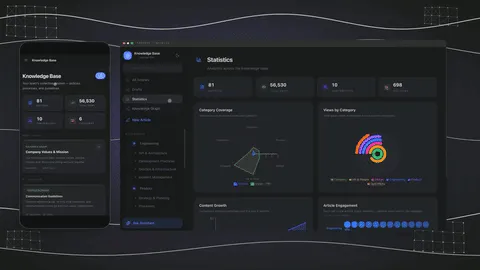
| Taskade part | What it does for a knowledge base |
|---|---|
| Projects (memory) | Hold your pages, policies and how-tos, linked with @ mentions |
| AI agents (intelligence) | Answer from the projects, files and links on their Knowledge tab, inside an app or on their own |
| Automations (execution) | Run on a trigger or a schedule. 100+ integrations: triggers pull events in, actions push data out |
| Taskade Genesis | One prompt builds a live app, such as a wiki portal, help center or intake form, with its database |
| Taskade EVE | Builds and edits the app with you in chat, so you change a page layout by asking |
| Community apps | Clone a ready-made app kit, share it by link, or put it on your own domain on Business and up |
The plan facts are simple. Free gives you 2 members, 3 Taskade Genesis apps and 1 AI agent, and it starts with no AI credits: you earn credits through referrals and invites, or buy a credit pack. Pro is $10 a month billed yearly for up to 10 members. Compare every plan on the pricing page.
Here is a simple setup for a 10-person team:
- Write pages as projects. One project per process, policy or guide. Link related pages with
@mentions (link projects together). - Import what you have. Bring pages over from Notion with the Notion import.
- Add a custom agent. Put your wiki projects on its Knowledge tab (custom agents), then ask it questions in plain language.
- Share it. Keep the agent inside the workspace, or publish it at a public link for customers.
- Add a review routine. A scheduled automation can post a weekly reminder for page owners to review their pages, or run an Ask Agent step that lists pages with old dates.
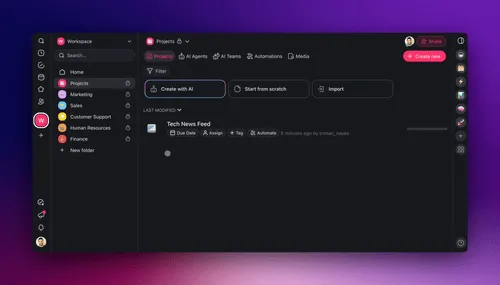
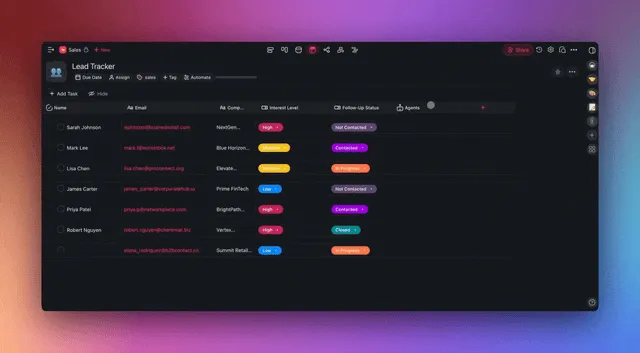
For a ready start, clone the Team Wiki Portal, a Taskade Genesis app with a knowledge assistant agent built in. Your clone lands in your own workspace, where you can change the pages and the agent. To start from a blank prompt instead, describe your wiki on Create.
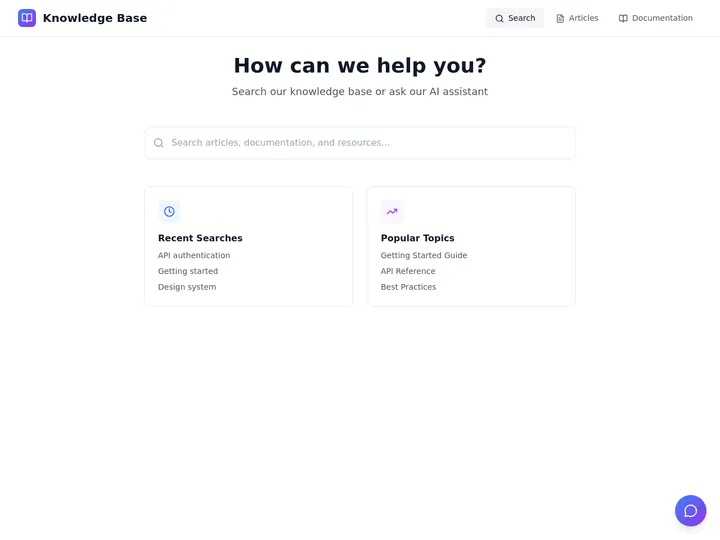
Other starting points: the knowledge base templates, the AI Agent Knowledge Kit, and more apps in the Community Gallery. For process docs, see how to write a standard operating procedure and what an SOP generator does. To turn long PDFs into wiki pages, see PDF to notes AI tools.
Access in Taskade is role-based from Owner to Viewer, so you can give contractors read-only pages and give page owners edit rights. The plan matrix shows what each plan includes.
Limitations: When Taskade Is Not the Right Fit
Taskade is not the right fit for every knowledge base. Three jobs have a better tool. A support team that needs tickets, chat and a help center in one desk fits Zendesk. Docs that must sync with a Git repository fit GitBook. Docs that must run on your own servers fit BookStack or Outline.
| If you need | Pick | Why |
|---|---|---|
| A help center tied to a ticket queue | Zendesk | Articles, tickets and chat in one desk |
| Docs that sync with Git | GitBook | Two-way Git sync for engineers |
| Self-hosting on your own servers | BookStack or Outline | Free self-hosted editions |
| A free plan for 10 people with no AI | Confluence or Slab | Both are free for 10 users |
| Deep Jira links | Confluence | Built by the same company |
Wiki, Knowledge Base, Help Center: Which Words Mean What
Teams use "wiki", "knowledge base" and "help center" for overlapping things. A wiki is a set of linked pages a team edits together. A knowledge base is any organized store of answers. A help center is a public knowledge base for customers. The table maps each word to its usual reader and tool.
| Term | Usual reader | Typical tools |
|---|---|---|
| Team wiki | Your team | Taskade, Notion, Confluence, Slab, Slite, Nuclino |
| Internal knowledge base | Your team, by topic | Taskade, Tettra, Guru |
| Help center | Customers | Zendesk, Document360 |
| Developer docs | Developers | GitBook |
| Personal knowledge base | One person | Obsidian, Mem, Taskade |
| LLM wiki | An AI agent, then you | Markdown files run by an agent, Taskade projects with agents |
For the broader picture, read AI knowledge management tools, the wiki entry on agent knowledge, and how to keep agents current with living knowledge. If you are leaving Notion, see the Notion alternatives list.
Frequently Asked Questions
What is the best knowledge base software in 2026?
It depends on the job. For an internal team wiki, Notion, Confluence and Slab are the common picks, and Taskade adds AI agents that answer from your docs. For a customer help center, Zendesk and Document360 lead. For developer docs, GitBook. For a free self-hosted wiki, BookStack or Outline.
What is the best free knowledge base software?
Confluence and Slab are both free for up to 10 users. BookStack is free and open source if you host it yourself. Taskade's Free plan has unlimited projects, 2 members and 1 AI agent, and it starts with no AI credits: you earn credits through referrals and invites, or buy a credit pack.
What is an AI wiki?
An AI wiki is a team wiki where AI helps you write, find and use the pages. You search by meaning instead of exact words, ask a question in plain language, and get an answer that cites the pages it used. In Taskade, a custom AI agent reads your projects, files and links as its knowledge.
What is an LLM wiki?
An LLM wiki is a wiki that an AI agent writes and keeps current from your sources. Andrej Karpathy described the pattern in a GitHub gist on 2026-04-04: raw sources stay untouched, the agent compiles them into linked pages, and a schema file sets the rules. The agent ingests new sources, answers questions with citations and checks the wiki for stale claims.
Can an AI agent update a team wiki on its own?
Yes, with a scheduled job. In Taskade, an automation can run an Ask Agent step on a schedule or a trigger, and an Add Task step can save the result into a project. The agent reads the wiki projects on its Knowledge tab, so a page owner reviews what the agent wrote before the team relies on it.
What is the difference between a knowledge base and a wiki?
A wiki is a set of linked pages that a team edits together. A knowledge base is any organized store of answers: help articles, FAQs, policies and how-tos. Most teams use the words for the same thing. The useful split is internal (for your team) versus external (for your customers).
What is the difference between an internal and an external knowledge base?
An internal knowledge base holds what your team needs to do its work: processes, policies and onboarding. An external knowledge base is a public help center for customers. Notion, Confluence, Slab and Taskade fit internal use. Zendesk, Document360 and GitBook are built for external, public docs.
How much does knowledge base software cost for 10 people?
Computed from list prices checked on 2026-10-19: Confluence and Slab are free for 10 users. Taskade Pro is $120 a year for up to 10 members. Outline Cloud is $10 a month for 1 to 10 members. Notion Plus is $1,200 a year for 10 members, and Notion Business with full AI is $2,400.
Can AI answer questions from my knowledge base?
Yes. Most tools in this list now offer an AI answer feature. In Taskade you add projects, files, web pages and videos to a custom AI agent's Knowledge tab. The agent reads those sources on every message, answers from them, and shows which sources it used. You can also publish the agent at a public link.
Is Confluence free?
Yes. Confluence has a Free plan for up to 10 users with 2 GB of storage. The Standard plan costs $7.15 per user per month on monthly billing, and Atlassian sells annual billing in user tiers, starting at $720 a year for up to 10 users (checked 2026-10-19). Rovo AI comes with the paid plans.
What is the best knowledge base for a small business?
A small business needs one place for processes and answers, at a flat price. Slab and Confluence are free for 10 users. Taskade Pro is $10 a month billed yearly for up to 10 members and adds AI agents and automations. If your customers need a help center, add Zendesk or GitBook.
Can I put my Taskade knowledge base on my own domain?
Yes, on Pro and up. Pro is $10 a month billed yearly and connects up to 10 custom domains for published Taskade Genesis apps, such as a team wiki portal or a help center, and Business and up connect unlimited custom domains. Free apps publish on a Taskade link. Client logins for a published app work on every plan, Free included.
Related Reading
- How to Build a Knowledge Management System
- How to Build a Team Knowledge Base With AI
- Best AI Second Brain Apps
- Free Notion Alternative
Explore more: AI agents, automations, AI apps, and the Taskade home page.
The Bottom Line
The right knowledge base matches its reader. Zendesk and Document360 serve customers, GitBook serves developers, BookStack and Outline serve teams that self-host, and Confluence, Slab and Notion serve teams that want a plain wiki. Taskade fits teams that want the wiki, the AI agents that answer from it, and the automations that act on it in one place.
▲ ■ ● Memory, Intelligence, Execution: your pages, the agents that read them, and the automations that keep them moving.