
Overview
Build a custom AI agent that answers from your projects, uses tools, and publishes as a public chat. This page walks from an empty AI Agents list to a tested teammate you can share.
TL;DR: Build a custom AI agent in Taskade with no code. Open AI Agents, write the instructions, add your projects and files as knowledge, and turn on tools. Your knowledge is the agent's persistent memory. Test it in Messages, then share a public link from the Publish tab. Custom agents are the Intelligence layer of Workspace DNA.

Watch how to build a custom AI agent end to end:
Custom AI Agent Basics
A custom AI agent is a reusable AI teammate that you build for one job. It combines instructions, knowledge that serves as its persistent memory, tools, and a frontier model. It acts on your workspace and your connected apps, and you can share it with one public link.
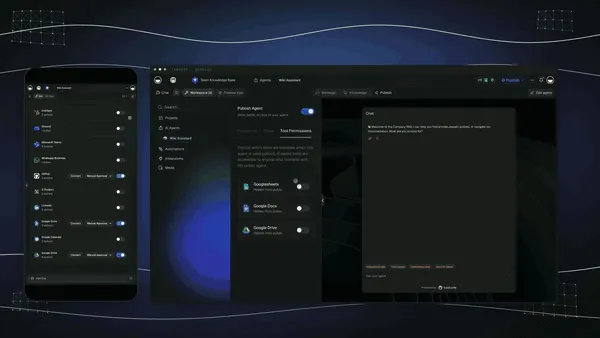
| Chatbot | Custom AI agent in Taskade | |
|---|---|---|
| Main job | Answers questions | Answers, decides, and acts |
| Knowledge | General training data | Your projects, files, links, and videos |
| Context | One generic thread | Each chat keeps its history. Connected projects stay current |
| Tools | None | Web search, project actions, automations, 100+ integrations |
| Can start work | No | Yes, it runs automations and creates tasks |
| Shareable | Rarely | One public link, or an embed on your site |
An agent runs on frontier models from top AI labs. TSK-Auto is the default and picks a model for each request.
See a Custom Agent in Action
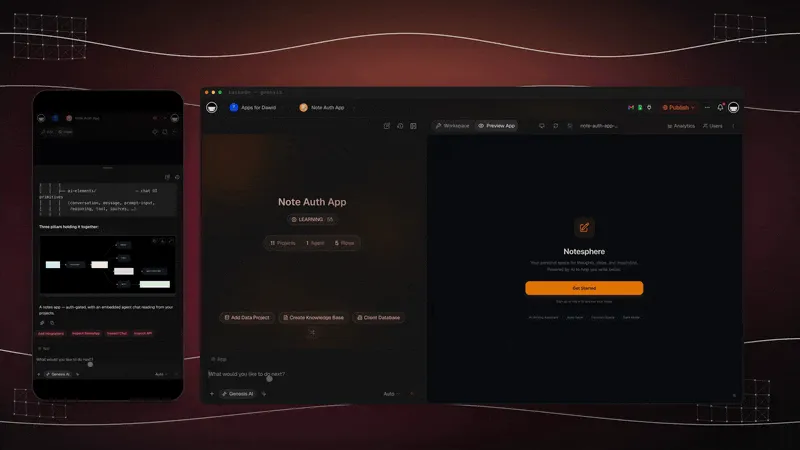
The app below is a published Taskade Genesis app with a custom agent inside it. Open the live version, clone it, and look at how the agent is set up.
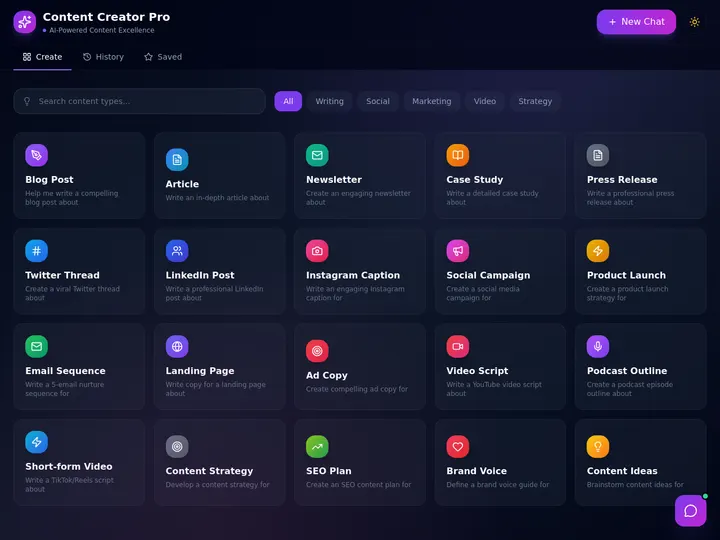
Clone, then learn. Clone the app into your workspace and the agent comes with it. Browse more in the Community Gallery, or describe your own at taskade.com/create.
Intelligence in Workspace DNA
Agents are the Intelligence (■) pillar between Memory (▲) and Execution (●). Projects store what your team knows. Agents read that context and decide. Automations do the work, and the results go back into your projects.
When an automation writes a result into a project that the agent reads, the agent sees that result in its next reply. See Workspace DNA for the full model.
Anatomy of an Agent
Each agent has its own page with four tabs. The Edit agent button at the top opens the same settings in one dialog.
┌───────────────────────────────────────────────────────────┐
│ Support Bot                              [ Edit agent ]   │
├───────────────┬──────────────┬────────────┬───────────────┤
│ Messages      │ Knowledge    │ Actions    │ Publish       │
├───────────────┼──────────────┼────────────┼───────────────┤
│ My Chats      │ Instructions │ Commands   │ Publish Agent │
│ Visitor Inbox │ Model        │ Tools      │ Share         │
│               │ Introduction │ Automation │ Embed         │
│               │ Sources      │            │ Customize     │
└───────────────┴──────────────┴────────────┴───────────────┘
| Part | What it does | Where to set it |
|---|---|---|
| Instructions | The role, the rules, and the response style. You type it in the Prompt field | Knowledge tab |
| Model | Tone, Language, and AI Model | Knowledge tab |
| Introduction | The first message, the input placeholder, and the conversation starters | Knowledge tab |
| Knowledge sources | Projects, files, links, videos, and pasted text the agent answers from | Knowledge tab |
| Commands | /slash shortcuts that run a saved prompt |
Actions → Commands |
| Tools | What the agent can do: search, project actions, apps, automations | Actions → Tools |
| Automation | Automations that run the agent on a schedule, a form, or a chat | Actions → Automation |
| Publish | The public link, the embed code, and the public look | Publish tab |
The Edit agent dialog has the tabs General, Knowledge, Tools, Commands, and Share & Embed. It saves with Update. Use the Publish tab on the agent page for the full set of publish controls.
Good Jobs for an Agent
Build an agent when a task repeats, takes a lot of focus, or follows a pattern you explain again and again.
| If you often... | Build an agent for... |
|---|---|
| Answer the same questions from your docs | Support and knowledge answers |
| Run the same multi-step task | Task routing and follow-up |
| Review the same kind of input | Triage, scoring, and quality checks |
| Prepare or summarize the same meetings | Meeting notes and next steps |
| Draft the same kinds of content | Writing and editing help |
If a job happens one time, ask Taskade EVE. If it repeats, build an agent. For the full journey, see the AI Agent Playbook.
Build an Agent
Every agent follows the same path: create it, instruct it, train it, equip it, ship it.
- What you need: A Taskade account. Free includes one custom agent.
- Time: About 10 minutes.
Step 1: Open the Agents tab
- In your workspace sidebar, open AI Agents.
- Pick how to start:
- Generate: describe the agent in plain English. See the AI Agent Generator.
- Templates: pick a ready-made agent, such as a researcher or a marketer.
- Create: start with a blank agent.
On a narrow window, the three choices sit in the New agent menu as Generate with AI, Templates, and Blank agent. You can also ask Taskade EVE to create the agent for you.
Step 2: Name the persona
Open the agent's Knowledge tab. Type the role into the Prompt field under Instructions. Write it as a brief for a new teammate.
You are the support agent for a small bakery. Answer questions about
orders, opening hours, and allergens from the attached knowledge.
Keep answers under 80 words. If the answer is not in the knowledge,
say so and offer to take a message. Do not quote prices that are not
in the knowledge.
Why this works: The last line sets a boundary, so the agent never invents a price.
Then set Tone, Language, and the Introduction that greets each new chat.
Step 3: Train on your knowledge
On the same Knowledge tab, add the sources the agent must answer from:
- Add Project: a live project. It syncs when the project changes.
- Add Media: files that are already in your workspace.
- Local Upload: PDF, DOCX, TXT, MD, PPTX, XLSX, CSV, or EPUB files.
- Cloud Import: files from Google Drive, Dropbox, Box, or OneDrive.
- Paste Text: FAQs, guides, or any text.
- Web sources: a link, a YouTube video, or a feed.
Some sources need a paid plan. The editor marks them with an upgrade badge. See Agent Knowledge & Memory.
Step 4: Turn on tools and commands
- Open the Actions tab.
- On Tools, turn on what the job needs. Start with web search and one app, such as Slack or Gmail.
- On Commands, click Add command for each job you repeat.
Step 5: Test and publish
- Open the Messages tab and send three real examples from the job.
- If all three answers are correct, open the Publish tab.
- Turn on the Publish Agent switch.
- On the Share sub-tab, click Copy link next to Agent Share Link.
You are done when the link opens your agent in a private browser window.
Test Each Step
| Step | Done when | Where to fix it |
|---|---|---|
| 1. Persona | The agent introduces itself in the right voice | Knowledge → Instructions |
| 2. Knowledge | It answers from your data, not general facts | Knowledge → sources |
| 3. Tools | It can act, for example create a task or send a message | Actions → Tools |
| 4. Commands | Typing / shows your command, and the command runs |
Actions → Commands |
| 5. Ship | The public link opens in a private window | Publish → Share |
Note: Need prompt patterns? Read the Guide to Writing Agent Prompts.
Choosing the Right Model
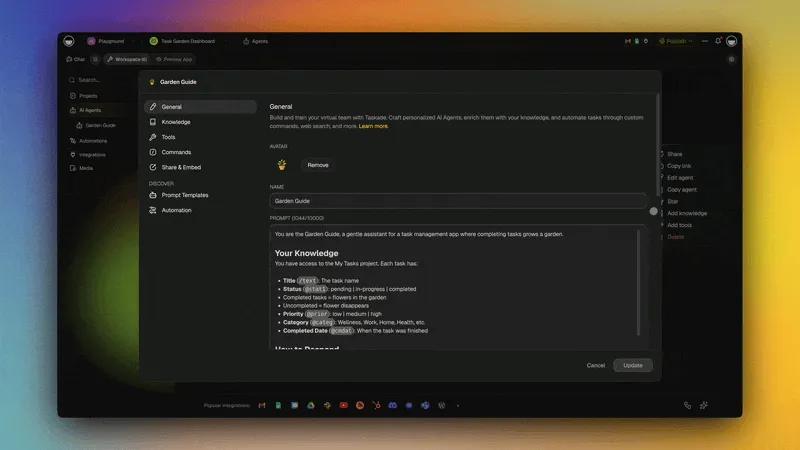
Taskade agents run on frontier models from top AI labs. Use the latest frontier models from top AI labs, from OpenAI GPT to open-weight models such as DeepSeek and Qwen. Claude is available in custom agents on Pro and up with your own API key (BYOK).
- Open the agent's Knowledge tab.
- Under Model, open the AI Model menu.
- Hover an option to see its credit cost.
- Click the option that fits the job.
| Option | Good for | Plan |
|---|---|---|
| TSK-Auto (recommended) | Most agents. Taskade picks a model for each task | Every plan |
| TSK-Instant | Quick answers and high-volume chat | Every plan |
| TSK-Standard | Everyday work and drafting | Paid plans |
| TSK-Thinking | Bigger jobs that need more care. Uses more credits than TSK-Standard | Paid plans |
| TSK-Reasoning | Complex, multi-step problems. Uses more credits | Business and up |
| All Models | Pin one specific model. Each row shows its credit cost and any plan badge | Shown for each model |
On a Free workspace, TSK-Auto and TSK-Instant are selectable. The other options show a plan badge.
TSK-Thinking returned in October 2026 with a new model. An agent that saved the older TSK-Thinking option shows TSK-Auto and runs on TSK-Auto until you pick TSK-Thinking again.
Note: Deeper options use more credits for each reply. See AI Usage & Credits.
Built-in Tools
Tools let an agent act, not only answer. Turn each one on in Actions → Tools.
| Category | What the agent can do |
|---|---|
| Web | Search the web and read a web page |
| Your workspace | Find information, create projects, add and update tasks |
| Connected apps | Send email, post to Slack, update a CRM, and more from 100+ integrations |
| Automations | Run an automation that you allow, with Manual Approval or Automatic Approval |
| Custom tools | Wrap your own automation as a tool the agent can call |
Triggers pull events in, actions push data out.
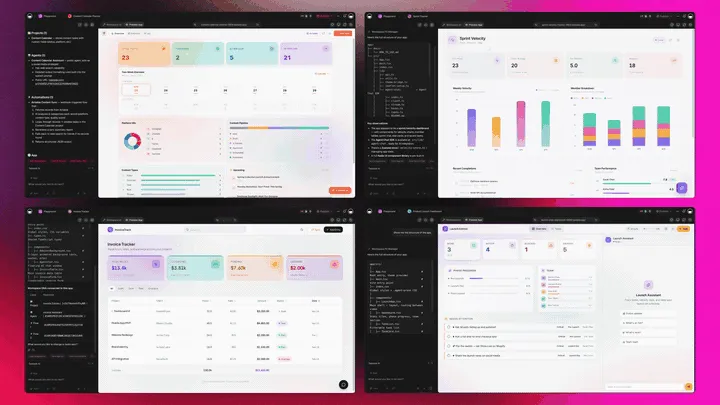
Note: See Tools for AI Agents for the setup steps.
Model Context Protocol (MCP)
Model Context Protocol (MCP) is an open standard that connects AI clients to tools and data. Taskade runs a hosted MCP server on every paid plan.
- One address. Connect an MCP client at
https://www.taskade.com/mcpand sign in with your Taskade account. - Your access, your rules. The client sees only what your account can see.
- What it can do. List your spaces, inspect a workspace, list tasks, and write files.
The other direction works from automations. The MCP Client connector lets an automation call a tool on a remote MCP server, on every plan. An agent cannot reach a remote MCP server by itself. Let the agent run the automation, then read the result.
Note: Full walkthrough: MCP Connectors. For everything else an agent can reach, see the 100+ integration catalog.
Knowledge & Persistent Memory
Knowledge is what the agent reads, and it is the agent's persistent memory. Chat history is the record of one conversation.
- Knowledge is the set of sources on the Knowledge tab. The agent reads it in every chat. A connected project syncs when the project changes.
- Persistent memory is that knowledge. It stays with the agent in every chat, and you can refresh or update it at any time.
- Chat history stays with each chat. Reopen any chat from Messages → My Chats to continue it.
- Lasting facts belong in knowledge. Add a fact to a connected project or to Paste Text, and every chat can use it.
Note: Deep dive: Agent Knowledge & Memory. To keep knowledge current on a schedule, see Keep Your Agent's Knowledge Up to Date.
Slash Commands
Slash commands turn your best prompts into one-keystroke shortcuts. Type / in an agent chat or in a project to see them.
- Open the agent's Actions tab, then Commands.
- Click Add command, or click Browse presets to start from a preset.
- Set the Name that users type after
/. - Write the Prompt that the command runs.
- Pick a mode: Default runs the prompt one time. Plan and execute sets a goal and works toward it in steps.
- Save the command.
You can also run a command on many tasks at one time with bulk commands. Call an agent by name with an @ mention. The GIF below shows Taskade EVE with commands and mentions.
Multi-Agent Collaboration
One agent does one job well. An AI Team puts several agents in one chat when the work needs different specialists. AI Teams need Pro or a higher plan.
| Mode | Who replies |
|---|---|
| Auto (default) | The single best agent for the message |
| Everyone | Every agent on the team, one after another |
| Manual | Only the agents you select |
| Orchestrate | A lead plans the steps and gives each step to an agent |
Note: See AI Teams and Multi-Agents.
Embedding Agents Publicly
Publish an agent as a public chat page. Visitors need only the link, not a Taskade account.
┌───────────────────────────────────────────────────────┐
│ Publish Agent                         [ On  ● ]       │
│ Share   Embed   Customize   Tool Permissions          │
├───────────────────────────────────────────────────────┤
│ Agent Share Link   taskade.com/a/support-bot-01JK…    │
│ [ Copy link ]   View agent                            │
│ Require password                      [ Off ○ ]       │
│ Link preview   Page title · Short description · Image │
└───────────────────────────────────────────────────────┘
- Open the agent and click the Publish tab.
- Turn on the Publish Agent switch.
- On Customize, set the theme, color, header, and background.
- On Share, fill in the Link preview: page title, short description, and preview image.
- Click Copy link, or open Embed and copy the code for your website.
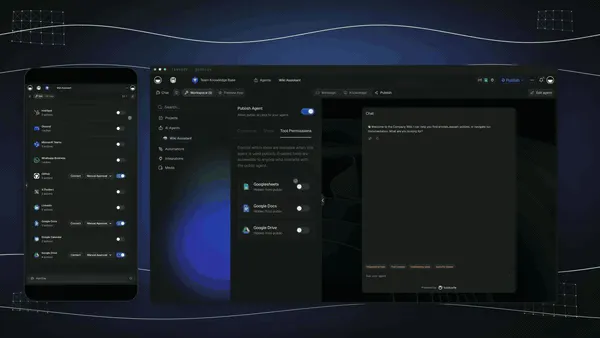
Tool Permissions appears when the agent has tools. It sets which tools visitors can use.
| Control | Plan |
|---|---|
| Public link, embed, theme, color, header, chat timeout | Every plan |
| Require password | Paid plans |
| Hide Branding, Background, preview image | Business and up |
| Custom domain for the link | Business and up |
Note: Full guides: Publish Agents Publicly, Share & Embed AI Agents, and Public Agent Link and Visitor Inbox.
Agent + Automation Pattern
Agents and automations work in two directions:
- Automation → agent. An automation step, Ask an agent or Run an agent command, sends a prompt to your agent. Any trigger can start it: a form, a schedule, or a webhook.
- Agent → automation. The agent uses an automation as a tool. It runs the automation in a chat when the request needs that action.
To give an automation to an agent as a tool:
- Build the automation. When you generate one with AI, pick the Agent Tool mode.
- Open the agent's Actions tab, then Tools, and add the automation.
- Pick Manual Approval (the agent asks first) or Automatic Approval (the agent runs it).
Note: See Automations and Agent Automation.
From Agent to Living Software
A custom agent is the brain. Taskade Genesis is the app it lives in. Describe an app, and Taskade Genesis builds it with your agent inside. A clinic can put its agent in a client portal, give each client their own secure login, and use a branded domain. Start with your first Taskade Genesis app.
| Platform layer | What you get |
|---|---|
| AI Apps | Describe an app in plain English. Taskade Genesis builds a running app that you can publish and let others clone |
| AI Agents | Custom agents with tools, persistent memory, AI Teams, public sharing, and frontier models, plus Taskade EVE as the meta-agent |
| Automation | Automations with branching, looping, and filtering, plus 100+ bidirectional integrations |
| Multiple Project Views | List, Board, Table, and Mind Map, plus Docs (Beta), Gantt Chart, Calendar, Actionsheet, and Org Chart under More Views. Gantt Chart, Actionsheet, and Org Chart need a paid plan |
| Workspace DNA | Memory (▲) feeds Intelligence (■), which starts Execution (●), which writes new Memory |
| Community + App Kits | Browse live apps in the Community Gallery, or clone an App Kit as many times as you need |
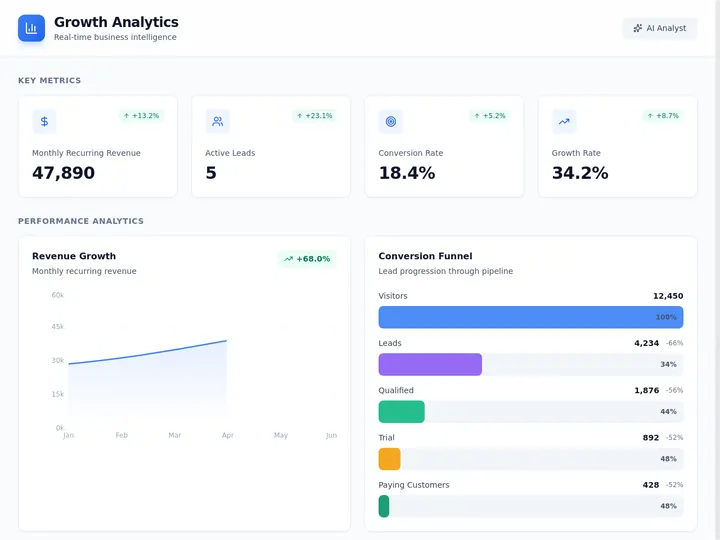
Ready to build? Start free at taskade.com/create →. Describe your first app and the agent comes with it.
Pricing & AI Credits
Custom agents are on every Taskade plan, Free included. AI usage is metered in credits, not seats.
| Plan | What it adds for agents |
|---|---|
| Free | One custom agent, and TSK-Auto and TSK-Instant. No starting AI credits: you earn credits or buy a credit pack |
| Pro ★ | No agent limit, AI Teams, more models, Claude with your own Anthropic API key (BYOK), a monthly credit refill, and up to 10 users |
| Business | TSK-Reasoning, Hide Branding, custom backgrounds, link preview images, and custom domains for public agents |
| Max | More monthly credits and more capacity |
| Enterprise | The highest capacity and org-wide controls |
Deeper models cost more credits for each reply. See the pricing page and AI Usage & Credits.
Use Agents on Mobile
The Taskade app for iOS and Android shows the same AI Agents and AI Teams screens as the web. Chat with an agent, create one, or edit its knowledge from your phone. See Use Custom AI Agents on Mobile.
Agent Skills
Agents support Skills: saved playbooks that you call with one slash. A Skill loads only when the task needs it, so the agent's prompt stays short.
- Type
/, pick the Skill, and the agent runs the playbook. - Pair Skills with the Bash Sandbox for scripted work.
See Agent Skills for the setup.
Frequently Asked Questions
What is a custom AI agent?
A custom AI agent is a reusable AI teammate that you build for one job. It combines instructions, knowledge from your projects and files that serves as its persistent memory, tools, and a frontier AI model. Unlike a chatbot, it can act: it creates tasks, runs automations, and works in connected apps.
How do I build a custom AI agent?
Open AI Agents in your workspace and click Generate, Templates, or Create. Write the instructions, add knowledge, and turn on the tools the job needs. Test the agent in Messages, then publish it from the Publish tab. No code is necessary. See Build an Agent and the AI Agent Generator.
What is the difference between an AI agent and a chatbot?
A chatbot answers questions from general training data. A Taskade agent answers from your own projects and files, which serve as its persistent memory. It can also act with tools, slash commands, and automations. It is the Intelligence layer of Workspace DNA.
Which plans include custom AI agents?
Every plan can build agents. Free includes one custom agent. It starts with no AI credits, so you earn credits or buy a credit pack. Paid plans raise the agent limit, and Pro and up have no agent limit. AI usage is metered in credits, not seats. See AI Usage & Credits.
How do AI credits work for agents?
Each reply, tool call, and command uses AI credits. The cost depends on the model that answers. TSK-Auto is the default and picks a model for each request. Free starts with no AI credits, so you earn credits or buy a credit pack. Paid plans add a monthly credit refill.
What tools and integrations can an agent use?
An agent can search the web, read a web page, work in your projects, and run your automations. It can also act in connected apps from the 100+ integration catalog. You turn each tool on in the agent's Tools tab.
Do custom AI agents remember previous conversations?
Each chat keeps its own history, and you can reopen any chat from the Messages tab. Across chats, the agent keeps persistent memory in its knowledge: the files, links, and projects you attach. That memory stays with the agent, and you can refresh or update it at any time. To give the agent a lasting fact, add it to a connected project.
Which AI models power Taskade agents?
Taskade provides frontier AI models from top AI labs, including OpenAI GPT and open-weight models such as DeepSeek and Qwen. Users on paid plans can select their preferred model for AI agents and app generation. Claude runs on your own API key (BYOK) in custom agents on Pro and up, and in automations. See Choosing the Right Model.
Can I build an AI agent without coding?
Yes. You describe the job in plain English, add knowledge and tools with a few clicks, and save. The agent generator and Taskade EVE can build a complete agent from one sentence. No frameworks, servers, or API keys are necessary.
Can I share an agent publicly and keep my workspace private?
Yes. Turn on the Publish Agent switch on the agent's Publish tab and share the Agent Share Link. Visitors chat with the agent without access to your workspace. The agent uses the knowledge you attached and only the tools you allow for visitors. See Publish Agents Publicly.
How is a custom agent different from Taskade EVE?
Taskade EVE is the built-in meta-agent that builds apps, agents, and automations and operates Taskade for you. A custom agent is a specialist that you build for one job, such as support, research, or sales.
How do AI agents fit into Taskade Genesis apps?
A Taskade Genesis app can include custom agents as its intelligence layer. The agent answers visitor questions, reads app data, and triggers automations. This is how a described app becomes software your customers can talk to. See Build your first Taskade Genesis app.
Can I use custom AI agents on my phone?
Yes. The Taskade app for iOS and Android opens your workspace with the same AI Agents and AI Teams screens as the web. You can chat with agents, create them, and edit them from your phone. See Use Custom AI Agents on Mobile.
Related guides
- AI Agent Generator. Create an agent from one prompt.
- Agent Knowledge & Memory. Train the agent on your data.
- Tools for AI Agents. Give the agent tools.
- AI Agent Chat. Chat, threads, and commands.
- AI Teams and Multi-Agents. Run specialists together.
- Agent Automation. Trigger agents from automations.
- Share & Embed Agents. Publish agents to the web.
More guides:
- Build an AI Agent: The Complete Playbook. The full path from idea to working teammate.
- Guide to Writing Agent Prompts. Prompt patterns that work.
- MCP Connectors. Model Context Protocol in Taskade.
- Taskade EVE Assistant. The built-in meta-agent.
- AI Usage & Credits. How credits and models price out.
- Automations: The Execution Pillar. How agents start real work.
- Workspace DNA. How Memory, Intelligence, and Execution connect.
- Use Custom AI Agents on Mobile. Agents on iOS and Android.
Go deeper
- What Are AI Agents?. The plain-English explainer.
- AI Agents product page. The full Taskade AI Agents overview.
- Build with Taskade Genesis. Describe an app and watch it come to life.
- Automate your work. Branching automations across 100+ apps.
- Taskade Genesis knowledge base. Concepts behind living, cloneable software.
- Watch: Create an AI Agent. The whole setup as a short video.
- Keep Your Agent's Knowledge Up to Date. Refresh its knowledge on a schedule.
Build the first one today. Memory ▲, Intelligence ■, Execution ●. Your custom agent is the brain that ties them together. Start free at taskade.com/create →