







Looking for alternatives to Devin AI?
TL;DR: Devin launched at $500/month and is now $20/month (Max $200), verified on devin.ai/pricing on 2026-10-20. It targets experienced engineers who review its output. Taskade Genesis builds complete apps from natural language with built-in AI agents and 100+ integrations. Free has 3 apps. Pro is $10 a month billed yearly. See plans and prices. For AI-assisted coding, Cursor (from $8/mo) leads.
Devin made waves as the "first AI software engineer." Cognition promised a future where AI autonomously plans, writes, debugs, and deploys code. The demos were impressive. The reality is more nuanced: teams report long execution times on complex tasks and context degradation during extended sessions. The famous $500/month price tag is gone: Devin's own pricing page now lists Free, Pro at $20/month and Max at $200/month (re-verified 2026-10-20), so judge it on output rather than on the number most articles still quote. For a detailed breakdown, see our Taskade vs Devin comparison.
That doesn't mean autonomous coding is a dead end. It means the market has evolved. In 2026, the best alternatives to Devin approach the problem from different angles: AI pair programming, agentic IDEs, cloud-native builders, open-source agents, and platforms that skip code entirely to build complete applications from natural language.
This guide compares the 8 best Devin AI alternatives, from AI code editors for professional developers to no-code platforms that let anyone build software. Whether you want a smarter coding assistant or a system that builds apps without writing a single line of code, there is an option here for you.
Let's break it down. 🛠️
🔍 How We Evaluated These Devin AI Alternatives
Not every AI coding tool is a direct Devin replacement. Some are better described as complements. To make fair comparisons, we evaluated each alternative across six dimensions:
| Criteria | What We Measured |
|---|---|
| Autonomy Level | Can it plan, execute, and iterate without constant guidance? |
| Scope of Output | Does it produce code snippets, full files, or complete applications? |
| Collaboration | Can teams work together, or is it a solo tool? |
| Learning Curve | How much programming knowledge is required to be productive? |
| Pricing | Total cost of ownership for individuals and teams |
| Ecosystem | Integrations, plugins, community resources, and extensibility |
Some tools (Cursor, Copilot) are AI-assisted coding tools. They make developers faster but don't operate independently. Others (Replit Agent, Cline) are autonomous agents that plan and execute like Devin. And one, Taskade Genesis, sidesteps code entirely to build complete applications from natural language.
The "best" alternative depends entirely on your use case. A startup CTO evaluating Devin has different needs than a solo developer looking for a smarter editor. We've structured each review to help you quickly identify which category fits your workflow.
📊 Quick Comparison: Devin AI vs Alternatives
| Platform | Best For | AI Agents | Autonomous Coding | Pricing |
|---|---|---|---|---|
| Taskade Genesis | AI agents that build complete apps | ✅ Multi-agent teams | ✅ No-code app building | Free / $10/mo |
| Devin | Autonomous software engineering | ✅ Single agent | ✅ Full autonomy | Free / $20/mo (Max $200) |
| Cursor | AI pair programming | ❌ | Assisted coding | Free / $8/mo (Plus) |
| GitHub Copilot | In-editor code suggestions | ❌ | Inline completions | $10/mo |
| Replit Agent | Cloud-based autonomous coding | ✅ Single agent | ✅ Plan + build + deploy | $20/mo |
| Devin Desktop (was Windsurf) | Agentic IDE | ❌ | Multi-step flows | Free / $20/mo |
| Claude Code | Terminal-based AI engineering | ❌ | CLI-driven coding | From $20/mo (Claude Pro) or API |
| Cline | Open-source AI coding agent | ❌ | Autonomous with any LLM | Free (BYOK) |
🤖 What Is Devin AI?
Devin AI is an autonomous AI software engineer built by Cognition Labs. Unlike traditional AI coding assistants that suggest completions or answer questions, Devin operates as a full-fledged software engineering agent. Give it a task and it plans an approach, writes code across multiple files, runs tests, debugs errors, and deploys the result.
Devin works inside its own sandboxed environment with a code editor, browser, and terminal. It can read documentation, search the web for solutions, and iterate on problems over extended sessions. On Cognition's benchmarks, Devin resolved a meaningful percentage of real GitHub issues end-to-end, something no other AI tool had demonstrated at launch.
The catch: it is no longer the price. Devin launched at $500/month and now starts at $20/month. What has not changed is that real-world performance varies significantly from the polished demos, complex tasks can take hours of compute time, context retention degrades the longer a session runs, and despite the "autonomous" label most teams still need experienced engineers to review, direct, and correct its output. Cognition also publishes quotas rather than a credit number, so cost per task is hard to predict before you spend.
Devin opened the door to a new category. But in 2026, several alternatives deliver similar or broader capabilities at a fraction of the cost.
🤔 Why Look for Devin AI Alternatives?
Devin AI is a pioneering tool, but it has real limitations that push teams to explore alternatives:
| Limitation | Impact |
|---|---|
| Unpublished quotas | Cognition says quotas refresh "on a daily and weekly basis" but publishes no number, so cost per task is hard to forecast |
| Long execution times | Complex tasks can run for hours before producing results |
| Context degradation | Quality drops during extended multi-step sessions |
| Limited collaboration | Designed for solo use, not team workflows |
| Requires engineering expertise | You need to know what to ask for and how to evaluate output |
| Single-agent architecture | One agent, one task at a time |
| No workspace integration | Separate from your existing project management and docs |
The core issue: Devin targets a narrow use case (autonomous code generation for experienced engineers) at a premium price. Many teams need something broader, more affordable, or fundamentally different.
Some want better pair programming (Cursor, Copilot). Some want cloud-native building (Replit Agent). Some want open-source flexibility (Cline). And some want to skip code entirely and build complete applications through AI agents (Taskade Genesis).
Autonomous Code Generators vs Living System Orchestrators
Before evaluating alternatives, understand the two fundamentally different approaches to AI-powered software building. Every tool below is built from the same five-layer AI agent stack (reasoning, orchestration, tools, memory, observability) — they differ in how many of those layers they hand you assembled versus leave you to wire up yourself.
Autonomous Code Generators (Devin AI, Replit Agent, Cline)
What they do: Write code autonomously by planning, implementing, testing, and iterating
What you still need to do:
- Know how to code (review, guide, correct agent output)
- Set up project infrastructure and architecture
- Configure database, hosting, environment variables
- Integrate AI capabilities into the generated code
- Build automation workflows separately
- Deploy and maintain the codebase
- Debug when autonomous generation produces errors
Time to working app: Hours to days (depending on task complexity)
Cost: $20/month (Devin Pro, or $200 Max) + infrastructure + engineering oversight
Result: Code repository that you deploy, review, and maintain
Living System Orchestrators (Taskade Genesis Apps)
What they do: Build complete, deployed, intelligent applications from natural language descriptions using multi-agent teams
Taskade Workspace DNA Architecture:
- Memory (Projects): Auto-generated database with custom fields and multiple project views (List, Board, Calendar, Table, Mind Map, Gantt, Org Chart)
- Intelligence (AI Agents): Workspace-aware multi-agent teams that read YOUR data, learn from your business, collaborate autonomously
- Execution (Automations): 100+ integrations with autonomous workflows connecting everything
- Interface (Custom UI): Professional React/Vue interface orchestrating all three layers seamlessly
Time to working app: 2-15 minutes, fully deployed with shareable link
Cost: Free to start, $10/month unlimited apps billed annually (no code review, no infrastructure, no maintenance)
Result: Living system with multi-agent intelligence that thinks, learns, acts, and evolves
Example: Building a Customer Support System
| What You Need | Devin AI (Autonomous Coder) | Taskade Genesis (Multi-Agent Platform) |
|---|---|---|
| Coding Knowledge | Professional developer to review | None—describe in English |
| Time | 10-20 hours (agent coding + review) | 5 minutes |
| Database | Agent codes schema (2-4 hours) → you review | Projects database auto-created (instant) |
| Ticket UI | Agent codes React components (4-8 hours) | Multiple view types built-in (instant) |
| AI Triage | Agent codes OpenAI integration (3-6 hours) | AI Support Triager (instant) |
| Email Integration | Agent codes SendGrid (2-4 hours) | Email workflows built-in (instant) |
| Team Routing | Agent codes assignment logic (2-4 hours) | Automation: triage → assign (instant) |
| Deployment | You configure hosting (2-4 hours) | One-click publish (instant) |
| Multi-Agent Collaboration | Single agent, sequential tasks | Multi-agent team working in parallel |
| Total Cost | $20/mo + infrastructure + review time | Free to start, $10/mo billed annually |
The Difference: Devin autonomously writes code that you deploy. Taskade Genesis deploys multi-agent systems that run immediately.
💡 Devin replaces junior developers. Taskade Genesis replaces the entire development pipeline.
🏆 The Best Devin AI Alternatives in 2026
#1 Taskade Genesis ⭐ Best for AI Agents That Build Complete Apps
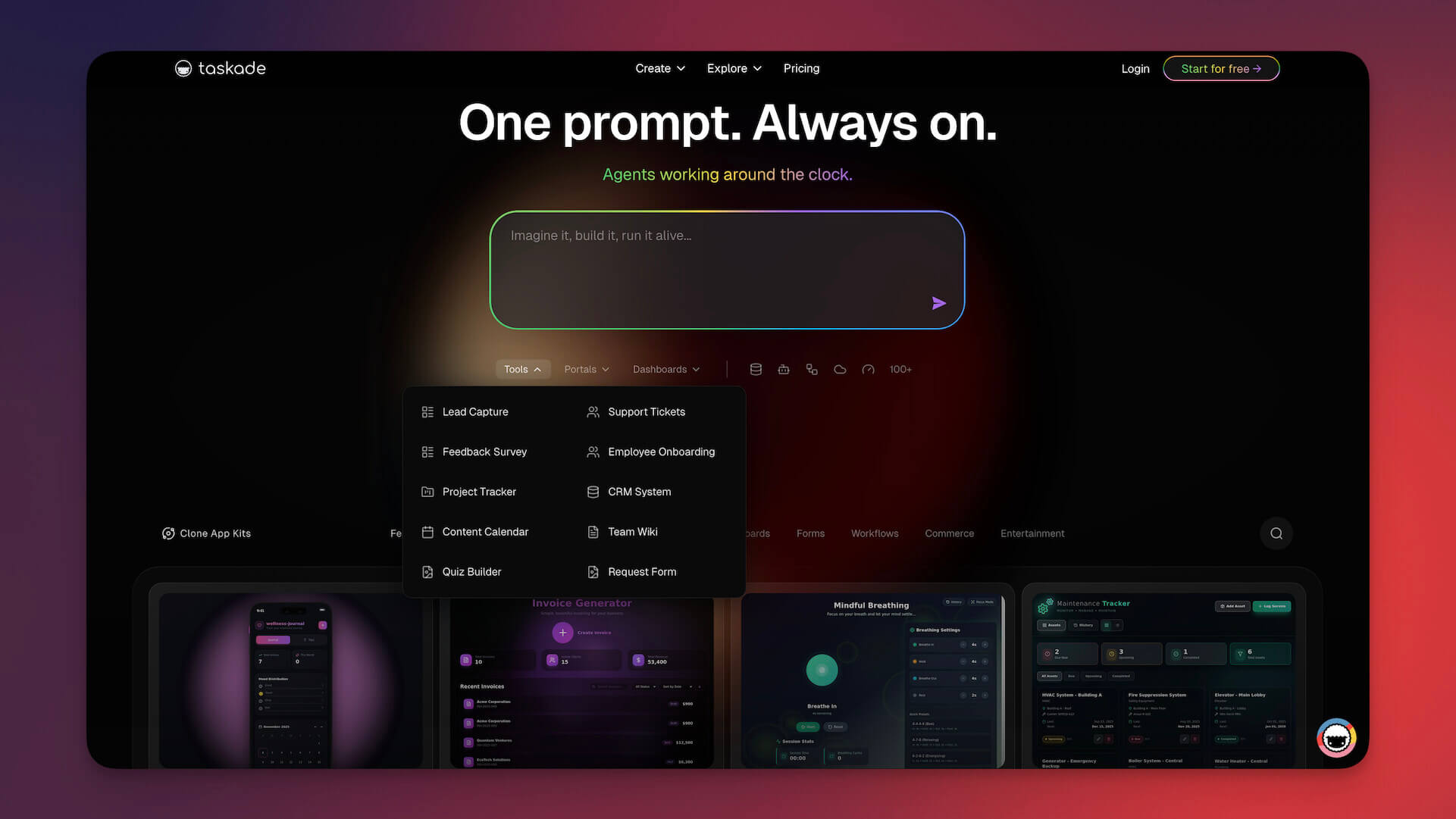
Devin writes code autonomously. Taskade Genesis agents build, deploy, and run entire systems.
That's not marketing language. It's a fundamental difference in approach. Devin is an AI software engineer, it operates inside a coding environment, writes code, and pushes commits. Genesis is an AI agent platform where you describe what you want in plain language and get a complete, working application with built-in AI agents, automations, and data.
No terminal. No IDE. No deployment pipeline. Just describe your vision and watch it come to life. Hundreds of teams have already made the switch — browse Taskade Genesis reviews and case studies.
The Genesis Approach: Multi-Agent Orchestration
Where Devin runs a single autonomous agent that writes code, Genesis deploys teams of specialized AI agents that collaborate across your workspace. Each agent is trained on your specific data, knowledge, and workflows.
| Capability | Devin AI | Taskade Genesis |
|---|---|---|
| Input | Engineering tasks | Natural language descriptions |
| Output | Code commits | Complete working apps |
| Agents | 1 autonomous agent | Multi-agent teams |
| Training | General code knowledge | Your custom data + knowledge |
| Users | Engineers only | Anyone |
| Hosting | You manage deployment | Built-in, instant |
| Collaboration | Solo | Real-time team workspace |
| Automations | ❌ | ✅ 100+ integrations |
| Pricing | $20/month (Max $200) | Free / $10/month |
Prompt-to-App: From Idea to Living Software
Genesis introduces what we call living software, applications that don't just run statically but adapt, learn, and evolve. Describe what you need:
"Build a client onboarding system with intake forms,
automated follow-ups, document collection, and a
dashboard showing pipeline status."
Genesis delivers a fully functional application in minutes. Not a mockup. Not a prototype. A working system with:
- Interactive UI and navigation
- Data storage and management
- AI agents handling automation logic
- Real-time collaboration built in
- Mobile and desktop access
What You Can Build with Genesis:
| App Type | Example | Time to Build |
|---|---|---|
| CRM | Lead tracking with AI-powered scoring and follow-ups | 5 min |
| Project Dashboard | Real-time metrics, task tracking, team assignments | 3 min |
| Client Portal | Document sharing, chat, status updates | 5 min |
| Content Pipeline | AI-generated drafts, review workflows, publishing queue | 5 min |
| Booking System | Resource scheduling, availability management | 5 min |
| Knowledge Base | Searchable wiki with AI-powered Q&A | 3 min |
| Feedback System | Collection forms, sentiment analysis, reporting | 2 min |
| Recruitment Tracker | Applicant pipeline, screening agents, interview scheduling | 5 min |
AI Agents: Your Always-On Team
The real power of Genesis isn't just app building. It's the AI agents that live inside your workspace. These agents are trained on your specific knowledge, documents, and workflows. They don't just answer questions. They execute.
| Agent Capability | What It Does |
|---|---|
| Custom Training | Upload docs, URLs, project data to teach your agents |
| Autonomous Execution | Agents complete tasks without manual triggers |
| Multi-Agent Teams | Specialized agents collaborate on complex workflows |
| Knowledge Retrieval | Agents pull from your entire workspace context |
| 24/7 Operation | Agents work around the clock |
| Cross-Platform | Works on web, desktop, and mobile |
Automations: Systems That Run Themselves
Genesis connects to Automations that trigger AI agents across your workflow. Set up a sequence once and let it run:
- New lead enters CRM -> Agent scores and routes to the right team member
- Document uploaded -> Agent summarizes and creates action items
- Deadline approaching -> Agent generates status report and notifies stakeholders
- Customer message received -> Agent drafts response based on knowledge base
Genesis vs Devin: The Core Difference
Devin asks: "How can AI write code for you?"
Genesis asks: "Why write code at all?"
For most business needs, the output people want isn't code. It's a working application, a system, a workflow. Genesis cuts out the entire software development lifecycle and goes straight from intent to outcome. No code review. No deployment. No DevOps. No infrastructure management.
This doesn't replace engineers building complex, custom systems. It eliminates the need for engineering when what you actually need is a working tool.
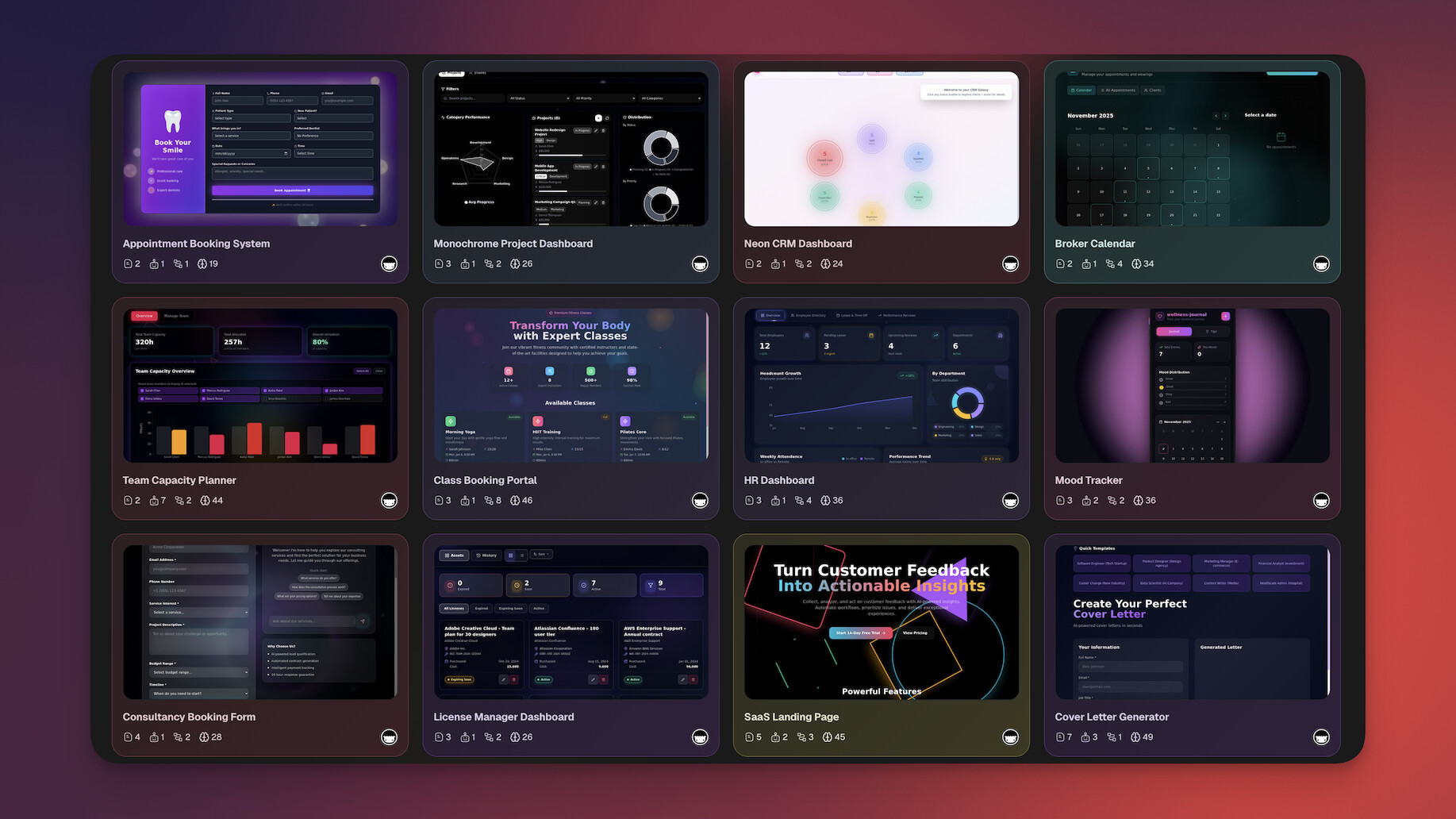
See Taskade AI Agents in action:
Community and Ecosystem
Browse thousands of pre-built templates and agent configurations in the Taskade Community. Fork, customize, and deploy. Or build from scratch and share your own.
Taskade Genesis Pricing 💸 (annual billing)
- 🟢 Free: Build up to 3 Taskade Genesis apps, AI agents included
- 🟣 Pro ($10/month): 10 users, unlimited agents and automations, live web hosting, background agents, up to 10 custom domains
- 🟠 Business ($25/month): Unlimited users, white-label, team controls
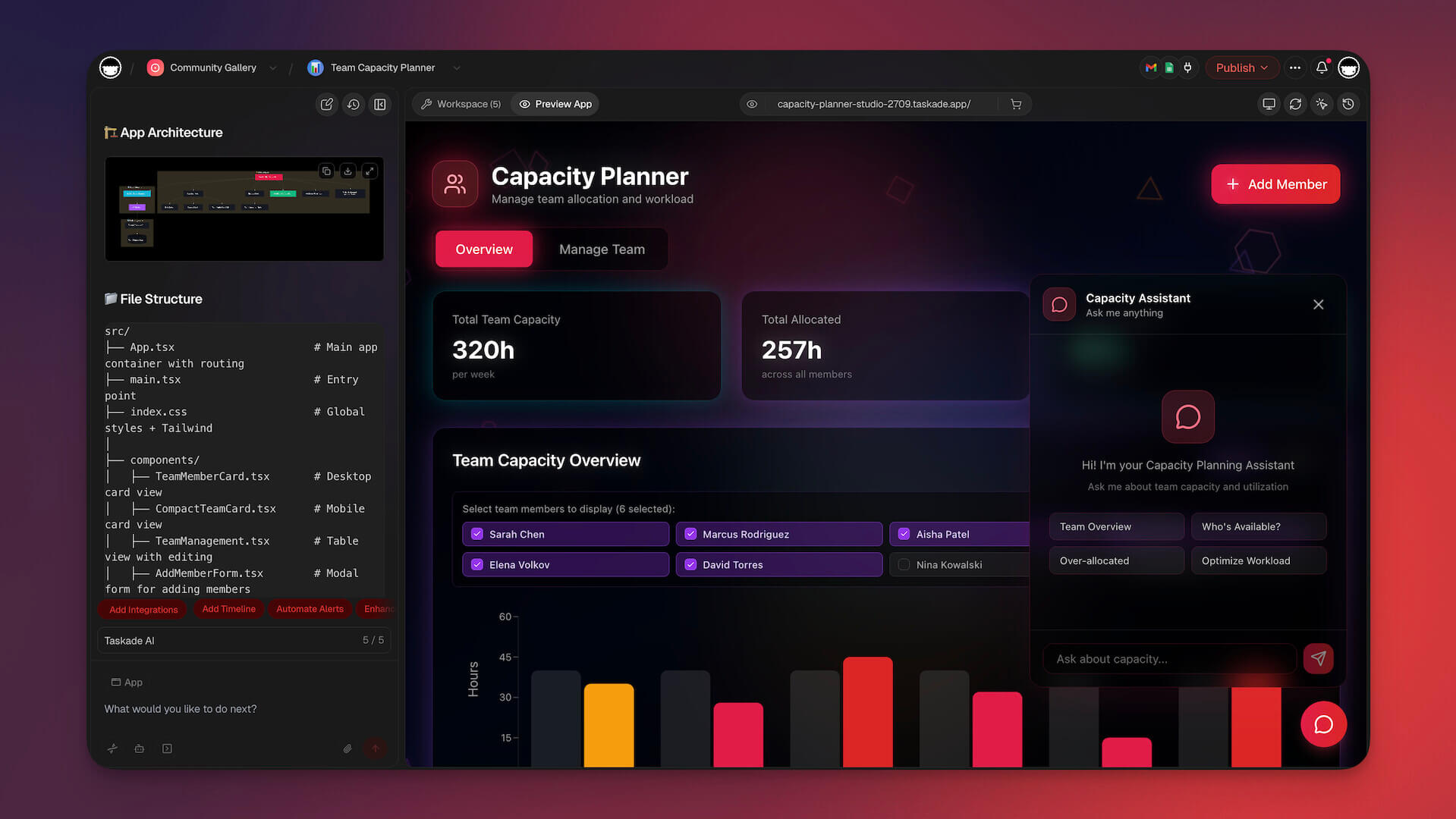
👉 See full Taskade vs Devin comparison →
#2 Cursor — Best AI Pair Programming IDE
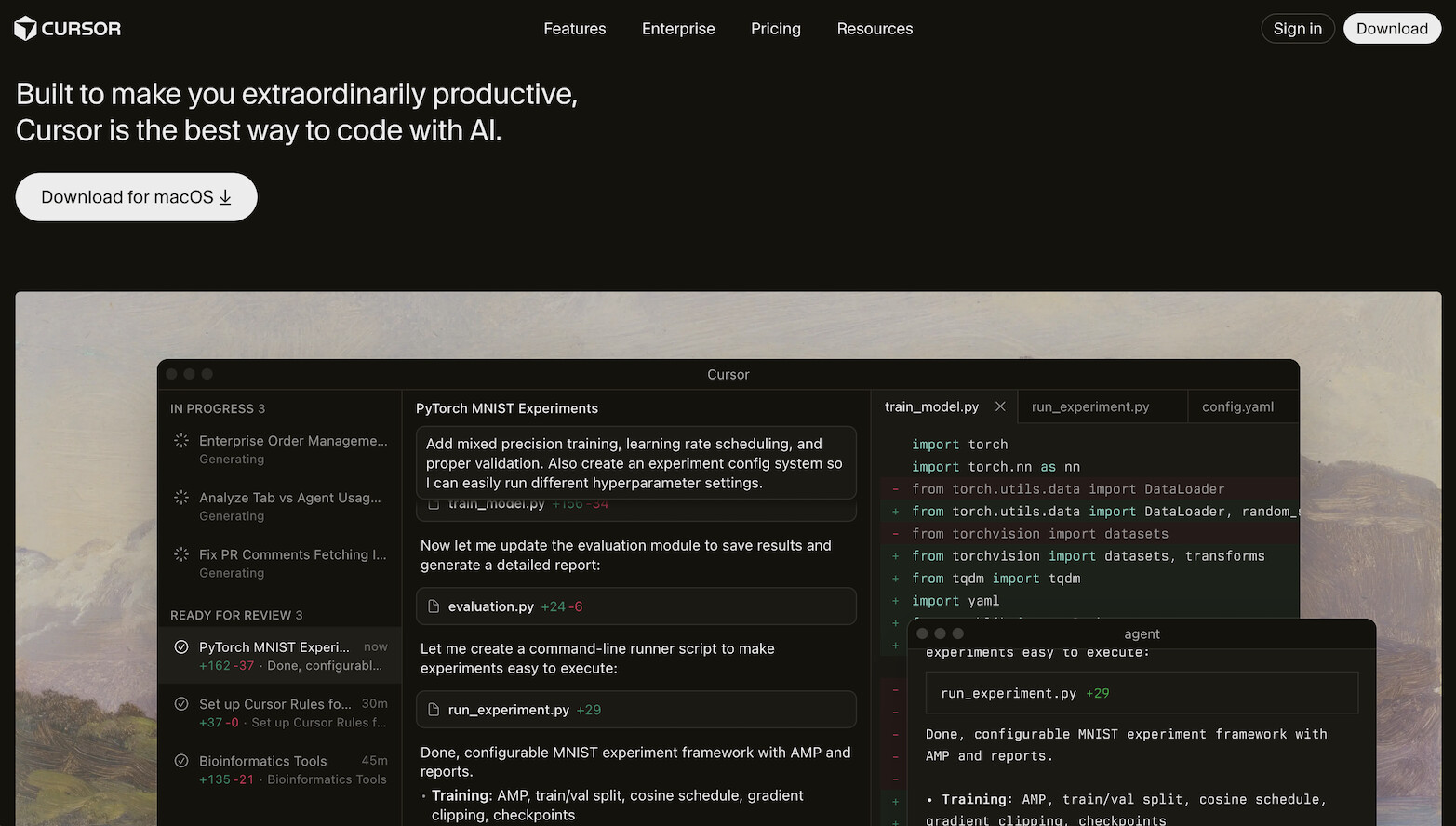
Cursor is an AI-native code editor built on top of VS Code. It's not trying to be autonomous like Devin. Instead, it's the best AI pair programming experience available in 2026. If you're a developer who wants to write better code faster while staying in control, Cursor is hard to beat.
Cursor's standout features include Cmd+K inline editing (highlight code and describe changes in natural language), Composer (multi-file AI editing sessions), and codebase-aware chat that understands your entire project structure. The AI doesn't just autocomplete. It reasons about your codebase, suggests refactors, generates tests, and explains complex code paths.
Cursor vs Devin:
| Feature | Cursor | Devin AI |
|---|---|---|
| Approach | AI-assisted coding | Autonomous coding |
| Developer control | ✅ Full | Minimal during execution |
| Code quality | ✅ High (human reviewed) | Variable |
| Speed | Real-time assistance | Hours for complex tasks |
| Codebase awareness | ✅ Strong | ✅ Strong |
| Pricing | $8/mo (Plus), $30/mo (Premium) | $20/mo |
Advanced Capabilities:
- Composer multi-file editing: Describe a change that spans multiple files and Cursor applies edits across all of them coherently. Add a new API endpoint with route, controller, model, and test in a single request.
- Codebase indexing: Cursor indexes your entire project, so context-aware suggestions reference actual function signatures, types, and patterns from your code, not generic examples.
- Model selection: Switch between Claude, OpenAI GPT (frontier models), and other models depending on the task. Use faster models for autocomplete, stronger models for complex refactors.
- Terminal integration: Run commands, see errors, and have the AI fix issues without leaving the editor.
Limitations to consider: Cursor is fundamentally a developer tool. You need to understand code to evaluate its suggestions, manage your own deployment, and handle infrastructure. It augments engineering skill; it doesn't replace it. For non-developers or teams that need working applications without code, look at Genesis or Replit instead.
Best for: Professional developers who want powerful AI assistance without giving up control. Cursor makes great developers faster. Devin tries to replace the developer entirely. Switch from Devin if you find autonomous execution unreliable and prefer hands-on, real-time AI assistance during your coding sessions.
Cursor Pricing 💸 (re-verified on cursor.com/pricing, 2026-10-20)
- 🟢 Free: Limited AI features
- 🔵 Plus ($8/month): Shared usage pool, Grok models only
- 🟣 Premium ($30/month): 4x the Plus usage, cloud agents and automations, third-party models billed at API list price
- 🟤 Super ($100/month) and Ultra ($200/month): 15x and 50x the Plus usage
Cursor has been part of SpaceX since August 2026, and its plans now bundle Grok and X Premium features.
👉 See full Taskade vs Cursor comparison
#3 GitHub Copilot — Best for In-Editor Code Suggestions
GitHub Copilot is the most widely adopted AI coding tool in the world, backed by GitHub and OpenAI. It integrates directly into VS Code, JetBrains, and other popular editors as an inline code suggestion engine. Start typing and Copilot predicts what comes next, often completing entire functions, writing boilerplate, and suggesting implementations based on context.
Copilot has expanded significantly since launch. Copilot Chat provides a conversational interface for asking questions about your code, generating explanations, and requesting refactors. The Copilot cloud agent (first launched as the Copilot coding agent) moves toward Devin-style autonomy: assign it an issue and it opens a draft pull request.
Copilot vs Devin:
| Feature | GitHub Copilot | Devin AI |
|---|---|---|
| Integration | Existing editors | Standalone environment |
| Autonomy | Low (suggestions) | High (full autonomy) |
| Speed | Instant completions | Minutes to hours |
| Learning curve | ✅ Low | Higher |
| Enterprise features | ✅ Strong | Limited |
| Pricing | $10/mo | $20/mo |
Advanced Capabilities:
- Copilot Chat: Ask questions about your codebase, request explanations of complex functions, generate unit tests, and get refactoring suggestions through a conversational interface inside your editor.
- Copilot cloud agent: Assign an issue and Copilot works in a GitHub Actions environment, then opens a draft pull request. The person who asked for the change cannot approve that pull request, so a second reviewer stays in the loop.
- Enterprise security: Copilot for Enterprise includes code referencing filters, IP indemnity, and organization-wide policy controls. For regulated industries, this matters.
- Language breadth: Strong support across dozens of programming languages, from Python and TypeScript to Rust, Go, and infrastructure-as-code (Terraform, CloudFormation).
Limitations to consider: Copilot's suggestions are context-limited compared to tools that index your full codebase. Complex, multi-file changes require you to manually coordinate. It's reactive (responds to what you type) rather than proactive (planning and executing tasks). Teams needing autonomous execution should look elsewhere.
Best for: Developers who want an always-available AI assistant embedded in their existing workflow. Copilot is the least disruptive AI coding tool because it enhances what you already do. Switch from Devin if you want a lightweight, integrated assistant that helps with day-to-day coding rather than autonomous project execution.
GitHub Copilot Pricing 💸 (re-verified on GitHub, 2026-10-20)
- 🟢 Free: Limited chat and agent usage
- 🔵 Pro ($10/month) and Pro+ ($39/month)
- 🟣 Business ($19/user/month)
- 🟤 Enterprise ($39/user/month)
👉 See full Taskade vs GitHub Copilot comparison
#4 Replit — Best for Cloud-Based Autonomous Coding
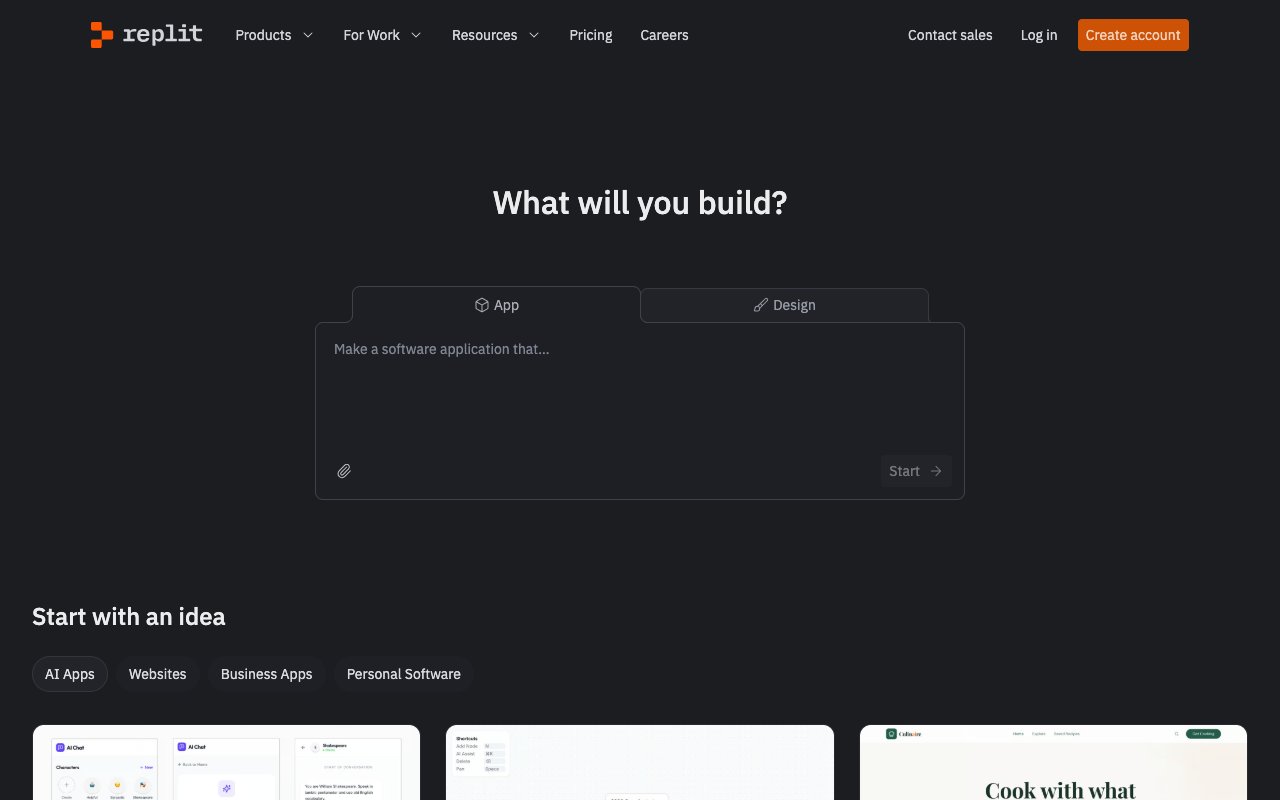
Replit Agent is the closest direct competitor to Devin in philosophy. It's an autonomous coding agent built into Replit's cloud IDE. Describe what you want to build, and the Agent plans the architecture, writes the code, installs dependencies, and deploys the application, all inside Replit's browser-based environment.
What makes Replit Agent compelling is the zero-setup experience. There's no local environment to configure, no deployment pipeline to manage. The Agent runs in the cloud, builds in the cloud, and deploys in the cloud. For quick prototypes and small applications, it's remarkably effective. It handles full-stack web apps, APIs, bots, and data tools with minimal guidance.
The limitations mirror Devin's at a smaller scale: complex multi-service architectures challenge the agent, context can drift on longer builds, and you'll still want to review and refine the output. At $20/month ($18 billed annually) Replit Core now costs the same as Devin Pro, so pick on hosting and collaboration rather than on price.
Replit Agent vs Devin:
| Feature | Replit Agent | Devin AI |
|---|---|---|
| Autonomy | ✅ High | ✅ High |
| Environment | Cloud IDE | Sandboxed env |
| Deployment | ✅ One-click | You manage |
| Complexity ceiling | Medium | Higher |
| Collaboration | ✅ Multiplayer | Solo |
| Pricing | $20/mo | $20/mo |
Advanced Capabilities:
- Full-stack generation: Replit Agent handles frontend, backend, database setup, and environment configuration. Ask for a web app with authentication and it scaffolds the entire stack.
- One-click deployment: Apps go live on Replit's infrastructure with custom domains. No Docker, no CI/CD, no server management.
- Real-time collaboration: Replit's multiplayer editor lets team members jump in and work alongside the Agent, fixing issues or guiding direction in real time.
- Built-in hosting: Replit includes always-on hosting, making it a true build-to-deploy pipeline.
Limitations to consider: Replit Agent works best for small-to-medium applications. Complex architectures with microservices, custom infrastructure, or enterprise-grade requirements can push past its capabilities. Code quality is functional but sometimes needs cleanup. Performance of hosted apps depends on Replit's infrastructure tier.
Best for: Developers and non-developers who want autonomous app building in the cloud at a reasonable price point. Switch from Devin if you want the autonomous coding experience at the same entry price, with built-in hosting and collaboration included.
Replit Pricing 💸
- 🟢 Free: Basic IDE
- 🔵 Replit Core ($20/month, or $18 billed annually): Agent + deployment
- 🟣 Replit Pro ($100/month): 10 parallel agents, up to 15 collaborators
👉 See full Taskade vs Replit comparison
#5 Windsurf — Best for Agentic AI with Cascade

Windsurf (formerly Codeium) combines a VS Code-based editor with Cascade, an agentic AI system that executes multi-step coding tasks. Think of it as a middle ground between Cursor's assisted approach and Devin's full autonomy. You stay in a familiar editor, but the AI can plan and execute complex changes across your codebase.
Cascade is Windsurf's key differentiator. Instead of single-turn completions, Cascade breaks down complex requests into a chain of steps and executes them sequentially, reading files, making edits, running commands, and iterating based on results. It maintains context across the entire chain, producing more coherent multi-file changes than simpler AI tools.
Devin Desktop (the product formerly sold as Windsurf) also offers strong autocomplete inherited from Codeium's completion engine, inline chat, and codebase-aware suggestions. Note the change most comparisons miss: the $15/month tier is gone and the entry price is now $20, because the product is sold as Devin Desktop.
Windsurf vs Devin:
| Feature | Devin Desktop (was Windsurf) | Devin (cloud) |
|---|---|---|
| Approach | Agentic editor | Fully autonomous |
| Multi-step agent | ✅ Yes | ✅ Autonomous chains |
| Developer oversight | ✅ You stay involved | Minimal |
| Autocomplete | ✅ Fast | N/A |
| Pricing | $20/mo | $20/mo (Max $200) |
Advanced Capabilities:
- Cascade multi-step execution: Unlike single-turn completions, Cascade chains together file reads, edits, terminal commands, and validation steps into coherent workflows. Ask it to add a feature and it reads existing code, plans the implementation, writes across multiple files, and tests the result.
- Context persistence: Cascade maintains awareness across the entire chain of actions, so step 5 understands what happened in steps 1-4. This reduces the "forgot what we were doing" problem common in AI coding tools.
- Supercomplete autocomplete: Inherited from Codeium's completion engine, Windsurf's autocomplete is fast and accurate, filling the gaps between agentic tasks.
- Memories and rules: Configure persistent context that carries across sessions, like project conventions, preferred patterns, and architectural decisions.
Limitations to consider: Windsurf's Cascade is powerful but still operates within a single editor session. It doesn't match Devin's fully sandboxed environment for complex deployments. Cascade flows can occasionally lose coherence on very long chains (10+ steps). Enterprise features are still maturing.
Best for: Developers who want agentic multi-step AI inside a familiar editor. Note the product is now Devin Desktop — Cognition renamed Windsurf on June 2, 2026. Switch from Devin cloud if you want the editor experience; both sit on the same $20/month ladder now.
Windsurf Pricing 💸
- 🟢 Free: Basic features
- 🔵 Pro ($20/month): Devin Desktop, formerly Windsurf Pro at $15 (re-verified devin.ai/pricing, 2026-10-20)
👉 See full Taskade vs Windsurf comparison
#6 Claude Code — Best for Terminal-Based AI Engineering
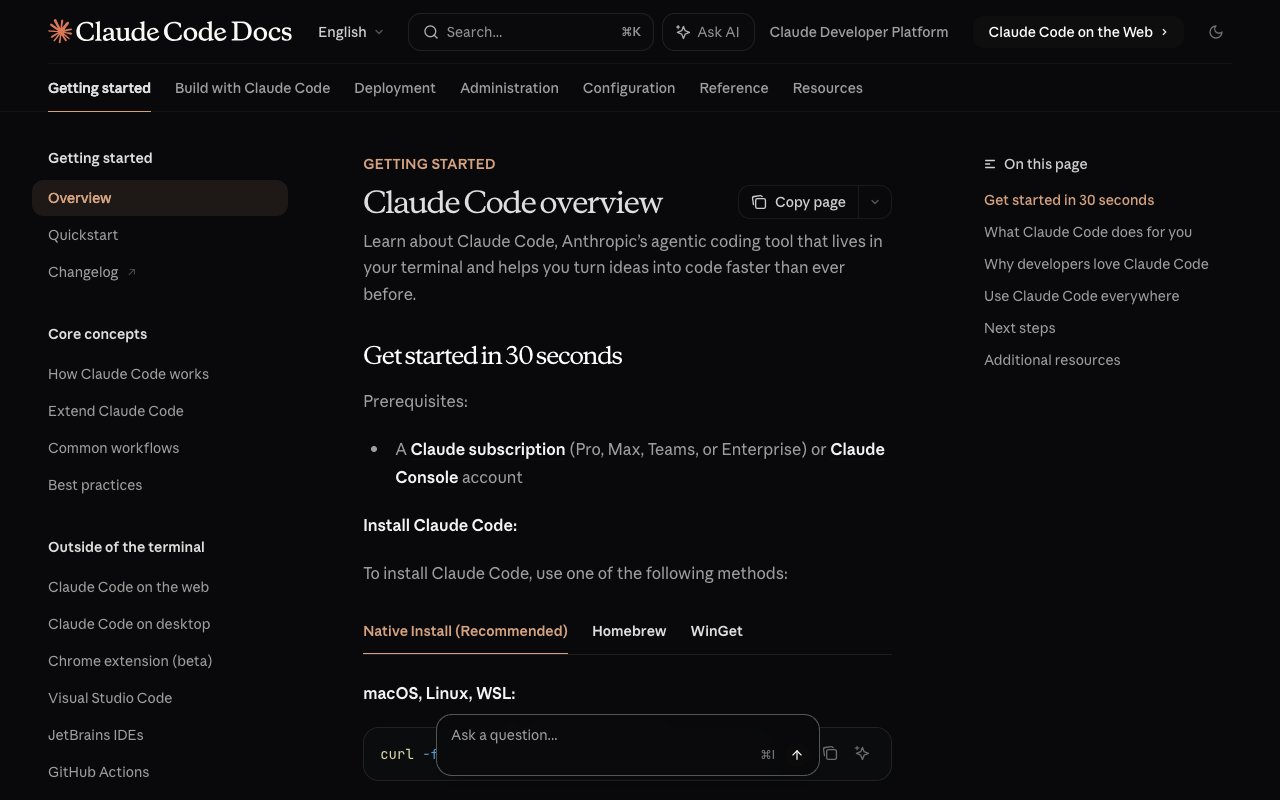
Claude Code is Anthropic's command-line AI coding tool. It operates entirely in the terminal, no IDE, no GUI. Install it, point it at your codebase, and interact through a conversational CLI. Claude Code reads your entire project structure, understands relationships between files, and makes changes across your codebase based on natural language instructions.
What sets Claude Code apart is the depth of codebase understanding. Powered by Claude's large context window, it can hold and reason about massive codebases in a single session. Ask it to refactor a module, add a feature that touches twelve files, or debug a race condition, and it navigates the codebase intelligently, making coherent changes that respect existing patterns and conventions.
Claude Code doesn't try to be autonomous in the way Devin does. It's a conversational engineering partner that works at your pace, in your terminal. You direct, it executes. The result is more predictable output with less wasted compute.
With Opus 4.6, Claude Code can run 10-30 minutes unattended and sustain sessions for hours or days on complex tasks. Its creator Boris Cherny routinely runs multiple sessions simultaneously — a practice called "multi-quading." Claude Code now authors 4% of all public GitHub commits, with projections reaching 20% by end of 2026.
Claude Code vs Devin:
| Feature | Claude Code | Devin AI |
|---|---|---|
| Interface | Terminal/CLI | Web-based sandbox |
| Autonomy | Collaborative | Fully autonomous |
| Codebase understanding | ✅ Deep | ✅ Good |
| Context window | ✅ Very large | Variable |
| Pricing | From $20/mo (Claude Pro) or API | $20/mo (Max $200) |
Advanced Capabilities:
- Massive context window: Claude Code leverages Anthropic's models with industry-leading context lengths. It can reason about codebases with hundreds of files in a single session without losing track of relationships and dependencies.
- Git-native workflow: Claude Code understands your Git history, branches, and commit patterns. Ask it to review changes, generate commit messages, or trace the evolution of a module.
- Shell command execution: Unlike chat-only AI tools, Claude Code runs commands directly in your terminal—installing packages, running tests, executing builds—and reacts to the output.
- Multi-file refactoring: Describe a structural change and Claude Code rewrites across your project, maintaining type safety and import consistency. It's particularly strong with TypeScript and Python codebases.
Limitations to consider: Claude Code requires comfort with the terminal. There's no visual UI, no drag-and-drop, no project dashboard. You're working entirely through text commands. On a Claude plan it shares one usage limit with the rest of Claude, and on the API heavy sessions make token costs hard to predict. It's a developer tool through and through. Non-technical users can look at Taskade Genesis instead.
Best for: Senior engineers who prefer terminal workflows and want deep codebase understanding without giving up control. Claude Code is the thinking developer's AI tool. Switch from Devin if you want conversational control over AI execution rather than fire-and-forget autonomy.
Claude Code Pricing 💸 (re-verified on claude.com/pricing, 2026-10-20)
- 🔵 Claude Pro ($20/month, or $17 billed annually): Claude Code included
- 🟣 Claude Max (from $100/month): 5x or 20x the Pro usage
- 🟤 API: Pay per token used
👉 See full Taskade vs Claude Code comparison
#7 Cline - Best Open-Source AI Coding Agent
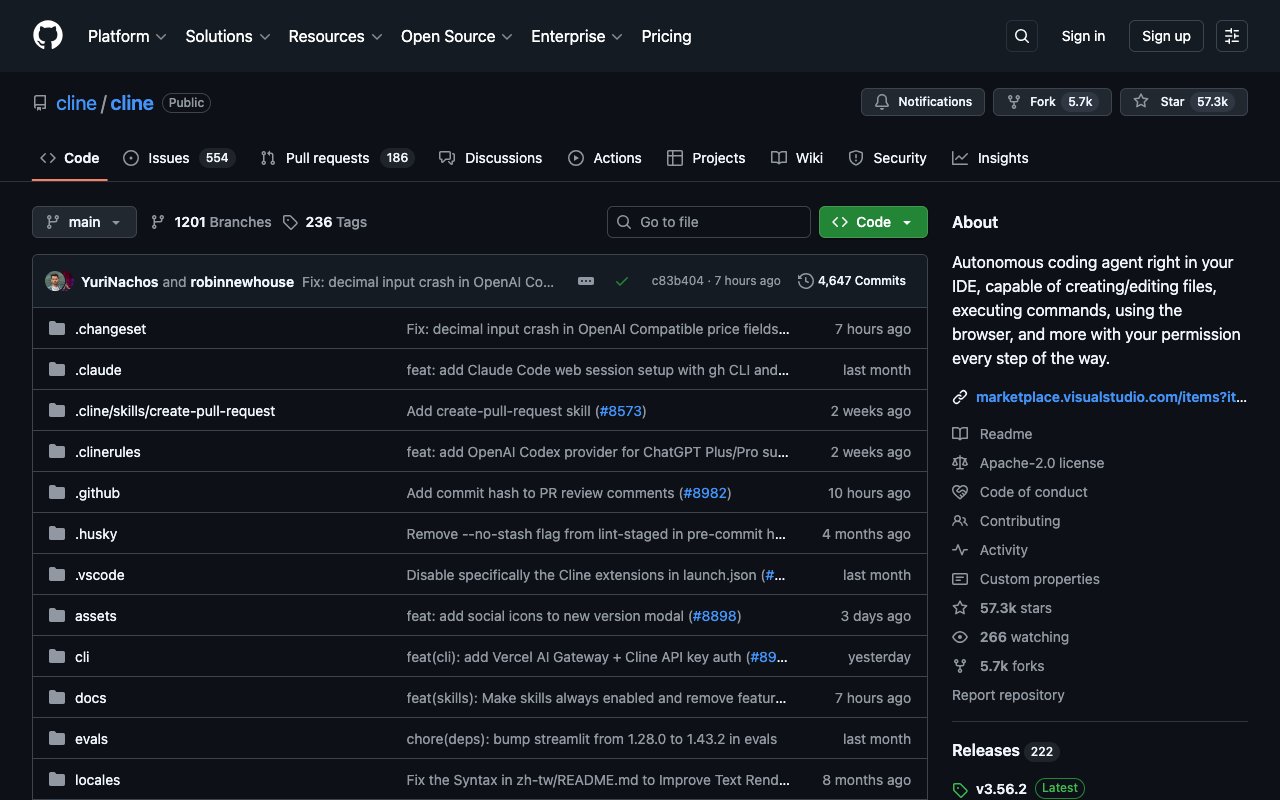
Cline is an open-source VS Code extension that brings autonomous AI coding to your editor. It can read files, write code, execute terminal commands, and browse the web, all within your development environment. The key advantage: you bring your own API key and choose your model (Claude, GPT-4, Gemini, local models, anything with an API).
Cline operates transparently. Every action it takes is visible in the editor, and you approve changes before they're applied. It's autonomous in capability but supervised in practice, a design choice that prevents the runaway execution problems that plague fully autonomous agents like Devin.
For developers who want agent-like capabilities without vendor lock-in or subscription fees, Cline is the clear choice. The open-source community actively contributes extensions, model integrations, and workflow improvements.
Cline vs Devin:
| Feature | Cline | Devin AI |
|---|---|---|
| Open source | ✅ | ❌ |
| Model flexibility | ✅ Any LLM | Proprietary |
| Pricing | Free (API costs only) | $20/mo |
| Transparency | ✅ Full visibility | Black box |
| Community | ✅ Active | Limited |
Advanced Capabilities:
- Model-agnostic architecture: Use Claude, OpenAI GPT (frontier models), Gemini, Llama, Mistral, or any model with an OpenAI-compatible API. Switch models mid-session. Run local models for sensitive code.
- Human-in-the-loop approval: Every file write, terminal command, and browser action requires your explicit approval. This prevents the "AI went rogue" scenarios that plague fully autonomous agents.
- Browser automation: Cline can open a browser, navigate to URLs, inspect elements, and test web applications. It builds and verifies its own work.
- MCP (Model Context Protocol) support: Connect Cline to external tools, APIs, and data sources through Anthropic's MCP standard. Access databases, documentation servers, and custom tooling.
- Community extensions: The open-source ecosystem provides custom prompts, memory systems, and workflow templates. For ready-made prompt templates, check out Taskade's prompt library. The community-driven model means rapid feature development.
Limitations to consider: Cline requires you to provide your own API keys, which means managing and paying for API costs separately. Token usage can add up quickly during long autonomous sessions. Setup is more involved than a subscription product. The experience depends heavily on which model you choose — cheaper models produce worse results.
Best for: Developers who want open-source, model-agnostic autonomous coding without subscriptions. Switch from Devin if you want full transparency, model choice, and zero vendor lock-in. The BYOK model means you control costs precisely. For no-code tools with the same bring-your-own-key setup, see AI builders that support BYOK.
Cline Pricing 💸
- 🟢 Free: Open source (pay only for your LLM API usage)
#8 Bolt.new — Best for Browser-Based App Generation
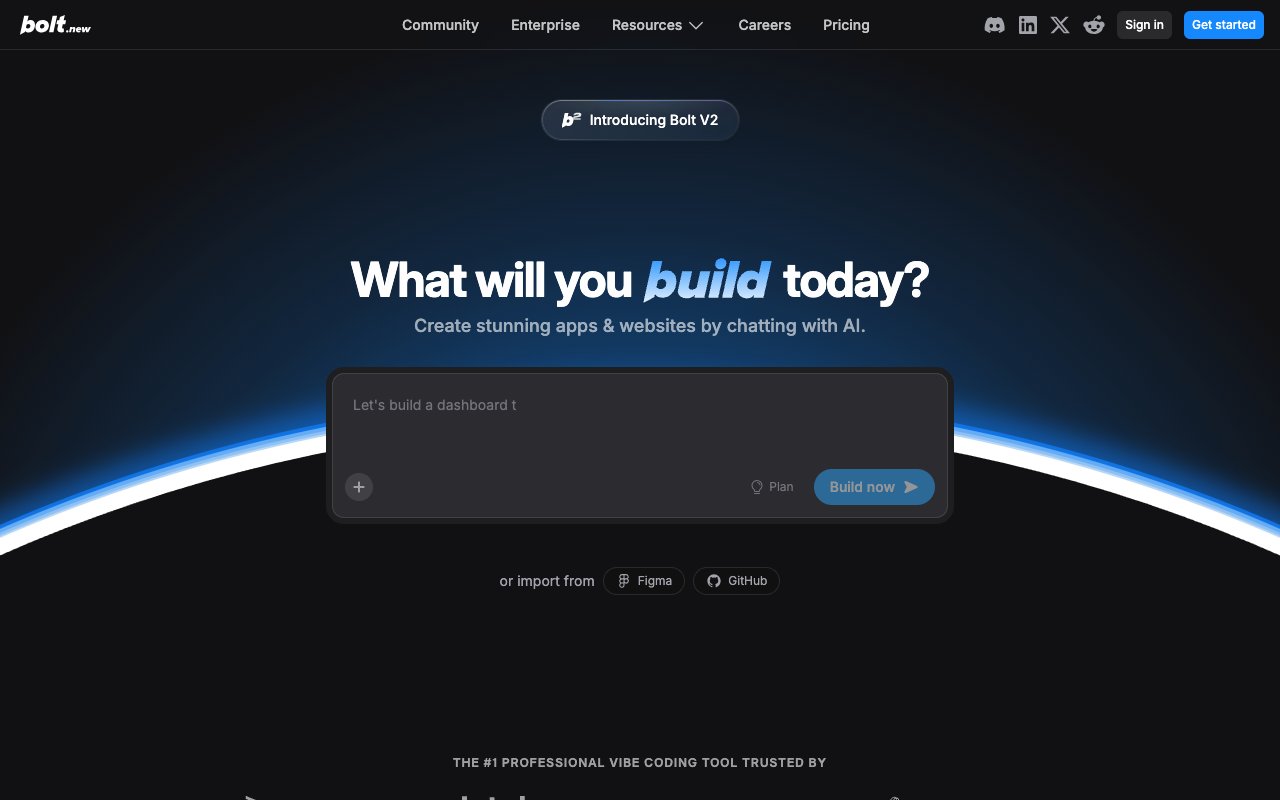
Bolt.new is a browser-based AI app generator from StackBlitz. Describe an application and Bolt generates a complete, runnable project in seconds. It runs entirely in the browser using WebContainers technology, no server needed. You can see the code, edit it, and deploy the result.
Bolt targets the rapid prototyping use case. Need a landing page, a dashboard, a CRUD app, or a utility tool? Describe it in a few sentences and Bolt generates a working version. The output is real code (typically React/Next.js) that you can export, customize, and deploy anywhere.
The trade-off compared to Devin is scope. Bolt excels at generating self-contained applications quickly but isn't designed for complex multi-service architectures, large codebases, or ongoing development workflows. It's a generation tool, not an engineering partner.
Bolt.new vs Devin:
| Feature | Bolt.new | Devin AI |
|---|---|---|
| Speed | ✅ Seconds | Minutes to hours |
| Complexity | Simple-medium apps | Complex systems |
| Environment | Browser | Sandbox |
| Code access | ✅ Full export | ✅ Full access |
| Pricing | $25/mo | $20/mo |
Advanced Capabilities:
- WebContainer runtime: Bolt runs a full Node.js environment in your browser using StackBlitz's WebContainers technology. No server-side computation needed. This means instant start, no cold boots, and no environment setup.
- Live preview: See your application running in real time as Bolt generates and modifies the code. Every change is immediately visible.
- Code export: Unlike closed platforms, Bolt gives you full access to the generated code. Export to GitHub, download locally, or deploy to Vercel, Netlify, or any hosting platform.
- Iterative refinement: Describe what's wrong or what to change, and Bolt modifies the existing project. It's not just a one-shot generator — you can iterate toward the result you want.
Limitations to consider: Bolt generates front-end-heavy applications well but struggles with complex backend logic, database integrations, and multi-service architectures. The browser-based runtime has performance limits for compute-heavy applications. For production systems with authentication, payments, or third-party API integrations, you'll likely need to export and extend the code manually. For a deeper comparison of Bolt and similar tools, see our guide to Bolt alternatives.
Best for: Developers and designers who need quick, functional prototypes without complex setup. Switch from Devin if you need rapid generation of web applications and value seeing results in seconds rather than hours.
Bolt.new Pricing 💸
- 🟢 Free: Limited generations
- 🔵 Pro ($25/month, or $18 billed annually): 10M tokens/month, no daily limit, full code export
👉 See full Taskade vs Bolt comparison
⚖️ Taskade vs Devin: A Different Philosophy
This comparison isn't about which tool writes better code. It's about two fundamentally different visions for the future of software.
Devin's philosophy: Replace the software engineer with an AI agent that writes code autonomously.
Taskade's philosophy: Eliminate the need for code entirely and empower everyone to build.
| Dimension | Devin AI | Taskade Genesis |
|---|---|---|
| Target user | Engineers | Everyone |
| Core action | Write code | Build applications |
| Output | Code repositories | Working, living software |
| Agent model | Single autonomous agent | Multi-agent teams |
| Knowledge | General programming | Trained on your data |
| Collaboration | Solo | Real-time team workspace |
| Maintenance | You manage code + infra | Platform handles everything |
| Iteration | Edit code, redeploy | Describe changes, instant update |
| Automations | ❌ | ✅ Built-in workflows |
| Pricing | $20/month (Max $200) | Free / $10/month |
Devin is impressive technology aimed at a specific audience: well-funded engineering teams that want to augment or accelerate their existing development workflow.
Genesis serves a different, much larger audience: anyone with an idea who wants to build something. Product managers, founders, marketers, operations leads, educators, freelancers, and yes, engineers too, when they want to build internal tools quickly instead of writing code from scratch.
The question isn't "Which is better?" It's "What are you trying to accomplish?"
- If you need to contribute to an existing complex codebase, Devin (or Cursor, or Copilot) makes sense.
- If you need a working application, tool, or system, Genesis gets you there faster, cheaper, and without requiring engineering skills.
🏭 Software Factory Platforms vs Single Coding Agents
A single coding agent such as Devin takes one task and returns one pull request for a person to review. A software factory runs many agents through a fixed line of stages (intake, spec, build, verify, review, ship, monitor), and people approve at the gates they choose. Factory, Warp Factories and 8090 sell that line. Devin sells the agent that works on it.
The term spread fast in 2026. Factory relaunched as "Factory 2.0" on 2026-06-15 and defined the software factory as a loop from outside signals to plan, build, test, review, secure, ship and monitor. Warp launched Warp Factories on 2026-08-18. Vercel reported on 2026-08-12 that its AI SDK factory authors 25 to 35% of the pull requests the team merges, and that nothing merges without a human approval. For the full definition and its history, read what an AI software factory is. For a ranked list across both tracks, see the best software factory tools.
| Platform | What you buy | How work moves | Where a person approves | Entry price (2026-10-20) |
|---|---|---|---|---|
| Factory (Droids, Missions) | Droids: coding agents across desktop, terminal, web and CLI, plus model routing, code review and automations | Missions split a project into milestones and features. Each feature gets a fresh worker session, and each milestone ends with validation | You approve the mission plan. Admins set the autonomy level on Business and Enterprise | Pro $20/mo, Max $200/mo. Teams $60/mo plus $40 per seat |
| Warp Factories | Open infrastructure: the factory is defined in code (factory.yaml) and runs any agent (Warp, Claude Code, Codex, Cursor) on any model |
A foreman agent moves each issue through triage, spec, implement, verify, ship and monitor | Spec approval, code review and QA gates. Warp says "merge is always yours" | Early access. Qualified companies get $10k of factory use (launch post, 2026-08-18) |
| 8090 Software Factory | A control plane for the whole development cycle, plus 8090 engineers who build with your team | Requirements in plain English, then Blueprints, then Work Orders sent to engineers and their agents through MCP in Cursor, VS Code or Claude Code | Your engineers review and sign off on each Blueprint | Not published (contact sales) |
| Devin (single agent) | One autonomous agent for each session, in the cloud or in Devin Desktop | A person or a ticket hands Devin one task, and Devin returns a pull request | You review the pull request | Pro $20/mo, Max $200/mo. Teams $80/mo plus $40 per seat |
| Taskade Genesis (app factory, no code) | A live app with its database, AI agents and automations | You describe the app, and Taskade EVE builds and edits it in chat | You test the app and publish it. A new app stays a draft until you publish it | Free (3 apps). Pro $10/mo billed annually |
Prices come from each vendor's own pricing page on 2026-10-20. Warp and 8090 do not publish a self-serve price for their factory products.
The single-agent loop ends at one pull request. The factory loop never ends: monitoring files new issues, and the factory measures every run so the team can tune models, prompts and gates. Warp, for example, published that its cost per pull request fell from $80 to $20 in six weeks, with 40% higher pull request throughput and a lower revert rate (Warp blog, 2026-10-15).
Factory vs Devin: The Short Answer
Paid plans for Factory and Devin both start at $20 a month (verified on factory.com/pricing and devin.ai/pricing on 2026-10-20). Choose Devin when you want one agent to take a ticket and return a pull request, with Devin Desktop as your editor. Choose Factory when you want Droids across the whole development cycle and Missions for projects that run for hours or days. Missions launched for Max and Enterprise plans.
Factory's own Missions data shows the difference in scale: a normal Droid session lasts about 8 minutes at the median, while a mission runs about 2 hours at the median, and the longest ran for 16 days. Pick the factory when the work is a project. Pick the single agent when the work is a ticket. The Taskade vs Factory comparison covers the no-code side of the same choice.
A Factory for Teams That Do Not Write Code
A software factory still ends at a merged pull request, so someone must deploy it, host it and run its database. If nobody on your team writes code, the same loop runs one layer up as an app factory. Taskade Genesis builds a live app with its database from one prompt, and Taskade EVE builds and edits it in chat. You test it and publish it. After launch, AI agents with your knowledge and automations with 100+ integrations keep the app running: triggers pull events in, and actions push data out.
| Factory stage | Code factory (Factory, Warp, 8090) | App factory (Taskade Genesis) |
|---|---|---|
| Intake | Tickets from Slack, Linear, Jira, GitHub | A chat request, a form, or a trigger from 100+ integrations |
| Build | Builder agents write code on a branch | Taskade EVE builds the app and its database in chat |
| Review | Reviewer agents, then a person approves the merge | A person tests the app in the browser |
| Ship | CI/CD deploys the merged change | You publish to a live URL. Custom domains on Pro and up |
| Run | Monitoring files new issues | Agents answer and triage, automations act, projects keep the records |
You can also start from a ready-made kit in the app gallery. Cloning a kit that includes automations needs a paid plan.
Warp founder Zach Lloyd explains the factory model, and how Warp runs its own, in this talk from 2026-10-19:
For the history behind the term, from Karpathy's agentic engineering to Dan Shapiro's five levels and the dark factory, see what agentic engineering is.
🏅 Final Verdict: Which Devin AI Alternative Should You Choose?
The right choice depends on who you are and what you're building. Here's a decision framework:
| Your Situation | Best Choice | Why |
|---|---|---|
| Non-technical, need working apps | Taskade Genesis | No code required. Describe → get a living app |
| Developer, want AI pair programming | Cursor | Best-in-class assisted editing, you stay in control |
| Developer, want autonomous building | Replit Agent | Devin-like autonomy at $20/mo with built-in hosting |
| Developer, want terminal-first AI | Claude Code | Deep codebase understanding, conversational control |
| Team, need collaboration + AI | Taskade Genesis | Multi-agent teams with real-time workspace |
| Budget-conscious developer | Devin Desktop or Cline | Devin Desktop at $20/mo, Cline is free (BYOK) |
| Enterprise, need governance | GitHub Copilot | Enterprise security, IP indemnity, org controls |
| Rapid prototyping | Bolt.new | Seconds to a working app in the browser |
| Open-source advocate | Cline | Full transparency, any model, community-driven |
| Well-funded eng team | Devin AI | Maximum autonomy for complex engineering tasks |
The bigger picture: Devin AI proved that autonomous coding agents are viable. But the market has fragmented into specialized tools that each do part of the job better than a single monolithic agent. The most productive teams in 2026 combine multiple tools: an AI editor for daily coding, an agent for autonomous tasks, and a platform like Genesis for building internal tools and automations without code.
If Devin handles only some of your needs, the combination of Genesis (for app building) + Cursor or Devin Desktop (for actual coding) covers more ground for a similar spend.
❓ Frequently Asked Questions
What is Devin AI?
Devin by Cognition is positioned as the first AI software engineer. It autonomously plans, writes, debugs, and deploys code. It launched at $500/month, but that price is long gone: devin.ai/pricing lists Free, Pro at $20/month, Max at $200/month and Teams at $80/month plus $40 per full developer seat as of 2026-10-20. The remaining trade-offs are long execution times on complex tasks and quotas that are not published as a number.
How much does Devin AI cost in 2026?
Devin's pricing page lists Free, Pro at $20 a month, Max at $200 a month, and Teams at $80 a month plus $40 for each full developer seat (verified on devin.ai/pricing on 2026-10-20). Devin launched at $500 a month in December 2024. Paid quotas refresh daily and weekly, and Pro can buy extra usage at API pricing. For most teams, alternatives like Cursor (Plus at $8 a month), Replit Core ($20 a month), or Taskade Genesis (free, then $10 a month billed annually) deliver better value.
What is the best free Devin AI alternative?
Cline is completely free and open source (you pay only for your own LLM API usage), and with a local model such as Llama or Mistral it is the most capable zero-cost option for autonomous coding. Cursor and Devin Desktop (formerly Windsurf) both have free tiers with limited AI features. To build complete apps without code, Taskade Genesis has a Free plan with 3 apps and 1 AI agent. On Free, you earn free AI credits with referrals and invites, and you can upgrade any time.
What is the cheapest Devin AI alternative?
Cline is free and open source: you pay only for your own LLM API usage. Cursor Plus costs $8 a month with Grok models only, and Cursor Premium at $30 a month adds third-party models billed at API list price. Taskade Genesis Pro is $10 a month billed annually and adds app building, AI agents and automations. Devin itself now starts at $20 a month with Max at $200, verified on devin.ai/pricing on 2026-10-20.
Do I need coding experience to use Devin alternatives?
Not all of them. Tools like Cursor and Copilot require coding knowledge. Taskade Genesis requires no coding experience: describe what you want in plain English and get a working application with AI agents, databases, and hosting.
Can non-developers use Devin AI alternatives?
There is a spectrum from developer-only tools to fully no-code platforms. Devin, Cursor, and Cline all require programming knowledge to evaluate and direct their output. On the no-code end, Taskade Genesis and Bolt.new let non-developers build complete applications from plain English descriptions. Taskade Genesis requires zero coding. Describe what you want and get a working app with AI agents, automations, 100+ integrations, and hosting included.
What is the difference between AI coding agents and AI app builders?
AI coding agents (Devin, Cline, Replit Agent) write and execute code autonomously. AI app builders like Taskade Genesis skip code entirely, creating complete applications from natural language with built-in AI agents and automations.
What is the difference between a software factory and a single coding agent like Devin?
A single coding agent such as Devin takes one task and returns a pull request for a person to review. A software factory runs many agents through a fixed line: intake, spec, build, verify, review, ship and monitor. People approve at gates they choose, and the factory measures every run. Factory, Warp Factories and 8090 sell the line. Devin sells the agent that works on it.
Factory vs Devin: which one fits my team?
Paid plans for both start at $20 a month (verified on their pricing pages on 2026-10-20). Choose Devin if you want one agent to take a ticket and return a pull request, with Devin Desktop as your editor. Choose Factory if you want Droids across the whole development cycle and Missions, which split a large project into milestones and features that run for hours or days after you approve the plan. Missions launched for Max and Enterprise plans. If no one on your team writes code, Taskade Genesis builds the app itself.
Can Taskade Genesis replace Devin AI?
For building business applications, internal tools, dashboards, and automated workflows, yes. Taskade Genesis builds these from natural language without code. For contributing to existing complex codebases with custom backend logic and specific framework requirements, Devin (or a tool like Cursor) is more appropriate. Taskade Genesis does not hand you code to maintain. It builds applications directly.
Is Cursor or GitHub Copilot better as a Devin alternative?
They serve different niches. Cursor provides deeper AI integration with multi-file editing (Composer) and codebase-aware chat. Copilot is more lightweight and works across more editors and languages. If you want maximum AI assistance in a single editor, choose Cursor. If you want a reliable assistant that works everywhere with minimal setup, choose Copilot.
How does Replit Agent compare to Devin AI?
Replit Agent is the closest direct alternative to Devin in terms of autonomous capability. Both plan, build, and iterate on code. Replit Core is $20/month ($18 billed annually) and includes built-in hosting, deployment, and real-time collaboration. Devin Pro is also $20/month and handles more complex multi-service architectures and longer autonomous sessions. The old 20x price gap is gone, so choose on hosting and collaboration rather than cost.
How long can Claude Code run autonomously compared to Devin?
Claude Code with Opus 4.6 runs 10-30 minutes unattended on average and can sustain sessions for hours or days. Boris Cherny, its creator, routinely runs five or more sessions simultaneously. Devin aims for full fire-and-forget autonomy but teams report context degradation during extended sessions and unpredictable execution times on complex tasks.
Can AI coding agents replace human developers?
Not in 2026. AI agents handle well-defined, bounded tasks effectively: generating CRUD apps, writing tests, fixing bugs, scaffolding features. They struggle with ambiguous requirements, novel architectures, cross-system debugging, and the kind of judgment calls that experienced engineers make instinctively. The most productive approach is human-AI collaboration, not replacement.
🚀 Get Started Free
Ready to build? Here's where to start:
👉 Build apps with Genesis → - Describe what you want, get a working app in minutes
👉 Create AI agents → - Train custom agents on your data and workflows
👉 Explore the Community → - Browse thousands of templates, agents, and apps
👉 Sign up free → - No credit card required
🔗 Related Reading
- Best Free AI App Builders in 2026 — 15 tested, no credit card
- Best Bolt.new Alternatives
- Best Cursor Alternatives
- Best Lovable Alternatives
- Best Vibe Coding Tools in 2026
- Best Windsurf Alternatives
- Best Claude Code Alternatives
- Best OpenClaw Alternatives
- Best GitHub Copilot Alternatives
- What Is Vibe Coding?
- Build Without Permission
- Origin of Living Software
- Best V0 Alternatives
- Taskade vs Devin — Side-by-side comparison
- Taskade vs Cursor — AI code editors compared
- Taskade vs Replit — Coding platforms compared
Start building:
- Clone a ready-made app template — Customize and deploy instantly
- AI App Builder — Build complete apps from one prompt
- Browse Community Apps — Clone real Genesis apps
