







Claude Code became the #1 most-loved developer tool in eight months — 46% of developers rated it their favorite, ahead of Cursor at 19% and GitHub Copilot at 9%. Approximately 4% of all public GitHub commits are now authored by Claude Code, a figure that doubled in a single month. At Anthropic itself, 70-80% of technical employees use it every day.
But Claude Code is not the only way to build software with AI. 62% of professional developers now use an AI coding tool and 56% report doing 70%+ of engineering work with AI assistance. The market has exploded: Cursor alone hit $2B+ ARR by early 2026, Anthropic's Claude Opus 4.8 pushed SWE-bench Verified to 88.6% in May (then Claude Fable 5 took it to ~95% on June 9, before a June 12 US export-control directive briefly took Fable 5 and Mythos 5 offline for all customers, then the suspension was lifted and both returned globally in early July — see the FAQ below), and on June 1, 2026 GitHub Copilot switched to metered AI-Credits billing — shaking up the pricing every team had budgeted around. Claude Code itself still locks you into Anthropic's models, requires terminal fluency, costs $20/month, and produces code that still needs deployment.
If you want a deployed app without a terminal: Taskade Genesis builds complete apps with AI agents, automations, and 100+ integrations from a single prompt — no code, no deployment steps. It's the fastest path from idea to a running app you can clone in one click — see the live demo further down.
TL;DR: Cursor ($20/mo) is the best AI IDE alternative. Codex CLI, Aider, and OpenCode are the best open-source terminal agents. Antigravity CLI is Google's free terminal agent, replacing the retired Gemini CLI. Taskade Genesis (free, then $10/mo) skips code entirely - build deployed apps with AI agents, automations, and 100+ integrations. 150,000+ apps built. Try it free →
Updated June 2026: Claude Code now runs on Claude Fable 5, Anthropic's new Mythos-class model (~95% SWE-bench Verified), as a selectable option in v2.1.170. But Fable 5 costs $10/$50 per million tokens — double Opus 4.8 — and ships with bio/cyber safety classifiers that quietly reroute some prompts back to Opus 4.8. A more capable default makes the case for these alternatives stronger, not weaker: model choice, flat pricing, and no refusal-routing are exactly what they offer.
Updated July 2026: The category's two biggest shake-ups both settled this month. Claude Fable 5's June export-control suspension was lifted and the model returned globally in early July — a clean case study in why single-vendor lock-in is a risk, not a convenience. GitHub Copilot's June 1 move to metered AI-Credits billing is now fully in effect (Pro $10/mo + $15 credits, Pro+ $39/mo + $70 credits, Max $100/mo + $200 credits), and Windsurf — now owned by Cognition and running its own SWE-1.5 model — shipped Codemaps and an in-editor Devin. The advice for choosing an alternative is unchanged and sharper: favor model choice, flat pricing, and no refusal-routing. See the fresh 2026 receipts scorecard below.
Updated September 2026: Anthropic shipped Claude Opus 5.5 on September 22, priced at $4/$20 per million input/output tokens (down from Opus 5's $5/$25, a 20% base-price cut), and raised the five-hour usage limits on Pro, Max, Team, and seat-based Enterprise plans, a change that also lifts Claude Code's five-hour session limits. The limits were raised, not removed, and weekly limits still apply. On September 28 it followed with Claude Sonnet 5.5 at $2/$10, more than 30% faster than Sonnet 5 and within about two points of Opus 5.5 on CursorBench. See Claude models explained for the full lineup. Two of the tools ranked below changed hands or names this quarter: Windsurf no longer exists as a standalone product (Cognition folded it into Devin Desktop on June 2, 2026) and Cursor's parent, Anysphere, was acquired by SpaceX in an all-stock deal worth roughly $60 billion, closing August 14, 2026. Separately, Gemini CLI retired free and individual access on June 18, 2026; Google migrated that lane to a new client, Antigravity CLI. See the corrected entries for Windsurf (#4) and Gemini CLI (#6) below.
Status check, September 29, 2026: We re-verified every tool below against its own site. Four changed: Roo Code shut down on May 15, Continue.dev is read-only, Amazon Q Developer IDE plugins sunset April 30, 2027, and Cody Free and Pro ended in 2025. Devin dropped ACU billing for quota plans. New entries: OpenCode, Kilo Code, and Grok Build, covered in Also Worth Knowing.
Looking for a Claude assistant alternative — not a coding tool? If you want a ChatGPT-style chat alternative to Claude for writing, research, and everyday work, see our dedicated guide to the 12 best Claude alternatives. This page covers Claude Code alternatives — tools for building software.
What Is the Best Claude Code Alternative If You Want a Running App, Not Code?
If your goal is a working app — a CRM you can run, a dashboard your team checks, a portal your clients log into — the best Claude Code alternative is Taskade Genesis (free tier; Pro $10/mo). Claude Code, Cursor, Codex CLI, and Aider are excellent at writing code, but they hand you files you still deploy, host, and maintain. Taskade Genesis hands you the deployed app — live URL, database, AI agents, and 100+ integrations — from one prompt, no terminal.
This answers the question most people are actually typing into Google and AI assistants: "claude alternative for coding," "free claude code alternative," "ai coding agent that builds an app." The honest split: pick a code tool when you want a repo; clone the live app below when you want the thing running. (Want a chat assistant like Claude instead? See Claude alternatives.)
If you don't write code, the choice is simpler than 15 rankings make it look. Every terminal agent and IDE on this page is genuinely excellent at one job: writing source files. But a folder of source files is not a working product — someone still has to host it, give it a database, add logins, secure it, and redeploy it every time it changes. For a non-coder, that "someone" is a developer you don't have. Taskade Genesis skips the handoff entirely: you describe the tool you need in plain English, and what comes back is a running app at a live URL — database, password-protected logins, and AI agents already wired in — not files to pass to an engineer. So the real question isn't "which alternative writes the best code." It's "which alternative ships the working app for me" — and that is the one Genesis answers.
Clone a Working App in One Click (Not a Repo)
Here is a live one. This is a real Sales Pipeline Workflow built from a single prompt in Taskade Genesis — AI agents and automations already wired in, running at a public URL. Open it, then clone it to your own workspace:
And here is another. This is a real Growth Dashboard built from a single prompt in Taskade Genesis — no CLI, no deploy step, no hosting to set up. Click it, then hit Clone, and it lands in your own workspace in about 30 seconds with the projects, fields, and views already wired:
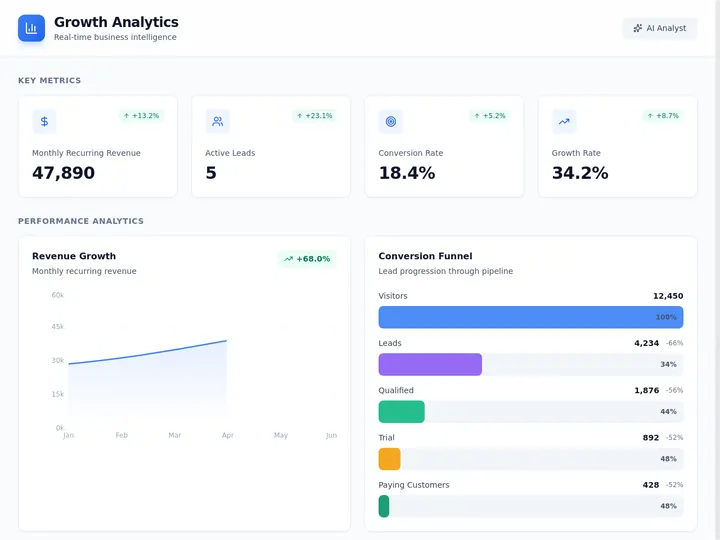
A live, cloneable Genesis app — the output every terminal agent on this page cannot produce. Every other tool gives you .ts files; this is the deployed dashboard, ready to use.
The Outcome Flow: Prompt → Running App → Clone → Ship
The Genesis path skips the code artifact entirely. With Claude Code or Cursor the flow stops at "code files," and you own everything after — build pipeline, hosting, SSL, auth, database, deploys. With Genesis the running app is the deliverable.
Code Files vs Deployed App: The One Table That Decides This
Before you read 15 tool reviews, settle the only question that actually matters — do you want code, or do you want a running app? Every terminal agent and IDE on this page outputs the left column. Taskade Genesis outputs the right column. Same prompt, two completely different deliverables:
| Claude Code / Cursor / Aider / Codex (code generators) | Taskade Genesis (deployed-app builder) | |
|---|---|---|
| Output | Source files in a repo (.ts, .py, configs) |
A live, working app |
| Where it runs | Your machine, then a server you provision | Hosted for you — runs the moment it builds |
| Hosting / SSL | You set up hosting, domains, and certificates | Included — automatic SSL, custom domains |
| Auth / users | You wire OAuth, sessions, and permissions | Built in — password protection + role access (Owner to Viewer) |
| Data layer | You design and host the database | Built in — projects across multiple views are the database |
| Time to live URL | Hours-to-days (code → build → deploy → secure) | Minutes — one prompt to a shareable URL |
That is the whole post in six rows. If the left column is what your team owns and ships, pick a code tool from the rankings below — they are genuinely excellent and we rank them fairly. If the right column is the outcome you actually need, clone the live dashboard above and skip straight to a working app.
"18 Months for a Team of 40, or a Few Weeks Solo" — The Operator Story
An IT program manager with no engineering team became Taskade's first self-serve Enterprise customer by building a production field-service dashboard on Taskade Genesis — four connected projects (Customers, Jobs, Invoices, Team) tracking 20+ live jobs. He never opened a terminal. His verdict:
"What I was able to accomplish in a few weeks would have taken me and a team of 40+ people 18 months or longer in the Fortune 500 space."
That is the difference an "alternative" can make when the goal is a running operation, not a repository. He did not evaluate which coding agent writes the cleanest .ts files. He described the dashboard he needed, Genesis built it live, and he ran his business on it. If that is your goal too, the live dashboard above is one click from being yours.
What the Running App Already Includes
The app you just cloned is not a prototype — it is the full stack, deployed. Here is what ships inside every Taskade Genesis app, no wiring required:
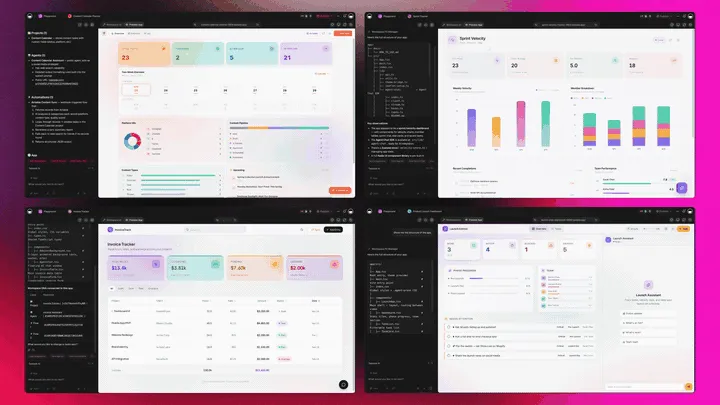
| What ships in the app | Taskade Genesis | Claude Code / Cursor / Aider |
|---|---|---|
| Multiple project views (List, Board, Calendar, Table, Mind Map, Gantt, Org Chart) | Built in | You build the UI |
| AI agents (EVE + custom agents, built-in tools) | Built in | None — it is the coding agent |
| 100+ bidirectional integrations (triggers pull events in, actions push data out) | Pre-connected | You OAuth each one |
| Database + auth + role access (Owner → Viewer) | Included | You wire it yourself |
| Frontier models from top AI labs | Switchable per agent | Single-vendor per tool |
| Live URL + custom domains | One-click publish | You deploy and host |
That is the whole "code generators vs deployed-app builders" gap in one table: every code tool answers each row with "yes, after I do the work." Genesis answers "already done."
Taskade Genesis Capability Matrix: What You Get Without a Developer
Terminal coding agents (Claude Code, Codex CLI, Aider, and the rest) are built to write code well. Taskade Genesis is built to hand a non-coder a finished, running tool. Here is the same capability set viewed side by side — every row uses a capability Genesis ships out of the box:
| Capability | Taskade Genesis | Terminal coding agents |
|---|---|---|
| What you get back | A live app at a shareable URL | Source files in a repo |
| AI agents inside the result | EVE meta-agent + custom agents, built-in tools (web search, code, file analysis, custom slash commands) | None — the agent is the tool that writes code |
| Persistent memory | Built in — agents remember across sessions and projects | You manage context files yourself |
| Multi-agent teams | Built in — agents collaborate under the EVE meta-agent | Single agent per session |
| Model choice | Frontier models from top AI labs, Auto-routed | One vendor's models per tool |
| Integrations | 100+ bidirectional (triggers pull events in, actions push data out) | You write and host each integration |
| Database + views | Built in — multiple project views are the data layer | You design and host the database |
| Logins + custom domain | Password protection built in; custom domains on Business+ | You wire auth and configure DNS |
| Starting price | Free / Pro $10 / Business $25 (annual) | Varies by tool |
Read it top to bottom: the left column is a working product a non-technical operator can run today; the right column is a head start for a developer who will build the rest. Both are valid — they are just answers to different questions.
Skip code entirely? Build your first app with Taskade Genesis → or explore how AI agent builders are replacing traditional development.
This guide compares 15 Claude Code alternatives across every dimension that matters: pricing, autonomy, open-source availability, model flexibility, deployment, and who each tool is actually built for. Whether you want a better terminal agent, a visual IDE, or a platform that eliminates code entirely, there is an option here.
Related reading: AI App Builder Cloneable Demos · The History of Anthropic & Claude · The History of Cursor & Anysphere · Your Workspace Is a Computer · Founder Operating System · Retool vs Taskade · Notion vs Taskade · Asana vs Taskade · Monday vs Taskade · Clay vs Taskade · /apps · /templates · /agents · /automate · /create
Why Code Generators ≠ Deployed Apps: The Workspace DNA Difference
Every Claude Code alternative on this page produces code files. One alternative produces a living system. The architectural difference is the Taskade Genesis Workspace DNA loop — three components that feed each other and get sharper with every interaction:
The Taskade Genesis Workspace DNA loop. Each component feeds the next, and the system gets sharper with every interaction. This is the architectural difference vs single-purpose tools like Claude Code, Replit, or stand-alone AI app builders.
┌─────────────────────────────────────────────────────────────────────┐
│         TASKADE GENESIS CAPABILITIES MATRIX                          │
│─────────────────────────────────────────────────────────────────────│
│  ▲ MEMORY        │  Projects + Databases + Documents                │
│                  │  Multiple views · Custom fields · Real-time sync │
│                  │  Cross-agent persistent knowledge                 │
│─────────────────────────────────────────────────────────────────────│
│  ■ INTELLIGENCE  │  AI Agents v2 · built-in tools                  │
│                  │  Custom tool schemas · Slash commands             │
│                  │  Frontier models from top AI labs                                │
│                  │  Multi-agent teams · Persistent memory           │
│─────────────────────────────────────────────────────────────────────│
│  ● EXECUTION     │  100+ bidirectional integrations                 │
│                  │  Triggers: Slack, Gmail, Shopify, GitHub, Stripe │
│                  │  Actions: push data out to any connected service  │
│                  │  Reliable automation workflows with retries       │
│─────────────────────────────────────────────────────────────────────│
│  ⬡ INTERFACE     │  Custom domains · Password protection · OIDC/SSO │
│                  │  Role-based access (Owner to Viewer)             │
│                  │  Real-time multiplayer · iOS + Android           │
└─────────────────────────────────────────────────────────────────────┘
  Claude Code and every terminal agent on this page: code files only.
  Taskade Genesis: the full stack — deployed on first prompt.

From Prompt to Deployed App: The Genesis Sequence
🎯 60-Second Picks by Use Case
If you only have one minute, here are the picks by use case. Each one is defended in detail later in the post.
| If you want... | Pick | Starting price |
|---|---|---|
| Best overall AI IDE | Cursor | $20/mo |
| Best free terminal agent | Antigravity CLI (Google, replaces Gemini CLI) | Free |
| Best open-source terminal agent | Aider | Free (BYO key) |
| Best GitHub-native workflow | GitHub Copilot | $10/mo |
| Best for full autonomy | Devin | Free / $20/mo |
| Best for deployed apps, no code | Taskade Genesis | Free |
| Best for teams building internal tools | Taskade Genesis | $10-$25/mo |
| Best for VS Code users on a budget | Devin Desktop (formerly Windsurf) or Cline (free) | Free / $20/mo |
| Best for large enterprise codebases | Augment Code | $20/mo |
| Best Claude-ecosystem bridge | Taskade MCP Server | Included on every paid plan |
Each pick below includes a "best for X" slot because the honest answer is that no single tool wins everything. Claude Code itself is excellent — you only need an alternative if one of the rows above matches your situation better.
How We Evaluated These Alternatives
Before the rankings, here is the lens we used — so you can weigh each tool against what you care about, not just what we do. We scored every alternative on six criteria, and the most important one for most readers is the first: does it hand you code, or a running app? A tool can be the best in the world at writing code and still be the wrong choice for someone who can't host and maintain that code afterward.
| Criterion | What we measured | Why it matters |
|---|---|---|
| Output type | Does the tool produce source files you still deploy, or a live running app at a URL? | This is the single biggest fork in the road. Code files need a developer to host, secure, and maintain them; a deployed app is usable the moment it builds. Non-coders should weigh this above everything else. |
| Model flexibility | One vendor's models, or a choice across providers? | A tool locked to a single model can be disrupted by a price change or an availability gap. Choice (and auto-routing) keeps your work running on whatever model is best or available. |
| Real cost model | Flat monthly price, usage-based metering, or bring-your-own-API-key? | The sticker price isn't the real price. Metered and BYO-key tools can cost far more under heavy use — predictable flat pricing is easier to budget. |
| Open source | Is the tool open-source and self-hostable, or proprietary? | Open source means transparency, no subscription markup on the tool itself, and the freedom to inspect and self-host. Several strong alternatives here are fully open. |
| Deployment | After the tool finishes, what does it take to get a live, secured URL? | Hours-to-days (build → host → SSL → auth) versus minutes (one prompt to a shareable URL) is the gap between "I have code" and "I have a product." |
| Non-developer accessibility | Can someone who has never opened a terminal use it to ship something real? | Most of these tools assume terminal or IDE fluency. A few are built so an operator running a real business — not an engineer — can ship a working tool unassisted. |
No single tool tops every column, which is exactly why the rankings include a "best for" slot per pick. If you write code and own a repository, the criteria that matter most are model flexibility, cost, and open source. If you don't write code and just need the thing running, output type, deployment, and non-developer accessibility are the rows to read first — and they point to a different kind of tool than a terminal agent.
Quick Comparison: Claude Code Alternatives (2026)
| Tool | Type | Output | Pricing | Open Source | Models | Workspace DNA | Best For |
|---|---|---|---|---|---|---|---|
| Claude Code | Terminal agent | Code files | $20/mo (Pro) | No | Claude only | ✗ | Deep reasoning, multi-file refactoring |
| Taskade Genesis | AI app builder | Deployed app | Free / $10/mo | No | 15+ (OpenAI, Anthropic, open-weight) | ✓ | Non-devs, deployed apps, teams |
| Cursor | AI IDE | Code files | Free / $20/mo | No | Multi-model | ✗ | Daily coding, autocomplete |
| GitHub Copilot | IDE assistant | Code files | Free / $10/mo | No | Multi-model | ✗ | GitHub-native workflows |
| Windsurf (Devin Desktop) | AI IDE | Code files | Free / $20/mo | No | Multi-model | ✗ | Budget multi-file editing |
| Codex CLI | Terminal agent | Code files | Included with ChatGPT plans | Yes (127K stars) | OpenAI models | ✗ | Open-source terminal agent |
| Gemini CLI | Terminal agent | Code files | Enterprise API only | Yes (96K stars, retired for individuals) | Gemini models | ✗ | Enterprise Google Cloud teams |
| Aider | Terminal agent | Code files | Free (BYO key) | Yes (49K stars) | Any model | ✗ | Open-source pair programming |
| Cline | VS Code agent | Code files | Free (BYO key) | Yes (69K stars) | Any model | ✗ | VS Code-native agentic coding |
| Continue.dev | IDE extension | Code files | Free | Yes (36K stars, read-only since 2.0) | Any model | ✗ | Self-hosting an existing setup |
| Devin | Autonomous agent | Code + deploy | Free / $20/mo quota | No | Proprietary | ✗ | Full fire-and-forget autonomy |
| OpenHands | Coding agent | Code files | Free / SaaS | Yes (89K stars) | Any model | ✗ | Self-hosted agentic coding |
| Amazon Q → Kiro | IDE + CLI | Code files | Kiro Free / $20/mo | No | Multi-model | ✗ | AWS ecosystem (Q sunsets Apr 2027) |
| Augment Code | IDE extension | Code files | $20/mo | No | Multi-model | ✗ | Large codebase indexing |
| Sourcegraph Cody | IDE extension | Code files | Enterprise only | No | Multi-model | ✗ | Code search, large codebases |
Why the Output column matters. Every competitor in the table produces code files your engineering team has to review, deploy, host, and maintain. Taskade Genesis produces a deployed app — a live URL, built-in auth, a workspace with agents and automations, and 100+ integrations. Two categories of tool, one comparison. See AI App Builders vs AI Workspace Builders for the category split in detail.
How the Top Claude Code Alternatives Compare in 2026
Every "best Claude Code alternative" list ranks tools on features. The axis that actually decides your 2026 pick is exposure: which single vendor, price scheme, or model can change under you overnight — because this year, several did. Here is the same field scored on lock-in, cost model, and what you get back, with the receipts attached.
| Tool | What you get back | Model lock-in | Cost model (mid-2026) | Open source |
|---|---|---|---|---|
| Claude Code | Code files | Anthropic only | Flat $20/mo (Max $100–$200) | No |
| Taskade Genesis | A deployed app | Frontier models, auto-routed | Flat $10-$25/mo | No |
| Cursor | Code files | Multi-model | $20/mo + credit pool | No |
| GitHub Copilot | Code files | Multi-model | Metered AI-Credits since Jun 1 | No |
| Windsurf (Devin Desktop) | Code files | Multi-model via Agent Client Protocol | $20/mo, quota-based | No (Cognition) |
| Codex CLI | Code files | OpenAI (GPT-5-Codex) | Free OSS + API, or ChatGPT $20+ | Yes |
| Gemini CLI | Code files | Gemini | Enterprise API only (individuals moved to Antigravity CLI) | Yes (Apache 2.0, retired for individuals) |
| Aider | Code files | Any model (BYO key) | Free + your API tokens | Yes |
| Cline | Code files | Any model (BYO key) | Free + your API tokens | Yes |
| Continue.dev | Code files | Any model (BYO key) | Free | Yes |
| Devin | Code + deploy | Proprietary | Free / $20/mo quota-based | No |
| OpenHands | Code files | Any model | Free / self-host / SaaS | Yes |
The receipts. Those columns are not vibes; they are dated events. GitHub Copilot's flat plans became metered AI-Credits billing on June 1, 2026 (Pro now bundles $15 of credits, Pro+ $70, the new Max tier $200). Claude Fable 5 — the model Claude Code reaches for on the hardest tasks — was pulled by a June 12 export-control order and only returned in early July, while Anthropic's other models stayed up the whole time. Cursor crossed roughly $4 billion in ARR by mid-2026 on credit-pool pricing. Windsurf retired its credit system for daily and weekly quotas in a March 2026 overhaul, after Cognition's ~$250M acquisition put it on the in-house SWE-1.5 model. Every one of those is a change a user did not choose and could not undo.
Three honest readings of that table:
- Lock-in is the axis 2026 kept re-teaching. A tool bound to one vendor's model inherits that vendor's outages and price moves. The open-source bring-your-own-key agents (Aider, Cline, Continue.dev, OpenHands) and Taskade Genesis's auto-routing across frontier models are the two ways to remove that single point of failure — one by owning the keys, the other by never depending on a single model.
- Cost flipped from sticker price to metering exposure. The number that matters is no longer the monthly fee but how fast heavy use burns through it. Metered billing (Copilot), credit pools (Cursor), and quotas (Windsurf) all make a $20 plan cost more under load. Flat plans and free BYO-key tools — where you pay only raw API tokens — are the two predictable ends of the spectrum.
- Output type is still the biggest fork in the road. Eleven of the twelve tools hand you source files you still host, secure, and deploy. Only Taskade Genesis hands a non-coder a running app at a live URL, with Devin and Replit Agent partly closing the gap for developers. Pick the column that matches whether you want a repository or a working product.
What Is Claude Code? (And Why It Dominates)
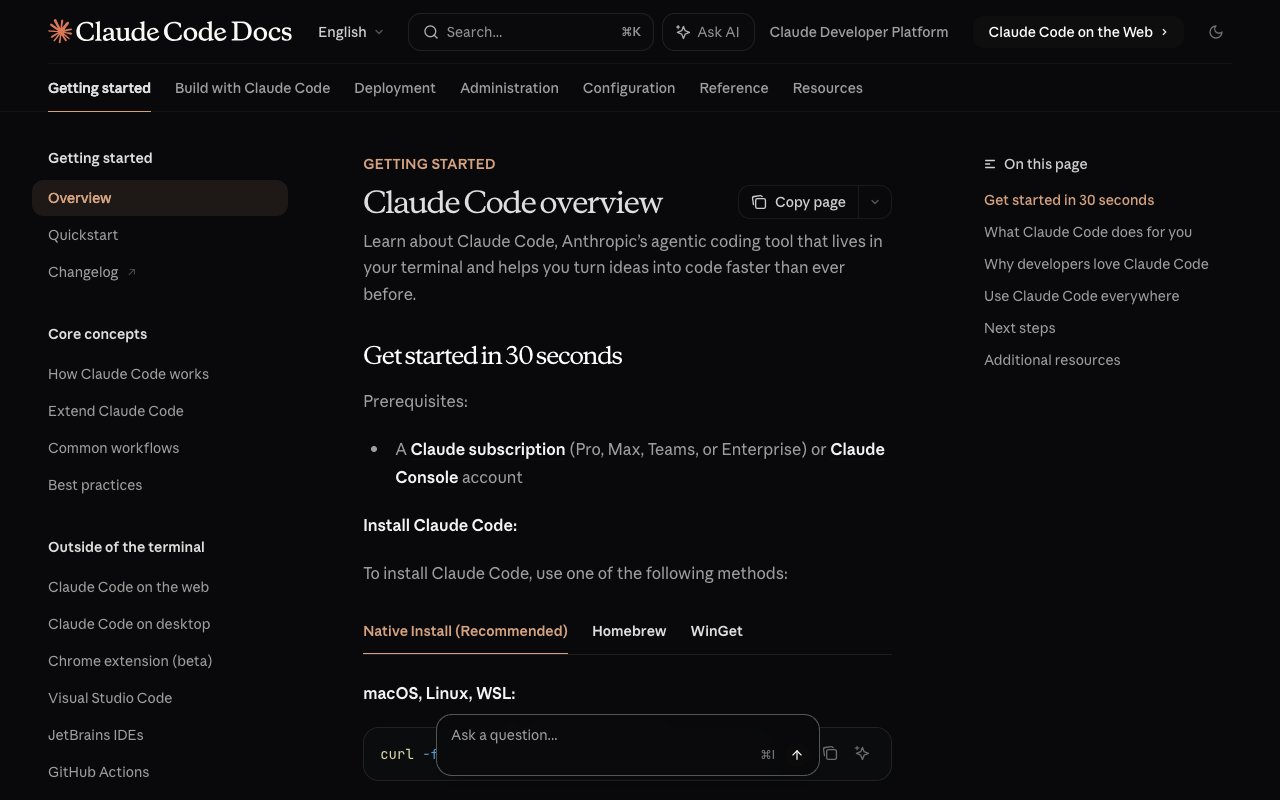
Claude Code is Anthropic's terminal-based AI coding agent. Launched in May 2025, it reached 22K+ GitHub stars and 111K+ npm downloads. You type claude in your terminal, describe a task, and the agent reads your codebase, plans changes, writes code across multiple files, runs tests, fixes errors, and commits to Git — all autonomously.
$ claude
> Refactor the auth module to JWT tokens. Update all
  route handlers, add refresh logic, and write tests.Claude Code:
✓ Reading src/auth/ (14 files)
✓ Planning changes across 8 files
✓ Updating auth middleware (src/middleware/auth.ts)
✓ Adding JWT utilities (src/utils/jwt.ts)
✓ Refactoring 6 route handlers
✓ Writing 12 unit tests
✓ Running test suite... all passing
✓ Creating commit: "refactor: migrate auth to JWT"
Claude Code runs on Anthropic's strongest models, and those models top the coding benchmarks. Claude Opus 4.8 scored 88.6% on SWE-bench Verified at its May 28, 2026 release (Anthropic's fastest cadence yet, 41 days after 4.7; Opus 5.5 has since followed in September 2026) and 69.2% on the harder SWE-bench Pro, roughly 10 points clear of GPT-5.5 (58.6%) and Gemini 3.1 Pro (54.2%). On Terminal-Bench 2.1 the field tightens, Opus 4.8 (82.7%) sits within about a point of GPT-5.5 (83.4%) on the Terminus-2 harness, so "best benchmark" depends on which task you measure. (Sources: Vellum, Anthropic, May 2026.) With the 1M-token context window, Claude Code can reason about entire large codebases in a single session.
Inside Claude Code's Design Philosophy
Boris Cherny, Creator and Head of Claude Code, revealed in a deep interview that Claude Code was never intentionally designed as a paradigm shift. It started as a predecessor called "Clyde" — a heavy Python research project. When Boris joined Anthropic, he hand-wrote a PR and was told "use Clyde." It one-shot the task. The key revelation: the model just wants to use tools. Given bash, it started writing AppleScript to automate things nobody planned for.
This led to Claude Code's four-tool philosophy — read, write, edit, bash — and the principle that "the product is the model." The design follows the bitter lesson: minimal scaffolding, let the model figure out execution. Elaborate orchestration may improve performance 10-20%, but those gains get wiped out with the next model generation.
┌──────────────────────────────────────────────────────────────────┐
│              CLAUDE CODE: 4-TOOL ARCHITECTURE                     │
│                                                                   │
│  ┌──────────┐  ┌──────────┐  ┌──────────┐  ┌──────────┐        │
│  │   READ   │  │  WRITE   │  │   EDIT   │  │   BASH   │        │
│  │          │  │          │  │          │  │          │        │
│  │ Read any │  │ Create   │  │ Surgical │  │ Run any  │        │
│  │ file in  │  │ new files│  │ string   │  │ terminal │        │
│  │ the repo │  │ from     │  │ replace  │  │ command  │        │
│  │          │  │ scratch  │  │ in files │  │ (git,    │        │
│  │          │  │          │  │          │  │ npm,     │        │
│  │          │  │          │  │          │  │ tests)   │        │
│  └──────────┘  └──────────┘  └──────────┘  └──────────┘        │
│                                                                   │
│  Everything else = the model's reasoning + bash composability     │
│  No search tool (uses grep). No lint tool (uses eslint).         │
│  No test tool (uses npm test). Bash IS the universal adapter.    │
└──────────────────────────────────────────────────────────────────┘
Claude Code's March 2026 Feature Wave: Channels, Computer Use, and Dispatch
Three experimental features released in March 2026 are transforming Claude Code from a tool you sit in front of into a reactive agent that works while you're away:
Channels (v2.1.80+, experimental) — Interact with a Claude Code session outside the terminal via Discord, Telegram, or custom webhooks. Under the hood, channels are MCP servers that bridge external systems to Claude Code. Two types exist:
- One-way channels forward alerts, webhooks, or monitoring events into Claude Code to act on. Example: a cal.com booking webhook triggers Claude Code to research the new client and prepare a briefing document — all without you touching the terminal.
- Two-way channels enable full conversational interfaces. Text Claude Code from your phone via Telegram, and it works against your actual codebase and real files.
Computer Use (research preview, macOS only) — Claude Code can natively control your mouse, keyboard, and take screenshots. It can open applications, click buttons, fill forms, and navigate your desktop autonomously. This extends Claude Code's reach beyond the terminal into any GUI application — browser testing, design tools, system administration.
Dispatch — Send commands to Claude Code from your phone. Combined with Channels and Computer Use, you can text "check the build and fix any failing tests" from the train and Claude Code will control your local machine, run the commands, and report back. The combination turns Claude Code into a remote-access agent for your development machine.
These features matter for alternatives evaluation because no other terminal agent offers anything comparable. Cursor, Codex CLI, and Aider remain session-bound tools. Claude Code is evolving into an always-available development agent.
The WAT Framework: Building Agentic Workflows With Claude Code
The WAT framework (Workflows, Agent, Tools) is an emerging methodology for building production agentic workflows with Claude Code. The framework separates concerns into three layers:
┌─────────────────────────────────────────────────────────┐
│              WAT FRAMEWORK FOR CLAUDE CODE               │
│                                                          │
│  ┌──────────────┐  ┌──────────────┐  ┌──────────────┐  │
│  │  WORKFLOWS   │  │    AGENT     │  │    TOOLS     │  │
│  │              │  │              │  │              │  │
│  │  Markdown    │  │  Claude Code │  │  Python/JS   │  │
│  │  files that  │  │  reads       │  │  functions    │  │
│  │  define      │  │  workflows,  │  │  that call   │  │
│  │  step-by-    │  │  runs tools, │  │  APIs, query │  │
│  │  step        │  │  handles     │  │  databases,  │  │
│  │  processes   │  │  errors &    │  │  send emails │  │
│  │  (recipes)   │  │  improves    │  │              │  │
│  └──────────────┘  └──────────────┘  └──────────────┘  │
│                                                          │
│  Workflows orchestrate. Agent executes. Tools do work.   │
│  All three improve over time as the agent learns.        │
└─────────────────────────────────────────────────────────┘
How it works in practice: You create a CLAUDE.md file (system prompt for the project), define workflows as natural-language markdown files, and let Claude Code build the tools. The agent reads the workflow, executes each step using the appropriate tool, and — critically — self-heals during the build process. If an API endpoint changes or a tool throws an error, the agent investigates, fixes the tool, and continues.
Real-world example — competitor analysis workflow: A developer described what they wanted in plain language: "Research my competitors, analyze their pricing and marketing, and generate a branded PDF report." Claude Code entered plan mode — asking clarifying questions (how to discover competitors, what to analyze, branding preferences), then proposed a full architecture:
- Tools created automatically: Firecrawl (web scraping), Perplexity (research), ReportLab (PDF generation), Matplotlib (charts)
- Brand assets integration: Logo, color scheme, typography from uploaded brand guidelines
- Cost: ~$1.50 for the first run. Subsequent monthly runs use cached data, costing ~$0.50
- Self-healing in action: When Firecrawl hit a rate limit, Claude Code searched the documentation, discovered a batch endpoint, refactored the tool to use it, verified it worked, and updated the workflow so the error never recurs
The developer switched from plan mode to bypass permissions once the plan was approved, letting Claude Code execute everything autonomously. This plan mode → bypass permissions flow is the recommended workflow for building with Claude Code.
The self-healing distinction: While building and iterating, Claude Code catches errors mid-run and adjusts its approach. But once you deploy the workflow to run on a schedule (via trigger.dev or Modal), you're deploying the workflows and tools, not the agent itself. The deployed version behaves like traditional automation — predictable and deterministic. The advantage is that the agentic build process produces battle-tested, edge-case-aware automation that would take humans much longer to build manually.
Deterministic vs. non-deterministic: Traditional automation (n8n, Zapier) is deterministic — every run produces the same output for the same input. AI is non-deterministic — outputs vary with judgment calls. The WAT framework bridges this gap: the agent (non-deterministic) builds and battle-tests the workflows and tools (deterministic) before deployment. The result is predictable automation built faster and with fewer edge-case gaps than manual construction.
Market context: The agentic AI market is estimated at $7-8 billion in 2026 and projected to reach $40-93 billion by 2030. About 25% of enterprises are already deploying agentic pilots, rising to 50% by 2027. Knowing how to build agentic workflows with tools like Claude Code is becoming one of the most valuable skills in tech.
For teams that want agentic workflows without the terminal, Taskade Genesis provides the same Workflows + Agent + Tools pattern in a visual interface — with 100+ integrations, built-in AI agents, and automations that deploy instantly. No CLAUDE.md to write. No CLI required.
Agent Teams: Multi-Agent Parallel Development
Claude Code's Agent Teams feature (experimental, requires enableAgentTeams in project settings) takes agentic workflows from single-agent to multi-agent orchestration. A detailed tutorial demonstrates the full setup:
How it works: The main Claude Code session creates a team of 2-5 specialized agents — each with its own independent context window, file ownership, and role. Agents share a task list and can message each other directly (not just through the main session). The main session acts as project manager, monitoring progress and collecting deliverables.
The QA review loop: The most powerful pattern involves a QA agent that reviews work from other teammates. In practice: frontend and backend developers complete their tasks → send work to QA → QA finds 3 critical issues → sends work back → developers fix all issues → QA approves on second pass. This self-correcting loop produces significantly higher-quality output than single-agent approaches.
Tmux split panes: Running Agent Teams in a Tmux terminal gives you color-coded split panes — each agent visible simultaneously. You can interact with any individual agent directly, not just through the main session. This visual monitoring makes complex multi-agent workflows manageable.
Key rules: (1) Each agent should own specific files to prevent overwriting. (2) Use plan approval mode so the lead agent reviews teammate plans before execution. (3) Keep teams at 3-5 agents — each additional agent roughly multiplies token cost.
When NOT to use Agent Teams: Sequential tasks (use sub-agents instead), simple well-scoped work, tasks requiring shared context history, or when budget is tight. Agent Teams are for complex parallel work where inter-agent communication adds quality.
No other Claude Code alternative offers comparable multi-agent capabilities. Cursor has no agent team coordination. Devin operates as a single autonomous agent. Taskade Genesis provides multi-agent collaboration natively in a no-code workspace — the closest alternative for teams that want agent orchestration without the terminal.
The Claude Code Guide: Built-In Expert Subagent
One of Claude Code's most underrated features is the Claude Code Guide — a built-in subagent whose sole role is to be an expert on every slash command, hook, instruction, and configuration option in the latest version. Tag it with @claude-code-guide and ask anything:
- Level 1: Ask conceptual questions ("How do Claude MDs work? Can I have global, folder-level, and local versions?")
- Level 2: Diagnose problems (tag your actual
claude.mdfile and ask why instructions aren't being followed) - Level 3: Explore mechanics (discover all 17 hook event types — session start/end, pre/post tool use, pre-compact, pre-prompt-submit)
- Level 4: Build configurations (create custom slash commands like
/standupthat summarize your last session into team-ready bullet points) - Level 5: Fix broken setups (tag broken hook files and plan folders, and the Guide reads documentation, diagnoses issues, and applies fixes in real-time)
The Guide runs as a separate subagent, so its documentation searches don't consume your main context window. This is the difference between learning Claude Code from YouTube tutorials versus having a live expert embedded in your terminal.
Claude Code also includes a --allowedTools flag that partially addresses MCP bloat by dynamically loading tools as needed rather than exposing all tools upfront in the context window — though MCP outputs still remain in context, which tools like MCP2 CLI solve more comprehensively.
Real-World Performance
Claude Code runs 10-30 minutes unattended on average and can sustain sessions for hours or even days on longer tasks. Boris routinely runs five or more Claude Code sessions simultaneously — a practice Anthropic calls "multi-quading." Close to 100% of Anthropic's tests and lint rules are written by Claude Code, and increasing numbers of internal users spend $1,000+/month on credits.
What Andrej Karpathy Says About Coding Agents
Andrej Karpathy's March 2026 interview on the No Briars podcast revealed how the most influential AI engineer evaluates coding agents — and his verdict strongly favors Claude's approach.
Karpathy went from writing 80% of his code to delegating over 98% to agents since December 2025:
"I don't think I've typed a line of code probably since December basically. Literally if you just find a random software engineer at their desk, their default workflow of building software is completely different as of basically December."
On Claude's personality, Karpathy noted something no benchmark captures — the experience of working alongside the agent:
"I think Claude has a pretty good personality. It feels like a teammate. It's excited with you. When Claude gives me praise I do feel like I slightly deserve it, because sometimes I give it not very well-formed thoughts and it doesn't actually react very strongly. But when it's a really good idea, it does seem to reward it a bit more. I kind of feel like I'm trying to earn its praise, which is really weird."
His comparison with Codex was pointed:
"Codex is a lot more dry. It doesn't seem to care about what you're creating. It's like, 'Oh, I implemented it.' It's like, okay, but do you understand what we're building?"
Karpathy's real-world workflow involves multiple tools simultaneously — not choosing one over another. When rate-limited on one platform, he switches:
"If you run out on Codex you should switch to Claude or whatnot. I feel nervous when I have subscription left over — that just means I haven't maximized my token throughput."
His evaluation framework for coding agents comes down to four criteria that no existing benchmark measures: (1) personality — does the agent feel like a teammate, (2) memory — how sophisticated is context retention beyond default compaction, (3) parallelization — can you run multiple sessions simultaneously, and (4) autonomy duration — can the agent work 20+ minutes unsupervised without drifting.
For non-developers evaluating alternatives, the implication is clear: the best coding agent is the one whose interaction model matches your workflow. Claude Code wins on personality and deep reasoning. Codex wins on parallelization (the Peter Steinberg model of 10+ simultaneous sessions). Taskade Genesis wins for anyone who wants to skip the terminal entirely — building deployed apps with AI agents and automations instead of code files.
Why the Same Model Behaves Differently Across Tools
The emerging discipline of harness engineering explains a counterintuitive fact: the exact same Claude model performs completely differently in Claude Code versus Cursor versus Codex. The difference is not the model — it is the harness (tools, context management, recovery logic). Understanding how LLMs actually work — the transformer attention mechanism that Grant Sanderson visualized at TNG Big Tech Day — makes this intuitive: the model's 12,288-dimensional embeddings encode meaning, but what meaning gets encoded depends entirely on the context the harness provides.
Vercel demonstrated this dramatically: their text-to-SQL agent went from 80% to 100% accuracy by removing 80% of specialized tools and giving the agent basic bash + file access — using 40% fewer tokens and running 3.5x faster. Manus rebuilt their agent framework five times in six months — biggest gains came from removing features, not adding them.
Thariq Shihipar, Anthropic Agent SDK team: "What made Claude Code great: instead of N custom tools (search, lint, execute), Claude uses grep, npm, eslint directly. Bash is all you need."
This matters for choosing alternatives. Every tool on this list wraps a model differently. A "worse" model in a better harness can outperform a "better" model in a bloated one.
The Harness Engineering Discipline (Ryan Lopopolo, OpenAI)
The most rigorous public writeup of what harness engineering actually is comes from Ryan Lopopolo, member of technical staff at OpenAI. His team bans its engineers from touching editors — every line of code goes through an agent. His self-description: "I am a token billionaire." His productive output per day, measured by output tokens: roughly $1,000 of inference. He advocates for everyone who works with agents to aim for token billionaire status — because at that throughput, the bottlenecks of software engineering change shape.
His observation, drawn from running production agent systems at scale:
"Implementation is no longer the scarce resource of what it means to do the job of software engineering. Code is free. We have an abundance of code to solve the problems that we come across. Hiring the hands on the keyboards is only constrained by GPU capacity and token budgets. Each engineer today has access to five, fifty, or five thousand engineers worth of capacity, 24/7, every day of the year."
What are the scarce resources in an agentic world? Lopopolo identifies three:
| Old scarce resource | New scarce resource | Why it changed |
|---|---|---|
| Engineering hours | Human time + attention | Agents execute; humans decide what to execute |
| Test coverage | Model / human context window | The 1M-token flagship Opus is still finite. What you load matters. |
| Code reviewers | Failure-mode legibility | If the agent cannot read the lint error, it cannot fix itself |
The implication for choosing a coding agent: the harness that wins is the one that makes it cheapest to keep humans out of the loop. Not because humans are bad — because every human synchronization point is a throughput ceiling. Every lint error with a remediation step is cheaper than every lint error without one. Every tool whose error output contains the next action the agent should take is a tool that compounds.
The Six-Layer Agent Stack (MCP, 2026)
David Soria Parra of Anthropic (the MCP protocol lead) broke down the actual stack that agents are being built on in 2026. Understanding this layering helps you evaluate any coding agent — including the alternatives below:
Layer 6 — orchestration — is the biggest opportunity and biggest gap. Gartner reported a 1,445% surge in multi-agent system inquiries between Q1 2024 and Q2 2025, and framework-level tools (LangChain, LangGraph) have not closed the gap to infrastructure-grade orchestration. Whoever solves reliable multi-agent scheduling, supervision, and financial observability at enterprise scale owns the most valuable position in the stack — analogous to what Kubernetes owned in 2018.
For teams evaluating Claude Code alternatives, the right question is which layers you want to manage yourself and which you want vendored. Claude Code gives you layers 3–4 and hands you layers 1–2 and 6 to figure out. Taskade Genesis provides an opinionated take on all six — memory as projects, tools as built-in + custom schemas, orchestration as multi-agent teams, provisioning as Genesis Apps deploys. Different trade-off: you give up control over the substrate, you get a working product on day one.
Claude Cowork: Agent-First Desktop Experience
Anthropic also launched Claude Cowork — a desktop agent that extends Claude Code's agentic architecture to non-developers. Available on the paid Claude desktop app (Pro or Max plans), Cowork can read and write files directly on your computer, spin up sub-agents working in parallel, produce formatted documents, spreadsheets, and PowerPoint presentations, and handle long-running tasks without timing out.
Key Cowork capabilities:
- Direct file access — reads and writes local files without manual upload/download
- Parallel sub-agents — coordinates multiple work streams simultaneously for complex tasks
- Skills and plugins — specialized instruction sets (built-in and custom) that teach Claude repeatable workflows; plugins bundle multiple skills with connectors into installable packages
- Connectors — native links to Gmail, Google Drive, Google Calendar, Slack, Notion, and more
- Scheduled tasks — set recurring automations (e.g., organize files monthly, daily briefings)
- Claude in Chrome — browser extension giving Cowork web access for research tasks
Cowork bridges the gap between Claude Code (developer-focused terminal agent) and Taskade Genesis (no-code app builder). While Cowork handles file organization, document creation, and calendar-driven workflows on a single desktop, Taskade Genesis delivers deployed multi-user applications with AI agents, automations, and 100+ integrations accessible to entire teams.
Claude Code's Limitations
- Anthropic models only — no multi-provider support
- Terminal-only — no visual diffs, no autocomplete, no drag-and-drop
- $20/month minimum (Claude Pro) — with rate limits of ~45 messages per 5-hour window
- No deployment — produces code files, not running applications
- No collaboration — solo terminal experience
- No project management — requires external tools for planning and tracking
These limitations explain why developers look for alternatives. Some want model choice. Some want a visual IDE. Some want open-source transparency. Some want to skip code entirely. The 15 tools below cover every angle.
For a deeper three-way comparison, see our Claude Code vs Cursor vs Taskade Genesis breakdown. For background on how different agent architectures compare, read our AI agents taxonomy.
Why Developers Look for Claude Code Alternatives
Claude Code is exceptional at deep reasoning, multi-file refactoring, and autonomous task execution. But five factors drive developers to explore alternatives:
1. Model lock-in. Claude Code only runs Anthropic models. Developers who want OpenAI frontier models for specific tasks, Google frontier models for large context windows, or local models for privacy cannot use Claude Code at all.
2. No visual feedback. Terminal output shows text diffs. Developers accustomed to VS Code's visual diff viewer, inline highlights, and Cmd+K editing find Claude Code's text-only interface limiting — especially for frontend work.
3. Cost and rate limits. At $20/month for Pro (45 messages per 5 hours) or $100-200/month for Max, Claude Code gets expensive fast. Power users who run 50+ sessions daily hit rate limits and need alternatives or supplements.
4. The code-to-product gap. Claude Code produces code files. You still need to set up deployment, hosting, databases, authentication, and monitoring. Teams that want working applications — not repositories — need a different approach.
5. Open-source preference. Claude Code is proprietary. Developers who want to inspect the agent's logic, self-host, or avoid vendor dependency turn to Aider, Cline, Codex CLI, or OpenHands.
6. Configuration complexity. Claude Code has dozens of hidden settings buried in settings.json and environment variables. Most users never discover critical optimizations like increasing the terminal output character limit (default 30,000 — too small for full test suite output), changing the auto-compact threshold (defaults to 95%, but quality degrades at 70%), extending data retention (default 1 month), or increasing the file read token limit (default 25K). The 2,000-line hard cap on file reads means Claude Code silently misses content in large files. Power users work around these limitations with hook scripts and CLAUDE.md instructions, but the configuration burden pushes many toward managed alternatives.
7. The folder-as-workspace ceiling. Advanced Claude Code users build "folder-as-workspace" systems — markdown files with routing tables that tell the AI which context to load per task. This works for solo developers but has no collaboration layer, no integrations, no automation, and no deployment. The folder is the app, but it only runs on one machine in one terminal.
8. The effective context window is much smaller than the marketed one. Anthropic markets its flagship Opus model as supporting a 1-million-token context window (in beta). The effective context — the range over which the model still reasons sharply rather than forgetting earlier turns, repeating itself, and re-introducing fixed bugs — is closer to 120,000–200,000 tokens. Anyone who has run Claude Code for more than two hours has felt this firsthand: the agent gets noticeably "dumber" as the conversation grows. This is why every coding-agent harness on the market builds some form of conversation compaction around that 120K–200K sweet spot, and it is the single biggest reason developers reach for alternatives or supplemental memory layers.
9. Memory does not survive sessions, and CLAUDE.md is per-project. Claude Code introduced a memory feature that stores knowledge in a CLAUDE.md file at the project root. For complex projects this file blows up quickly, and — crucially — it is local to one repository. Open another project, or switch to Codex or Cursor, and your knowledge does not come with you. Cross-session, cross-agent memory remains an open frontier. Recent open-source projects like the Git Context Controller and One Context (March 2026) attack the problem by treating agent memory the way Git treats source: a structured filesystem of main.md, branch/, commit.md, log.md, and metadata.md files that any agent can read progressively. Independent benchmarks show this kind of structured external memory boosts Claude Code performance on SWE-bench by ~13% and lets cheaper models like GLM-4.5 Air punch at frontier-model levels. The implication for the alternatives market is clear: tools that ship persistent, shared, cross-agent memory out of the box have a structural advantage over tools that require users to assemble their own memory layer per project.
Claude Code Hidden Settings Every User Should Know
Before evaluating alternatives, it is worth understanding Claude Code's buried configuration options. These settings — rarely discussed outside developer forums — dramatically affect the tool's usability:
| Setting | Default | Recommended | Why |
|---|---|---|---|
cleanupPeriodDays |
30 days | 365 | Retain conversation history for longer /insights analysis |
| Terminal output chars | 30,000 | 150,000 | See full test suite output, build logs, migration results |
autoCompactPercentageOverride |
95% | 70-75% | Compact before quality degrades, not after |
| File read token limit | 25,000 | 100,000+ | Read larger files without silent truncation |
| File read line limit | 2,000 (hard cap) | Cannot change | Requires CLAUDE.md workaround with offset/limit parameters |
| Path-specific rules | None | Per-directory | Separate frontend/backend/test instructions for better focus |
Sub-agent configuration is equally buried. Most users do not know they can set effort levels, skills inheritance, background execution, and work tree isolation per sub-agent — configurations that make the difference between a useful agent team and a token-burning mess.
These hidden settings explain why Claude Code feels magical for some users and frustrating for others. The tool rewards deep configuration knowledge — which is itself a barrier to adoption and a reason many teams prefer managed alternatives like Taskade Genesis where optimization happens at the platform level.
Power User Workflows: gstack (Garry Tan's Software Factory)
For developers who want to push Claude Code beyond individual prompts, Y Combinator CEO Garry Tan open-sourced gstack — a "software factory" that turns Claude Code into a virtual engineering team. Tan claims to ship 10,000-20,000 lines of production code per day part-time while running YC, totaling 600,000+ lines in 60 days.
gstack provides 28 slash-command skills organized as a sprint process: Think → Plan → Build → Review → Test → Ship → Reflect. Each skill instructs the AI agent to adopt a specific specialist role:
| Phase | Skills | What They Do |
|---|---|---|
| Think | /office-hours |
YC-style brainstorming with 6 forcing questions (demand, wedge, target user) |
| Plan | /plan-ceo-review, /plan-eng-review, /plan-design-review |
Multi-perspective review before code is written |
| Build | /investigate |
Root-cause debugging with scope-locked edits and 3-attempt failure limit |
| Review | /review, /cso |
Staff engineer PR review + OWASP Top 10 security audit |
| Test | /qa, /benchmark |
Headless browser testing + before/after performance comparison |
| Ship | /ship, /land-and-deploy, /canary |
Full shipping workflow + post-deploy monitoring loop |
| Reflect | /retro |
Weekly retrospective with shipping streaks and test health trends |
The system also includes safety guardrails via PreToolUse hooks: /careful warns before destructive commands (rm -rf, DROP TABLE, force-push), and /freeze restricts edits to a specified directory boundary.
Key gstack philosophy — "Boil the Lake": when AI makes completeness near-zero marginal cost, always do the complete thing. 100% test coverage, all edge cases, full error paths. "Good enough" is legacy thinking.
For teams that want the sprint structure without the terminal complexity, Taskade Genesis provides a similar think-plan-build-review cycle natively — with AI agents handling each phase within a unified workspace rather than through CLI slash commands.
🪞 Code Generators vs Deployed-App Builders: A New Category Split
Every tool in the Quick Comparison table above — except one — produces the same output: code files. Claude Code, Cursor, Aider, Cline, Codex CLI, Gemini CLI, all of them. The differences are real (model support, autonomy level, pricing, interface) but they are differences within one category.
Taskade Genesis sits in a different category entirely: deployed-app builders. The output is not files — it is a live URL with built-in auth, a workspace for your team, AI agents that remember users, automations that trigger on schedule, and 100+ integrations connected out of the box. You never see code. You never deploy.
┌──────────────────────────────────────────────────────────┐
│  CODE GENERATORS               DEPLOYED-APP BUILDERS     │
│  ──────────────────            ──────────────────────    │
│  Claude Code                   Taskade Genesis           │
│  Cursor                                                  │
│  Aider, Cline                  Output: live app URL      │
│  Codex CLI                     Backend: built-in         │
│  Gemini CLI                    Auth: built-in            │
│  Copilot, Windsurf             Agents: Agents v2         │
│                                Automations: durable runs │
│  Output: code files            Integrations: 100+        │
│  Backend: you provide          Memory: projects/memories │
│  Deploy: you handle            Community: 150K+ apps     │
│                                                          │
│  Best for: engineers           Best for: teams, solo ops,│
│  shipping products             non-devs, internal tools  │
└──────────────────────────────────────────────────────────┘
The two categories solve different problems. If your team will own the repo and deploy the code, you want Claude Code or an alternative from the left column. If you want a live workflow your team uses daily without a separate backend, you want the right column. See AI App Builders vs AI Workspace Builders for the full decision framework.
The "Deployed Output" Question Most Comparisons Skip
Every public benchmark of Claude Code vs its alternatives asks the same question: which one produces better code? This is the wrong first question for most buyers. The right first question is: do I want code, or do I want a working thing?
| What you want at the end | Claude Code + alternatives | Taskade Genesis |
|---|---|---|
.ts files in a repo |
✓ | — |
| A build pipeline you maintain | ✓ (you wire it) | — (unneeded) |
| Hosting + SSL + DNS | You pay separately | Included |
| Auth + user management | You wire OAuth | Included, RBAC |
| Database schema you own | ✓ | — (workspace DNA is the DB) |
| A URL your customer uses tomorrow | You ship it | Included, custom domains |
| Team access + roles | You build them | Included |
| Cross-agent memory | CLAUDE.md per repo | Persistent workspace memory |
| Scheduled automations | cron on your server | Included, durable execution |
| 100+ integrations pre-connected | You OAuth each one | Included |
The Claude Code category answer to every row above is "yes, after I do the work." The Taskade Genesis category answer is "already done." For engineers shipping production SaaS, that trade-off favors Claude Code. For the 80% of teams building dashboards, portals, internal tools, customer onboarding flows, feedback intake forms, AI copilots for a specific business workflow — it does not. They are paying a tax for code they will never read.
This is the category split the SERP rarely names. When you find yourself on page three of a "best Claude Code alternatives" comparison, ask yourself: am I looking at the wrong category entirely? If the answer is "I need a working thing, not a codebase," Taskade Genesis is a shorter path.
🔌 Claude Code + Taskade Genesis: The MCP Bridge
One angle nobody else covers — Claude Code users can also use Taskade Genesis through Claude Code via the Model Context Protocol.
Since v6.148, Taskade hosts a public MCP server at https://www.taskade.com/mcp. Any MCP client — Claude Desktop, Cursor, VS Code, or Claude Code itself — can authenticate via OAuth2 + PKCE and get tools like list_spaces, inspect_space, list_tasks, and write_file. That means:
- Claude Code can read and write Taskade projects as if they were local files
- You can ask Claude Code to "summarize my Sprint 14 project in Taskade and open a PR updating CHANGELOG.md" — it reads from Taskade, writes to your repo
- The same Workspace DNA that powers Genesis apps becomes a tool in your Claude Code session
This turns the either-or choice into an and. Keep Claude Code for code. Use Taskade for workspace-native apps. Bridge them with MCP. Full protocol walkthrough: Building a Hosted MCP Server.
🧳 Migrating Off Claude Code: How Your Setup Ports to an Alternative
How Do You Migrate a Claude Code Setup to an Alternative?
If you have invested in a Claude Code setup, every core concept has a direct equivalent in the alternatives — and most of them have a no-terminal equivalent in Taskade Genesis. You do not start from zero. Project instructions, custom slash commands, hooks, MCP servers, and subagents are all portable ideas, not Claude-Code-only features. The table below maps each concept to where it lives in CLI tools, IDE agents, and a prompt-to-app builder.
| Claude Code concept | What it does | Where it ports — CLI / IDE agents | Where it ports — Taskade Genesis (no terminal) |
|---|---|---|---|
CLAUDE.md project instructions |
Persistent rules + context the agent reads every session | AGENTS.md / .cursorrules / Continue.dev config |
Agent instructions + persistent memory stored in the workspace, shared across every agent and project |
| Custom slash commands | Reusable prompts you trigger by name | Cursor commands, Codex Skills Catalog, Aider macros | Custom slash commands inside AI Agents v2 — define once, run from any agent |
| Hooks (pre/post tool-use) | Run a script on agent events | Editor tasks, git hooks, CI scripts you maintain | Automations — triggers fire on events, actions run with retries; no script to host |
| MCP servers | Connect external tools and data | MCP works in Cursor, VS Code, Codex, Cline | Inbound hosted MCP server (every paid plan) plus 100+ bidirectional integrations pre-connected |
| Subagents / Agent Teams | Coordinate specialized agents in parallel | Single-agent in most tools; OpenHands sandboxes | Multi-agent teams under the EVE meta-agent — research → code → review, built in |
The migration checklist. Porting a Claude Code workflow to a no-terminal build path takes five steps, none of which touch a CLI:
- Move your
CLAUDE.mdrules into agent instructions. Paste the persistent context once; it lives in the workspace and every agent reads it. - Recreate slash commands as agent commands. Each reusable prompt becomes a custom slash command on an AI agent.
- Replace hooks with automations. Anything you triggered on a tool-use event becomes an automation trigger — on a schedule or an inbound webhook.
- Re-point MCP + integrations. The MCP direction flips: point your MCP clients (Claude Desktop, Cursor, VS Code) at the hosted Taskade MCP server so they read the workspace, and let the 100+ built-in integrations cover the external connections your old MCP servers reached — no OAuth wiring per tool.
- Rebuild your subagent setup as an agent team. The EVE meta-agent coordinates specialists from one prompt — no
enableAgentTeamsflag, no Tmux panes.
The net result: the same conceptual setup, minus the terminal, minus the deploy step. You describe the app; the running app comes back.
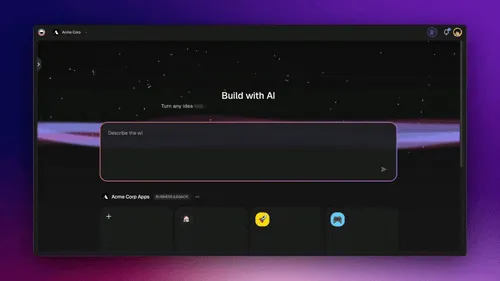
🔒 Are There Self-Hosted or Air-Gapped Claude Code Alternatives for Privacy?
Most "best Claude Code alternative" lists skip the B2B question that decides enterprise deals: where does my code and data live, and can I keep it inside my own boundary? Here is the honest landscape so you can weigh it for your team:
- Self-host / air-gapped — Open-source agents like Aider, Cline, Continue.dev, and OpenHands run fully on your own machine or infrastructure with a model of your choice, including local models via Ollama. This is the path when an air-gapped or fully-inspected setup is non-negotiable.
- Bring your own model — Any open-source tool lets you point at a local or private endpoint, so prompts and code never leave your network.
- Managed with controls: Hosted tools (Claude Code, Cursor, Taskade Genesis) run on managed infrastructure. For Taskade Genesis, business-grade access controls (password protection, OIDC/SSO, custom domains on Business+, and role-based access (Owner to Viewer)) keep each app scoped to the right people, and multi-model routing across frontier models from top AI labs removes single-vendor dependency.
The durable takeaway: if a fully air-gapped pipeline is a hard requirement, an open-source self-hosted agent is the category to start in. If you need a deployed, access-controlled product fast, a managed builder gets you there with role-based access and SSO already wired.
🚀 What You Can Build Instead of Typing CLI Commands
The point of leaving the terminal is not to write the same code somewhere prettier — it is to skip code as an artifact entirely and get the running system. Here is the full capability set Taskade Genesis hands a non-coder, every row shipping out of the box:
| Capability | What it does |
|---|---|
| One-prompt-to-app | Live React apps in minutes; custom domains, built-in login |
| Taskade EVE | Meta-agent builds and coordinates agent teams from one prompt |
| AI Agents v2 | built-in tools incl. code execution, web search, file analysis, persistent memory, custom slash commands |
| Multi-agent teams | Specialized agents collaborate: research → code → review |
| AI models | Frontier models from top AI labs |
| Integrations | 100+ bidirectional — triggers pull events in, actions push data out |
Your Claude Code slash commands port directly: in AI Agents v2 you define a custom slash command once and trigger it from any agent — no settings.json, no per-project setup.
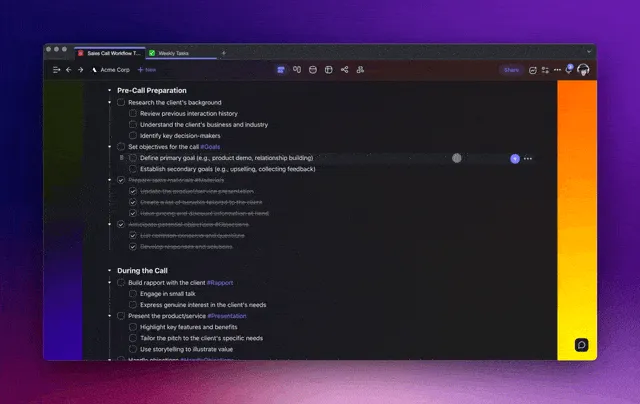
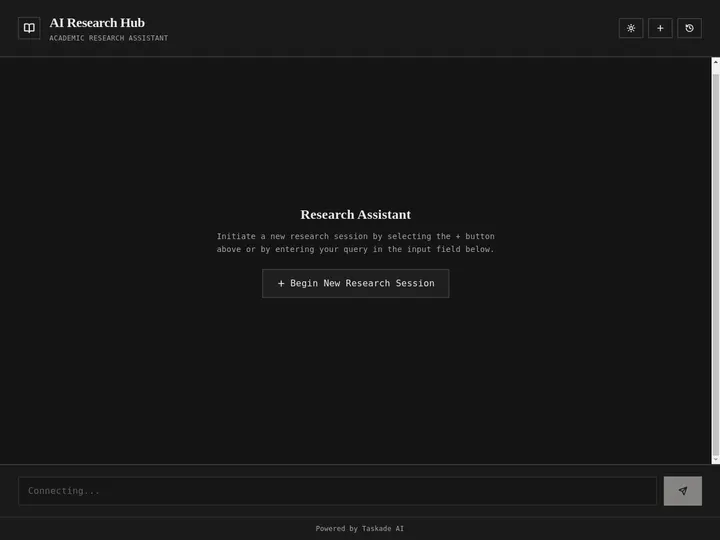
Here is one of those rows in the wild — a research chatbot app built from a single prompt, agents and chat interface already wired, running at a live URL with no deploy step:
The vision in one line: Code generators create files. Taskade Genesis creates deployed, intelligent living systems. One prompt = one app — your workspace is the backend, your agents are the team, your automations are the execution. Explore the AI apps gallery, browse 150,000+ community apps, or build your first one →.
🏆 1. Taskade Genesis - Best for Non-Developers and Deployed Apps
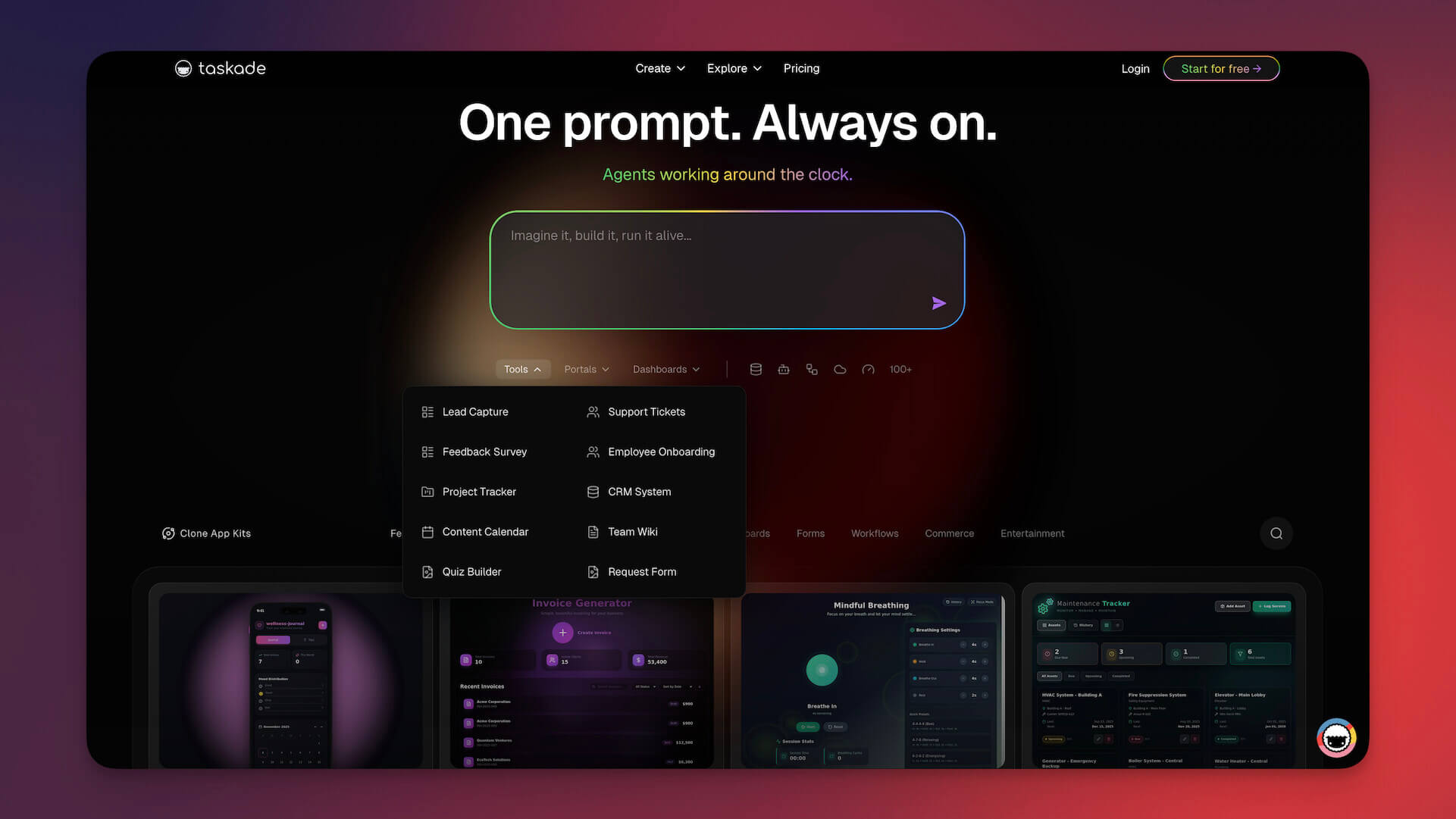
Taskade Genesis occupies a fundamentally different category than Claude Code. Where Claude Code helps developers write better code, Taskade Genesis lets anyone — developer or not — build complete, working applications from natural language. The output is not code files. It is a live, deployed system with database, AI agents, automations, and a shareable URL.
Why Taskade Genesis Is the #1 Alternative for Non-Technical Teams
Claude Code requires terminal fluency, Git knowledge, and the ability to evaluate code quality. Taskade Genesis requires one skill: describing what you want. A CRM with lead scoring, a booking system with calendar sync, a client portal with AI chatbot — each takes minutes, not hours.
Dario Amodei, Anthropic's CEO, acknowledged this shift directly on Nikhil Kamath's "People by WTF" podcast: "I think coding is going away first, or coding is being done by the AI models first, and then the broader task of software engineering will take longer." As coding itself becomes commoditized, the moats shift to design, user understanding, and system orchestration — exactly where workspace-native builders like Taskade Genesis operate.
Workspace DNA Architecture
Taskade Genesis apps run on Taskade's Workspace DNA — a self-reinforcing Genesis Loop of Memory (projects and databases), Intelligence (AI agents with custom tools, built-in capabilities, persistent memory), and Execution (automations with durable execution, branching/looping/filtering, 100+ integrations). Browse 150,000+ community-built apps or explore the AI apps gallery for live examples.
┌──────────────────────────────────────────────────────────────┐
│              TASKADE WORKSPACE DNA                             │
│                                                               │
│     ┌─────────────┐                                          │
│     │   MEMORY    │◄──────────────────────────┐              │
│     │  Projects   │                           │              │
│     │  Databases  │                           │              │
│     │  Documents  │                           │              │
│     └──────┬──────┘                           │              │
│            │ feeds                   creates   │              │
│            ▼                                  │              │
│     ┌─────────────┐                ┌──────────┴──┐           │
│     │INTELLIGENCE │──── triggers──►│  EXECUTION   │           │
│     │  AI Agents  │                │ Automations  │           │
│     │  Agent Tools│                │ 100+ Integs  │           │
│     │  Persistent │                │ Durable      │           │
│     │  Memory     │                │ Execution    │           │
│     └─────────────┘                └─────────────┘           │
│                                                               │
│     Output: Live, deployed app with URL + AI + DB             │
│     No code. No terminal. No deployment steps.                │
└──────────────────────────────────────────────────────────────┘
This is not a code generator. It is a living system where agents learn from workspace data, automations execute without human intervention, and the entire stack — frontend, backend, database, hosting — is managed for you.
Taskade Genesis vs Claude Code
| Dimension | Claude Code | Taskade Genesis |
|---|---|---|
| Output | Code files in your repo | Live, deployed application |
| Requires coding | Yes (terminal + Git) | No |
| AI agents | None (it is the agent) | Built-in, customizable, multi-agent |
| AI models | Claude only | Frontier models from top AI labs |
| Automations | None | 100+ integrations, durable execution |
| Collaboration | Solo terminal | Real-time multiplayer, video, chat |
| Project management | None | Multiple views (List, Board, Calendar, Table, Mind Map, Gantt, Org Chart) |
| Deployment | Manual (you deploy) | Instant (one-click publish, custom domains) |
| Mobile | None | iOS, Android, desktop |
| Pricing | $20/mo | Free / $10/mo |
150,000+ apps built since launch. For teams that need working software — not code repositories — Taskade Genesis eliminates the entire development pipeline. Try it free →
The deepest difference is the shape of the work. Claude Code is one agent on one model, driving your terminal. Taskade Genesis is an orchestrated team — the EVE meta-agent delegates to specialist agents across frontier models, and the output is a deployed app, not a diff:
For detailed comparisons, see Taskade Genesis vs Cursor, best vibe coding tools, best AI app builders, and free AI app builders.
2. Cursor - Best AI Code Editor
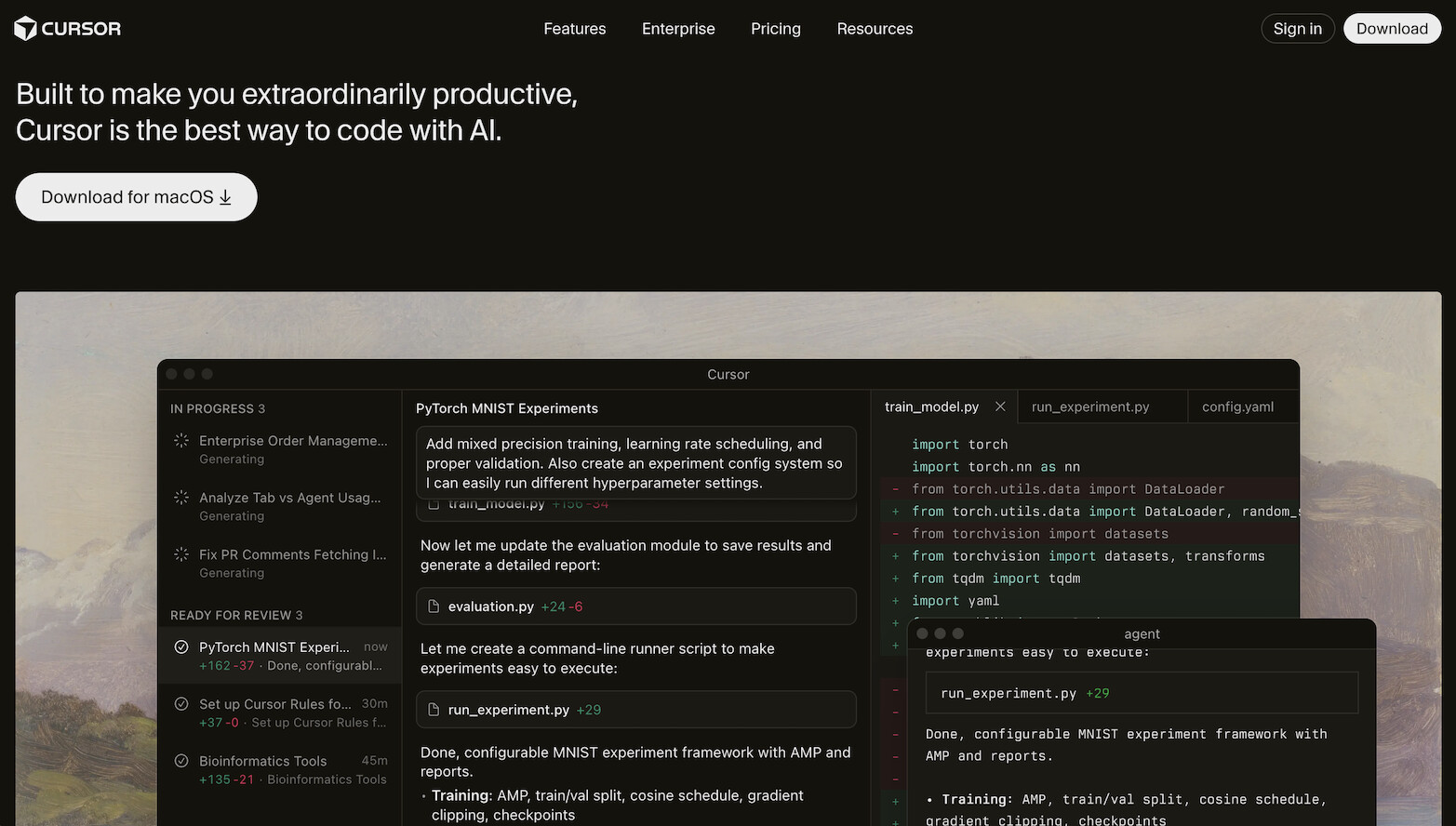
Cursor is the most popular AI code editor, at roughly $4B in annual recurring revenue by mid-2026 (up from $2B in early 2026). Its parent company, Anysphere, was acquired by SpaceX in an all-stock deal worth roughly $60 billion, closing August 14, 2026 — the fastest any developer tool has hit ten figures, then doubled again, and a sign of how central coding agents have become to a very different kind of company. It is a VS Code fork with AI woven into every interaction — Tab autocomplete, Cmd+K inline editing, Composer multi-file generation, background agents, and a Plugin Marketplace.
Why Developers Choose Cursor Over Claude Code
Cursor provides visual feedback that Claude Code cannot. Inline diffs show exactly what changes, Tab autocomplete predicts 2-10 lines as you type, and the Composer panel generates features across multiple files with visual confirmation. For developers who want AI assistance while maintaining control, Cursor's IDE-first approach feels more natural than Claude Code's agent-first model.
Sherwin Wu, Head of Engineering for OpenAI's API platform, noted the parallel trend at OpenAI: "Engineers are becoming tech leads. They're managing fleets of agents." Cursor's visual interface makes this management ergonomic in ways terminal agents cannot.
Key Features (March 2026)
- Tab autocomplete: Predicts multi-line completions as you type (~1,200 tokens/sec)
- Composer Model: Proprietary ultra-fast coding model, ~2x speed of Claude Sonnet
- Background Agents: Autonomous coding in separate sessions, up to 8 parallel subagents
- Cloud Agents: 25-52+ hours of autonomous operation
- Plugin Marketplace: Extensions for testing, deployment, documentation
- Multi-model: Claude, GPT, Gemini — choose per request
- Cursor Blame: AI-aware
git blamedistinguishing AI-generated from human-written code
Cursor Limitations
- Desktop-only — no web or mobile access
- Credit-based pricing creates usage anxiety (Claude Sonnet burns credits 2.4x faster than Gemini)
- No project management, documentation, or collaboration beyond VS Code Live Share
- No deployment — you manage hosting and infrastructure
Pricing: Free / $20/mo Pro (with $20 credit pool) / Teams $40/user/mo
Pro tip: Many developers run Claude Code inside Cursor's terminal to get both visual diffs and agentic autonomy — though this costs $40/month combined. See our full Cursor review, best Cursor alternatives, and our guide to free AI app builders if you want to skip the IDE entirely.
3. GitHub Copilot - Best for GitHub-Native Workflows
GitHub Copilot is the most widely adopted AI coding assistant, integrated directly into the GitHub ecosystem. With multi-model support (frontier Claude and OpenAI models), Copilot Workspace for agentic tasks, and a generous free tier, it is the default choice for teams already on GitHub.
Key Features
- Free tier: 2,000 completions + 50 premium requests monthly
- Copilot Workspace: Multi-step agentic task planning and execution
- Code Review: AI-powered PR review integrated into GitHub
- Multi-model: Claude and OpenAI frontier models — choose per request
- Coding Agent: Autonomous agent for GitHub Issues
- IDE support: VS Code, JetBrains, Visual Studio, Neovim, Xcode
Copilot vs Claude Code
Copilot is broader but shallower. It covers completions, chat, review, and agents across the entire GitHub workflow, but lacks Claude Code's depth of autonomous reasoning on complex multi-file tasks. Copilot is the Swiss Army knife; Claude Code is the scalpel.
At OpenAI, 95% of engineers use Codex daily and 100% of PRs are reviewed by AI — engineers using Codex open 70% more PRs. GitHub Copilot brings similar AI-review capabilities to every GitHub user.
The June 2026 billing shift (worth knowing before you commit). On June 1, 2026 GitHub Copilot moved to usage-based "AI Credits" billing: Pro stays $10/mo (now with $15 of included credits), Pro+ stays $39/mo (with $70 of credits), and a new Max tier lands at $100/mo (with $200 of credits), but agentic and chat usage now meters against token consumption at per-model API rates. Code completions and Next Edit Suggestions stay included and do not burn credits. The practical effect: heavy agent users can run through their monthly credit allotment quickly, and the flat-rate predictability that made Copilot the default is gone for power workflows. (Source: GitHub Blog, June 2026.) This is the freshest pricing story in the category and a real reason teams are re-evaluating — a predictable flat plan like Taskade Genesis, free to start, then $10/mo (Pro), reads differently against metered token billing.
Pricing: Free (2,000 completions) / $10/mo Pro ($15 credits) / $39/mo Pro+ ($70 credits) / $100/mo Max ($200 credits) / Business / Enterprise — agentic usage metered against AI Credits since June 1, 2026
For alternatives, see GitHub Copilot alternatives.
4. Windsurf (Now Devin Desktop) - Best Budget AI IDE
Windsurf no longer exists as a standalone product. Cognition AI (the Devin makers), which acquired Windsurf's IP, brand, and team in July 2025, folded the editor into Devin Desktop on June 2, 2026 — a rebrand plus a real pivot, not a cosmetic rename. windsurf.com now redirects to devin.ai, and existing accounts, plans, and keybindings carried over automatically with no reinstall. The bigger change: Devin Desktop runs the open Agent Client Protocol, so Codex, Claude Agent, Gemini CLI, and OpenCode can all run as first-class agents inside the editor, not just Cognition's own models. Cascade, the original in-editor agent, retired July 1, 2026, replaced by Devin Local as the default local agent.
Key Features
- Devin Local: The default local coding agent, replacing Cascade (retired July 1, 2026)
- Agent Client Protocol: Run Codex, Claude Agent, Gemini CLI, or OpenCode inside the same editor
- Codemaps: AI-annotated visual code navigation for monorepos and legacy code — something neither Cursor nor Claude Code ships
- Devin Cloud agents: Long-running autonomous agents, included starting on the $20/mo Pro plan
- Tab/Supercomplete: Predictive completions
- Previews: See changes before applying
Windsurf (Devin Desktop) vs Claude Code
Devin Desktop is still the budget-friendly visual-editor pick, with a $0 free tier ahead of Claude Code's $20/mo entry point, plus multi-file visual editing Claude Code lacks. It does not match Claude Code's reasoning depth on complex refactoring, but for daily coding with visual feedback and a choice of agents in one editor, it offers strong value.
Pricing: Free ($0/mo, light quota, limited model availability) / Pro $20/mo (full frontier model access, plus Devin Cloud agents) / higher Team and Enterprise tiers.
See our Windsurf review and Windsurf alternatives — both cover the tool under its original name; expect the rebrand to Devin Desktop reflected there over time.
5. Codex CLI - Best Open-Source Terminal Agent (OpenAI)
Codex CLI is OpenAI's answer to Claude Code - an open-source, terminal-native AI coding agent with 127K+ GitHub stars. Built in Rust, it uses OpenAI's reasoning models and supports multi-agent workflows, screenshot/image input, MCP servers, and a Skills Catalog.
Why Codex CLI Matters
Codex CLI is the first serious open-source competitor to Claude Code from a frontier model provider. You get terminal-native agentic coding backed by OpenAI's models with full source code transparency. The Skills Catalog lets developers share and install reusable agent behaviors — something Claude Code's hooks system is still evolving toward.
At OpenAI, Sherwin Wu revealed that a team maintains a 100% Codex-written codebase with no human escape hatch — removing the option to hand-code forces teams to solve the real problems of agent interaction.
Codex CLI vs Claude Code
| Dimension | Claude Code | Codex CLI |
|---|---|---|
| Open source | No | Yes (127K stars) |
| Models | Claude only | OpenAI reasoning models |
| SWE-bench Verified | 88.6% (Opus 4.8) | 58.6% (GPT-5.5), which leads Terminal-Bench 2.1 at 83.4% |
| Skills/Plugins | Hooks, slash commands | Skills Catalog |
| MCP support | Yes | Yes |
| Image input | No | Yes (screenshots) |
| Pricing | $20/mo (Claude Pro) | $20/mo (ChatGPT Plus) |
Both are $20/month. The choice comes down to model preference (Claude vs OpenAI) and open-source priority.
6. Gemini CLI - Now Enterprise-Only, Migrate to Antigravity CLI (Google)
Gemini CLI was Google's open-source terminal coding agent, and its free tier was once the most generous of any tool on this list. That changed on June 18, 2026: Google stopped serving Gemini CLI requests from free users and individual Google AI Pro/Ultra subscribers, migrating them to a new client called Antigravity CLI instead. Gemini CLI itself now serves only Gemini Enterprise Agent Platform and Google Cloud customers with a paid API key. The 96K+ GitHub stars on the original open-source project do not carry over — Antigravity CLI is a closed-source rewrite.
Key Features
- Free tier moved to Antigravity CLI — Gemini CLI itself now needs a paid Google Cloud or Gemini Enterprise API key
- 1M token context window — largest of any terminal agent on this list, carried over to Antigravity CLI
- Google Search grounding — live web search for context
- ReAct reasoning loop — plan → act → observe → iterate
- MCP support — connect external tools and data sources
- Apache 2.0 license on the now-retired-for-individuals Gemini CLI project; Antigravity CLI has not published its source
Gemini CLI vs Claude Code
Gemini CLI's edge over Claude Code used to be free access and a larger context window. That free lane now runs through Antigravity CLI, a different, closed-source tool, so a developer evaluating "free Google terminal agent" in 2026 should install Antigravity CLI directly rather than Gemini CLI, which cut off free and individual access on June 18, 2026. For deep multi-file refactoring where reasoning quality matters, Claude Code remains superior to either.
Pricing: Gemini CLI — enterprise-only via Google Cloud or Gemini Enterprise Agent Platform API keys. Antigravity CLI (the free successor for individuals) — free tier, plus Google AI Pro/Ultra.
7. Aider - Best Open-Source Pair Programmer
Aider is the most established open-source terminal coding agent, with 49K+ GitHub stars, 4.1M installs, and 15 billion tokens processed per week. It bills itself as "AI pair programming in your terminal" and supports any model - Claude, GPT, Gemini, or local models via Ollama.
Why Developers Love Aider
Aider's killer feature is model independence. While Claude Code locks you into Anthropic and Codex CLI locks you into OpenAI, Aider lets you use any model from any provider, including self-hosted models. This eliminates vendor lock-in and lets you swap models as the landscape evolves.
This matters more than it sounds. As Thariq Shihipar from Anthropic's Agent SDK team advised: "We should throw out code 10x faster. Rethink agent code every 6 months." Model capabilities change constantly — Aider's flexibility lets you adapt without switching tools.
Key Features
- Any model: Claude, GPT, Gemini, Llama, Mistral, local via Ollama
- Git-aware: Automatically commits changes with meaningful messages
- Full codebase mapping: Builds a map of your entire repo for context
- 100+ languages: Works with any programming language
- Voice input: Describe changes by speaking
- Image/web context: Reference screenshots, URLs, and documentation
Aider vs Claude Code
Aider is the freedom-maximizing choice. You pay only for API usage (typically $5-15/day with Sonnet, $15-40/day with Opus), choose any model, and inspect every line of source code. Claude Code offers deeper integration with Anthropic's ecosystem — hooks, memory, agent teams, the /teleport command — at the cost of lock-in.
Pricing: Free (open-source, BYO API key)
8. Cline - Best VS Code Agentic Agent
Cline is an open-source VS Code extension with 69K+ GitHub stars (Apache 2.0, now also a CLI, desktop app, and JetBrains plugin) that brings Claude Code-style agentic capabilities directly into your editor. It can autonomously create files, run terminal commands, use the browser, and apply multi-file changes - all within VS Code's familiar interface.
Why Cline Stands Out
Cline bridges the gap between Claude Code's agentic power and Cursor's visual IDE experience. You get autonomous multi-step task execution inside VS Code, with per-task cost tracking so you know exactly what each operation costs. The MCP integration lets you connect external tools like databases, APIs, and monitoring systems.
Key Features
- Autonomous VS Code agent: Plans, codes, runs commands, tests
- Per-task cost tracking: See exact API costs for each operation
- MCP tool integrations: Connect databases, APIs, external services
- Any model: OpenRouter, Anthropic, OpenAI, Gemini, local models
- .clinerules config: Project-level agent behavior customization
- Permissioned actions: Approve or reject file/terminal operations
Cline vs Claude Code
Cline gives you Claude Code's autonomy inside VS Code's visual interface, with model flexibility and cost transparency. Claude Code offers deeper reasoning with native Anthropic integration and the memory/hooks system. For developers who want agentic capabilities without leaving their IDE, Cline is the strongest option.
Pricing: Free (open-source, BYO API key) / Teams: first 10 seats free, then $20/mo
9. Continue.dev - Open-Source Extension, Now in Maintenance Mode
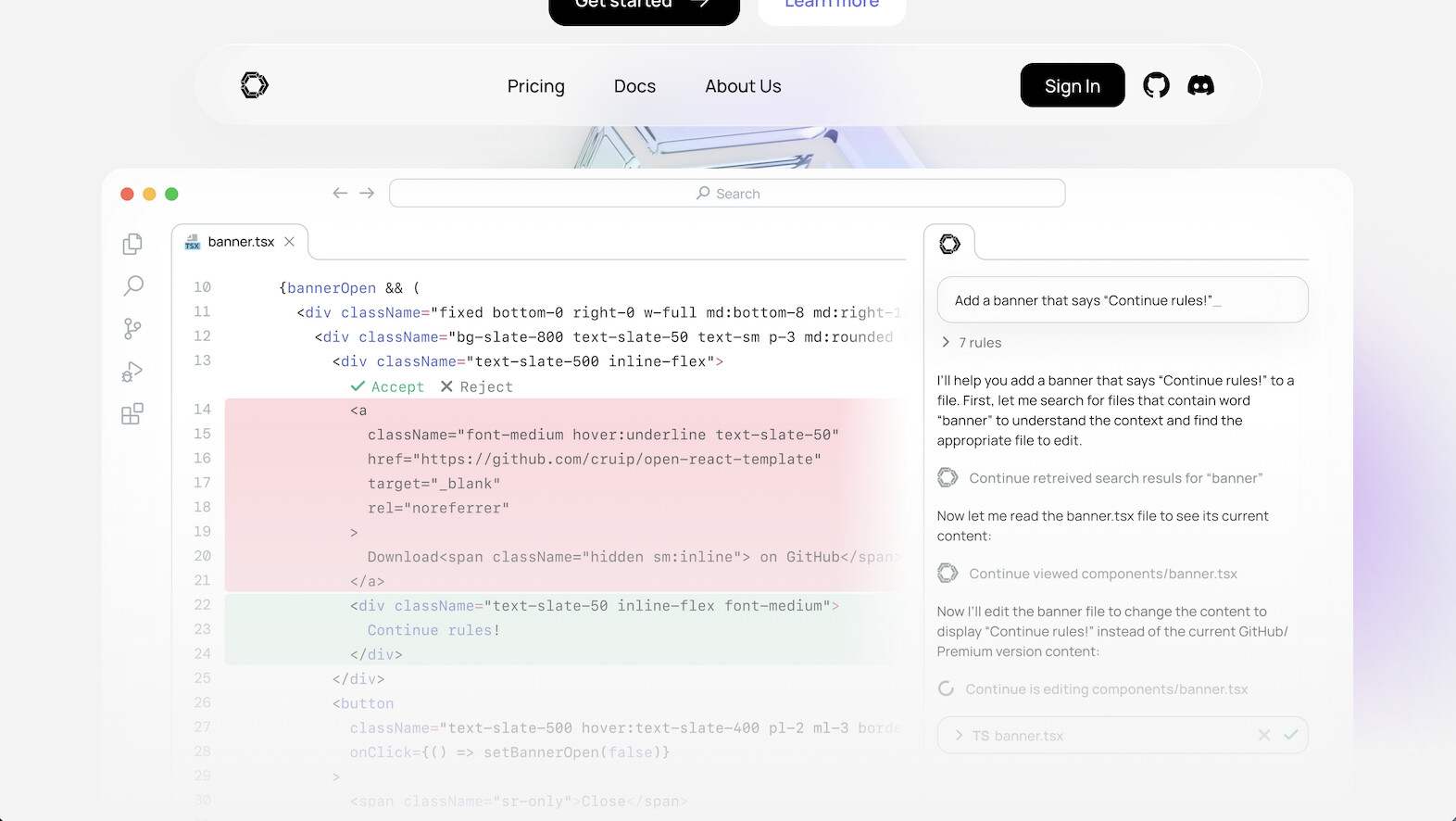
Continue.dev is an open-source IDE extension (VS Code + JetBrains) with 36K+ GitHub stars that is completely model-agnostic. Status check (September 2026): the continuedev/continue repository now carries a notice that it is no longer actively maintained and is read-only, after a final 2.0.0 release. The code still works, but plan for no new features. Chat, Autocomplete, Edit, and Action modes work with any model - cloud APIs, local models via Ollama, or self-hosted instances.
Who Should Still Use Continue.dev
If you already run Continue.dev and your priority is owning your AI stack (choosing models, running locally, avoiding vendor lock-in) it stays a flexible option, but for a new setup pick an actively maintained tool such as Cline or Kilo Code. It integrates into your existing editor rather than replacing it, and the open-source codebase means full transparency.
Continue.dev vs Claude Code
Continue.dev is an IDE extension that assists your workflow. Claude Code is a terminal agent that drives your workflow. They solve different problems. Continue.dev is better for developers who want AI assistance while maintaining full control and model choice. Claude Code is better for developers who want to delegate entire tasks to an autonomous agent.
Pricing: Free (open-source, BYO API key or local models). No paid tier to maintain.
10. Devin - Best for Full Autonomy
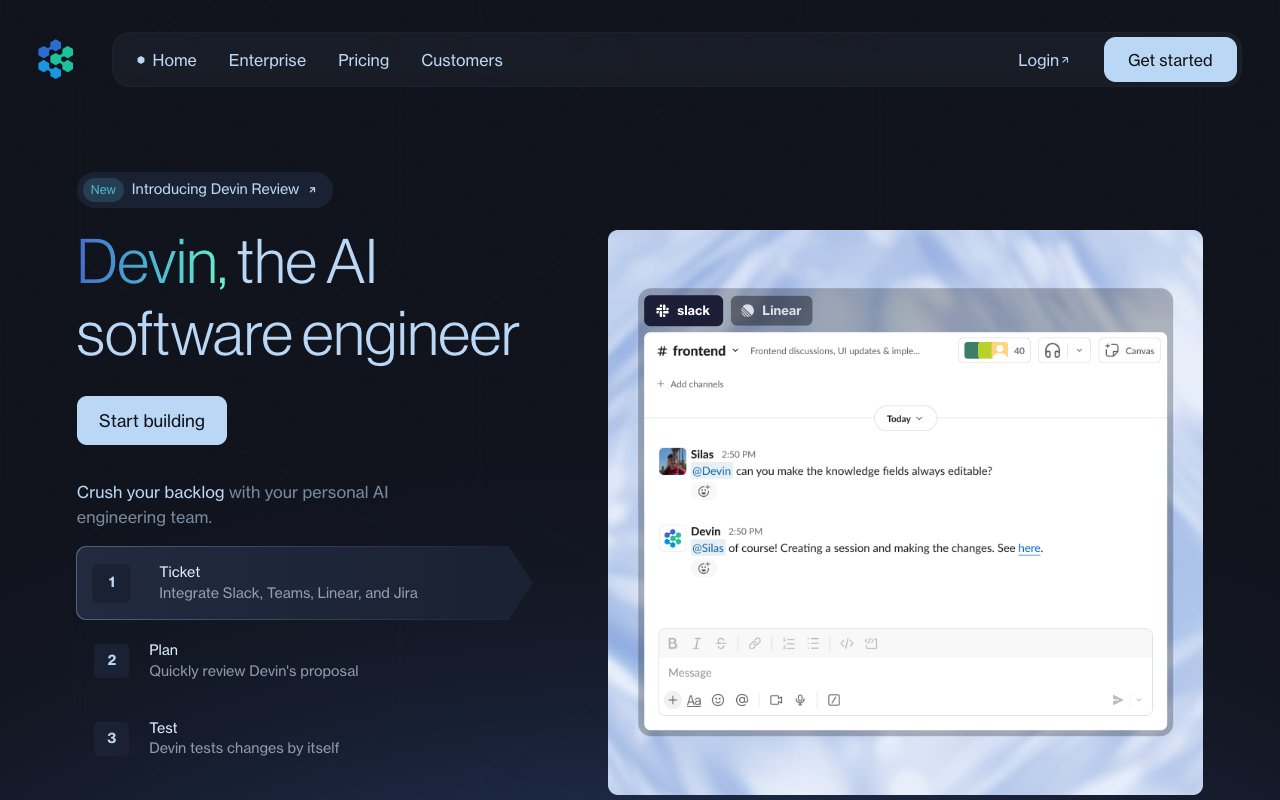
Devin by Cognition AI ($10.2B valuation) is the most autonomous coding agent available. Unlike Claude Code, which works interactively in your terminal, Devin operates as a fully independent software engineer — you assign a task, walk away, and come back to a completed implementation.
Key Features
- Full fire-and-forget: Plans, codes, debugs, deploys independently
- Quota-based plans: Daily and weekly quota refreshes, with extra usage bought at API rates (the older ACU-metered Core plan was retired in April 2026)
- Browser + terminal: Full development environment with real browser testing
- Slack integration: Assign tasks via Slack messages
Devin vs Claude Code
Devin is more autonomous but less interactive. Claude Code lets you steer and course-correct in real-time; Devin works independently but may drift on complex tasks. Devin Pro costs $20/month with quota-based usage, and Max costs $200/month for higher quotas. Claude Code is a flat $20/month with rate limits.
For developers who want "assign and forget" workflows, Devin is the strongest option. For developers who want to stay in the loop, Claude Code is better. See our Devin alternatives comparison.
Pricing: Free (light quota) / Pro $20/mo / Max $200/mo / Teams $80/mo base + $40/seat / Enterprise custom (devin.ai/pricing)
11. OpenHands - Best Self-Hosted Coding Agent
OpenHands is an open-source coding agent (MIT license, 89K+ GitHub stars) that runs in isolated Docker sandboxes. It is the leading self-hosted alternative for teams that need agentic coding within their own infrastructure, behind their own firewall.
Key Features
- Docker sandbox: Every session runs in an isolated container
- Multi-agent collaboration: Agents work together on subtasks
- GitHub/GitLab/Slack integrations: Connects to your existing workflow
- Model-agnostic: Any model from any provider
- Self-hosted or cloud SaaS: Deploy on your infrastructure
OpenHands vs Claude Code
OpenHands is the choice for enterprises and teams with strict data residency requirements. Claude Code sends your code to Anthropic's servers. OpenHands can run entirely on your infrastructure with local models. The tradeoff is setup complexity — OpenHands requires Docker and model configuration.
Thariq Shihipar from Anthropic described the security model for coding agents as "Swiss cheese defense" — model alignment + harness permissions + sandbox isolation. OpenHands implements all three layers, making it the most security-conscious option.
Pricing: Free (open-source) / Cloud SaaS available. Raised $18.8M Series A (November 2025).
12. Amazon Q Developer - AWS Ecosystem, Sunsetting in Favor of Kiro
Amazon Q Developer is AWS's AI coding assistant, purpose-built for the AWS ecosystem. Status check (September 2026): AWS stopped new Q Developer sign-ups on May 15, 2026 and will end support for its IDE plugins on April 30, 2027, moving users to Kiro, its spec-driven agentic IDE and CLI. Q Developer in the AWS Console, Slack, and Teams continues. Kiro is the AWS pick for new projects: credit-based plans run Free (50 credits), Pro $20, Pro+ $40, Pro Max $100, and Power $200 per month (kiro.dev/pricing).
Key Features
- Full SDLC agents: Plan, implement, test, deploy on AWS
- Framework transformations: Automated upgrades (Java 8 → 17)
- Vulnerability scanning: Security analysis with IP indemnity
- CLI autocompletions: AWS-aware terminal assistance
- IDE support: VS Code, JetBrains, Visual Studio, Eclipse
Amazon Q vs Claude Code
Amazon Q is narrower (AWS-focused) but deeper in its domain. Claude Code is a general-purpose terminal agent. If you are building on AWS and need AI assistance that understands IAM, Lambda, ECS, and CloudFormation natively, Amazon Q is unmatched. For general coding, Claude Code is more capable.
Pricing: Q Developer Pro was $19/user/mo (no new sign-ups since May 15, 2026). Kiro: Free / $20 / $40 / $100 / $200 per month by credits.
13. Augment Code - Best for Enterprise Codebases
Augment Code is a VC-backed ($252M raised, ~$977M valuation) AI coding assistant built for massive enterprise codebases. Its Context Engine indexes 100K+ files and provides deeply contextual assistance.
Key Features
- Context Engine: Indexes 100K+ files for deep codebase understanding
- 100+ native tools: Extensive built-in tool library
- MCP support: Connect external tools and data sources
- Multi-model: GPT, Claude — choose per request
- ISO 42001 certified: Enterprise security and compliance
Augment Code vs Claude Code
Augment Code invests heavily in pre-indexing your codebase for context. Claude Code relies on agentic search — reading files on demand. Boris Cherny explained the tradeoff: Anthropic initially used vector embeddings but switched to agentic search because Claude models are very good at it — same accuracy, cleaner deployment, no stale index problems.
For codebases with 100K+ files where context is the bottleneck, Augment Code's pre-indexing approach may be superior. For general-purpose agentic tasks, Claude Code's reasoning depth wins.
Pricing: usage-credit plans: Standard $20/mo (with $20 of credits), Business $100/mo (with $100 of credits), Enterprise custom, with pooled team usage and no per-seat fee (augmentcode.com/pricing)
14. Sourcegraph Cody - Code Search, Now Enterprise-Only
Sourcegraph Cody is an AI coding assistant powered by Sourcegraph's code search infrastructure. Status check (September 2026): Sourcegraph discontinued Cody Free and Cody Pro on July 23, 2025 and pointed individuals to its agentic tool Amp. Cody Enterprise remains supported, so this pick now applies to enterprise teams only. It excels at navigating and understanding large, polyglot codebases where other tools lose context.
Key Features
- Code search-powered context: Leverages Sourcegraph's search index
- Multi-file Smart Apply: Apply changes across files with understanding
- Source citation: Shows exactly where answers come from in your code
- Model choice: Multiple model options
- IDE support: VS Code, JetBrains
Cody vs Claude Code
Cody is search-first; Claude Code is agent-first. When your primary challenge is understanding a large codebase, Cody's search infrastructure is superior. When your challenge is changing a codebase autonomously, Claude Code's agentic execution is stronger.
Pricing: Enterprise only (contact Sourcegraph). The Free and $9 Pro plans ended in July 2025. Individuals can try Amp, which uses credit-based pricing.
15. Replit Agent - Best Browser-Based Agent
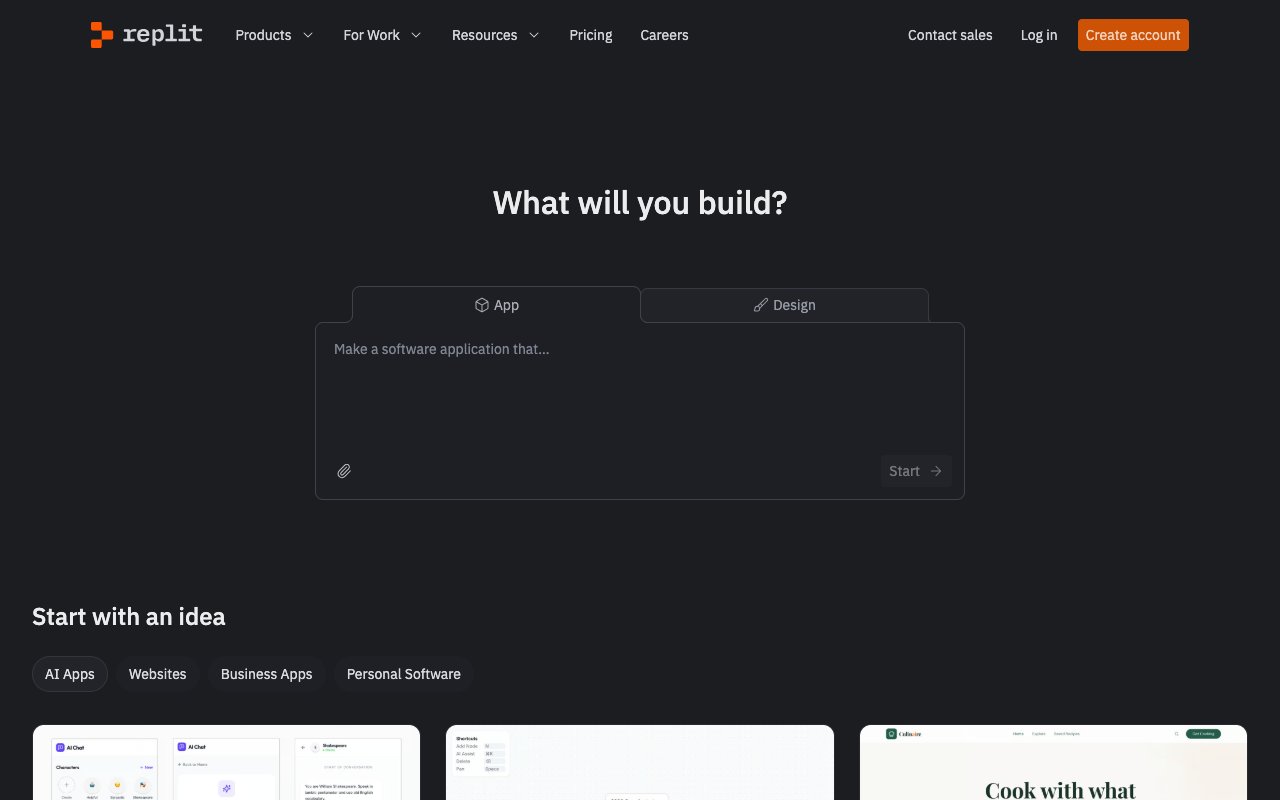
Replit Agent is a browser-based AI coding agent with built-in hosting and deployment. It combines an online IDE, AI agent, and hosting platform in one — the closest thing to Claude Code that runs entirely in a browser.
Key Features
- Agent 4: Parallel AI agents for complex tasks
- Prompt-to-app: Describe an app, get a running prototype
- Built-in deployment: One-click hosting included
- Design variations: AI-generated UI alternatives
- Browser-based: No local setup required
Replit vs Claude Code
Replit Agent bundles IDE + agent + hosting into a browser-based platform. Claude Code is a terminal tool for local development. Replit is better for quick prototypes and learning. Claude Code is better for production codebases and complex refactoring. Replit's $9B valuation (March 2026) reflects growing demand for browser-native development.
Pricing: Free / $20/mo Core ($25 credits) / Pro for teams
See our Replit review.
Also Worth Knowing: OpenCode, Kilo Code, and Grok Build
Three open-source agents that most 2026 lists now include were missing from our fifteen. They fit the "free Claude Code alternative" question directly, so here they are, with a status table of everything that changed this year.
Which Claude Code Alternatives Have Shut Down or Changed in 2026?
| Tool | Status (checked Sept 29, 2026) | What to use instead |
|---|---|---|
| Roo Code | Shut down May 15, 2026; repo archived | Cline or Kilo Code |
| Continue.dev | Repo read-only after the 2.0.0 release | Cline, Kilo Code, OpenCode |
| Amazon Q Developer | No new sign-ups since May 15, 2026; IDE plugins end Apr 30, 2027 | Kiro |
| Sourcegraph Cody | Free and Pro ended Jul 23, 2025; Enterprise remains | Amp (individuals) |
| Gemini CLI | Free and individual access moved to Antigravity CLI on Jun 18, 2026 | Antigravity CLI |
| Devin | ACU-metered Core plan replaced by quota plans (Apr 2026) | Devin Pro $20/mo |
The pattern is the same as the Fable 5 and Copilot billing stories above: tools bound to one vendor's plan or one company's roadmap can change under you. Open-source agents with a bring-your-own-key model and an active maintainer base carry the least of that risk.
OpenCode: The Most-Starred Open-Source Coding Agent
OpenCode is an MIT-licensed agent for the terminal, desktop, and IDE with 210K+ GitHub stars (anomalyco/opencode). It connects to 75+ model providers, including local models, and you can sign in with a GitHub Copilot or ChatGPT Plus/Pro account. Its two built-in agents are a "build" agent for changes and a read-only "plan" agent. One caveat: Claude models on OpenCode need a pay-per-token Anthropic API key, not a Claude Pro or Max subscription. It is the strongest answer to "open source Claude Code alternative" today.
Kilo Code: Open-Source Agent Across VS Code, JetBrains, and CLI
Kilo Code is an MIT-licensed agent for VS Code, JetBrains, the CLI, and Slack. It adds no markup on inference: bring your own keys or choose from 500+ models, and an Auto Free tier needs no credit card. It also became the migration target for Roo Code users. Kilo was acquired by Anaconda and says it stays independent and open source.
Grok Build: xAI's Open-Source Terminal Agent
Grok Build is xAI's Rust-based terminal agent, Apache 2.0 licensed with 27K+ GitHub stars. It runs as a full-screen terminal UI, headless for CI, or inside editors through the Agent Client Protocol, and you sign in through the browser with a Grok account. It is the newest of the three, so check x.ai for current plan limits.
Stars measure attention, not fit. Pick on maintenance, model access, and workflow, and remember that every tool on this chart still hands you code files. If you want a running app instead, that is the Taskade Genesis path: describe the app, and it deploys with a database, AI agents, and 100+ integrations. Claude Code users can also connect to it through the Taskade MCP server.
Pricing Comparison: All Claude Code Alternatives
| Tool | Free Tier | Cheapest Paid | Mid Tier | Top Tier |
|---|---|---|---|---|
| Claude Code | None | $20/mo (Pro) | $100/mo (Max 5x) | $200/mo (Max 20x) |
| Taskade Genesis | Yes | $10/mo (Pro, 10 users) | $25/mo (Business) | $100/mo (Max) |
| Cursor | Yes | $20/mo (Pro) | $40/user (Teams) | Enterprise custom |
| GitHub Copilot | Yes (2K completions) | $10/mo (Pro, +metered credits) | $39/mo (Pro+) · $100/mo (Max, $200 credits) | $39/user (Enterprise) |
| Windsurf (Devin Desktop) | Yes (light quota) | $20/mo (Pro) | $30/user (Teams) | $60/user (Enterprise) |
| Codex CLI | None (included with ChatGPT plans) | $20/mo (ChatGPT Plus) | $200/mo (ChatGPT Pro) | API pricing |
| Gemini CLI | No (enterprise API only) | — | — | Enterprise custom |
| Antigravity CLI | Yes (weekly quota, cut since launch) | Google AI Pro | Google AI Ultra | Enterprise custom |
| Aider | Yes (open-source) | BYO key (~$5-15/day) | BYO key (~$15-40/day) | No cap |
| Cline | Yes (open-source) | BYO key | $20/mo (Teams) | Enterprise custom |
| Continue.dev | Yes (open-source, read-only) | BYO key | - | - |
| Devin | Yes (light quota) | $20/mo (Pro) | $200/mo (Max) | Teams $80/mo + $40/seat |
| OpenHands | Yes (open-source) | SaaS pricing | — | Enterprise custom |
| Amazon Q → Kiro | Yes (Kiro: 50 credits) | $20/mo (Kiro Pro) | $40/mo (Pro+) | $200/mo (Power) |
| Augment Code | None | $20/mo (Standard, credits) | $100/mo (Business) | Enterprise custom |
| Sourcegraph Cody | No (ended Jul 2025) | - | - | Enterprise contract |
Best value: Taskade Genesis, free to start, then $10/month, with unlimited AI agents, app building, and collaboration.
Best free: Antigravity CLI (Google's free successor to Gemini CLI), though its quota has been cut repeatedly since launch and is not officially published.
Best open-source: Aider, Cline, or Codex CLI depending on your interface preference.
How to Choose: Decision Framework
The right Claude Code alternative depends on three questions:
Do You Write Code?
- Yes, daily → Cursor (visual IDE), GitHub Copilot (GitHub-native), or Aider (open-source terminal)
- Yes, occasionally → Cline (VS Code agent), Continue.dev (model flexibility)
- No → Taskade Genesis (builds deployed apps without code)
Do You Need Open Source?
- Terminal agent → OpenCode (210K stars), Codex CLI (127K stars), or Aider (49K stars)
- VS Code extension → Cline (69K stars) or Kilo Code (Continue.dev is read-only now)
- Self-hosted agent → OpenHands (89K stars)
- Free + open source → Aider (49K stars) or Cline (69K stars), free with your own API key
What Is Your Budget?
- $0/month → Antigravity CLI (Google, free successor to Gemini CLI), GitHub Copilot Free, OpenCode, Kilo Code, Aider/Cline (BYO key)
- Free-$10/month → Taskade Genesis (Free), GitHub Copilot Pro ($10)
- $20/month → Windsurf/Devin Desktop ($20), Cursor ($20), Claude Code ($20), Codex CLI (included with ChatGPT plans from Plus at $20), Augment ($20)
- $40+/month → Augment Business ($100), Devin Max ($200), Claude Code Max ($100-200)
What Are the Three Types of Claude Code Alternatives?
Every Claude Code alternative falls into one of three buckets — and the bucket matters more than the brand. Pick the bucket that matches how you want to work, then choose within it. The diagram below maps the field to its three homes with representative names in each:
Two of the three buckets output code files; one outputs a running app. CLI and IDE agents are different ergonomics on the same deliverable — source you still deploy. The no-code bucket is the only one where the output is the working product.
Which Claude Code Alternative Fits You? A Decision Tree
Answer four questions and the field narrows to one bucket. Start at the top: the first fork is not about price or stars — it is whether you must stay in a terminal, want an editor, want no terminal at all, or need an air-gapped pipeline:
If "must stay in the terminal" or "need air-gapped" is a hard line for you, follow that branch — those tools are genuinely the right answer. If neither is, the no-terminal branch ends at a running app instead of a repo you still have to ship.
Same Goal, Two Paths: Terminal CLI vs Prompt-to-App
Here is the same outcome — "ship a client intake app with a database and an AI triage agent" — expressed both ways. The left column is the terminal CLI flow; the right is the Taskade Genesis prompt-to-app flow. Read them side by side and the "skip the CLI" pitch stops being a slogan:
  TERMINAL CLI FLOW                  TASKADE GENESIS FLOW
  ─────────────────────────────     ─────────────────────────────
  $ claude                          Describe it in plain English:
  > scaffold an intake app          "Build a client intake app
    with a Postgres DB and           with a database and an AI
    a triage agent                   agent that triages requests"
  ─────────────────────────────     ─────────────────────────────
  ✓ writes 20+ source files         ✓ app generated live
  $ npm install                     ✓ database wired in
  $ provision a database            ✓ triage agent attached
  $ wire auth / OAuth               ✓ login built in
  $ pick a host, configure SSL      ✓ hosted, SSL automatic
  $ git push / deploy               ✓ shareable URL ready
  $ debug the deploy                ✓ clone to your workspace
  ─────────────────────────────     ─────────────────────────────
  Result: a repo + a deploy you     Result: a running app at a
  now own and maintain              live URL, in minutes
Same goal, two deliverables. The terminal path is the right one when your team owns and ships the repository. The prompt-to-app path is the shorter one when you just need the working app — no install, no provision, no deploy, no debug-the-deploy.
Use-Case Recommendation Matrix
| Use Case | Best Pick | Runner-Up | Why |
|---|---|---|---|
| Full-stack prototyping (no code) | Taskade Genesis | Replit Agent | Taskade Genesis delivers deployed apps with AI agents and automations; Replit offers browser-based prototyping |
| Daily coding in existing repos | Cursor | GitHub Copilot | Cursor's visual diffs and Tab autocomplete integrate seamlessly; Copilot is best for GitHub-native teams |
| Open-source terminal agent | Aider | Codex CLI | Aider supports any model with 49K stars; Codex CLI ties you to OpenAI but has a Skills Catalog |
| Enterprise codebase (100K+ files) | Augment Code | Sourcegraph Cody | Augment's Context Engine pre-indexes massive repos; Cody leverages code search infrastructure |
| Zero budget | Cline or Aider | GitHub Copilot Free | Cline and Aider are fully open-source with no vendor-set quota (BYO API key); Copilot Free gives 2,000 completions/month |
| Team collaboration + AI | Taskade Genesis | Cursor Teams | Taskade Genesis includes real-time multiplayer, multiple project views, and role-based access |
| AWS-specific development | Amazon Q Developer | GitHub Copilot | Q understands IAM, Lambda, and CloudFormation natively |
| Fire-and-forget autonomy | Devin | OpenHands | Devin works independently; OpenHands offers self-hosted sandbox isolation |
| Custom agent workflows | Claude Code | Taskade Genesis | Claude Code has hooks, Agent Teams, and WAT framework; Taskade Genesis provides visual agent building |
How a Typical Non-Developer Workflow Differs
Most Claude Code alternatives assume you write code. Here is what the workflow looks like when you skip code entirely with Taskade Genesis:
Compare this to the Claude Code workflow where you write prompts in a terminal, get code files, then manually deploy to a hosting provider, configure a database, set up authentication, and monitor uptime. Taskade Genesis compresses that entire pipeline into a conversation.
Free Tier Comparison
How much can you actually do for $0/month? This chart compares the most generous free tiers across Claude Code alternatives:
GitHub Copilot Free offers 2,000 code completions a month, the largest published number on this list. Google's free terminal option no longer has a clean monthly figure to chart: Gemini CLI itself retired free and individual access on June 18, 2026, and its replacement, Antigravity CLI, has had its no-cost quota cut repeatedly since launch with no official number published — so it is left out of this comparison rather than quoted with an unverifiable figure. Two other names dropped off the chart for the same reason: Sourcegraph ended Cody Free and Pro on July 23, 2025 (Cody Enterprise continues), and AWS closed Amazon Q Developer to new sign-ups on May 15, 2026, though its free tier of 50 agentic requests a month still serves existing users. Taskade Genesis is not charted because its free plan has no monthly allowance. Taskade Genesis starts with no AI credits on the free tier: earn credits with referrals and invites, or buy a credit pack on any plan. For ongoing free usage with a free AI app builder, Taskade Genesis remains the most capable option that does not require an API key.
The Five Paradigms of AI-Powered Development
The AI coding market is no longer a two-horse race. It has fragmented into five distinct paradigms, each with a fundamentally different relationship between the developer and the AI:
Terminal Agents (Claude Code, Codex CLI, Gemini CLI, Aider) — for developers who think in terminals and want AI to execute autonomously. The agentic engineering paradigm coined by Andrej Karpathy describes this exact workflow.
AI IDEs (Cursor, Windsurf, GitHub Copilot) — for developers who want AI assistance within a familiar visual editing environment. See our best Cursor alternatives for 2026 for a deep comparison.
VS Code Extensions (Cline, Continue.dev, Augment, Cody) — for developers who want AI capabilities added to their existing editor without switching.
Autonomous Agents (Devin, OpenHands, Replit Agent) — for teams that want to assign tasks and walk away. See our Devin alternatives breakdown.
AI App Builders (Taskade Genesis, Bolt.new, Lovable) — for teams that want working, deployed applications without writing code. See our best AI app builders comparison and vibe coding for non-developers.
The category you choose matters more than which tool you pick within that category. A developer evaluating Claude Code alternatives should first decide: do I want a terminal agent, a visual IDE, a VS Code extension, an autonomous agent, or a platform that eliminates code? The answer narrows the field from 15 to 3-4 options immediately.
For a broader view of how these categories intersect, see our agentic engineering platforms guide and what is agentic engineering. To understand how these AI models actually reason about code at the architecture level, see how LLMs work and what is mechanistic interpretability. For the phenomenon of models suddenly "getting" modular patterns during training, see what is grokking in AI.
What Comes Next: The Agent-First Future
The AI coding tool landscape is moving fast. Three convergent trends shape what comes next:
1. Harnesses get simpler, not more complex. Claude Code uses 4 tools. Vercel removed 80% of specialized tools. Manus rebuilt their framework 5 times, each simpler. As Anthropic's Boris Cherny put it: "Stuff that used to be scaffolding — with a more advanced model, it gets pushed into the model itself." Expect every tool on this list to strip features, not add them.
2. Engineers become tech leads. Sherwin Wu at OpenAI observed that engineers using Codex now manage 10-20 parallel agent threads simultaneously. The role shifts from writing code to steering, reviewing, and providing context. Tools that support this supervision pattern (Cursor's visual diffs, Cline's per-task cost tracking, Devin's Slack integration) will win.
3. Agents escape the terminal. Claude Code Channels and Computer Use signal the next phase: coding agents that respond to webhooks, control desktop applications, and accept commands from your phone. The terminal becomes one interface among many. Expect every major agent to add external communication channels in 2026.
4. The code-to-product gap closes. Taskade Genesis, Bolt.new, Lovable, and Replit all ship deployment with the tool. The era of "AI writes code, human deploys it" is ending. The tools that deliver working applications — not code files — will capture the non-developer market entirely.
Dario Amodei, Anthropic CEO: "If you speed up some components, the components that haven't been sped up become the limiting factor. Writing software becomes easier — other moats become MORE important."
The winner in this market will not be the tool with the best model. It will be the tool with the best harness — the right context, the right tools, the right recovery logic — wrapped around whichever model happens to be leading that quarter.
What Happens After the Build?
Shipping the code is now the easy half. Every tool on this list can produce a working app in an afternoon, yet most generated apps decay for the same reason: nothing remembers why decisions were made, so every fix starts from zero — the failure pattern we trace in why AI-generated apps break. The durable tools will pair generation with persistent context: memory of your data, your users, and your past builds. Where each platform lands on that line is mapped in AI app builders with memory — worth checking before you commit to a stack.
The Claude Code Ecosystem: Skills, MCP, and Auto Research
The Claude Code ecosystem is evolving rapidly beyond the core tool. Three developments — MCP context optimization, enforcement-driven plugins, and self-improving skills — are reshaping how developers build with AI coding agents.
The MCP Context Bloat Problem
MCP (Model Context Protocol) — see our guide to the best MCP servers — has a fundamental scaling problem: every connected MCP server injects its tool descriptions into the context window. Connect five servers and you might have 50+ tool descriptions consuming thousands of tokens before the agent even starts working. Most of those tools are irrelevant to the current task.
Multiple players identified and tackled this problem independently:
- Docker Code Mode — lets agents write JavaScript that calls MCP tools directly, bypassing tool description injection. Effective, but locks you into Docker's configured MCPs.
- Cloudflare — proposed having tools exist as executable code rather than sitting in the context window, decoupling tool availability from context consumption.
- Anthropic — released a paper acknowledging the gap between MCP's promise and its context cost, highlighting the need for more efficient tool delivery.
- MCP2 CLI — the most comprehensive solution, converting MCP servers into bash commands at runtime.
How MCP2 CLI works: Instead of loading tool descriptions into the context window at startup, MCP2 CLI converts each MCP server into a bash command at runtime — only when the agent actually needs it. Key design decisions:
- Runtime conversion, not build-time — when a tool gets called, it is converted into a bash command on the fly. MCP server updates are automatically reflected without rebuilding.
- 1-hour TTL cache — frequently used tools are cached for one hour, eliminating repeated conversion overhead.
- Built on MCP Python SDK — executes as bash commands, only injecting the response when explicitly requested.
- TUNE token-efficient format — compacts large structured data into smaller chunks optimized for LLM consumption, significantly reducing token usage compared to raw JSON or YAML.
- Sensitive data protection — API keys never appear in command-line arguments. MCP2 CLI uses environment variables or file paths instead.
- File output + grep extraction — MCP outputs can be redirected to files instead of the context window. The agent then uses grep to extract only the data it needs. This mirrors Cursor's context editing workflow where developers selectively include relevant information.
This approach handles OpenAPI and REST APIs through the same CLI interface, making it a universal adapter for any tool ecosystem.
Superpowers: Enforced Software Methodology
The Superpowers plugin gained 58,000 GitHub stars in 24 hours — a signal that developers want more than just AI code generation. They want AI that follows engineering discipline.
Superpowers differs from existing agent frameworks like BMAD and OpenSpec in a critical way: it does not just specify what agents should do — it enforces it with explicit checkpoints and gates. Agents cannot proceed to the next step until the current step passes validation.
Core skills and workflow:
- Brainstorming skill — before writing any code, the agent asks clarifying questions about requirements, edge cases, and constraints. This prevents the common failure mode of agents building the wrong thing quickly.
- Planning skill — generates detailed implementation plans with specific Git commits mapped to each change. Every planned change is scoped and reversible.
- Sub-agent implementation — each planned task runs in an isolated git worktree, preventing changes from interfering with each other. Failed implementations can be discarded without affecting the main branch.
- Code reviewer skill — automated review against TDD, DRY, and YAGNI principles with specific, actionable feedback.
- Systematic debugging — four-phase process: identify root cause, isolate the bug, narrow the reason, apply the fix. No more "let me try random changes until it works."
Practical considerations: Superpowers is context-heavy. A single iteration through the full workflow can consume 50% of the context window. Experienced users apply the full process for complex architectural work and skip it for simple changes like UI tweaks. The plugin works across all AI coding platforms including Claude Code, Cursor, and Codex CLI.
Auto Research: Self-Improving Claude Code Skills
Inspired by Andrej Karpathy's auto_research GitHub repo, the auto research methodology applies autonomous optimization to Claude Code skills. Instead of manually tuning skill prompts, a team of agents iteratively improves them by measuring results against objective criteria.
Three required ingredients:
- Objective metric — an eval pass rate that measures skill quality (e.g., "did the generated diagram render correctly?")
- Measurement tool — an automated test suite that runs the skill and scores the output
- Something to change — the skill instructions or prompt template that gets iteratively refined
How it works in practice:
The system runs the skill multiple times against a standardized test suite, collects pass/fail results, analyzes failure patterns, modifies the skill prompt, and runs again. Binary yes/no evaluations work best — Likert scales (rate 1-5) compound probability variability and produce noisy signals. Since prompts are inherently noisy, run each configuration multiple times and use the mode or median of results.
Real results: A diagram generator skill improved from 32/40 to 39/40 (97.5% pass rate) through iterative auto-improvement cycles running every 2 minutes at approximately $0.20 per test cycle.
The research data itself — the list of tried changes, their pass rates, and failure patterns — becomes a valuable asset. When next-generation models arrive (like moving from one Claude generation to the next), you pass the accumulated research data to the new model for continued improvement rather than starting from scratch.
The auto research pattern extends far beyond code. Developers have applied it to music generation (53% improvement training on Irish folk music ABC notation), A/B testing for marketing, SaaS pricing optimization, and CRM lead qualification — any domain with a measurable objective. Karpathy followed up autoresearch with AgentHub, an agent-first collaboration platform ("GitHub for agents") where agent swarms work on the same codebase simultaneously without branches or PRs. See our deep dive on agentic engineering for the complete history.
For teams building custom AI agents and automations, this methodology applies beyond coding. Any skill with measurable output — content generation, data extraction, workflow orchestration — can be auto-researched and iteratively improved. Taskade Genesis users building custom agent skills can apply the same three-ingredient framework: define the metric, build the test suite, and let the system optimize. Need better prompts for your agents? See our guide to AI prompt generators.
Building $10,000 Agentic Workflows: The Business Case
The agentic AI market is not theoretical. It is moving from $7-8 billion in 2026 to a projected $40-93 billion by 2030. About 25% of enterprises are already deploying agentic pilots this year, rising to 50% by 2027. This creates massive opportunity for anyone who can build agentic workflows.
Why traditional automation hits a ceiling: Tools like Zapier and n8n work until they hit something unexpected — then someone goes in manually to fix the logic. n8n is powerful (self-hosted, 400+ nodes, code nodes) but requires DevOps to host and has no built-in AI agents. Zapier charges per-task pricing that scales painfully. Agentic workflows built with Claude Code handle edge cases during the build process — the agent investigates errors, updates tools, and battle-tests the workflow before deployment. Taskade Genesis sits between these worlds: reliable automation workflows with AI agents that make decisions mid-workflow, 100+ integrations, branching/looping/filtering — at $10/mo flat with unlimited executions. No self-hosting, no per-task bills.
The analogy: Traditional automation is building a train track by hand — laying every rail and switch yourself. Agentic workflows are telling a construction crew "build a track from here to there." If they hit a problem during construction, they figure it out. You end up with a better track, built faster, with fewer mistakes.
Value-based pricing, not hourly: If you build a workflow in 30 minutes that saves a business 20 hours per week, that is not a 30-minute job — that is tens of thousands of dollars in annual value. A system that saves $10,000/month can be priced at $5,000 for the build. The client makes their money back in two weeks. Everything after is profit. That is how a $3,000 build turns into a $50,000/year relationship.
The skill that matters: Building automations is becoming commoditized. The real value is diagnosing which automation to build. Act as the doctor (diagnose the problem), not the pharmacist (fill the prescription). Lead with "I can save you X hours per month" — not "I build agentic workflows in Claude Code."
For teams that want to build and deploy agentic workflows without the terminal, Taskade Genesis combines AI agents with workflow automations and 100+ integrations in a single no-code platform — from prompt to deployed system in minutes.
Bottom Line
Claude Code is the best terminal-native AI coding agent for deep reasoning tasks. But the AI development landscape in 2026 offers compelling alternatives for every workflow and budget.
For developers who want a visual IDE: Cursor is the benchmark.
For developers who want open-source terminal agents: Aider and Codex CLI offer model flexibility and transparency. Gemini CLI is Apache-licensed too, but its free and individual-account access retired June 18, 2026 — Antigravity CLI is Google's free terminal agent now.
For teams that want deployed applications without code: Taskade Genesis builds live apps with AI agents, automations, and 100+ integrations free, then $10/month — 150,000+ apps built.
For enterprises with massive codebases: Augment Code and Sourcegraph Cody Enterprise provide deep indexing and search.
The right choice is not about which tool is "best" — it is about which category matches your workflow. Start there, then compare within.
Want the running app, not the repo? Skip the terminal and the deploy steps entirely. Clone the live Growth Dashboard → and it lands in your workspace in about 30 seconds, or describe your own app to Taskade Genesis → and watch it build live — free to start.
Further Reading
- AI App Builder Cloneable Demos — 150 verified Genesis demos, try them live
- Your Workspace Is a Computer — the Workspace DNA thesis explained
- Founder Operating System — how founders use AI agents as an operating system
- Best AI Meeting Summarizers in 2026 — turn call notes into action with an agent
- Best Replit Alternatives for AI Coding — cloud coding platforms ranked
- Best OpenClaw Alternatives for AI Agents — open agent stacks compared
- Retool vs Taskade · Notion vs Taskade · Asana vs Taskade · Monday vs Taskade · Clay vs Taskade
- Wiki: Workspace DNA · Wiki: Quantum Computing · Wiki: Autonomous Agents
- Community Gallery · Templates · AI Agents · Automate · Build with Genesis
Ready to build without code? Try Taskade Genesis free →
Frequently Asked Questions
Which Claude Code alternatives have shut down or changed in 2026?
Roo Code shut down on May 15, 2026, and Continue.dev is now a read-only repository. Amazon Q Developer stopped new sign-ups on May 15, 2026 and ends IDE plugin support on April 30, 2027, with Kiro as its replacement. Sourcegraph ended Cody Free and Pro in July 2025 and kept Cody Enterprise. Gemini CLI moved free and individual access to Antigravity CLI on June 18, 2026. Devin replaced ACU-metered Core with quota plans (Free, Pro $20, Max $200). Active open-source picks are OpenCode, Codex CLI, Cline, Aider, and Kilo Code.
What is OpenCode and is it a good free Claude Code alternative?
OpenCode is an MIT-licensed open-source coding agent for the terminal, desktop, and IDE with 210K+ GitHub stars, more than any other open-source coding agent. It supports 75+ model providers including local models, and you can sign in with a GitHub Copilot or ChatGPT Plus/Pro account. Claude models need a pay-per-token Anthropic API key, not a Claude Pro or Max subscription. It is free to install, so you pay only for model usage, which is zero with a local model.
What is the best Claude Code alternative in 2026?
It depends on your workflow. Cursor ($20/mo) is the best AI code editor with visual diffs and autocomplete. GitHub Copilot ($10/mo) offers the deepest GitHub integration. Codex CLI is OpenAI's open-source terminal agent. Aider is the best open-source terminal alternative with 39K GitHub stars. For non-developers, Taskade Genesis (free, then $10/mo) builds complete deployed apps from natural language with AI agents and 100+ integrations.
What is a Claude alternative for coding that builds the actual app, not just code?
Taskade Genesis is the Claude Code alternative that outputs a running app instead of code files. You describe what you want in plain English and it builds a live, deployed application with a database, AI agents, 100+ integrations, and a shareable URL. No terminal, no deployment steps, no hosting to manage. It starts free, with Pro at $10/month annually. Claude Code, Cursor, and Aider are excellent at writing code, but they hand you files you still deploy and maintain.
Is there an AI like Claude that can build software without coding?
Yes. Taskade Genesis lets non-developers build complete working applications from a natural-language prompt. It uses frontier models from top AI labs, includes AI agents with built-in tools, 100+ bidirectional integrations, and multiple project views (List, Board, Calendar, Table, Mind Map, Gantt, Org Chart). The output is a deployed app with a live URL, not code you have to host yourself. 150,000+ apps have been built since launch.
Can a non-developer use a Claude Code alternative to ship a real app?
Yes. Taskade Genesis is designed for non-developers and operators, not just engineers. Taskade's first self-serve Enterprise customer, an IT program manager with no engineering team, built a production field-service dashboard on Genesis with four connected projects tracking 20+ live jobs and never opened a terminal. He said it would have taken a team of 40+ people 18 months in a Fortune 500 setting. You can clone a live working app in one click and run it in your own workspace in about 30 seconds.
Is there a free alternative to Claude Code?
Yes. Antigravity CLI, Google's free successor to Gemini CLI (which retired free and individual access on June 18, 2026), still offers a no-cost weekly agent quota, though it has been cut repeatedly since launch and Google does not publish exact numbers. GitHub Copilot Free includes 2,000 completions and 50 premium requests monthly. Continue.dev is fully open-source and free with any model. Aider is open-source with BYO API key. Cline is a free open-source VS Code extension with 58K GitHub stars. Taskade Genesis also offers a free tier for building complete applications.
What is the difference between Claude Code and Cursor?
Claude Code is a terminal-based AI agent that executes multi-file tasks autonomously using Claude models only. Cursor is a VS Code fork with visual diffs, Tab autocomplete, multi-model support (Claude, GPT, Gemini), and a Plugin Marketplace. Claude Code uses 5.5x fewer tokens per task but has no visual interface. Cursor provides a familiar IDE experience with inline editing. Many developers use both together by running Claude Code inside Cursor's terminal.
What is the difference between Claude Code and Codex CLI?
Both are terminal-based AI coding agents. Claude Code uses Anthropic's Claude models and is proprietary. Codex CLI uses OpenAI's reasoning models and is fully open-source with 127K GitHub stars. Anthropic's top model family, Claude Fable 5 (updated to Fable 5.1 in September 2026), launched at about 95% on SWE-bench Verified (Opus 4.8 scored 88.6%), while OpenAI's GPT-5.5 scores 83.4% on Terminal-Bench 2.1. Codex CLI offers a Skills Catalog and MCP support. Claude Code requires Claude Pro ($20/mo); Codex CLI is included with ChatGPT Plus ($20/mo).
Can Claude Code and Cursor be used together?
Yes. Many developers run Claude Code inside Cursor's integrated terminal. This gives you Cursor's visual diffs, Tab autocomplete, and Plugin Marketplace plus Claude Code's agentic multi-file capabilities and deep reasoning. However, this requires paying for both tools ($40/month combined). Our detailed comparison covers this workflow in Claude Code vs Cursor vs Taskade Genesis.
What is the cheapest Claude Code alternative?
Taskade Genesis at $10/month (annual billing, Pro plan) is the cheapest paid alternative with full AI agent capabilities plus app building. Among free terminal options, Aider and Cline are fully open-source with no vendor-set quota (you pay only for your own API usage). Antigravity CLI, Google's free successor to Gemini CLI, is also free but its no-cost quota has been cut sharply since launch and is not officially published. GitHub Copilot Free offers 2,000 completions monthly.
Which Claude Code alternative is best for non-developers?
Taskade Genesis is the only Claude Code alternative designed for non-developers. It builds complete deployed applications from natural language prompts with built-in AI agents, automations, and 100+ integrations. No terminal, no code, no deployment steps required. 150,000+ apps built since launch, starting free.
Is Aider better than Claude Code?
Aider is a leading open-source terminal coding agent with 49K GitHub stars and 4.1M installs. It supports any model (Claude, GPT, Gemini, local models via Ollama), is fully transparent, and has no subscription markup. Claude Code has deeper reasoning (Opus 4.8 scores 88.6% on SWE-bench Verified) and tighter integration with Anthropic's model ecosystem, but locks you into Claude models and a $20/month subscription. Aider is better for model flexibility and cost control; Claude Code is better for maximum reasoning capability.
What is the most popular open-source Claude Code alternative?
OpenCode leads with 210K+ GitHub stars (MIT license, 75+ model providers), followed by Codex CLI at 127K+, OpenHands at 89K+, Cline at 69K+, Aider at 49K+, Continue.dev at 36K+ (now read-only), and Grok Build at 27K+ (GitHub star counts checked September 2026). Among terminal-native agents, OpenCode, Codex CLI, and Aider are the most popular open-source alternatives to Claude Code.
Which AI coding tool has the best benchmarks?
Anthropic's Claude Fable 5 (June 2026) leads the coding sets, scoring about 95% on SWE-bench Verified and 80.3% on the harder SWE-bench Pro — ahead of Claude Opus 4.8 (88.6% / 69.2%), GPT-5.5, and Gemini 3.1 Pro. On Terminal-Bench 2.1, Fable 5 (84.3%) narrowly edges GPT-5.5 (83.4%) and Opus 4.8 (82.7%). Claude Code also uses far fewer tokens than Cursor for identical tasks. However, benchmarks measure raw model capability. Real-world performance depends on the harness (tools, context management, recovery logic) as much as the model.
Did GitHub Copilot pricing change in 2026?
Yes. On June 1, 2026 GitHub Copilot moved to usage-based AI Credits billing, and that model is now fully in effect. Pro stays $10 per month with $15 of included credits, Pro+ stays $39 per month with $70 of credits, and the new Max tier is $100 per month with $200 of credits (1 AI credit equals $0.01). Agentic and chat usage now meters against token consumption at per-model API rates, while code completions and Next Edit Suggestions remain included and do not consume credits. Heavy agent users can exhaust their monthly credits quickly, which is why many teams are re-evaluating flat-rate options. Taskade Genesis offers predictable flat pricing, free to start, then $10 per month, with unlimited app building and AI agents.
What is the difference between a Claude Code alternative that builds code files and one that builds a deployed app?
Code generators like Claude Code, Cursor, Aider, and Codex CLI output source files in a repository that you still build, host, secure, and deploy yourself. A deployed-app builder like Taskade Genesis outputs a live, running application from one prompt, with hosting, automatic SSL, custom domains, authentication, role access, and a workspace database already included. The code-file path takes hours to days to reach a live URL. The deployed-app path takes minutes. Choose code files if your team owns and ships the repository; choose a deployed app if you need a working product fast.
Should I use Claude Code or build apps with Taskade Genesis?
Use Claude Code if you are a developer who wants to write and maintain code in existing repositories using terminal workflows. Use Taskade Genesis if you want working, deployed applications without writing code. Taskade Genesis delivers live apps with AI agents, automations, 100+ integrations, and workspace databases free to start, with Pro from $10/month. Claude Code delivers code files that still need deployment, hosting, and infrastructure at $20/month.
What is harness engineering and why does it matter for choosing a coding tool?
Harness engineering is the discipline of designing the infrastructure around an AI model — what context it sees, what tools it has, how it recovers from errors. The same Claude model performs completely differently in Claude Code versus Cursor versus Codex because the harness differs. Vercel demonstrated this dramatically: removing 80% of specialized tools and giving agents basic bash plus file access improved accuracy from 80% to 100%, used 40% fewer tokens, and ran 3.5x faster. Understanding harness trade-offs helps you choose the right tool.
Is Gemini CLI really free and how many requests do you get?
Not anymore, as of Gemini CLI itself. Google stopped serving free and individual Google AI Pro/Ultra requests through Gemini CLI on June 18, 2026, migrating that access to a new closed-source client called Antigravity CLI instead. Gemini CLI now serves only Gemini Enterprise Agent Platform and Google Cloud customers with a paid API key. If you want Google's free terminal coding agent today, install Antigravity CLI, which carries over the 1 million token context window and Google Search grounding.
How does Cursor make money with over 2 billion dollars in annual recurring revenue?
Cursor uses credit-based pricing across four paid tiers. Pro costs $20 per month, Pro Plus costs $60, Ultra costs $200, and Business costs $40 per user per month. The company surpassed $2 billion in annualized recurring revenue by March 2026, doubling in three months, with approximately 60% of revenue coming from enterprise customers. It is seeking a new funding round at a reported $50 billion valuation.
What is Claude Cowork and how does it differ from Claude Code?
Claude Cowork is Anthropic's desktop agent that extends Claude Code's agentic architecture to non-developers. Available on paid Claude desktop app plans (Pro or Max), Cowork can read and write files directly on your computer, spin up parallel sub-agents, produce formatted documents and PowerPoint presentations, connect to Gmail, Google Calendar, Slack, and Notion via connectors, and run scheduled recurring tasks. Claude Code is terminal-based for developers writing code. Cowork is desktop-based for knowledge workers managing files, documents, and workflows. Taskade Genesis serves a similar audience but delivers deployed multi-user applications with AI agents and 100+ integrations.
What is the Claude Code Guide subagent?
The Claude Code Guide is a built-in subagent that serves as an expert on every Claude Code feature, slash command, hook, and configuration option. Tag it in your session to ask conceptual questions, diagnose broken configurations, explore all 17 hook event types, build custom slash commands, or fix broken setups. It runs as a separate subagent so its documentation searches do not consume your main context window. It is included with every Claude Code installation at no additional cost.
How do transformer models actually reason about code?
Transformer models process code through an attention mechanism where each token (word or symbol) produces query, key, and value vectors via matrix multiplication. The dot product of query-key pairs determines which tokens are relevant to which others. As 3Blue1Brown explained in his visual walkthrough, the 12,288-dimensional embedding space allows models to encode far more concepts than the raw dimension count suggests because almost-orthogonal vectors grow exponentially with dimension. Factual knowledge (like API signatures) lives in the MLP layers, while contextual reasoning (like variable scope) happens in the attention blocks.
What is the MCP context bloat problem and how is it solved?
MCP (Model Context Protocol) tools consume context window space with their descriptions and outputs, even when most tools are not needed for the current task. With many MCPs connected, the context window gets bloated with unnecessary data. Solutions include Docker Code Mode (JavaScript tool calls), Cloudflare's executable code proposal, and MCP2 CLI which converts MCP servers into bash commands at runtime with a 1-hour cache. MCP2 CLI also supports the TUNE token-efficient output format and can redirect large outputs to files for grep-based extraction instead of loading everything into context.
What is the Superpowers plugin for Claude Code?
Superpowers is a plugin that gained 58,000 GitHub stars in 24 hours by enforcing traditional software development methodology (TDD, DRY, YAGNI) directly into AI coding agent workflows. Unlike planning-only frameworks, Superpowers uses strict gates that prevent agents from proceeding until each step passes. Features include brainstorming skills with clarifying questions, implementation plans with Git commits, sub-agent driven development with git worktree isolation, automated code review, and systematic four-phase debugging. Available for all AI platforms including Claude Code.
What is Auto Research for Claude Code skills?
Auto Research is a methodology inspired by Andrej Karpathy's auto_research GitHub repo for self-improving AI skills. It requires three ingredients: an objective metric (eval pass rate), a measurement tool (automated test suite), and something to change (the skill prompt). Skills are run multiple times against binary yes/no evaluation criteria, scored, and the prompt is iteratively improved. In testing, a diagram generator skill improved from 32/40 to 39/40 (97.5%) through automated iterations every 2 minutes at approximately 20 cents per test cycle.
What does Andrej Karpathy say about Claude Code versus Codex?
Karpathy praised Claude Code's personality, saying it feels like a teammate that is excited about what you are building. He contrasted this with Codex, which he called very dry and said it does not seem to care about what you are creating. He uses both tools simultaneously, switching between them to maximize token throughput, and evaluates coding agents on four criteria: personality, memory sophistication, parallelization support, and autonomy duration.
What are Claude Code's hidden settings that most users miss?
Claude Code has critical settings buried in settings.json. The terminal output character limit defaults to 30,000 (increase to 150,000 for full test output). The auto-compact threshold defaults to 95% (set to 70-75% before quality degrades). Data retention defaults to 30 days (extend with cleanupPeriodDays). The file read limit is 25,000 tokens (increase to 100,000+). The 2,000-line hard cap on file reads cannot be changed and requires a CLAUDE.md workaround with offset and limit parameters.
What is the folder-as-workspace pattern for Claude Code?
The folder-as-workspace pattern uses folders and markdown files instead of agent frameworks. A root CLAUDE.md file acts as a router with a task-routing table. Task-specific context files provide per-workspace instructions. Naming conventions replace databases. It works for solo developers but has no collaboration, no integrations, no automation, and no deployment. Taskade Genesis provides the same three-layer architecture natively with collaboration, 100+ integrations, and instant deployment.
How do top AI engineers actually use coding agents in 2026?
Andrej Karpathy described delegating over 98% of coding to agents since December 2025. Top practitioners run multiple agents simultaneously across 10+ repository checkouts, each handling 20-minute tasks. They switch between Claude Code and Codex when rate-limited to maximize token throughput. The developer role shifted from writing code to orchestrating macro-level functionality across parallel agent sessions.
What are Claude Code Channels and how do they work?
Claude Code Channels (experimental, v2.1.80+) let you interact with a Claude Code session outside the terminal via Discord, Telegram, or custom webhooks. Under the hood, channels are MCP servers that bridge external systems to Claude Code. One-way channels forward alerts and webhook events (e.g., a cal.com booking triggers research). Two-way channels enable full chat from your phone. Channels require a Pro or Max subscription.
What is Claude Code Computer Use and Dispatch?
Claude Code Computer Use (research preview, macOS only) lets Claude natively control your mouse, keyboard, and take screenshots to perform desktop tasks. Combined with the Dispatch feature, you can text Claude Code from your phone and have it control your local computer remotely. This turns Claude Code from a tool you sit in front of into a reactive agent that works while you are away.
What is the WAT framework for building agentic workflows with Claude Code?
WAT stands for Workflows, Agent, and Tools. Workflows are natural-language markdown files that define step-by-step processes (like a recipe). Tools are Python or JavaScript functions that execute specific actions (API calls, data processing). The Agent (Claude Code) reads workflows, runs tools, handles errors, and improves both over time. The framework separates what to do (workflows) from how to do it (tools), making agentic systems maintainable and self-improving.
How much can you earn building agentic workflows with Claude Code?
The agentic AI market is projected to grow from 7 to 8 billion dollars in 2026 to 40 to 93 billion dollars by 2030. Practitioners charge value-based pricing, not hourly rates. A workflow that saves a business 10,000 dollars per month can be priced at 3,000 to 5,000 dollars for the build, with ongoing optimization retainers turning a single project into a 50,000 dollar per year relationship. The key skill is diagnosing business bottlenecks, not just building automations.
What are Claude Code Agent Teams and how do they work?
Agent Teams (experimental) let you coordinate multiple Claude Code instances as a team. Enable with enableAgentTeams in settings.local.json. A lead agent creates 2-5 specialized teammates (e.g., frontend dev, backend dev, QA) that work in parallel with independent context windows and a shared task list. Teammates can message each other directly. The QA review loop pattern is especially powerful — QA agent reviews work, identifies issues, sends it back for fixes, then re-approves. Use Tmux split panes for visual monitoring. Each teammate costs roughly 1x additional tokens.
What is gstack and how does it turn Claude Code into a software factory?
gstack is an open-source toolkit created by Y Combinator CEO Garry Tan that provides 28 slash-command skills for Claude Code, organized as a sprint process: Think, Plan, Build, Review, Test, Ship, Reflect. Each skill instructs the AI to adopt a specialist role (CEO reviewer, staff engineer, QA lead, security officer). Tan claims to ship 10,000-20,000 lines of production code per day while running YC. Key features include safety guardrails via PreToolUse hooks, headless browser testing, cross-model review with Codex, and the Boil the Lake philosophy where AI makes completeness near-zero marginal cost.
How do you set up your first agentic workflow with Claude Code?
Start by installing the Claude Code VS Code extension and signing in with a Pro or Max plan. Create a blank project folder, add a CLAUDE.md file with WAT framework instructions, and run /init to set up the folder structure (workflows, tools, temporary). Use plan mode first to let Claude Code ask clarifying questions and propose architecture. Once the plan is approved, switch to bypass permissions mode for autonomous execution. Claude Code automatically creates Python tools, handles errors, and self-heals. A competitor analysis workflow costs about 1.50 dollars for the first run.
What happened to Claude Fable 5 in June 2026?
Anthropic launched Claude Fable 5 and the wider Mythos 5 family on June 9, 2026. On June 12, a US government export-control directive citing national security briefly took both offline for all customers. The suspension was lifted and Fable 5 returned globally in early July 2026; throughout the outage Anthropic's other Claude models stayed available. The accounts differ: Anthropic describes it as a misunderstanding over a narrow jailbreak and disagreed with the action, while administration officials said the company was asked to address the issue first. The episode still makes the case for resilience through model choice. Taskade Genesis routes across frontier models from top AI labs with Auto as the default, so apps and agents keep running even when a single model is pulled offline for weeks.
Why does multi-model routing matter for AI coding and app building?
A tool that depends on a single model from a single vendor can be disrupted overnight by a price change, a safety reroute, or a government order, as the June 2026 Fable 5 export-control suspension showed. Multi-model routing removes that single point of failure. Taskade Genesis runs on frontier models from top AI labs, with Auto as the default that picks a model per task. If one model is unavailable or too expensive, your agents and deployed apps continue on another, with flat pricing free to start, then 10 dollars per month annually. Terminal agents like Claude Code run Anthropic models only, while open-source tools like Aider and Cline let you bring any model.
Which Claude Code alternative is the safest bet against 2026 price hikes and model outages?
The safest bet is a tool that is not locked to one vendor's model or one pricing scheme, because 2026 proved both can change overnight. GitHub Copilot switched to metered AI-Credits billing on June 1, 2026, and Anthropic's Claude Fable 5 was briefly pulled by a US export-control order on June 12 before returning globally in early July. Open-source agents like Aider, Cline, and Continue.dev let you bring any model, including local models via Ollama. Taskade Genesis auto-routes across frontier models from top AI labs on flat pricing, free to start, then $10 per month, so a price change or an outage on any one model does not stop your agents or your deployed apps.
How do you migrate a Claude Code setup to an alternative?
Every core Claude Code concept ports cleanly. Project instructions in CLAUDE.md become AGENTS.md or .cursorrules in CLI and IDE tools, or agent instructions with persistent memory in Taskade Genesis. Custom slash commands map to Cursor commands, the Codex Skills Catalog, or custom slash commands on AI Agents v2. Hooks become editor tasks and CI scripts, or automations with triggers and retries. MCP servers work across Cursor, VS Code, Codex, and Cline, and Taskade Genesis adds 100+ bidirectional integrations pre-connected. Subagents and Agent Teams become multi-agent teams under the EVE meta-agent. The five-step path: move rules into agent instructions, recreate slash commands, replace hooks with automations, re-point MCP and integrations, then rebuild subagents as an agent team. No terminal required.
Are there self-hosted or air-gapped Claude Code alternatives for privacy?
Yes. Open-source agents including Aider, Cline, Continue.dev, and OpenHands run fully on your own machine or infrastructure with a model of your choice, including local models via Ollama, so prompts and code never leave your network. This is the path when an air-gapped or fully-inspected setup is required. Managed tools like Claude Code, Cursor, and Taskade Genesis run on hosted infrastructure instead. Taskade Genesis pairs that with business-grade access controls: password protection, OIDC/SSO, custom domains on Business plans and above, role-based access from Owner to Viewer, and multi-model routing across frontier models from top AI labs to remove single-vendor dependency.
What are the three types of Claude Code alternatives?
Claude Code alternatives fall into three buckets. CLI and terminal agents like Codex CLI, Gemini CLI, Aider, and OpenHands live in the shell. IDE and editor agents like Cursor, GitHub Copilot, Windsurf, Cline, and Sourcegraph Cody live in your editor. No-code app and agent builders like Taskade Genesis use no terminal at all. The first two buckets output code files you still deploy, host, and maintain. The third outputs a running app at a live URL with a database, AI agents, automations, and 100+ integrations already wired in. Pick the bucket that matches how you want to work, then choose a tool within it.