






Hi Taskaders,
We are back with another exciting update for the summer. Enjoy and have fun!
TL;DR: AI Task Generator, PDF Summarizer, and desktop app updates shipped in June 2023 marked the start of Taskade's document-aware AI. Today Taskade ships AI knowledge sources including PDFs and downloads for every platform, spans multiple project views, frontier AI models from top AI labs, and 100+ integrations — and Taskade Genesis turns any prompt into a living app.
Then → Now: Task Generator + PDF Summarizer + desktop updates (2023) → today's AI knowledge sources including PDFs plus downloads for every platform and AI Agents v2.
| File AI | 2023 H1 | Today (2026) |
|---|---|---|
| PDFs | AI PDF Summarizer | Summarize with AI + Import PDF |
| Generation | Task Generator (Spacebar prompt) | Agent Generator + Project Studio |
| Knowledge | PDF parsing | Agent knowledge & memory — docs, web, YouTube, OCR |
| Desktop | Mac/Win/Linux performance pass | Rebuilt desktop app + downloads |
📄 PDF → Project, in Three Eras
┌─────────────────────────────────────────────────────────────┐
│  Era 1 · June 2023                                          │
│     PDF ─▶ AI Summarizer ─▶ Task list                       │
│             (single file · one prompt · no memory)          │
├─────────────────────────────────────────────────────────────┤
│  Era 2 · 2024 (Custom Agents)                               │
│     PDF ─▶ Agent Knowledge ─▶ Agent chat ─▶ Actions         │
│             (indexed docs · repeated Q&A · personas)        │
├─────────────────────────────────────────────────────────────┤
│  Era 3 · 2026 (Workspace DNA)                               │
│     PDF ──┐                                                 │
│     Web ──┼─▶ Memory ──▶ Intelligence ──▶ Execution         │
│     YT ───┘    (agents)    (tools + models)  (automations)  │
│                      │                                      │
│                      ▼                                      │
│              Deployed living app via Taskade Genesis        │
└─────────────────────────────────────────────────────────────┘
Follow the trail forward:
- Summarize with AI and Import PDF
- Agent knowledge & memory for indexed document Q&A
- AI Agents v2 with built-in tools
- Taskade Genesis — prompt to deployed app
- Automations, Community Gallery, Templates
- Downloads for every platform and Integrations
- Learn Taskade for end-to-end walkthroughs
✔️ AI Task Generator
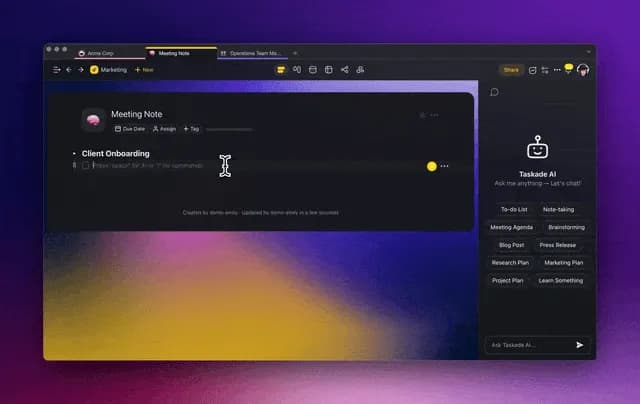
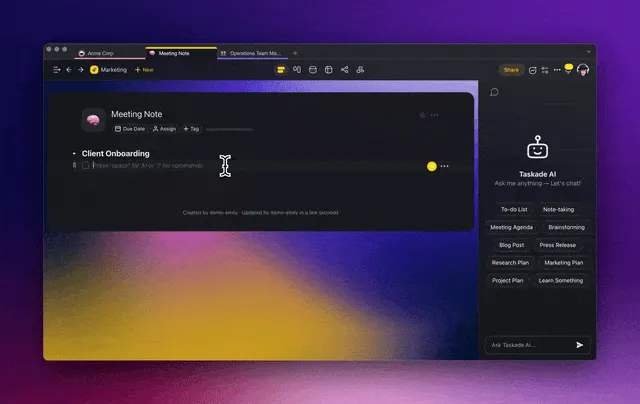
Press the ⌨️ Spacebar, input a goal or objective, and let Taskade AI plan out the next steps for you. Generate tasks and brainstorms ideas instantly! Learn more...
💭 Summarize PDF with AI
The new PDF summarizer feature is here! Simply upload your PDF documents into Taskade and let AI generate an organized and detailed summary. Learn more...
🖥️ New Desktop App Enhancements
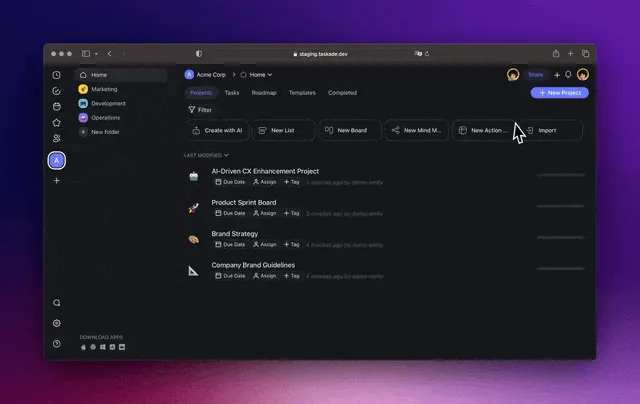
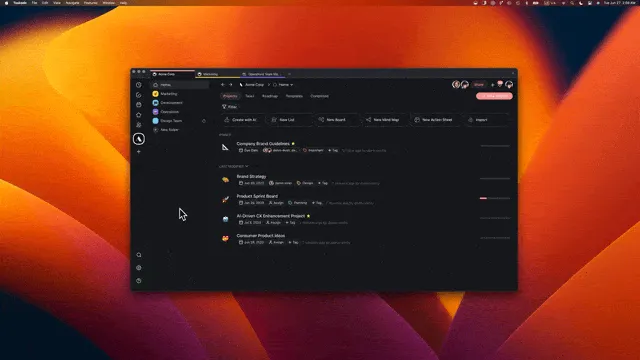
We've updated the Taskade desktop app with various optimizations and performance improvements on Mac, Linux, and Windows. Download apps.
🌟 Other Improvements
New: Import and summarize PDFs with the latest AI enhancement
New: Project Chat will now default to AI Chat for personal projects
New: Mark as Read is now available in workspace and folder
Improved: Desktop app UI now uses consistent fonts from the web app
Improved: New user experience defaults to Automatic Theme
Improved: Hover states for due date and assignees pill in tasks
Improved: Styling and UI throughout the app and platform
Optimized AI chat, markdown customizations, AI credits display, and more
Resolved issues in the editor and chat feature
Fixed the Calendar View to prevent crashing via pastes
Various bug fixes and performance improvements
Thank you for being part of our journey. Stay tuned for more exciting updates!
Do you have any questions? Visit our Help Center or let us know. 😊
— Team Taskade 🐑
Frequently Asked Questions
What is the AI Task Generator in Taskade?
Press the Spacebar in any project, type a goal or objective, and Taskade AI instantly generates a list of next steps and tasks. It's designed for rapid planning — describe what you want to accomplish and the AI creates an actionable breakdown in seconds.
How do I summarize a PDF with Taskade AI?
Upload your PDF document into any Taskade project. The AI automatically processes the file and generates an organized, detailed summary — extracting key points, themes, and actionable insights into a structured project format.
Is Taskade available on desktop?
Yes. Taskade offers native desktop apps for Mac, Windows, and Linux with full feature parity to the web app. The desktop versions include consistent fonts, optimized performance, and native tab support for managing multiple projects simultaneously.
Can I use Taskade AI to create tasks from a PDF?
Yes. Upload a PDF to your project and use the AI summarizer to extract its contents. The AI converts the document into structured tasks, sub-tasks, and notes, effectively transforming any PDF into an actionable project plan.