Taskade Features One App. One Prompt. Powered by Real-time Workspace.
Compare Plans and Features7 features // Feature
Free
Pro Popular
Business Teams
Max
Enterprise
Users Included Users Included: Team members included in your plan. Collaborate in real-time with shared AI agents, workspaces, and apps. Each member gets full access to your workspace DNA—memory, intelligence, and execution layers.
2
10
Unlimited
Unlimited
Unlimited
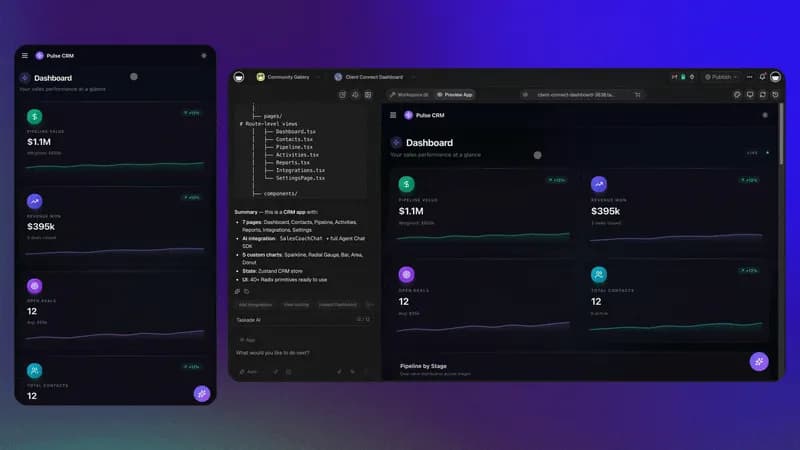
AI Apps AI Apps: Build live apps from a single prompt — dashboards, forms, portals, websites, and tools. Each app stays connected to your workspace DNA: AI agents handle intelligence, automations handle execution, and projects hold memory. Apps evolve as your workspace grows.
3
Unlimited
Unlimited
Unlimited
Unlimited
AI Agents AI Agents: Your digital workforce — the Intelligence pillar of workspace DNA. Train agents on your files, projects, and web content. Assign custom tools, skills, and commands. Agents run 24/7, make decisions, trigger automations, and get smarter as your workspace grows.
1
Unlimited
Unlimited
Unlimited
Unlimited
Automations Automations: The Execution pillar — agentic workflows that automate and integrate. Respond to events, orchestrate multi-step workflows across 100+ integrations, and feed results back to your projects. Process payments, send notifications, update records — all running 24/7 in the background.
3
Unlimited
Unlimited
Unlimited
Unlimited
Workspaces Workspaces: Organize projects, teams, and clients into dedicated spaces — each with its own workspace DNA. Every workspace gets its own memory (projects), intelligence (agents), and execution (automations). Perfect for agencies managing multiple clients or teams organizing by department.
1
Unlimited
Unlimited
Unlimited
Unlimited
Smart File Storage Smart File Storage: Indexed, searchable file storage for your workspace. Upload PDFs, docs, spreadsheets, images, videos, and URLs. All files are automatically parsed and embedded for AI-powered search, Q&A, and agent training. Connect Google Drive, Dropbox, and more.
250 MB
100 GB
1 TB
1 TB
1 TB
AI Credits AI Credits: Credits power everything — agent conversations, app generation, automations, and AI features. Free is a one-time grant; on paid plans your credit allowance renews every month, automatically. You don't manage them. They work in the background. Need more? Buy credit packs anytime at volume-discounted rates.
Earn or buy
50,000
150,000
400,000
1,100,000
10 features // Feature
Free
Pro Popular
Business Teams
Max
Enterprise
Visual App Editor Visual App Editor: Click to edit any element in your app visually — no code required. Change text, colors, layout, and components directly in the live preview. Combine with AI chat for complex changes using natural language.
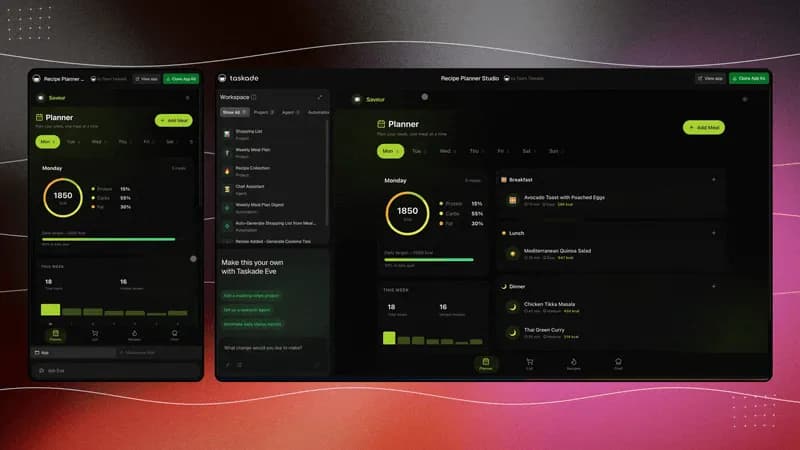
Community Gallery Community Gallery: Browse 500+ template-enabled Taskade Genesis apps from the Community Gallery. Use the Clone action to copy one into your workspace, then customize it. CRM, Finance, Booking, Events, Marketing, E-Commerce, and more. Apps can include agents, automations, and workflows; the clone breakdown shows what a given app copies.
Browse 500+
Clone & customize
Clone & customize
Clone & customize
Clone & customize
Live Web Hosting Live Web Hosting: Publish apps with hosting included — always online, always fast. No external hosting, no DevOps. Your apps stay connected to workspace DNA and evolve as your workspace grows.
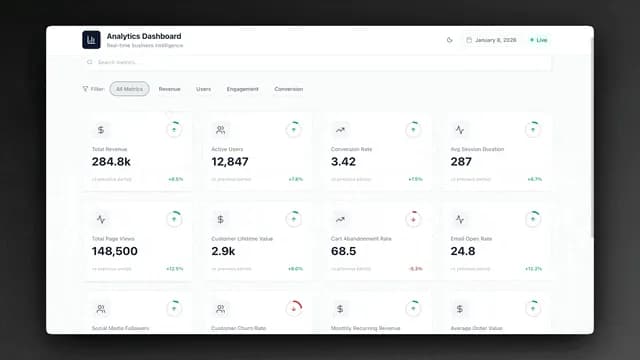
Built-in App Analytics Built-in App Analytics: Track page views, sessions, geography, and user behavior across all your apps — built in, no third-party tools. Monitor agent performance and automation execution in one dashboard. Export reports and track KPIs over time.
✓ Advanced
✓ Advanced
✓ Advanced
Private & Public Apps Private & Public Apps: Keep apps private for internal use or publish them publicly to the Community Gallery. Full access control for every app you build. Perfect for internal tools, client projects, or public-facing dashboards and portals.
Custom Domains Custom Domains: Purchase and connect custom domains directly inside Taskade. Buy a domain and your app goes live instantly with automatic SSL. Serve apps from yourbrand.com with zero DevOps. Also supports CNAME for existing domains you already own.
White-Label Branding White-Label Branding: Complete white-labeling with custom logos, colors, and branding on all your AI apps and shared links. Pro removes the "Powered by Taskade" watermark. Business adds full custom logos, colors, and branded client portals.
Remove watermark
Full white-label
Full white-label
Full white-label
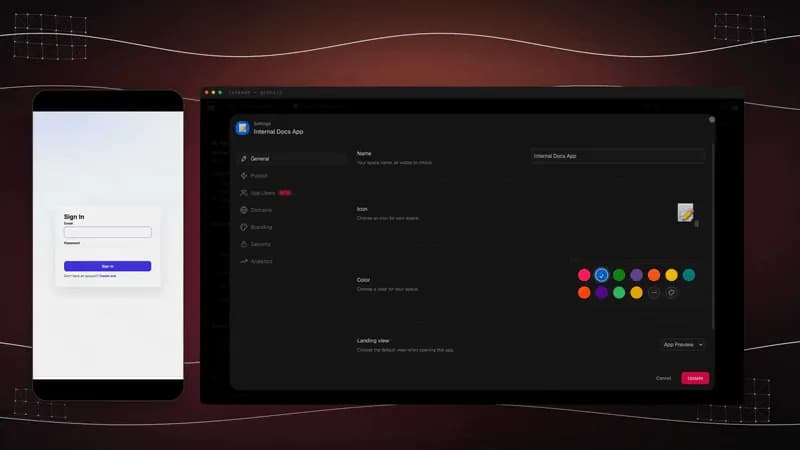
App User Authentication App User Authentication: Add login, signup, and user management to any app — built-in authentication with zero external services. Manage app users directly from Genesis settings. Perfect for client portals, internal tools, and SaaS apps you want to gate behind a login.
Team Collaboration Team Collaboration: Collaborate with your entire team in real-time. Share workspaces, assign roles, set permissions, and monitor usage across your organization. Work together on AI apps, agents, and automations with live editing and instant sync.
Guests & teams
Full teams & clients
Full teams & clients
Enterprise teams
Admin Dashboard Admin Dashboard: Centrally manage your entire organization from one powerful dashboard. Control user permissions, monitor workspace activity, track usage analytics, and get insights into team productivity.
8 features // Feature
Free
Pro Popular
Business Teams
Max
Enterprise
Custom AI Agents Custom AI Agents: Build, train, and deploy agents for any role — support, sales, research, ops, or custom tasks. Each agent learns from your workspace context and gets smarter over time. Assign tools, set commands, and let agents trigger automations autonomously.
1
Unlimited
Unlimited
Unlimited
Unlimited
Train Agents with Your Data Train Agents with Your Data: Upload PDFs, docs, spreadsheets, images, URLs, and YouTube videos to train agents on your knowledge. Connect Google Drive, Dropbox, Box, or OneDrive. All sources are indexed and auto-synced. The more data you feed, the smarter your agents get.
Unlimited
Unlimited
Unlimited
Unlimited
Agent Generator Agent Generator: Describe what you need and generate a ready-to-use agent instantly. EVE or the Agent Generator creates agents with the right skills, tools, and knowledge. Add business context to tailor agents to your domain.
AI Kits AI Kits: Package agents, projects, and automations as reusable kits. Clone and deploy entire workflows instantly. Share complete solutions with your team or the community. Each kit includes pre-configured agents, automations, and workflows you can customize.
Agentic Teams Agentic Teams: Group agents into agentic teams that collaborate seamlessly — the Intelligence pillar at scale. When you chat with a team, agents auto-pick the best member to respond or collaborate for a complete answer. Create teams for marketing, sales, support, or any workflow.
Limited
Unlimited
Unlimited
Unlimited
Custom Agent Tools Custom Agent Tools: Create custom tools with triggers and actions for your agents. Give agents the ability to create projects and tasks, exchange information with external platforms, and interact with each other. Connect agents to any API, automation workflow, or integration. Prompt agents to use specific tools during conversations.
Private AI Chat Private AI Chat: Chat privately with your AI agents from anywhere in Taskade. Use custom commands with '/' shortcuts, invite team members to shared agent chats, and interact with agents in projects or automation workflows. All conversations are encrypted and secure within your workspace.
External AI Tool Connections (MCP) External AI Tool Connections (MCP): Connect Claude Desktop, Cursor, VS Code, and other MCP-compatible AI tools straight to your workspace via the Model Context Protocol. The tools you already use can read and search your projects, tasks, docs, and app files. Included on every paid plan.
6 features // Feature
Free
Pro Popular
Business Teams
Max
Enterprise
Four AI Chat Modes Four AI Chat Modes: Four specialized chat modes: Genesis (build apps), Projects (manage work), Agents (deploy AI teammates), Automations (create workflows). One chat interface, four ways to build. Each mode gives the AI different capabilities and context.
1 mode
4 modes
4 modes
4 modes
4 modes
AI Models AI Models: Frontier models from top AI labs, from OpenAI GPT to open-weight models such as DeepSeek and Qwen. Claude is available on Enterprise with your own API key (BYOK). Pick fast models for quick tasks or advanced models for deep analysis. Each agent can use a different model based on its role.
Basic
Frontier models
Frontier models
Frontier models
Custom
Per-Agent Model Selection Per-Agent Model Selection: Choose the best AI model for each agent, from OpenAI GPT to open-weight models such as DeepSeek and Qwen. Assign different models to different agents based on their role. A support agent might use a fast model for quick replies, while a research agent uses an advanced model for deep analysis.
AI Thinking & Reasoning AI Thinking & Reasoning: Enable step-by-step reasoning for complex tasks. Agents show their thinking process before answering. Analyze context, break down complex problems, and make sophisticated decisions. Perfect for data analysis, strategic planning, debugging, and any task where understanding the reasoning matters. Toggle thinking mode per conversation or per agent.
Knowledge Sync Knowledge Sync: How often agents auto-refresh their knowledge from connected sources. Dynamic knowledge sync keeps your agents up-to-date automatically. When you add projects or links to agent knowledge, they refresh on schedule—ensuring agents always have the latest information.
Manual
Daily
Hourly
Real-time
Real-time
Long-Context Agents Long-Context Agents: Agents that can process and remember larger amounts of context. Handle extensive documents, long conversations, and complex multi-part queries. Perfect for analyzing large datasets and maintaining context across extended workflows.
7 features // Feature
Free
Pro Popular
Business Teams
Max
Enterprise
AI Automations AI Automations: Connect Taskade with 100+ apps to run tasks on triggers — the Execution pillar of workspace DNA. Respond to events, orchestrate agentic workflows, process payments, send notifications, and update records automatically. Runs 24/7 in the background.
Unlimited
Unlimited
Unlimited
Unlimited
Scheduled Workflows Scheduled Workflows: Schedule automations to run at specific times or intervals. Set up recurring tasks, reports, and workflows that execute automatically every hour, day, week, or month. Perfect for daily standups, weekly reports, monthly analytics, and any time-based business process.
Agentic Workflows Agentic Workflows: Build multi-step flows with conditions, branches, loops, and AI decision-making — runs 24/7. Drop your custom AI agents into any workflow to handle tasks, make decisions, and orchestrate complex processes. This is how Genesis becomes a complete operating system.
Web Search & Scraping Web Search & Scraping: Give agents the ability to search the web and scrape websites in real-time. Pull live data from URLs, YouTube videos, and web searches to keep your agents informed and up-to-date. Use web scraping actions in automations to extract content, monitor websites, and gather information from any online source.
Forms & AI Apps Forms & AI Apps: Build forms that trigger automations and create AI-powered apps. Collect data and process it automatically. When a form is submitted, trigger workflows that create projects, send notifications, update databases, or run AI agents. Perfect for lead capture, surveys, bookings, and any data collection workflow.
E-Commerce & Payments E-Commerce & Payments: Build storefronts, process payments, and manage orders with built-in Shopify and Stripe integrations. Create e-commerce apps, invoice generators, and payment portals from a single prompt. Automate order fulfillment, inventory tracking, and customer notifications. Accept payments directly in your Genesis apps.
API & Webhooks API & Webhooks: Build custom integrations with our powerful REST API and webhooks. Connect Taskade to proprietary systems, automate complex workflows, and create tailored solutions that fit your exact tech stack requirements. Trigger automations from external services or send data to any endpoint.
6 features // Feature
Free
Pro Popular
Business Teams
Max
Enterprise
Real-Time Sync Real-Time Sync: Live editing, chat, and collaboration across all devices. Changes sync instantly for everyone. Work together on projects, chat with team members, and collaborate on AI apps in real-time. Your workspace stays synchronized across web, desktop, and mobile apps with full offline support.
Views Views: Multiple project views: List, Board, Calendar, Table, Mind Map, Gantt, and Org Chart. Switch between views instantly — no data loss. Table view doubles as a database for Genesis apps. Each view offers unique ways to visualize and interact with your data.
Basic
All
All
All
All
Templates Templates: Save and reuse custom project templates. Clone production-ready templates from the community. Each template includes pre-configured agents, automations, and workflows. Build once, reuse everywhere.
5
Unlimited
Unlimited
Unlimited
Unlimited
Custom Fields & Schema Custom Fields & Schema: Add custom fields and create structured data schemas for your projects. Organize data exactly how you need it. When Genesis creates an app, it automatically generates database projects with custom fields and relationships. Perfect for CRM apps, booking systems, inventory management, and any structured data use case.
Version History Version History: Restore previous project revisions. Never lose work with automatic version tracking. See what changed, when, and by whom. Restore to any point in your project's history. Perfect for collaboration, auditing, and recovering from mistakes.
7 days
1 year
Unlimited
Unlimited
Unlimited
Guests & Link Sharing Guests & Link Sharing: Invite unlimited guests and share projects with custom link permissions. Control access at every level — public, private, or password-protected. Share workspaces, projects, and apps securely. Perfect for collaborating with clients, external teams, or stakeholders while maintaining control over sensitive information.
Public links
Password-protected
Client portals
Client portals
Enterprise sharing
9 features // Feature
Free
Pro Popular
Business Teams
Max
Enterprise
100+ Integrations 100+ Integrations: Seamlessly integrate with Gmail, Google Calendar, Slack, Microsoft Teams, Salesforce, HubSpot, and 100+ other tools. Sync data bidirectionally and automate workflows across your entire tech stack. Connect your workspace DNA to the tools you already use—no code required.
Google Drive, Dropbox, OneDrive Google Drive, Dropbox, OneDrive: Import, attach, and train agents on files from your cloud storage. Sync data bidirectionally. Add files directly from Google Drive, Dropbox, Box, or OneDrive to agent knowledge. Automations can trigger on new files or folders. Perfect for keeping your workspace synchronized with your existing file storage.
Slack, Discord, Notion, GitHub Slack, Discord, Notion, GitHub: Notify, sync, and connect agents to your communication and development tools. Send messages to Slack channels, create GitHub issues, post to Discord, or sync with Notion. Automations can trigger on new messages, mentions, or events. Agents can interact with these platforms through custom tools.
Zapier, Make, n8n Zapier, Make, n8n: Connect to thousands of apps for cross-platform workflows. Automate anything, anywhere. Use Zapier, Make, or n8n to extend Taskade's automation capabilities. Connect to services that don't have direct integrations. Build complex workflows that span multiple platforms and tools.
Custom Integrations Custom Integrations: Build custom integrations to connect Taskade with proprietary systems and internal tools. Use HTTP requests, webhooks, and the REST API to create tailored solutions that fit your exact tech stack requirements. Connect to legacy systems, internal APIs, or any service with an API endpoint.
Telegram Bot Builder Telegram Bot Builder: Build Telegram bots with no code using automation workflows. Connect your AI agents to Telegram. Automate customer support, lead capture, notifications, and more — directly in the messaging app your users already have. Trigger workflows from Telegram messages and send responses back automatically.
Google Calendar Sync Google Calendar Sync: Sync events, check availability, and automate scheduling with Google Calendar. List events, check free/busy slots, and create calendar entries from automation workflows. Perfect for booking apps, scheduling tools, and any Genesis app that needs calendar awareness.
Airtable & Shopify Airtable & Shopify: Connect live data from Airtable databases and Shopify stores to your automations and Genesis apps. Pull product catalogs, sync inventory, trigger workflows on new orders, and build dashboards powered by real-time external data. No code required.
API Access API Access: Full REST API access for developers. Build custom applications and automate workflows programmatically. Create projects, tasks, and automations via API. Integrate Taskade into your existing applications or build entirely new tools on top of your workspace DNA.
8 features // Feature
Free
Pro Popular
Business Teams
Max
Enterprise
Password-Protected Sharing Password-Protected Sharing: Add passwords to public share links. Keep sensitive information secure while collaborating externally. Share workspaces, projects, and apps securely with password protection. Control access and protect client data, internal documents, or any sensitive information.
MFA MFA: Enable multi-factor authentication for added account security. Protect your workspace from unauthorized access with an extra layer of security. Require team members to verify their identity using authenticator apps or SMS codes. Essential for protecting sensitive business data and client information.
Workspace Backups Workspace Backups: Automatic backups of your entire workspace. Your data is always safe and recoverable. All projects, agents, automations, and apps are automatically backed up. Combined with version history, you can restore to any point in time. Never lose your workspace DNA.
Usage Analytics Usage Analytics: Track workspace activity, agent performance, and automation execution in real-time. Export reports, track KPIs, and optimize workflows based on data. Perfect for agencies and businesses managing multiple workspaces.
Priority Processing Priority Processing: 2x faster AI generation with priority compute. High-performance processing means your apps build faster and run smoother, even during peak hours. Get priority access to AI models for faster agent responses, quicker app generation, and smoother automation execution.
SAML Single Sign-On SAML Single Sign-On: SAML Single Sign-On and advanced access controls, included from Business up. Integrate seamlessly with Okta, Azure AD, or Google Workspace. Maintain complete control over who has access to your workspace with enterprise identity management.
Bring your own key (BYOK) Bring your own key (BYOK): Bring your own OpenAI, Anthropic and Google Vertex AI API keys and run Taskade AI on your own provider accounts. Keys are verified on save and available on the Enterprise plan with full security controls. AI generation runs on your own provider billing.
Support Support: Every plan includes help center and community forums. Paid plans add email, priority, and dedicated support. Business includes personalized onboarding and a success manager. Enterprise gets 24/7 dedicated support with SLA guarantees.
Community
Priority
Priority + Success
Priority + Success
Dedicated
Frequently asked questions. One prompt. One app. One living system.
Do I need to know how to code? No. Taskade Genesis is built for operators, not developers.
Describe your business in plain English. Example: "a CRM that tracks my leads and follows up automatically." Taskade Genesis can create a live app. You do not need to write code.
Start building for free →
What is Taskade Genesis? Taskade Genesis is the AI-native workspace where one prompt can become a live app .
Build dashboards, client portals, CRM systems, and internal tools. Connect them to your projects, AI agents, and automations. Describe what you need in plain language.
Start building for free →
What can I build with Taskade Genesis? Describe the work you need. Teams commonly build:
Dashboards Projects Tools Workflows Websites AI Assistants : Custom agents trained on your dataCommerce Forms Quick Apps
Every app connects to your Workspace DNA. Projects, agents, and automations work together. Browse Featured apps or start from scratch.
Want a faster start? Clone a working app from the Community Gallery and make it yours in one click.
Start building →
Why upgrade from Free to Pro? Free is for exploration. Pro unlocks more of the Taskade Genesis surface:
Apps : 3 → Unlimited Agents : 1 → Unlimited Automation runs : 10 a month → 1,000 a month Credits : 0 to start (earn or buy) → 50,000/mo AI Models : Frontier models from top AI labsIntegrations : Basic → 100+ apps
Your published apps stay live on Free. Upgrade when you need more credits, agents, and automations.
Business adds custom domains, SAML SSO, and team controls.
See all Pro features →
Which AI models does Taskade use? Taskade runs on TSK-1 , the intelligence layer of your workspace. Use Auto on any plan, or pick a rung: TSK-Instant on every plan, TSK-Standard or TSK-Thinking on paid plans, or TSK-Reasoning on Max and Enterprise. TSK-1 uses frontier models from top AI labs, including OpenAI GPT and open-weight models such as DeepSeek and Qwen. Enterprise can add Anthropic Claude with its own API key (BYOK).
Paid plans add more credits and higher request capacity. Every plan can choose a model per agent. Free workspaces use lighter models. Paid plans unlock premium models. You do not need your own API keys.
Does Pro include unlimited apps? Yes. Pro includes unlimited apps , unlimited workspaces, and unlimited AI agents.
Build as many apps as you need. There is no cap on creativity.
How do AI credits work? Credits power all AI work in Taskade: generating apps, running agents, and executing AI steps in automations.
Free : starts at 0 credits. Earn credits or buy a credit packPro : 50,000 credits/month. Unlimited apps and agents, plus frontier AI modelsBusiness : 150,000 credits/month for team-wide building
The same prompt does not always cost the same. A quick question is cheap. Building a full app with research costs more, because the agent re-reads everything it has built on every step. A long, complex build can cost several times a short one.
What you are doing Roughly costs A simple question or edit the least. A small slice of your monthly credits Generating one focused app or page a moderate amount Building a full app with research, data, and many steps the most. It can use several times the credits of a simple prompt
Rule of thumb: the longer and more complex the build, the more it re-reads, and the more credits it uses. You always see your remaining credits in the build screen.
Credits on paid plans renew monthly. Every paid plan can buy pay-as-you-go packs from the signed-in Credits page.
You can also earn bonus credits through referrals (up to 3,500 credits) and social actions like reviews and follows.
How far do my monthly credits go? Far enough to run your business, not just try it. A typical Taskade Genesis app build uses a few thousand credits, so each paid plan's monthly allowance covers multiple builds and refinements. Free starts at 0 credits: earn credits through referrals and social actions, or buy a credit pack:
Plan Included credits Free 0 to start. Earn or buy Pro 50,000 / month Business 150,000 / month
Once an app is built, it runs for free. Visitors, projects, sync, and non-AI automations never touch your credits. Most of your monthly credits go toward creating and improving apps, not keeping them alive.
Need a bigger month? Paid plans renew monthly. Every paid plan can buy credit packs . The signed-in Credits page shows the options available to you.
Do my apps keep running if I use all my credits? Yes. Your apps never stop. Published apps, projects, collaboration, real-time sync, every project view your plan includes, and non-AI automations keep working normally.
Credits are only used when generating new AI content. Existing apps serve unlimited visitors at zero cost. Credits on paid plans reset monthly. Every paid plan can buy a credit pack to keep building. A single build cannot overdraw your account: every build draws from your plan's credit balance, and generation stops when the balance is used up (see below).
What stops a build from using all my credits at once? Your credit balance is a hard ceiling. Every build draws from your plan's monthly credits, and generation stops the moment that balance is used up. A single build can never overdraw your account or spend beyond what your plan includes.
You stay in control: you can stop a build yourself at any time, your remaining credits are shown live while you work, and full usage details are in your settings. Every paid plan can buy credit packs for additional capacity.
Which plan includes integrations? Taskade connects to 100+ services. The free plan runs the standard connectors. The premium set (Gmail, Slack, Stripe, Salesforce, Notion, Airtable, and HubSpot) needs any paid plan. A few actions ask for more: HTTP webhook triggers start on Pro.
Communication : Slack, Gmail, Microsoft Teams, Discord, WhatsAppStorage : Google Drive, Dropbox, OneDrive, BoxDevelopment : GitHub, GitLab, Webhooks, REST APIsPayments : Stripe (subscriptions, receipts, cancellations)Marketing : HubSpot, Mailchimp, WordPressAutomation platforms : Zapier, Make, Pabbly, custom APIs
Connect your entire stack and let automations bridge everything.
Which plan is best for teams building internal tools? Business is ideal for teams. You get:
Shared credit pool (150,000/month)
Unlimited team members
Advanced analytics
Admin controls and permissions
Priority support
Compare plans →
Which plan is best for agencies building client apps? Business for most agencies. It includes SAML SSO, custom domains, and team controls.
Enterprise for large deployments with SCIM provisioning, custom SLAs, and dedicated support.
Talk to sales →
Which plan includes custom domains? Business, Max, and Enterprise include custom domains.
Publish your apps at app.yourcompany.com with automatic SSL. Buy a domain inside Taskade at publish time, or point a domain you already own with a CNAME record.
Connection status shows in App Settings → Domains while the certificate is issued.
Set up a custom domain →
When is Taskade branding removed? Every paid plan removes the "Powered by Taskade" badge from your published apps. Business and above add app colour branding and a custom domain:
Every paid plan : Remove the "Powered by Taskade" badgeBusiness+ : Set your app's primary, accent, and background coloursBusiness+ : Publish on a domain you own Can I upgrade later without losing my work? Yes. Everything stays intact when you upgrade.
Your apps, agents, workflows, projects, and data stay intact when you upgrade. Upgrade at any time to add more features.
Who owns the apps, agents, and content I create? You do. 100%.
Everything you build is yours to keep, export, and use commercially. We never claim ownership of your content.
Is my data private and secure? Yes. Your data is never used to train AI models .
Encrypted in transit and at rest (AES-256)
Google CASA certified (OWASP ASVS Level 2)Data protection practices aligned with industry standards
SOC 2 Type II compliance in progress
SAML single sign-on available from Business up
We partner with trusted AI providers under strict data processing agreements. Your data stays private.
Learn more about security →
Who uses Taskade? Teams use Taskade to build apps, run agents, and automate workflows.
Live apps in the Community Gallery
Agents and automations running in workspaces
4.9/5 rating from 5,000+ reviews
Teams at Nike, Netflix, Airbnb, Tesla, Disney, Adobe, 3M, ESPN , and thousands of startups and agencies use Taskade every day.
We ship weekly product updates . Your workspace gets smarter every week.
Backed by Y Combinator and leading investors.
Learn more →
How do I choose the right AI model for my task? Taskade includes frontier models from top AI labs. Use Auto, or pick a model based on the task:
Faster models : Short edits, bulk agent tasks, and chatBalanced models : Everyday building, writing, and codeReasoning models : Long documents, multi-step planning, and complex workflows
Use Auto mode when you want Taskade to choose. Use a reasoning model when the task is long or complex.
See model tiers →
How do I make sure I never run out of credits? On every paid plan you can enable auto top-up to refill credits when your balance reaches the configured threshold.
To enable: Go to Settings → Billing → find the Auto Top-Up section → toggle ON .
Open credit packs while signed in to see the pack sizes available on your plan.
Compare plans →
Can I earn free credits? Yes. Multiple ways to earn bonus credits:
Referrals : Invite friends and earn up to 3,500 credits when they sign upSocial actions : Claim credits for reviews, follows, and sharesFree plan : starts at 0 credits. Earn credits through the actions above, or buy a credit pack
Credits from referrals and social actions stack on top of your plan credits.
How can I save on a paid plan? Choose annual billing to save 50% compared with monthly billing on Pro, Business, Max, and Enterprise.
Taskade does not publish a standing student, startup, nonprofit, or education discount program.
Compare annual and monthly plans →