






Hello Taskaders! 🌟
Discover a new way to interact with your files, craft projects with AI on-the-go, and streamline your media management. Enjoy and have fun!
TL;DR: AI File Chat, AI Project Studio, and the Media Manager shipped in 2023 were early steps toward today’s Taskade — now with 8 project views, 11+ frontier AI models from OpenAI, Anthropic, and Google, and 100+ integrations. Taskade Genesis turns any prompt into a living app powered by your workspace.
Then → Now: Chatting with PDFs in 2023 evolved into today’s AI knowledge sources — docs, web, YouTube, PDFs, and OCR feeding AI Agents v2 and Taskade Genesis. See agent guides and the community gallery for live examples.
| Dimension | 2023 H2 (v4.119-era) | Today (2026) |
|---|---|---|
| File AI | Chat with uploaded media, AI File Chat, Project Studio | AI knowledge sources: docs, web, YouTube, PDFs, file OCR |
| Formats | PDF / DOCX / TXT / images | PDF / DOCX / images / audio / video / web pages |
| Storage | Per-project media manager | Workspace media + Media Tab + agent knowledge |
| Use case | One-off Q&A on a file | Persistent agent memory across thousands of files |
📂 From File Chat to Workspace DNA
In September 2023, "chat with your docs" meant attaching a PDF and asking questions one chat at a time. By 2026 the same gesture wires into Workspace DNA — the memory layer that feeds every agent, automation, and Taskade Genesis app in the workspace.
  Upload                Index                 Use
  ──────                ─────                 ───

  PDF      ┐                               ┌─▶ /ask in any project
  DOCX     │                               │
  CSV      │      ┌──────────────────┐     ├─▶ Agent knowledge
  TXT      ├────▶ │  Workspace DNA   │ ───▶│
  web      │      │  (memory layer)  │     ├─▶ Automation trigger
  YouTube  │      └──────────────────┘     │
  image    ┘                               └─▶ Genesis app context
drag · drop · OCR       persistent        live retrieval
Modern doc & media map: AI knowledge sources • Media Tab • Summarize with AI • Import Center • AI Agents v2 • custom agents • Taskade Genesis • Automations • Community Gallery • Templates • Integrations.
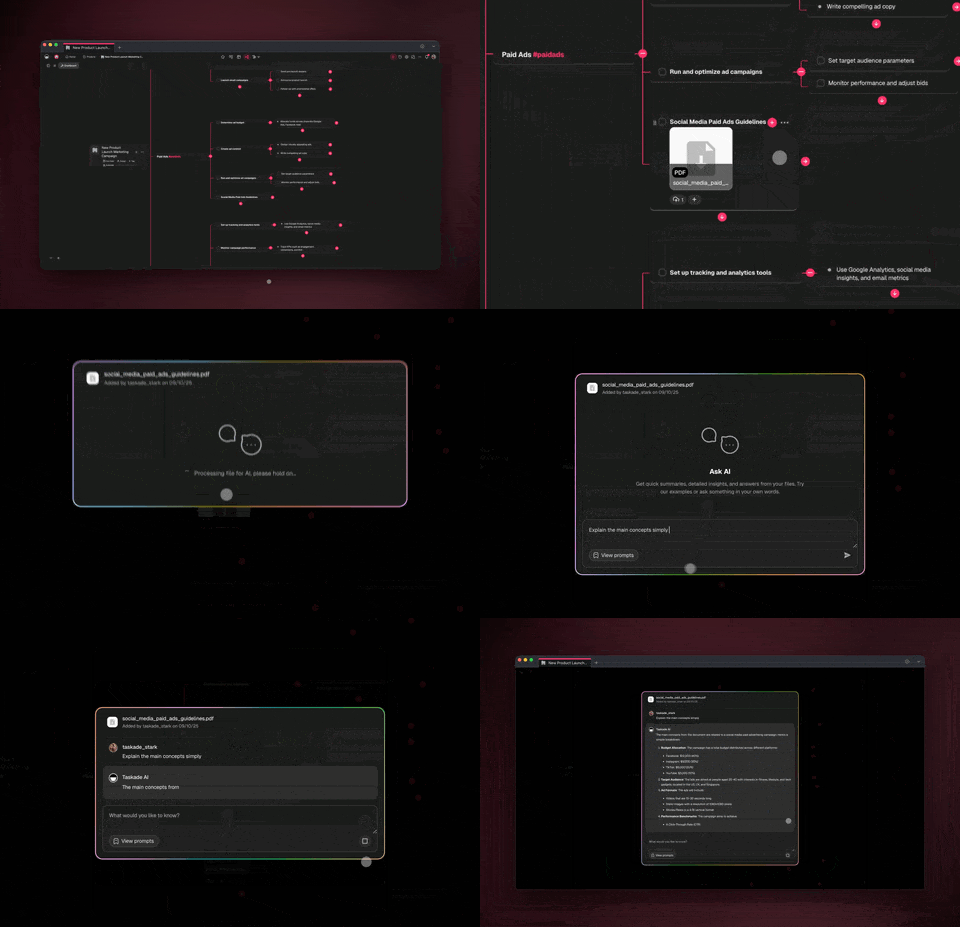
💬 AI File Chat — Talk to Your Docs
Ever wished your file attachments could respond? Now they can! Upload files, ask questions, extract summaries, and uncover insights—all within your project.
From PDFs to CSVs, simply drag-n-drop to upload and Ask AI. Learn more.
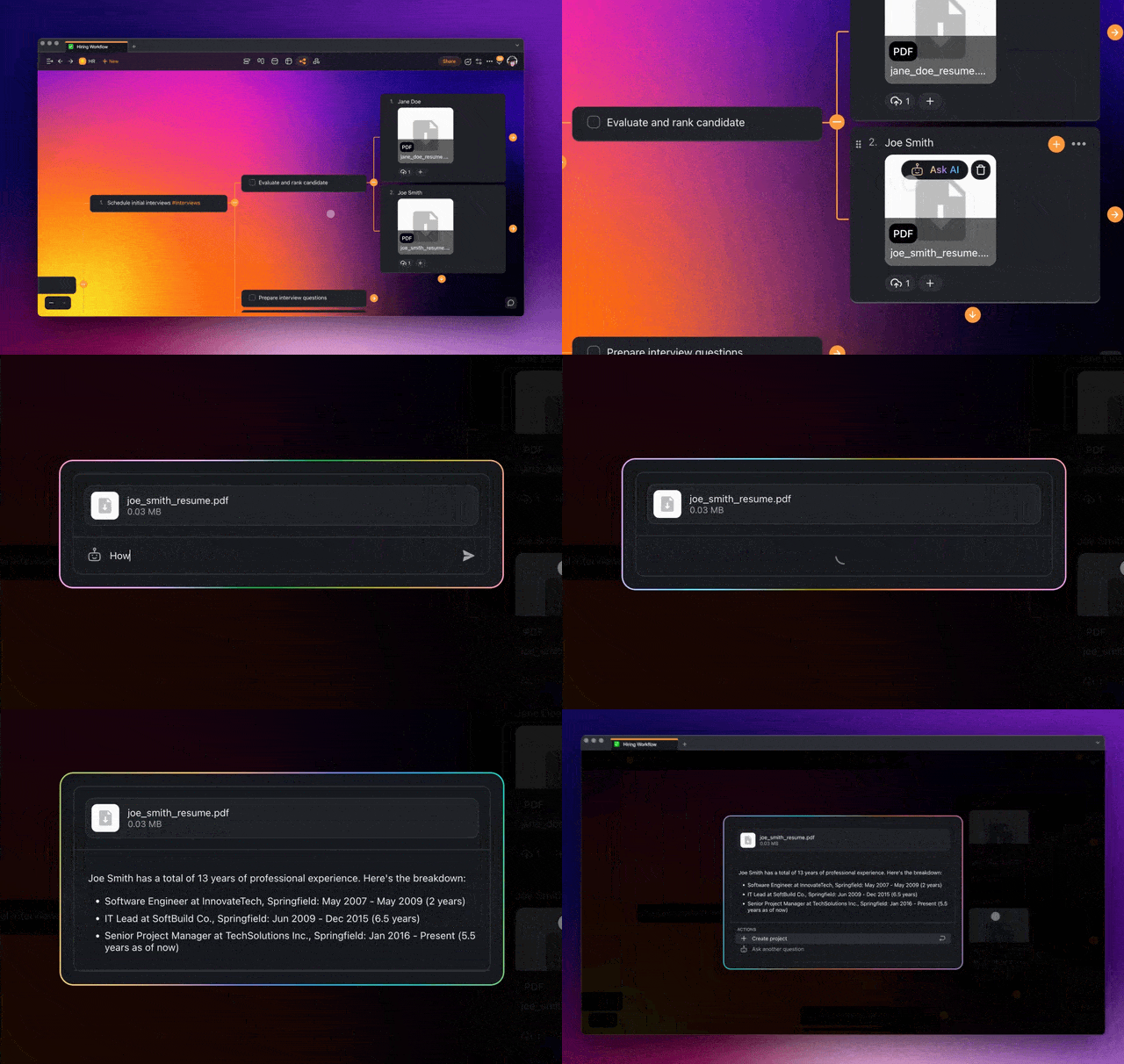
ai project file chat
✨ AI Project Studio — iOS & Android
Craft new projects and workflows with AI on the go. Select from an expansive range of AI Prompt Templates, now with even more customization. Stay tuned for the launch on web and desktop. Learn more and download our apps. ⚡️
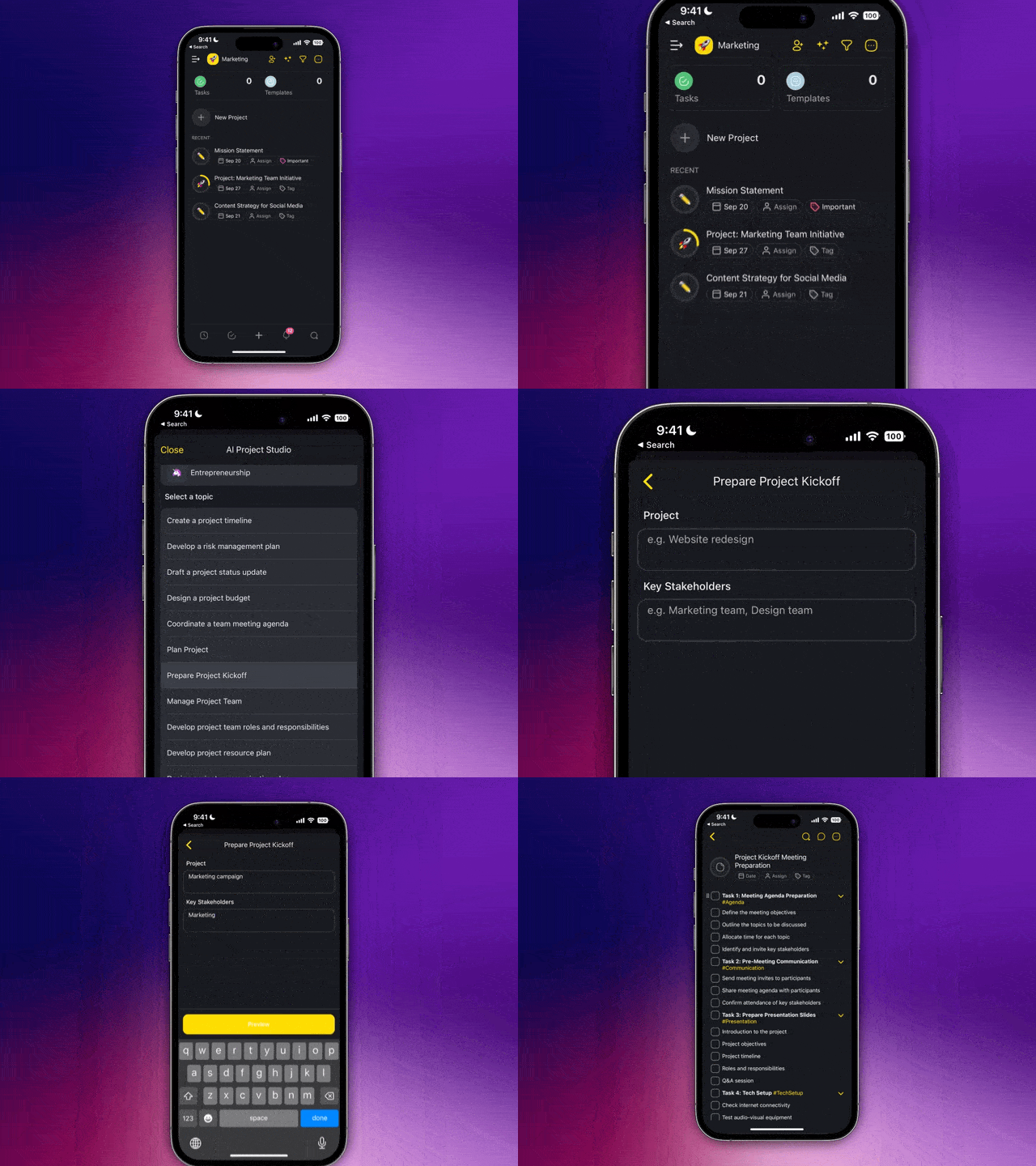
ai project studio
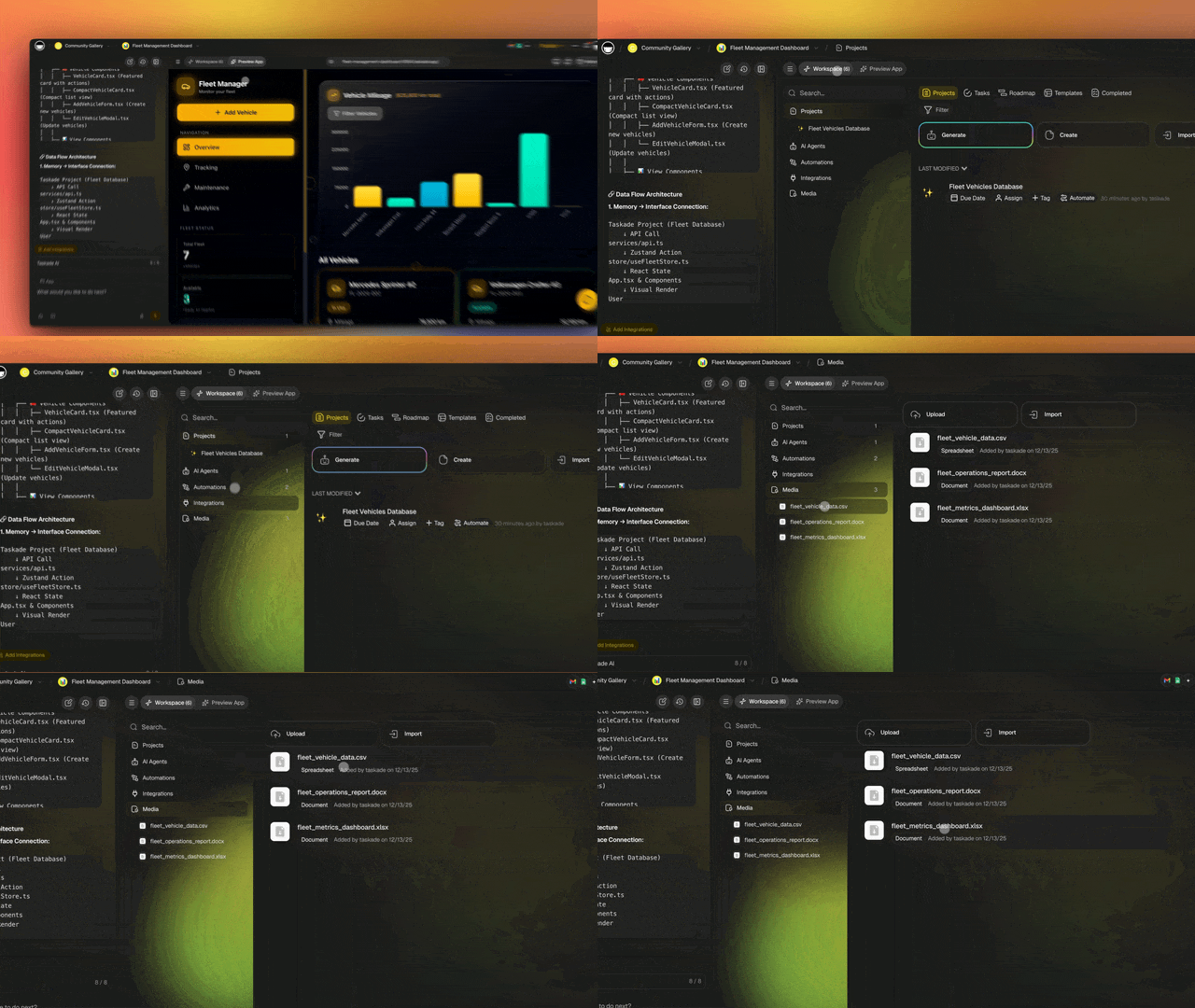
🗂️ Media Manager — Unified File Hub
Introducing a unified way to access, manage, and download all your files. Every file you upload to your projects – be it an image, video, or document – is now easily accessible in your workspace's Media tab. No more searching for files; everything's right where you need it.
But it's more than just file management! Chat directly with your files (PDFs, CSVs), ask questions, extract summaries, and unearth new insights. It's not just about managing files; it's about a new way to work! Learn more.
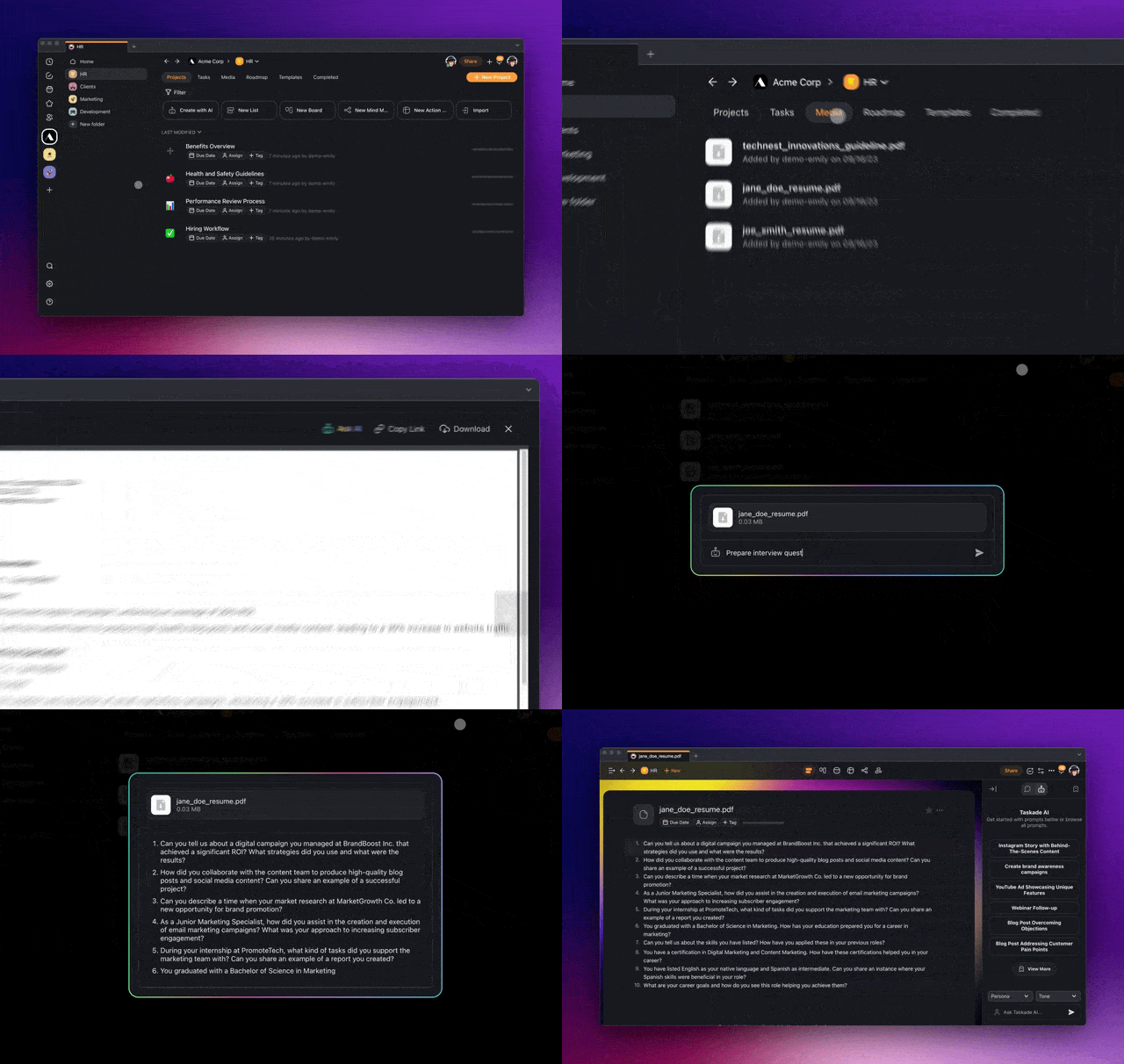
ai media manager
✨ Other Improvements
New: Taskade API V1 in Alpha. Interested in early access? Contact us
New: Unlock AI capabilities with 'Ask AI' shortcuts in PDF, CSV uploads
New: Manage your files efficiently with the new Media tab in workspaces
Improved: AI Chat now has enhanced styles for clearer text visibility
Improved: UI upgrades for a smoother experience: streamlined board view, optimized mind map, org chart, and mobile web responsiveness
Improved: AI Project Chat and enhanced Q&A with new embedding
Fixed: No more struggling with Taskade AI visibility in dark mode
Fixed: Say goodbye to project date issues and UI lag
Fixed: Freshened up with updated tags, workspace icons, and more
Various bug fixes and performance improvements.
Thank you for being part of our journey. Stay tuned for more exciting updates!
Do you have any questions? Visit our Help Center or let us know. 😊
— Team Taskade 🐑
P.S. Love Taskade? Partner with us and join our Affiliate Partnership program today.

Frequently Asked Questions
What is AI File Chat in Taskade?
AI File Chat lets you upload documents — PDFs, CSVs, Docs — to any project and then ask questions about their contents. The AI reads the file, extracts key information, generates summaries, and answers follow-up questions directly in the project chat.
What is the AI Project Studio on Taskade mobile?
The AI Project Studio is a mobile-first tool for creating new projects and workflows with AI. Select from AI Prompt Templates, customize the output, and generate task lists, mind maps, or outlines on the go from your iOS or Android device.
How does Taskade's Media Manager work?
The Media Manager is a unified file hub in your workspace's Media tab. Every image, video, and document uploaded to any project is accessible in one place. You can also chat with uploaded files using AI to extract insights without switching between projects.
What file types can I upload and chat with in Taskade?
Taskade supports PDFs, CSVs, DOCs, and text files for AI chat. Upload them by dragging and dropping into any project or through the Media tab, then use the AI chat interface to ask questions, summarize content, and extract data points.