







We had 47 cron jobs. Some ran every minute. Some ran every hour. None of them could tell us if they succeeded.
The breaking point came when we needed to build a workflow that created a project, configured three AI agents, set up automation triggers, and indexed everything for search — in order, with rollback if any step failed. A cron job cannot do this. Neither can a simple job queue like Bull or BullMQ. What we needed was durable execution — workflows that survive server restarts, retry intelligently, and maintain state across every step.
We invested in a durable execution engine. Two years later, that foundation powers our automation system, which processed 3 million automations in its first 90 days. This post covers the architecture decisions, production patterns, and hard lessons of running durable workflows for AI workloads at scale.
TL;DR: Taskade runs dozens of workflow definitions across dedicated execution lanes to isolate AI and search operations from user-triggered automations. The automation engine coordinates 100+ integrations with per-activity retry policies. This post covers why we left cron jobs behind, how we isolate workloads, and the production patterns of durable execution for AI. Try Taskade automations free →
For the broader context on how we build agentic engineering systems, see our multi-agent guide. For the product side of automation workflows, see how teams use Taskade to automate real work without code.
🔧 Why Cron Jobs Failed Us
We started where most teams start: cron jobs and Redis-backed queues.
Our early automation system was straightforward. A scheduler ran tasks on fixed intervals. A queue processed background jobs. If something failed, we logged it and moved on. This worked when "automation" meant sending a notification or updating a search index. It stopped working when AI agents entered the picture.
Here is the problem with cron-based orchestration for AI workloads:
| Before (Cron Jobs) | After (Durable Execution) |
|---|---|
| Fire-and-forget | Guaranteed completion |
| Manual retry logic | Automatic retries with backoff |
| No state visibility | Full workflow history |
| Silent failures | Observable failure states |
| Time-based triggers only | Event-driven + scheduled |
| No branching | Branching, looping, filtering |
One cron job silently failed for three weeks. Nobody noticed until a customer asked why their automations stopped working. We checked the logs — the job had been throwing an unhandled exception on a specific edge case and the process supervisor kept restarting it. Every restart lost the in-flight state.
That was the moment we decided to invest in durable execution.
The requirements were clear:
- Guaranteed completion — if a workflow starts, it finishes (or explicitly fails with a reason)
- Per-step retries — retry a single failed step without re-running the entire workflow
- State persistence — survive server restarts, deployments, and network failures
- Observable — know exactly which step is running, which failed, and why
- Composable — workflows can call other workflows (AI agent setup triggers automation setup triggers search indexing)
We evaluated several options — simple job queues (Bull/BullMQ, Celery), state machine services (AWS Step Functions), and workflow-as-code engines. We chose a workflow-as-code approach because it treats workflows as functions — not JSON state machines, not YAML pipelines, but actual code that can be paused, resumed, and replayed.
⚡ What Durable Execution Actually Means
A durable workflow is a function that can be paused and resumed. That sentence sounds simple but the implications are profound.
When you write a durable workflow, you write a regular function — loops, conditionals, variables, error handling. The engine records every decision point as an event in a persistent history. If the server crashes mid-execution, the engine replays the workflow from its event history, skipping activities that already completed. The workflow picks up exactly where it left off.
Every side effect — an API call, a database write, a message to Slack — runs as an activity. Activities are the units of real work. They can be retried independently. If an activity fails (network timeout, rate limit, transient error), the engine retries it according to a configurable retry policy without re-running the workflow from the beginning.
The guarantee is simple: if a workflow starts, it will complete (or explicitly fail with a reason). There are no silent failures. There are no lost-in-flight states. There are no "did that job run last night?" conversations.
For AI workflows specifically, durable execution solves a critical problem: partial completions. When a Taskade Genesis app build needs to create a project, configure agents, set up automations, and index content — each step depends on the previous one. If step 3 fails in a cron-based system, you end up with a project and agents but no automations and no index. The system is in an inconsistent state. With durable execution, step 3 retries until it succeeds, or the entire workflow rolls back cleanly.
"Every workflow is a transaction that can survive server restarts, network failures, and deployment updates."
This is not theoretical. We run workflows that coordinate across 100+ integrations, multiple AI model providers, search indexing systems, and billing infrastructure. Durable execution is the foundation that makes this reliable.
⏳ Durable Execution Is What Makes Multi-Day AI Runs Possible
Durable execution is the reason an AI workflow can run for days instead of seconds. The pattern is simple: record every step, survive any restart, and resume from the last committed state. Across the multi-agent systems industry, this has shifted from a nice-to-have into a baseline — agent runs that span days are now an established design target, and that endurance comes entirely from a durable execution foundation underneath the model.
TL;DR (this section): In the wider industry, multi-agent "mission" systems now run autonomously for days — one publicly described run lasted 16 days — by pausing, checkpointing, and resuming on a durable foundation. Taskade Genesis applies the same durability to reliable, durable automation workflows: branch, loop, filter, wait minutes-to-days, and resume from the failed step. Build one free →
A useful industry reference point comes from the way teams now describe long-running agent "missions." A human decides what to build; a system figures out how and runs for hours or days while the person focuses elsewhere. The mechanics that make this safe are exactly the durable-execution mechanics in this post: checkpoint every decision, retry transient failures, and pick up from the last committed state after any interruption.
One concept from that body of work is worth flagging precisely because it is an industry pattern, not a Taskade feature: the creator–verifier split, where a separate fresh-context agent adversarially checks the builder's work, plus a pre-code validation contract that defines "done" before any building starts. These are valuable ideas for anyone designing long-running agent systems. Taskade does not ship a fresh-context QA validator or a validation-contract gate today — so treat those as concepts to borrow from the field, not capabilities to expect in the product. What Taskade does ship is the durable substrate underneath: reliable, durable automation workflows that survive restarts and resume from the exact step that failed.
Durable-Execution Concepts → Taskade Genesis Automations
Here is how the core durable-execution concepts map to what Taskade Genesis automations actually do:
| Durable-execution concept | What it guarantees | In Taskade Genesis automations |
|---|---|---|
| Automatic retry | A transient failure (timeout, rate limit) retries instead of dropping the run | Each action carries its own per-step retry policy with backoff |
| Resume-from-failure | Restart at the failed step, not from the beginning | A flow run resumes from the exact step that failed — earlier steps are not re-run |
| Wait-for-days | A workflow can pause for minutes, hours, or days and continue cleanly | Reliable, durable waits let a flow sleep minutes-to-days, then pick up where it left off |
| Branching | Route execution down different paths based on results | if/else branches route on action output ("if amount > $500, escalate") |
| Looping | Repeat an action across a collection | for each iterates over every task, order, or row |
| Filtering | Skip steps when conditions are not met | Conditional execution drops actions that do not match the data |
| Durable history | Every step is recorded for replay and inspection | Each run logs an inspectable step-by-step history (the Automation Runs tab) |
The takeaway: durable execution is an industry-wide foundation, and Taskade Genesis turns it into a no-code surface. You describe the flow; the system gives you retry, resume, waits, and branching without writing infrastructure. The same durability runs across 100+ bidirectional integrations — triggers pull events in, actions push data out.
A Durable Workflow That Branches, Loops, Waits, and Resumes
The diagram below traces a single durable run through all four behaviors. Notice the Wait (minutes-to-days) state and the dashed resume edge — after a restart or failure, the workflow re-enters at the last committed step instead of starting over.
The pink Wait state is where durability earns its keep. A naïve job queue cannot pause for two days and survive a deployment; a durable workflow can. When execution returns, the dashed Resume → continue from committed step path is what separates "ran again from scratch" from "picked up exactly where it left off."
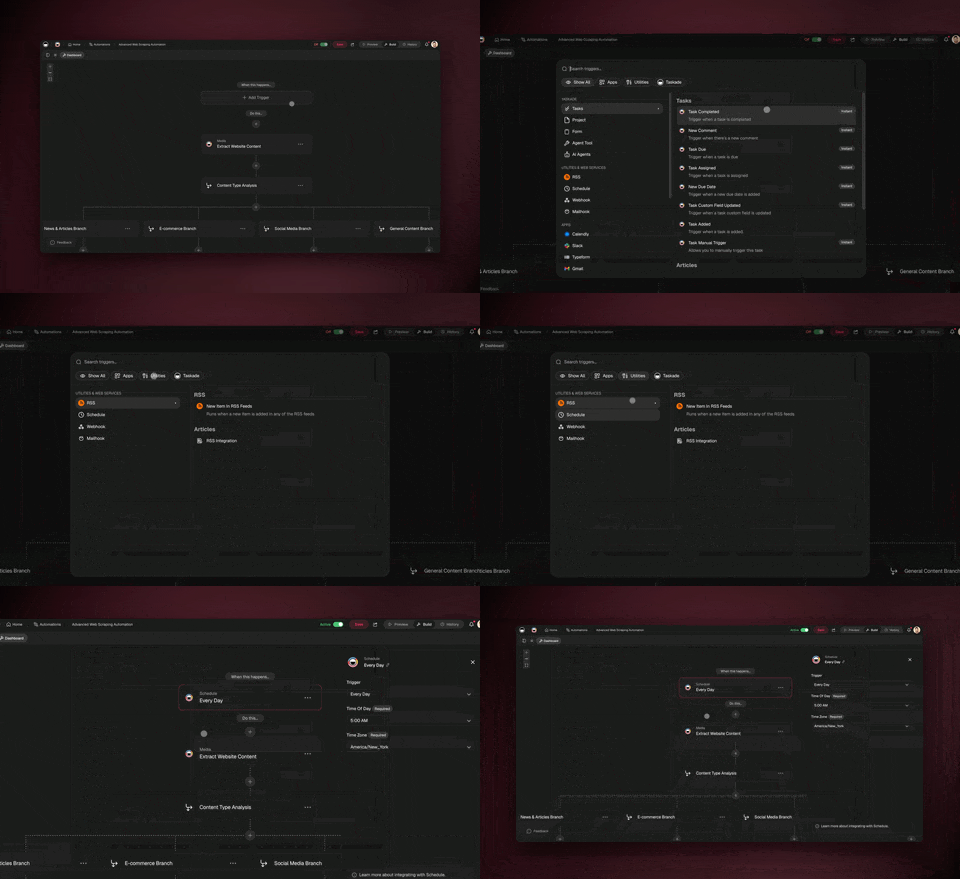
A recurring automation is the clearest everyday example of durability. It fires on a schedule, waits as long as the flow requires, and — if a step fails — resumes from that step rather than starting over. For a hands-on walkthrough, see how teams build no-code automation workflows, and for how this compares to other workflow tools, read our take on Make alternatives.
🏗️ Architecture: Isolating AI From Automation Workloads
Most teams run a single workflow worker pool and scale it horizontally. We tried that. It did not work for our workload profile.
The problem: automation workflows are user-triggered. When a popular community template gets cloned and configured by hundreds of users, automation executions spike. Those spikes were starving our AI agent workflows, search indexing, and billing operations — all running on the same worker pool.
Our solution: dedicated execution lanes with isolated task queues — one for predictable system-initiated work, one for bursty user-triggered automations.
System Lane
The system lane handles everything that is system-initiated and predictable: AI agent conversations, search index updates, media processing, billing operations, notification delivery, onboarding flows, and lifecycle management. These workloads have consistent resource consumption and known latency profiles.
Automation Lane
The automation lane is dedicated to user-defined automation flows and their ecosystem of integration actions. These workloads are unpredictable by nature. A user can build an automation that triggers on every Shopify order, calls Slack, updates a Taskade project, and sends a Gmail summary — and that automation might fire 500 times in an hour during a flash sale.
Lane Comparison
| Attribute | System Lane | Automation Lane |
|---|---|---|
| Trigger source | System events, schedules | User-defined triggers, webhooks |
| Load pattern | Predictable, steady | Spiky, event-driven |
| Scaling strategy | Fixed pool, scheduled scaling | Auto-scale on queue depth |
| Isolation priority | Latency-sensitive (AI, search) | Throughput-sensitive (batch flows) |
| Failure domain | Internal services | External APIs (Slack, Stripe, GitHub) |
The key insight: workload isolation by concern beats horizontal scaling of a homogeneous pool. When the automation lane gets overwhelmed by a spike, the system lane keeps serving AI requests and search queries without degradation. When we deploy a new integration action, only the automation lane restarts.
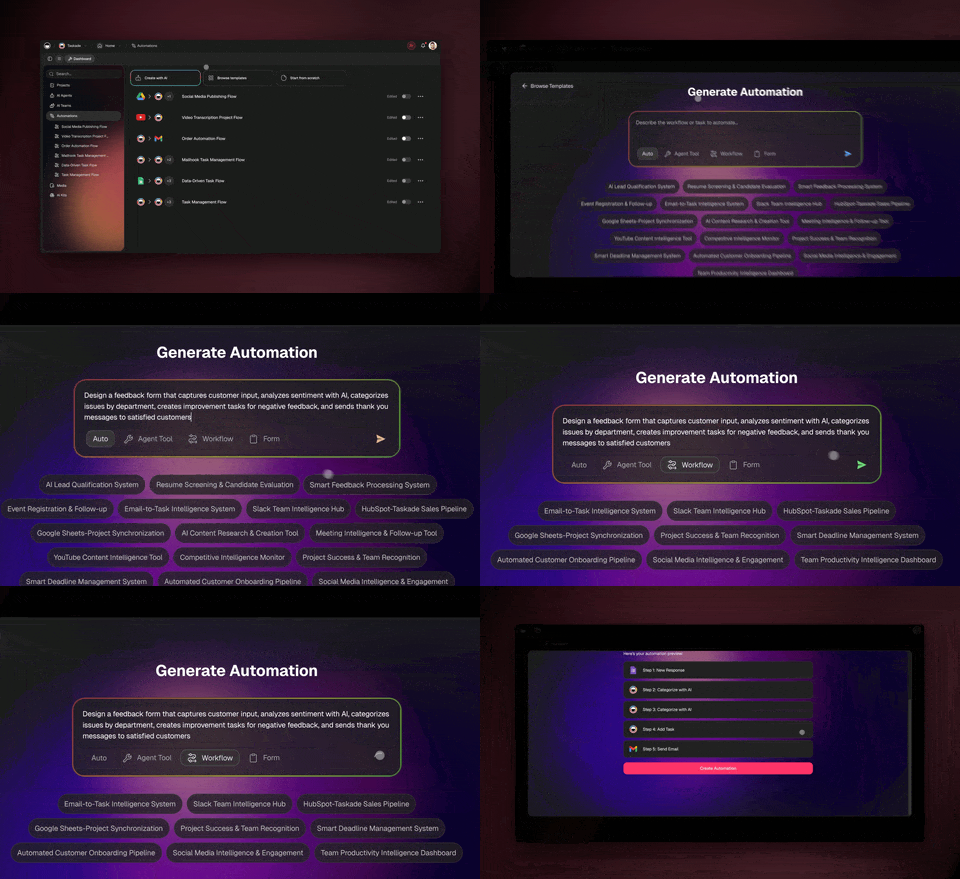
🔄 The Automation Orchestrator
The most complex workflow in our system is the automation orchestrator. It is the engine behind every automation workflow that Taskade users build.
When a user creates an automation — "When a new task is created in Project A, send a Slack message, update HubSpot, and create a follow-up task in Project B" — that definition is stored as a flow graph. When the trigger fires, the orchestrator starts and walks the action tree step by step.
Here is how a flow executes, step by step:
- Trigger fires — a webhook, schedule, manual click, or system event activates the flow
- Orchestrator starts — a new workflow execution begins with the flow definition and trigger context
- Action tree walks — the orchestrator resolves the next action(s) based on the flow graph
- Each action executes as an activity — with its own retry policy, timeout, and error handling
- Results pass between actions — the output of one action becomes the input of the next
- Branching paths evaluate — if/else conditions route execution based on action results
- Loops iterate — for-each constructs repeat actions across collections (every task, every order, every row)
- Flow completes — execution history is logged for debugging and user visibility
Each integration action across our 100+ integrations — Slack, Gmail, Shopify, GitHub, Stripe, HubSpot, and more — runs as an independent activity. This means if the Slack API times out, only the Slack action retries. The rest of the flow is not affected.
The orchestrator supports three control flow primitives that make it Turing-complete:
- Branching (if/else): Route execution based on conditions — "if the email contains 'urgent', escalate to the on-call agent"
- Looping (for each): Iterate over collections — "for each overdue task, send a reminder"
- Filtering (conditional execution): Skip actions based on data — "only notify if the amount exceeds $500"
This is what separates a durable execution engine from a simple webhook relay. Users build workflows with real logic, and the engine ensures every branch, every loop iteration, and every action either completes or fails explicitly. No silent drops. No lost-in-flight data.
📊 The System at a Glance
Before diving into the patterns, here is what the system does today:
| Metric | Value |
|---|---|
| Automations processed (first 90 days) | 3,000,000+ |
| Service integrations | 100+ |
| Workflow categories | AI, content, billing, real-time, lifecycle, automation |
| Execution model | Event-sourced durable replay |
The journey took two years, from a single "Ask AI" action to Turing-complete durable execution across every automation trigger, every AI agent conversation, and every Taskade Genesis app build. Each milestone added complexity that would have been impossible with cron jobs: workflow run history for users, scheduled and webhook triggers, payment automation with branching logic, AI agents triggering workflows, and natural-language scheduling.
🧠 AI-Specific Durable Execution Patterns
Most durable execution content online covers fintech transactions and order processing. AI workloads are fundamentally different — they are long-running, unpredictable in resource consumption, involve multiple external API calls with different failure modes, and require state that evolves mid-execution (credit balances, model availability, agent memory).
We developed five patterns specifically for AI workloads:
1. Credit-Gated Activities
Before executing an AI model call, the workflow checks the user's credit balance. If credits are insufficient, the workflow pauses — it does not fail. It sends a notification to the user ("Your automation paused because your credits are low") and waits for a signal indicating credits have been replenished.
This is a workflow-level decision, not an activity-level decision. The workflow maintains awareness of credit state across all its activities, so it can proactively pause before wasting a partial execution.
Learn more about credit management and pricing in our plans overview.
2. Model Selection as Workflow Logic
Different AI tasks require different models. Code generation might route to one model. Reasoning tasks might route to another. Creative content might use a third. This routing is a workflow decision, not an activity decision. The workflow evaluates the task type, checks model availability, and selects the appropriate model before dispatching the activity.
Why does this matter? Because model selection affects everything downstream — token consumption, latency expectations, output format, and retry strategy. Making it a workflow-level decision means the entire execution path adapts to the model choice, not just the API call.
Taskade supports 15+ frontier AI models from OpenAI, Anthropic, and Google — all orchestrated through durable workflows.
3. Agentic Loop Protection
AI agents can enter loops. An agent calls a tool, the tool returns a result, the agent decides to call the same tool again with slightly different parameters, and this continues indefinitely. In a durable workflow, each tool call is an activity. An infinite loop means infinite activities — which means the workflow consumes unbounded credits without ever reaching a terminal state.
Our protection: the workflow tracks activity invocations per agent turn. If the same activity type is invoked more than N times in a single agent reasoning loop, the workflow breaks the cycle and returns a synthesized response. This prevents both event history exhaustion and credit drain.
4. Progressive Degradation Prevention
The instinct when credits run low is to gracefully degrade — switch to a cheaper, smaller model mid-workflow. We tried this. The results were worse than either model alone.
When you switch models mid-task, the new model has no context about the previous model's reasoning path. It may interpret intermediate results differently. The output becomes inconsistent — half-sophisticated, half-simplified. Users notice immediately.
Our rule: never downgrade the model mid-workflow. Complete the current task on the current model, then inform the user about credit usage. Let the user make the decision to switch models for the next execution. This produces better output and clearer user expectations.
5. Timeout Hierarchy
Not all activities are equal:
| Activity Type | Timeout | Retry Policy |
|---|---|---|
| AI model call | 5-10 minutes | 3 retries, exponential backoff |
| Database write | 30 seconds | 5 retries, immediate |
| External API (Slack, GitHub) | 60 seconds | 3 retries, exponential backoff with jitter |
| Search indexing | 2 minutes | 2 retries, exponential backoff |
| Webhook delivery | 30 seconds | 5 retries, exponential backoff with jitter |
| Media processing | 5 minutes | 2 retries, exponential backoff |
Per-activity timeout and retry configuration makes this natural. Each activity type declares its own timeout and retry policy. The workflow does not need to manage timers — the engine handles it.
The jitter on external API retries is critical. When a third-party service recovers from an outage, thousands of retries hitting it simultaneously will knock it down again. Jitter spreads the retries across a time window, giving the service room to recover.
🔍 Observability: Knowing What Is Running
With cron jobs, we knew something ran. With durable execution, we know what ran, what it did, what it returned, and why it failed.
Every workflow has a state view, event history, and pending activities. But the raw view is not enough for operational monitoring at scale. We built custom dashboards that track:
- Flow execution success rate — what percentage of automation workflows complete successfully
- AI workflow latency — how long agent-to-agent and generation workflows take, broken down by model
- Integration action reliability — which of our 100+ integrations have the highest failure rates and why
- Queue depth per lane — the leading indicator for scaling decisions
When a workflow fails, the event history tells the full story. We can see which activity failed, what input it received, what error it returned, how many times it retried, and what the workflow did in response (retry, compensate, or fail). Compare this to the cron job era where our debugging process was "check the logs, grep for the job name, hope we captured enough context."
This observability is not just an engineering convenience — it powers the user-facing automation run history. When a user's flow fails, they can see exactly which step failed and what went wrong. No "something went wrong, please try again" messages.
For teams building their own automation workflows, this level of visibility transforms debugging from guesswork into directed investigation.
🚧 Production Lessons (Two Years Running Durable Workflows)
1. Worker Sizing Matters More Than You Think
Under-provisioned workers cause activity backlogs. Activities sit in the task queue waiting for a worker to pick them up. The user sees their automation "stuck" with no feedback. Over-provisioned workers waste compute.
We auto-scale the automation lane based on queue depth. When the queue grows beyond a threshold, new workers spin up within 60 seconds. When the queue drains, workers scale back down. The system lane stays fixed because its load pattern is predictable.
2. Retry Policies Need Per-Activity Tuning
We started with a global retry policy: 3 retries, exponential backoff, 1-second initial interval. This was wrong for every workload.
| Workload | Correct Retry Policy | Why |
|---|---|---|
| AI API calls | 3 retries, exponential backoff, 2s initial | Rate limits and cold starts need time |
| Database writes | 5 retries, immediate retry, 100ms initial | Transient connection errors resolve instantly |
| Webhook deliveries | 5 retries, exponential with jitter | Downstream recovery needs spread |
| Integration actions | 3 retries, exponential with jitter | Third-party APIs have varied reliability |
| Search indexing | 2 retries, exponential, 5s initial | Index locks need time to release |
The lesson: a retry policy is a statement about the failure mode of the downstream system. Different systems fail differently. Tune accordingly.
3. Workflow Versioning Is Hard
When you change a workflow definition, in-flight workflows continue using the old definition. The engine replays workflows from their event history, which means the replay must produce the same sequence of decisions as the original execution. If you change the workflow logic, replay breaks.
The engine calls this a "non-determinism error." We have encountered it many times.
Our approach: for minor changes (adding a log line, adjusting a timeout), we deploy and accept that in-flight workflows will complete on the old code. For breaking changes (adding a new activity, changing the branching logic), we use versioned workflow names and run both old and new versions in parallel until the old workflows drain.
This is one of the few areas where durable execution adds real operational complexity. Workflow compatibility is something every durable-workflow team must think about carefully.
4. Signals vs Queries: Do Not Mix Them Up
Durable workflow engines typically expose two communication primitives:
- Signals mutate workflow state. Use them for commands: "cancel this flow," "update the priority," "continue with new state."
- Queries read workflow state. Use them for monitoring: "what step are you on?", "what is the current credit balance?"
Mixing them up causes subtle bugs. We had a monitoring dashboard that used signals to "check" workflow state — which inadvertently mutated the workflow's pending signal queue on every dashboard refresh. The workflows started behaving differently when the dashboard was open versus closed. It took us two days to find the bug.
The rule: queries are read-only, always. If you need to check state, use a query. If you need to change state, use a signal. Never use a signal to read.
5. Business Logic Belongs in Workflows, Not Activities
Activities are for side effects: API calls, database writes, message sends, file operations. Business logic — branching conditions, loop bounds, error classification, retry decisions — belongs in the workflow definition where the engine can replay it deterministically.
We violated this rule early on by putting conditional logic inside activities. The activities returned different results based on external state (time of day, credit balance, feature flags). When the engine replayed the workflow, those activities returned different results than the original execution, causing non-determinism errors.
The fix: activities do one thing and return a result. The workflow evaluates the result and decides what to do next. Side effects in activities, decisions in workflows. This separation is the foundation of deterministic replay.
🔮 What We Are Building Next
The durable execution foundation enables capabilities that were impossible with cron jobs or simple queues.
User-visible workflow debugging. We are building a real-time view of automation execution that shows users exactly what their workflow is doing — which step is active, what data is flowing between steps, and where errors occurred. Durable execution's event history makes this possible. The underlying data has always been there; the challenge is presenting it in a way that non-engineers can understand.
AI-assisted workflow repair. When an automation fails, EVE can diagnose the failure from the event history and suggest fixes. This is already partially live — EVE can identify common failure patterns (expired OAuth tokens, rate limits, schema mismatches) and guide users through resolution. The next step is automated repair: EVE fixes the issue and re-triggers the failed step without user intervention.
Cross-workspace orchestration. Today, workflows operate within a single workspace. We are exploring patterns for workflows that span workspaces — a partner automation that runs in one workspace based on events in another. Namespace isolation makes this architecturally clean, though the authorization model requires careful design.
Natural language workflow definition. Instead of building automations through a visual editor, describe what you want in plain language: "Every Monday at 9am, summarize the week's tasks and send a report to Slack." Natural language scheduling was the first step. Full natural language workflow definition is the destination.
For teams already using Taskade's automation workflows, these capabilities build on the same durable execution engine running today. For teams evaluating workflow automation tools, the infrastructure described in this post is what runs behind every automation trigger, every AI agent conversation, and every Taskade Genesis app build.
Frequently Asked Questions
What is durable execution and why does it matter for AI workflows?
Durable execution guarantees that a workflow will complete even if servers restart or networks fail. The engine records every step as an event and replays workflows from history if execution is interrupted. For AI workflows that coordinate multiple systems — creating projects, configuring agents, setting up automations — durable execution prevents partial completions that leave systems in inconsistent states.
Why did Taskade move from cron jobs to durable execution?
Cron jobs are fire-and-forget with no state visibility, no automatic retries, and silent failures. Durable execution provides guaranteed completion, automatic retries with exponential backoff, full workflow history, and observable failure states. It also supports event-driven triggers and branching logic that cron jobs cannot do. Taskade migrated away from a sprawl of cron jobs and eliminated an entire class of silent failures for its automation system.
How does Taskade isolate AI workloads from automation workloads?
Taskade separates system-initiated operations (AI tasks, search indexing, billing) from user-triggered automation flows into dedicated execution lanes. This isolation prevents unpredictable automation spikes from starving latency-sensitive AI and search operations. Workload isolation by concern prevents cascading failures in production.
How many automations has Taskade processed?
Taskade's automation system processed over 3 million automations in its first 90 days after launch. The system coordinates across 100+ integrations including Slack, Gmail, Shopify, GitHub, HubSpot, and Stripe, with each integration action running as an independent activity with its own retry policy.
What AI-specific patterns does Taskade use for durable workflows?
Taskade uses five AI-specific patterns: credit-gated activities that pause workflows when credits run low instead of failing, model selection as workflow logic for routing tasks to the right AI model, agentic loop protection to break infinite tool-call cycles, progressive degradation prevention that never downgrades models mid-workflow, and a timeout hierarchy with longer timeouts for AI activities than CRUD operations.
How does durable execution enable long-running AI agents?
Long-running AI agents need state that survives server restarts, deployments, and network failures. Durable execution provides this guarantee through event-sourced replay — if the server crashes mid-task, the workflow resumes from its last committed state. This is essential for scheduled automations, multi-step agent reasoning, and workflows that coordinate across multiple external APIs.
What observability benefits does durable execution provide?
With durable execution, every workflow has a full event history showing what ran, what was returned, and why any step failed. This powers both engineering observability (which workflows are slow, which integrations have the highest failure rates) and user-facing automation run history (so users see exactly which step of their automation failed and why).
Can a durable workflow run for days, not just seconds?
Yes. Durable execution is what lets an AI workflow wait for minutes, hours, or days and still resume cleanly. In the multi-agent systems industry, runs lasting many days are now common — one published example ran for 16 days. Taskade Genesis automations apply the same idea: a reliable, durable workflow can branch, loop, filter, wait minutes-to-days, and resume from the exact step that failed without re-running everything.
How do durable execution patterns map to Taskade Genesis automations?
Four core durable-execution patterns map directly. Automatic retry maps to per-step retry policies. Resume-from-failure maps to restarting at the failed step, not the beginning. Wait-for-days maps to durable waits inside a flow. Branching, looping, and filtering map to the same control-flow primitives Taskade Genesis automations expose. The result is reliable, durable automation workflows across 100+ bidirectional integrations.
🎯 Conclusion: Durable Execution Is Infrastructure, Not a Feature
We did not adopt durable execution because it was trendy. We adopted it because cron jobs were silently failing and we could not build reliable AI agent workflows on a foundation of hope and log-grepping.
Two years in, the investment has paid off:
- 3 million automations processed in the first 90 days
- 100+ integrations orchestrated reliably across external services
- Zero silent failures — every workflow completes or fails with a full event history
- AI-specific patterns (credit-gated activities, agentic loop protection, timeout hierarchies) proven in production
The biggest lesson: durable execution is not a feature you add to your product. It is infrastructure that changes how you design everything. Once you have guaranteed completion, you start building workflows you would never have attempted with cron jobs. Agent-to-agent coordination. Multi-step automation pipelines with branching logic. Build processes that create, configure, and deploy entire applications from a single prompt.
If you are building AI systems that need to coordinate across multiple services, survive failures gracefully, and maintain state across long-running operations — look at durable execution before you build another job queue. The patterns in this post took us two years to develop. We are sharing them so you do not have to start from scratch.
Start building automation workflows on Taskade's durable execution engine. Create your first workflow in minutes — no infrastructure setup required. Try Taskade free →
For more on our engineering approach, read how we build agentic systems without code, explore the multi-agent collaboration capabilities, or browse the community gallery for ready-made automation templates.
🔗 Where This Fits in Workspace DNA
Durable execution is the Execution strand in Taskade's Workspace DNA. The three-strand loop — Memory (Projects) feeds Intelligence (Agents), Intelligence triggers Execution (Automations), Execution writes back to Memory — only works if the execution strand is genuinely durable. Every automation run writes new data that the next agent turn will see. If a run silently fails, the loop breaks.
Recent automation additions worth naming:
| Ship date | Capability |
|---|---|
| v6.141 | Google Calendar listEvents and getFreeBusy actions |
| v6.149 | Stripe checkout session action |
| v6.149 | GitHub export to existing repo with branch + PR |
| v6.149 | Private GitHub repo import |
| v6.150 | Automation Runs tab (human-inspectable run history) |
| v6.150 | Taskade Genesis project export to Markdown/text |
Durable execution is also the reason clone creator credits (v6.150) work reliably at scale — when someone clones your published app, the credit-routing automation runs as a durable workflow that cannot half-execute.
For the full category argument — why "living software" is a different product category than "generated code" — see AI App Builders vs AI Workspace Builders: The Category Split Defining 2026.
Companion Reads — The 2026 Operator Cluster
- How to Win With AI in 2026: The Workflow-First Operator's Playbook — the pillar built on top of durable execution
- BYOA: The $1M-Per-Employee Era — why durable automations make the economics work
- DORA Metrics Explained (2026) — measure whether all that durable execution is actually shipping faster and safer (deployment frequency, lead time, change failure rate, recovery time)
- From Roles to Workflows: The AI Org Chart — automations as the connective tissue of the new chart
- Training AI Agents Like Employees — agents + durable workflows = trained, compounding systems
▲ ■ ● Workspace DNA — durable execution is just the Execution pillar. Pair it with Memory (your projects) and Intelligence (your agents) and an automation becomes a living app.