






In June 2025, Andrej Karpathy reposted a tweet with one line: +1 for "context engineering" over "prompt engineering." Phil Schmid published a definition the same week. By March 2026, Gartner was reporting a 1,445% surge in enterprise inquiries for agentic and context topics. A new discipline had a name.
And yet most articles about context engineering are still written by and for model researchers. They argue about window sizes, tool selection, and retrieval strategies in isolation from the surface where real work happens.
This post takes a different angle. Context engineering is not a research problem — it is a product problem. The question is not "how do I construct the perfect context window?" It is "where does the context live between turns, and who owns it?" Our answer is a three-letter word that does both jobs at once: DNA.
TL;DR: Context engineering is the discipline of choosing what an AI agent sees each turn. Workspace DNA — Memory (Projects), Intelligence (Agents), Execution (Automations) — is context engineering shipped as a product. 150,000+ apps have been built on this loop since Taskade Genesis launched. This is the blueprint.
🧬 What Context Engineering Actually Means
Karpathy's original framing, paraphrased: LLMs are a new kind of operating system. The model is the CPU. The context window is the RAM. Context engineering is the art of filling that RAM with exactly what matters for the next instruction — no more, no less.
Phil Schmid extended the definition into four verbs: select, compress, order, format. LangChain added a fifth — isolate — after production agents kept leaking sub-task state into the main loop.
The full five-strategy framework:
| # | Strategy | What it solves | Failure mode if ignored |
|---|---|---|---|
| 1 | Selection | Choose which facts enter the window | Agent hallucinates or over-generalizes |
| 2 | Compression | Summarize long histories and tool outputs | Context rot past ~32K tokens (NoLiMa) |
| 3 | Ordering | Place priority info where attention peaks | "Lost in the middle" drop in accuracy |
| 4 | Isolation | Separate sub-agent contexts | One agent's clutter pollutes another's reasoning |
| 5 | Format | Structure info as tables, JSON, XML, markdown | Model can't parse, guesses, or skips fields |
Every one of these strategies needs somewhere to live between turns. That somewhere is where most teams go wrong. They build a RAG pipeline, store memories in an opaque vector DB, and tell the user "don't worry about it." Then context rot sets in, the user can't inspect what the agent remembers, and trust collapses.
Workspace DNA solves that problem by making context a product surface.
🔁 The Workspace DNA Loop
Three strands, one self-reinforcing cycle.
Memory is what the workspace already holds — tasks, docs, tables, mind maps, knowledge bases, uploaded files. It is addressable, versioned, and scoped by the same 7-tier role-based access the rest of the product uses.
Intelligence is a set of named Agents v2 — each with its own tools, persistent memory, and slash-command surface. Agents read from Memory, write notes back to Memory, and call Execution.
Execution is an Automation workflow — durable, branch-and-loop capable, and connected to 100+ integrations. Every automation run produces data that becomes new Memory.
ASCII version for those reading in terminals or grepping diffs:
┌──────────────────────────────────────────────────────────┐
│                                                          │
│        ┌─── Memory ────────────┐                         │
│        │  Projects             │                         │
│        │  (tasks, docs, files) │                         │
│        └──────┬────────────────┘                         │
│               │ feeds                                    │
│               ▼                                          │
│        ┌─── Intelligence ──────┐                         │
│        │  Agents v2            │                         │
│        │  (reasoning + tools)  │                         │
│        └──────┬────────────────┘                         │
│               │ triggers                                 │
│               ▼                                          │
│        ┌─── Execution ─────────┐                         │
│        │  Automations          │                         │
│        │  (durable runtime)    │                         │
│        └──────┬────────────────┘                         │
│               │ writes back                              │
│               ▼                                          │
│        (back to Memory — loop closes)                    │
│                                                          │
└──────────────────────────────────────────────────────────┘
That writes-back arrow is the whole game. A RAG pipeline does not close the loop. A vector DB does not close the loop. A chat transcript does not close the loop. Only an editable, addressable workspace does.
🧪 Mapping the 5 Strategies Onto Workspace DNA
Here is the one-to-one mapping most competitors cannot produce, because they do not own the workspace layer.
| LangChain Strategy | Where Workspace DNA implements it | User-facing proof |
|---|---|---|
| Select | Agent is scoped to a project, a folder, or an @-mention |
/agents config → which tools, which projects |
| Compress | Persistent memory stored as summarized project notes | projects/memories/ folder in each workspace |
| Order | Project hierarchy puts priority content at tree top | Project tree structure in sidebar |
| Isolate | Each sub-agent runs in its own context via Agent Teams | Agents v2 multi-agent collab |
| Format | Seven project views — List, Board, Table, Calendar, Mind Map, Gantt, Org Chart | Same memory, different formats for different tasks |
Notice that none of these require a pipeline engineer. They are all user-configurable surfaces. That is the quiet revolution — context engineering stops being a systems problem and starts being a workspace design problem.
🧩 Integrations as Context Channels
Every integration is a context channel. Connect one, and the workspace can now read from (and write to) that system as part of the DNA loop.
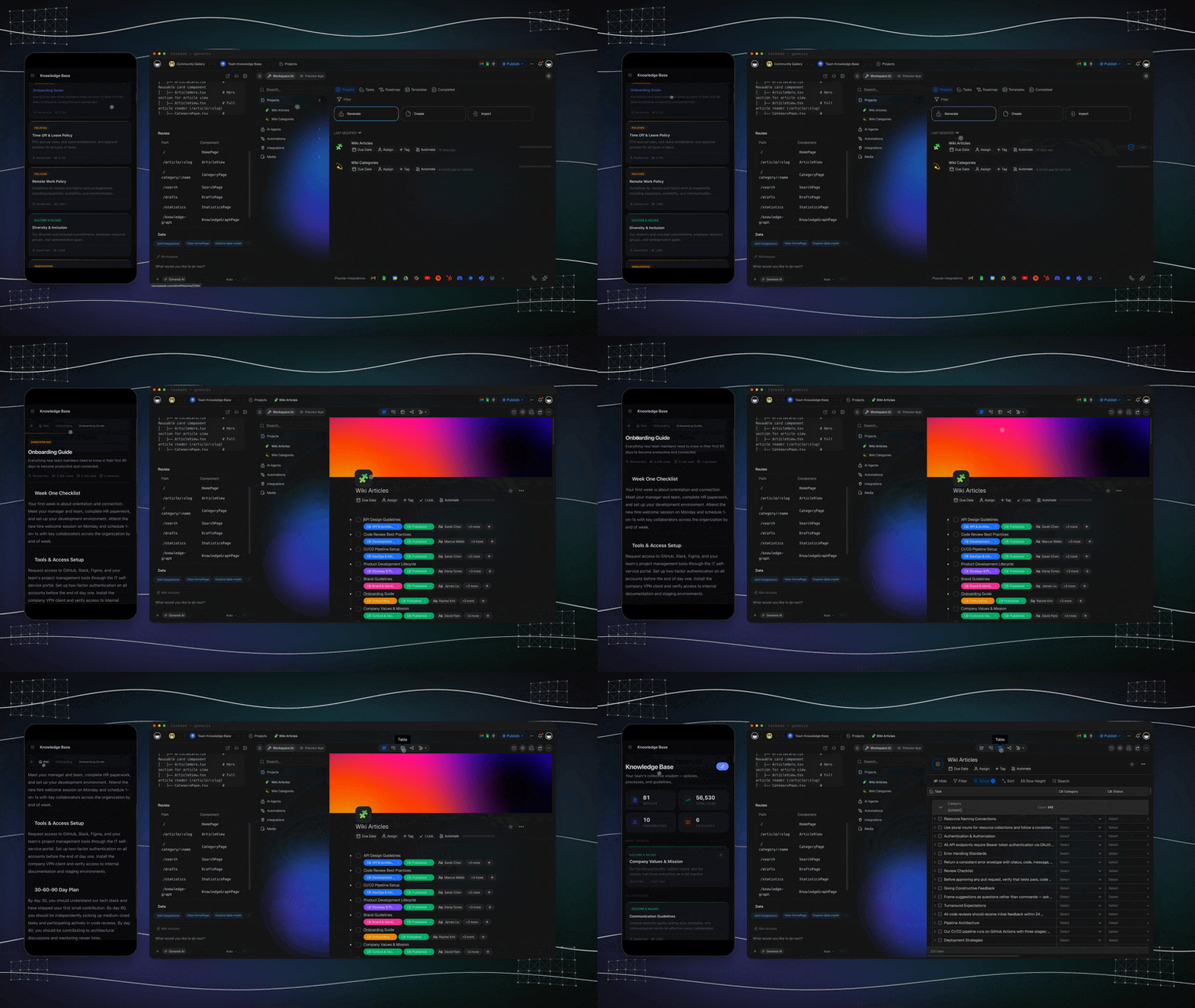
Taskade ships 100+ native integrations across 10 categories — Communication, Email/CRM, Payments, Development, Productivity, Content, Data/Analytics, Storage, Calendar, E-commerce. Recent additions worth naming for context-engineering purposes: Linear and Monday.com (engineering + ops memory), Airtable (structured-data memory), Shopify (e-commerce memory), Telegram Bot (messaging execution), and Real-Time Triggers (event-driven execution). Every new integration is a new edge on the Memory–Intelligence–Execution graph.
🔌 MCP: The Universal Context Bus
Context engineering only works if your context can travel. Since v6.148 (April 2026), Taskade serves both sides of MCP:
Two directions, one protocol:
- Taskade-as-Server (v6.148):
https://www.taskade.com/mcp— Claude Desktop, Cursor, VS Code can connect via OAuth2+PKCE and read/edit your workspace as tools. Workspace DNA becomes a tool for external agents. - Taskade-as-Client (v6.150): Agents v2 can call any MCP server — Notion, Linear, GitHub, custom ones. Workspace DNA becomes a consumer of external context.
Every top-10 ranking page on "context engineering" as of April 2026 treats MCP as a footnote. For Workspace DNA it is the central bus. See the MCP Integration Guide for the full protocol walkthrough.
📐 The 72% Tax: Why Your MCP Server Is Your Context Window
Context engineering posts rarely do the math. Here it is.
A single MCP tool description costs between 550 and 1,400 tokens depending on parameter count. Fifty tools? Roughly 50,000 tokens of pure overhead before the user even speaks. In one real production measurement, Jentic observed three MCP servers consuming 143,000 of 200,000 available tokens — 72% of the context window (Jentic, The MCP Tool Trap).
When tool sets bloat, selection accuracy collapses:
Tool selection accuracy
  43% ████████████████████░░░░░░░░░░░░░   (small tool set, <10)
  14% ███████░░░░░░░░░░░░░░░░░░░░░░░░░░   (bloated tool set, 50+)
                                         source: Jentic, Apr 2026
Workspace DNA blocks this three ways:
- Agents v2 caps the practical tool count around 26 — see Why 26 is the Right Number.
- MCP tools are scoped per agent, not globally injected. Your "customer-support" agent sees the support tool set; your "finance-reporting" agent sees a different one.
- Tool surfaces are user-configurable so bloat is visible — you know when you have added too many because the UI tells you.
🦠 Context Rot Is Measurable: NoLiMa and Chroma Actually Proved It
"Long-context models" is largely marketing. The published evidence is brutal.
| Study | Models tested | Finding |
|---|---|---|
| NoLiMa (arXiv 2502.05167) | 11 frontier models | All 11 drop below 50% of their short-length baseline at 32K tokens. GPT-4o falls 99.3% → 69.7%. |
| Chroma Context Rot Study | 18 frontier models | Every single model degrades as context grows. Distractor interference is worse than raw length. |
The implication is the whole game. Stuffing context windows is a dead strategy. Retrieval at query time — targeted, compressed, workspace-scoped — beats the "200K-token" promise every time.
Workspace DNA is built for this regime. Memory lives in addressable Projects; the agent pulls the relevant slice per turn, not the whole book.
💾 KV-Cache-Stable Memory: The Append-Only Advantage
Manus's production team published the single best production context-engineering postmortem of 2026. Their headline metric was KV-cache hit rate, and the cost swing on Anthropic's Sonnet line was $0.30 vs $3.00 per million tokens — a 10× multiplier based entirely on whether the cache was warm.
What kills the cache? Rewriting earlier turns. What keeps it warm? Append-only memory.
Taskade Projects are structurally append-only. Tasks are added; old tasks are not mutated in-place (they move to "done" with history preserved). Notes are versioned, not overwritten. This is an accidental-on-purpose design decision: the primitive that makes collaboration work (CRDT/OT-style) is the same primitive that makes cache-stable memory work. Most "AI memory" systems rewrite a blob every turn. Workspace DNA appends.
🚨 Context Engineering Is Also Security Engineering
The McKinsey AI-platform breach in February 2026 — 46.5M chat messages exfiltrated and 95 writable system prompts accessed through a chained context attack (CSA CISO briefing, Apr 2026) — proved a thesis that had been academic until then: prompt/context boundaries are the new attack surface. A month earlier, Embrace The Red demonstrated persistent command-and-control through markdown ingested into Claude Code's context (Penligent summary).
Workspace DNA addresses this at the substrate level:
| Risk | Substrate answer |
|---|---|
| Agent-to-agent CoT leakage | Each Agents v2 sub-agent runs in isolated context; traces scoped to that agent |
| Unvetted external inputs | MCP server auth via OAuth2 + PKCE (v6.148); not anonymous |
| Writable system prompts | Agent configs are permission-gated by the 7-tier RBAC |
| Runaway memory growth | Compression runs as scheduled automations with human-in-the-loop review |
Context engineering without security engineering is an LLM app that leaks. Workspace DNA ships them together.
🦠 The Four Context Anti-Patterns (and How Workspace DNA Blocks Them)
| Anti-pattern | What it looks like | How Workspace DNA prevents it |
|---|---|---|
| Context rot | Agent quality drops past 32K tokens as tool outputs pile up | Compressed memory stored as summarized Project notes, not chat history |
| Tool bloat | Agent has 50+ tools, picks wrong one, latency balloons | Agents v2 caps practical tool count around 26 (why 26) |
| Stateless RAG | Every turn retrieves from scratch, no continuity | Persistent memory + project references survive across sessions |
| Invisible memory | User cannot inspect or correct what agent remembers | EVE stores memories as real Projects the user can read and edit |
The last row is the most underrated. Most "AI memory" systems are write-only black boxes from the user's point of view. Workspace DNA memories are regular Taskade Projects — you can open projects/memories/user_profile.md, see exactly what EVE thinks about you, and edit it.
📐 The 7-Step Retrofit Playbook
Most teams reading this already have a product and want to bolt context engineering on without a rewrite. Here is the seven-step retrofit.
| # | Step | Workspace DNA primitive | Day-0 effort |
|---|---|---|---|
| 1 | Name your memory substrate | One Project per workflow | 15 min |
| 2 | Scope one agent to that project | Agents v2 config | 30 min |
| 3 | Identify one repeatable step | Automation piece | 1 hr |
| 4 | Route that step through the agent | /run slash command or cron trigger |
30 min |
| 5 | Make the agent write back to the project | Built-in "write file" tool (one of the 22+ Agents v2 tools) | 15 min |
| 6 | Add a weekly compression pass | Scheduled automation → agent summarize | 30 min |
| 7 | Share the project with one teammate | 7-tier RBAC, default "Collaborator" | 5 min |
Total: roughly a working day. The result is a loop that did not exist before — and it will keep improving on its own because every automation run writes new data that the next agent run will see.
🧠 EVE as Reference Implementation
EVE — "Entity of Vision & Execution" — is the Genesis meta-agent that builds full apps from a prompt. Internally, EVE is the most ambitious context-engineered agent in the product.
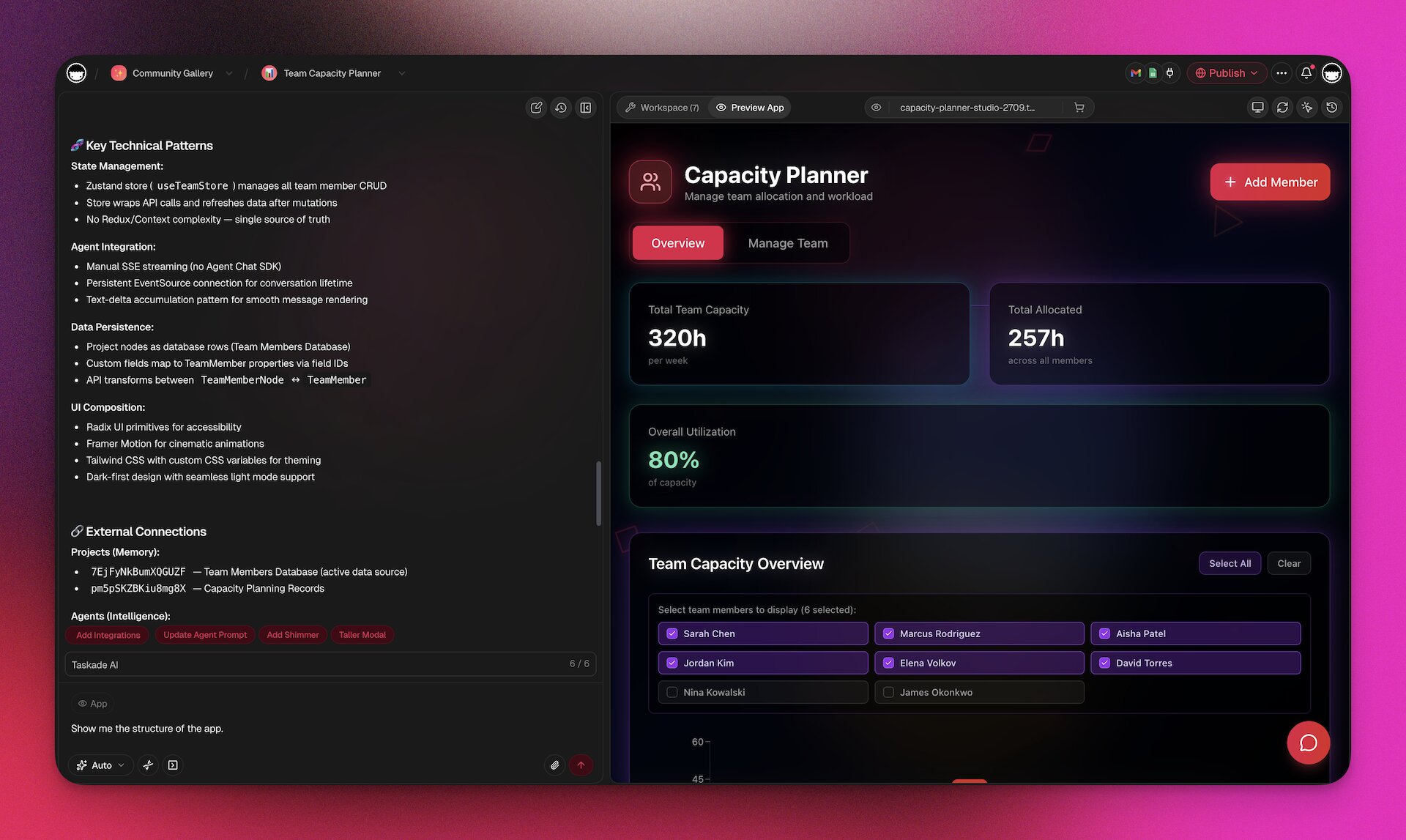
Seven design choices worth copying into any production agent:
| # | Design choice | Context-engineering strategy | Shipped in |
|---|---|---|---|
| 1 | Memories are Projects. EVE writes to projects/memories/ in real time as it learns user preferences. Inspectable, editable, exportable. |
Isolation + Format | v6.140 |
| 2 | Ask-Questions Tool. When an input is ambiguous, EVE pauses and asks rather than guessing — a user turn inserted exactly where clarity is needed. | Ordering at runtime | v6.150 |
| 3 | Four Chat Modes: genesis, projects, agents, automations. Each mode ships a different selection policy so the same model sees different context shapes. |
Selection | v6.140 |
| 4 | Self-planning Todos. EVE produces an internal todo list and marks items in real time. Visible memory compression — user sees what the agent decided matters next. | Compression | v6.140 |
| 5 | Semantic auth detection. During app generation, EVE detects "this app needs login" semantically and wires GenesisAuth without the user asking. | Ordering | v6.144 |
| 6 | Basic onboarding for cloned apps. When a user clones a gallery app, EVE runs a brief context-gathering pass so the cloned app fits the new workspace. | Selection + Format | v6.151 |
| 7 | Clone creator credits. Attribution is persisted in project memory so when clones earn, credits flow back to the original creator. | Format (structured memory) | v6.150 |
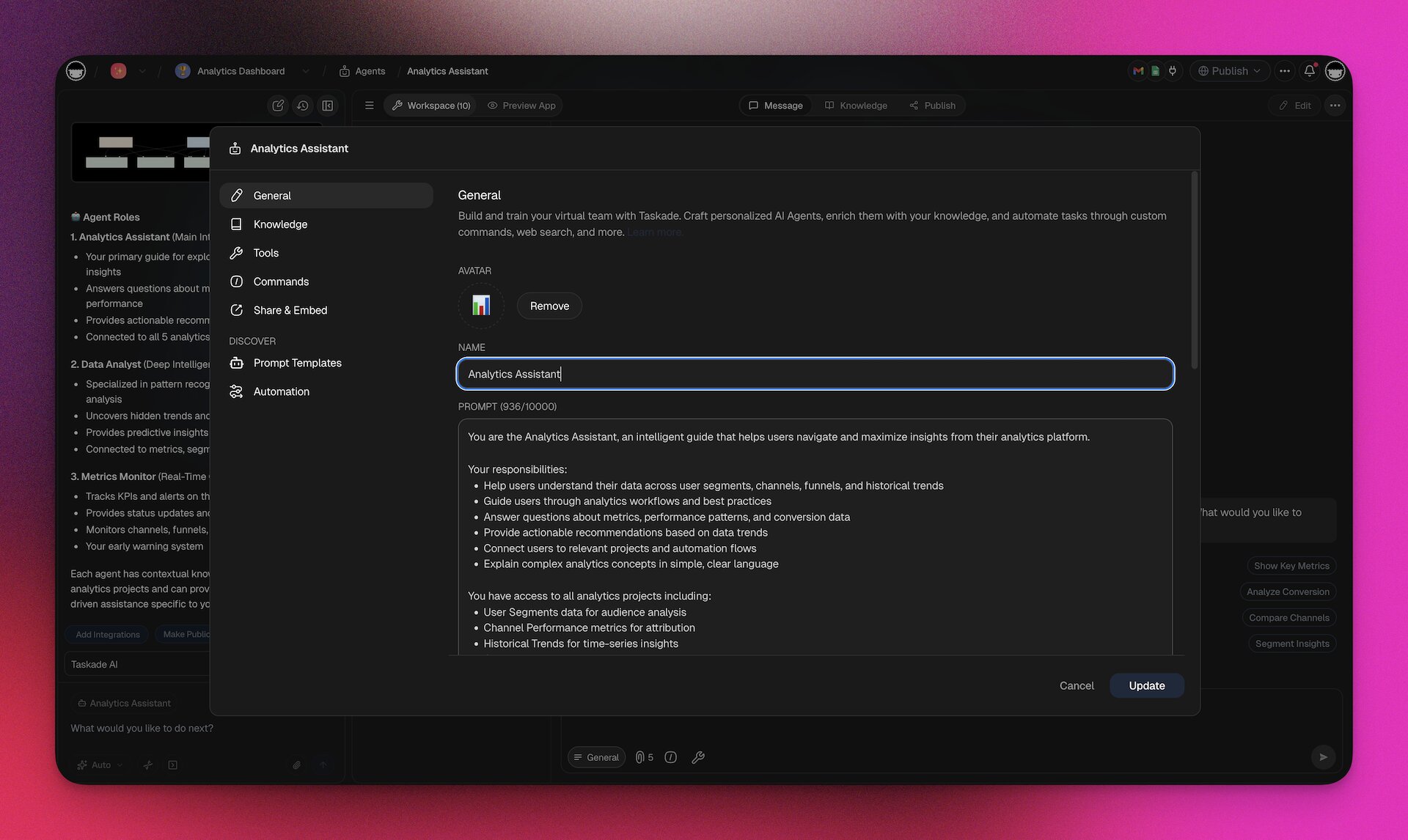
These are not research ideas. They are shipped product. If you want them already working, use EVE inside Taskade.
🤝 The Multi-Agent Amplifier
Anthropic's internal research system, using an Anthropic Opus lead agent plus Sonnet sub-agents, outperformed a single-agent Opus baseline by 90.2% on their internal research evaluation. The single biggest explanation — 80% of the variance — was token usage enabled by parallel sub-agent contexts.
The lesson is not "always use multi-agent." Cognition's "Don't Build Multi-Agents" is a necessary counterweight — shared-context multi-agent systems leak state and collapse. The lesson is isolation. When sub-agents have clean context and specific jobs, multi-agent wins by a mile. When they share the full trace, it loses.
Workspace DNA ships isolation by construction:
The arrows pass tasks and structured results, not full context. That is Workspace DNA isolation in practice.
📊 Workspace DNA vs the Rest of the Context Engineering Landscape
| Approach | Memory surface | Multi-agent isolation | MCP support | User-editable memory | Deploys as app |
|---|---|---|---|---|---|
| Taskade Workspace DNA | Projects (tree) | Agents v2 Teams | Server + Client | ✅ | ✅ Taskade Genesis |
| LangChain / LangGraph | Custom | Yes | Client only | ❌ | ❌ code only |
| OpenAI Assistants API | Threads | No native | ❌ | ❌ | ❌ |
| Vercel AI SDK | Stateless | No | Client only | ❌ | ❌ |
| Anthropic Skills (Cowork) | Local files | Sub-agents | Client | Partial | ❌ |
| Vector DB + RAG | Embeddings | No | Custom | ❌ | ❌ |
The columns nobody else fills are "user-editable memory" and "deploys as app." Those are the last-mile columns — they are what turn context engineering from a dev-tools category into a product category.
🚀 Five Concrete Wins Workspace DNA Unlocks
- A CRM that remembers conversations without an ops engineer. Memory = contacts project. Intelligence = a
lead-scoringagent. Execution = automation that emails qualified leads. Loop closes automatically. - A docs site that writes itself. Memory = articles project. Intelligence = an
update-detectoragent that watches GitHub via MCP. Execution = rewrites the article when code changes. - A one-person consultancy. Memory = client projects folder. Intelligence = an agent per client with its own persistent memory. Execution = automated weekly report email.
- A support triage loop. Memory = tickets project. Intelligence = classifier agent. Execution = routes to the right teammate and writes a summary note.
- A micro-SaaS. Memory = user projects. Intelligence = Taskade Genesis-built UI. Execution = Automation-backed API. The app lives inside Workspace DNA — no separate backend. See 150,000+ apps built this way.
📚 Further Reading
- The Workspace DNA Architecture — engineering deep-dive on the substrate
- Context Engineering Field Guide 2026 — practical techniques
- AI Agent: Why 26 Tools Is the Right Number — tool selection empirics
- Building a Hosted MCP Server — MCP deep-dive
- Multi-layer Search: Full-text, Semantic, OCR — the retrieval layer underneath
- Taskade Genesis Compilation: Prompt to Deployed App — how Workspace DNA ships as software
External references:
- Phil Schmid — The New Skill in AI is Context Engineering
- LangChain — Context Engineering for Agents
- Aurimas Griciūnas — State of Context Engineering in 2026
- Karpathy on X — the original repost
🎯 Start Free — Ship a Context-Engineered Workflow This Week
Workspace DNA is not a white paper. It is the product you use every day if you start free on Taskade. 150,000+ apps have been built on it since Taskade Genesis launched, Starter is $6/month on annual billing, and the five-strategy framework above maps directly onto the primitives every plan already ships.
The context is already there. It is called your workspace. Now go engineer it.
Frequently Asked Questions
What is context engineering and why does it matter in 2026?
Context engineering is the discipline of selecting, compressing, ordering, isolating, and formatting the information an AI agent sees at each step. The term was popularized in 2025 by Andrej Karpathy and Phil Schmid, who argued that prompt engineering is a subset of a bigger problem: most AI failures are context failures, not model failures. In 2026, Gartner reported a 1,445% surge in "agentic" and "context" inquiries, and LangChain formalized a five-strategy framework (selection, compression, ordering, isolation, format). Context engineering matters because a frontier model with the wrong context produces confident nonsense, while a weaker model with the right context ships production work.
What is Workspace DNA and how does it relate to context engineering?
Workspace DNA is Taskade's architecture where three systems form a self-reinforcing loop — Memory (Projects that store tasks, docs, and knowledge), Intelligence (Agents that reason over that memory), and Execution (Automations that act and write new data back). Each cycle enriches the next. Workspace DNA is context engineering shipped as a product: the workspace itself becomes the context stack, so AI agents always see the right projects, the right memories, and the right tools scoped to the current user's role and task.
How does Workspace DNA differ from RAG or vector search?
Retrieval-augmented generation (RAG) stuffs search results into a prompt at query time — stateless, per-turn, and invisible to the user. Workspace DNA is stateful and structural. Memory lives in Projects the user already edits, Intelligence lives in named Agents the user configures, and Execution runs via Automations the user can inspect. Agents remember across sessions via persistent memory stored as real Projects in a memories folder. RAG is a technique; Workspace DNA is the substrate that makes retrieval, memory, and action work as one system.
What are the five strategies of context engineering?
LangChain's framework lists five: (1) Selection — choose which facts enter the context window; (2) Compression — summarize long histories and tool outputs; (3) Ordering — place the most important information where the model attends best; (4) Isolation — separate context between sub-agents so one agent's clutter does not pollute another's reasoning; (5) Format — structure information as tables, JSON, XML, or markdown so the model can parse it. Workspace DNA implements all five natively through Projects (isolation), Agents v2 (selection + ordering), persistent memory (compression), and structured project views (format).
How does MCP fit into context engineering?
Model Context Protocol (MCP) is the universal context bus that connects AI clients and servers. Taskade is both sides of MCP — a Taskade-as-Server endpoint at taskade.com/mcp lets Claude Desktop, Cursor, and VS Code query your workspace as a tool, and Taskade-as-Client lets Agents v2 call external MCP servers like Notion and Linear. That dual role turns Workspace DNA into a context hub, not a silo. Your workspace can be read by any MCP client and can extend itself by calling any MCP server.
What is context rot and how do you avoid it?
Context rot is the degradation of AI output quality as context windows fill with irrelevant tool results, stale conversation history, and duplicate information. Research on the NoLiMa benchmark showed accuracy falling sharply past 32K tokens even in models rated for 200K+ context. Avoid context rot with four habits — compress old tool results into short summaries before appending new ones, isolate sub-agents with their own contexts, prefer structured memory files over endless chat history, and cap agent tool lists at around 26 tools (the number beyond which routing accuracy starts to drop).
How does EVE store memory in Taskade?
EVE is the public-facing name of Taskade's Genesis meta-agent. Unlike typical AI assistants that store memory in opaque vector databases, EVE stores its memory as real Taskade Projects inside a projects/memories folder in each workspace. Users can read, edit, or delete those memories directly. That transparency is itself context engineering — the user can inspect and correct what the agent remembers, and the agent can cite its own memory back to the user with a real project link.
What is the Workspace DNA loop in plain language?
Memory feeds Intelligence, Intelligence triggers Execution, Execution creates Memory. Put simply, a project holds tasks, an agent reads the tasks and runs an automation, the automation adds new tasks back into the project. Each turn of the loop makes the workspace smarter, because the new data becomes new memory for the next agent run. That is the difference between a static app and what Taskade calls living software.
Can I use Workspace DNA if I am a solo builder, not a team?
Yes. Solo builders benefit the most because the full loop runs without needing other humans. On the Taskade Starter plan at $6/month (annual billing), a solo operator gets projects, up to three seats, Agents v2, and automations — enough to build a one-person company where projects remember, agents reason, and automations execute. Pro at $16/month unlocks ten seats and higher credit caps when you grow past solo.
How do I start applying context engineering today?
Start with five moves. First, name your memory — pick one project to be the canonical source of truth for one workflow. Second, assign one agent to that project with explicit tool access. Third, replace one manual step with a scheduled automation that writes results back into the same project. Fourth, add a weekly compression step — ask the agent to summarize the week into a short memory note. Fifth, share the project with a teammate so the memory survives vacation, context switches, and team turnover. That is Workspace DNA in five weeks.