






TL;DR
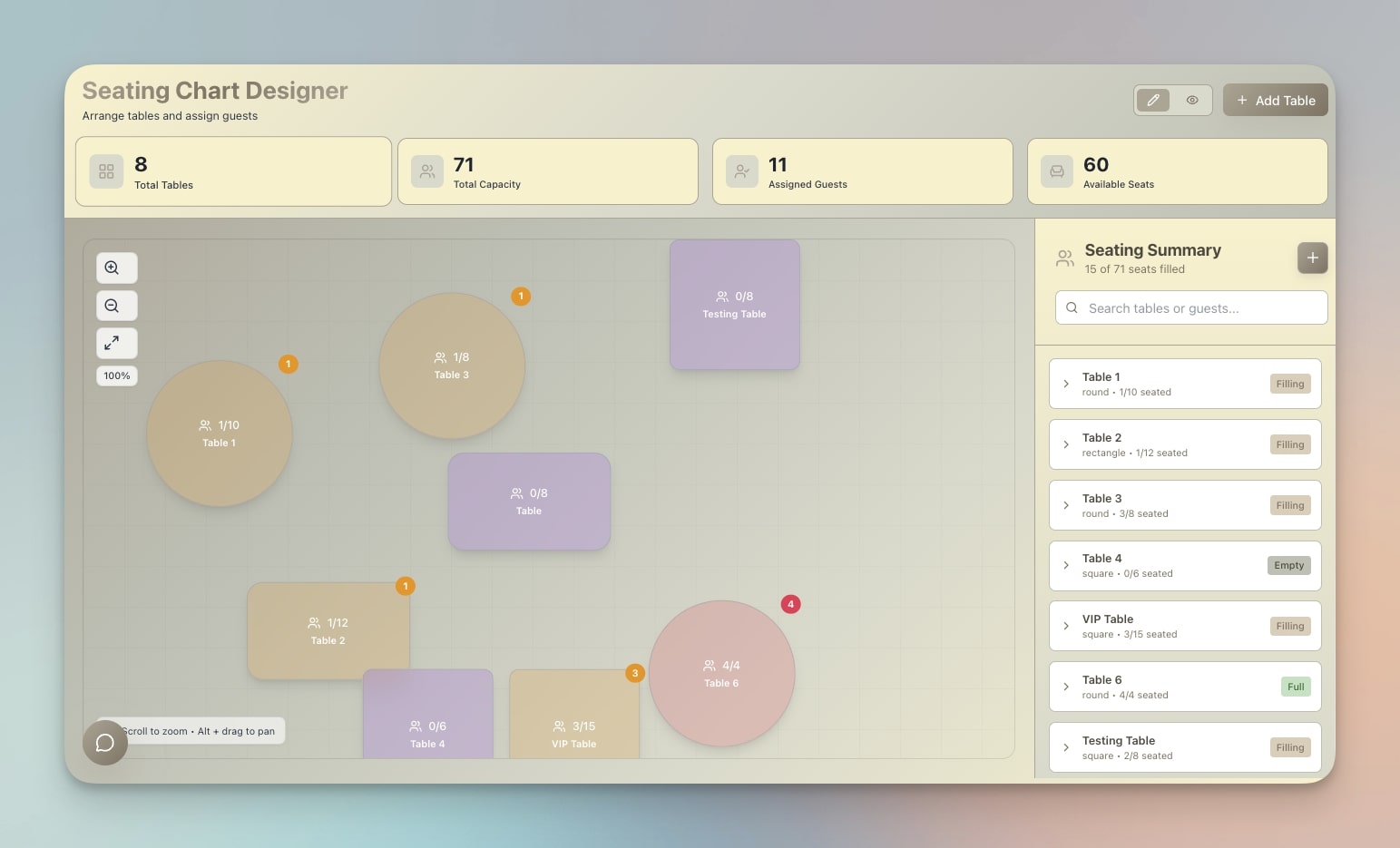
Enterprise event platforms cost $5,000-50,000 per year and assume you have a dedicated events team. You don't. This guide compares 10 event management tools built for small teams (1-10 people) running meetups, workshops, webinars, and local events on lean budgets. We cover pricing, free plan value, setup time, and customization depth — plus a step-by-step guide to building your own custom event system with AI using Taskade Genesis.
The Small Team Event Problem
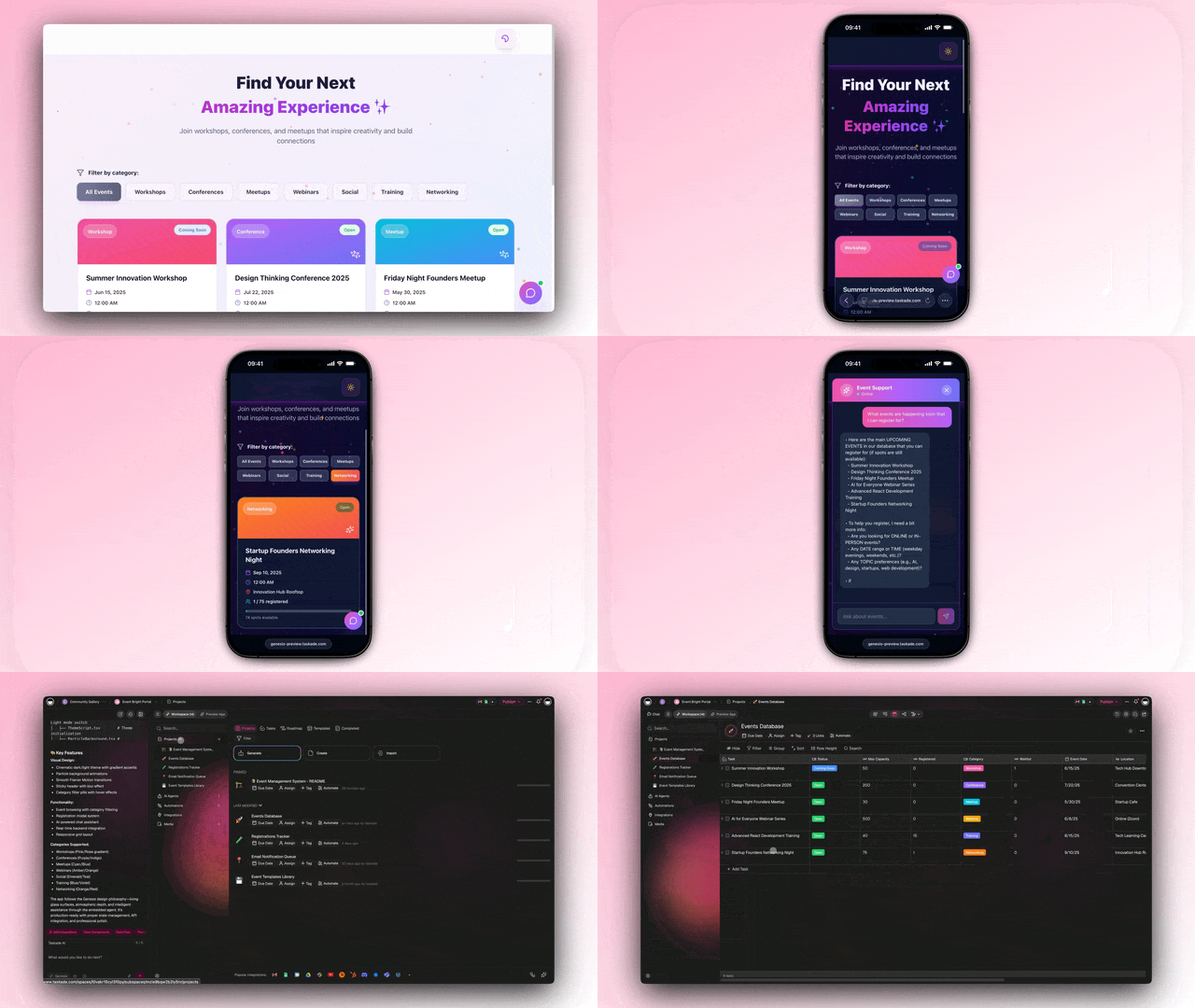
If you've ever tried to organize a workshop, community meetup, or team offsite, you've probably discovered an uncomfortable truth: event management software is built for people who organize events full-time.
Platforms like Cvent, Bizzabo, and Swoogo charge $5,000-50,000 per year. They include features like venue sourcing, sponsor management, badge printing, exhibitor portals, and dedicated account managers. These are powerful capabilities — for a corporate events team managing 50+ events per year with a six-figure budget.
But what if you're a startup founder running a monthly meetup? A marketing manager organizing quarterly webinars? A community leader planning weekend workshops? A nonprofit coordinator managing volunteer events?
You don't need an enterprise platform. You need something that gets out of the way and lets you focus on the actual event.
Here's what the gap looks like:
  ENTERPRISE EVENT TEAMS              SMALL TEAMS (1-10 people)
  ─────────────────────────           ─────────────────────────
  50+ events per year                 4-12 events per year
  $50,000+ annual budget              $0-864 annual budget
  Dedicated event staff               Events are a side task
  Complex sponsor/exhibitor needs     Simple RSVPs + communication
  Badge printing, venue sourcing      Event page + registration form
  Custom integrations, SSO            Email reminders + calendar sync
  6-month vendor evaluation           "I need this working by Friday"  WHAT THEY PAY                       WHAT THEY SHOULD PAY
  $5,000 - $50,000/year               $0 - $40/month
  ├─ Cvent: $10,000+/yr               ├─ Luma: Free - $59/mo
  ├─ Bizzabo: $15,000+/yr             ├─ Eventbrite: Free + fees
  ├─ Swoogo: $8,000+/yr               ├─ Genesis: $6/mo flat
  └─ Splash: $12,000+/yr              └─ Partiful: Free
This guide focuses exclusively on tools that work for the right column: small teams, lean budgets, and people who organize events as one of many responsibilities — not their entire job.
How We Evaluated These Tools
Every tool in this guide was evaluated against five criteria that matter most to small teams:
1. Setup Time
How quickly can a non-technical person create their first event page and start accepting RSVPs? We measured from signup to published event.
2. Free Plan Value
What can you actually accomplish on the free tier? Some tools offer generous free plans that cover most small team needs. Others gate essential features behind paywalls.
3. Small Team Features
Does the tool include what small teams actually need — event pages, RSVPs, email reminders, calendar sync, basic analytics — without forcing you to pay for enterprise features you'll never use?
4. Pricing Transparency
Can you find the price on the website, or do you have to "talk to sales"? Tools with opaque pricing are designed for enterprise procurement processes, not small team budgets.
5. Customization Depth
Can you make the tool fit your specific event workflow, or are you locked into the platform's assumptions about how events should work?
We tested each tool by creating a real event page, inviting test attendees, and evaluating the end-to-end experience for both organizers and attendees.
Quick Comparison: All 10 Tools
| Tool | Type | Best For | Free Plan | Starting Price | Our Rating |
|---|---|---|---|---|---|
| Taskade Genesis | AI app builder | Custom event systems | Yes (1K AI credits) | $6/mo | 9.2/10 |
| Luma | Event pages | Tech meetups, community events | Yes (unlimited) | $59/mo (Pro) | 8.8/10 |
| Eventbrite | Ticketing platform | Public ticketed events | Yes (free events) | $9.99/event + fees | 8.5/10 |
| Partiful | Social invitations | Casual gatherings, parties | Yes (always free) | Free | 8.0/10 |
| Notion + Calendar | DIY workspace | Teams already on Notion | Yes (limited) | $10/mo | 7.5/10 |
| Airtable | Database platform | Event logistics tracking | Yes (1,000 rows) | $20/seat/mo | 7.3/10 |
| Hopin (RingCentral) | Virtual event platform | Webinars, virtual conferences | No | Contact sales | 7.0/10 |
| Splash | Enterprise event marketing | Corporate events with branding | No | Contact sales | 6.8/10 |
| Whova | Conference app | Multi-day conferences | No | ~$1,000/event | 6.5/10 |
| Humanitix | Social impact ticketing | Nonprofit and charity events | Yes (free events) | Free + booking fees | 8.2/10 |
The 10 Tools: In-Depth Reviews
#1 Taskade Genesis — Build Custom Event Systems with AI
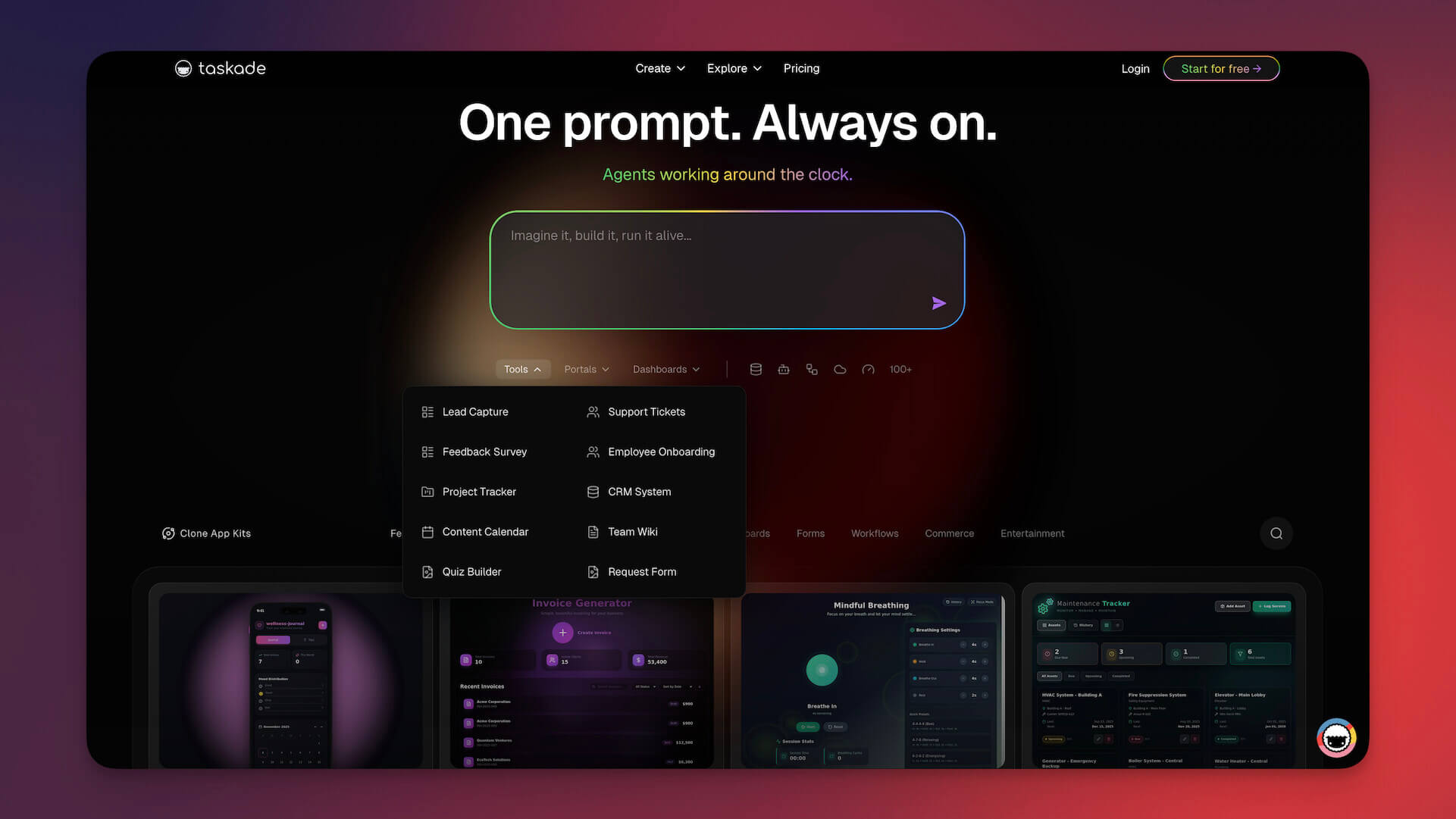
Taskade Genesis is not a pre-built event management platform. It's an AI app builder that creates custom event management systems from natural language prompts. Describe the event workflow you need — registrations, schedules, speaker management, volunteer coordination, attendee dashboards — and Genesis builds a working application in minutes.
This approach solves the core problem small teams face with event tools: you're either overpaying for features you don't need, or under-served by tools that don't fit your specific workflow. Genesis builds exactly what you need, nothing more.
Genesis apps are powered by Workspace DNA — three interconnected pillars that create living software:
+--------------+    +--------------+    +--------------+
|    MEMORY    | <-> | INTELLIGENCE | <-> |  EXECUTION   |
|  (Projects & |    | (AI Agents)  |    | (Automations)|
|   Databases) |    |              |    |              |
+--------------+    +--------------+    +--------------+
       ^                   ^                   ^
       +-------------------+-------------------+
                  EVE (Unified Intelligence)
                  Orchestrates all 3 pillars
- Memory: Event data flows into smart databases with 7 project views (List, Board, Calendar, Table, Mind Map, Gantt, Org Chart) — so you can see your event pipeline as a kanban board, a calendar, a Gantt chart, or whatever view fits your planning style.
- Intelligence: AI Agents (v2) answer attendee questions 24/7, generate event descriptions, summarize feedback, and handle custom tasks via 34 built-in tools with persistent memory.
- Execution: Automations powered by a durable execution engine handle email sequences, registration confirmations, calendar invites, and post-event follow-ups with branching, looping, and filtering logic across 100+ integrations.
Community event apps you can clone today:
The Taskade community has already built event-focused apps you can use immediately:
- Appointment Booking System — scheduling and registration for events and appointments
What you can build with a single prompt:
| Event System | Example Prompt | Build Time |
|---|---|---|
| Workshop registration | "Build a workshop signup system with waitlists, automated reminders, and a materials download page" | 3 min |
| Conference dashboard | "Create a conference management portal with speaker scheduling, session tracks, and attendee networking" | 5 min |
| Meetup tracker | "Build a monthly meetup organizer with RSVP tracking, venue notes, and post-event surveys" | 3 min |
| Volunteer coordinator | "Create a volunteer management system for events with shift scheduling, role assignments, and check-in" | 4 min |
| Webinar pipeline | "Build a webinar management system with registration, email drip sequences, and replay access" | 3 min |
Taskade Genesis Pricing
| Plan | Price | AI Credits | Apps | Agents | Automations |
|---|---|---|---|---|---|
| Free | $0 | 1,000/mo | Unlimited | 1 | 3 |
| Starter | $6/mo | 5,000/mo | Unlimited | 3 | 10 |
| Pro | $16/mo | 25,000/mo | Unlimited | Unlimited | Unlimited |
| Business | $40/mo | 150,000/mo | Unlimited | Unlimited | Unlimited |
Strengths:
- Build exactly the event system you need — no compromises on workflow
- AI agents handle attendee questions, generate content, and automate follow-ups
- Flat monthly pricing — no per-ticket or per-event fees
- Real-time collaboration with 7-tier access control (Owner, Maintainer, Editor, Commenter, Collaborator, Participant, Viewer)
- 100+ integrations for connecting to email, calendar, payment, and CRM tools
- 15+ AI models from OpenAI, Anthropic, and Google
Limitations:
- No built-in payment processing (connect via Stripe integration)
- No public event discovery marketplace (unlike Eventbrite)
- Requires crafting good prompts for best results (learning curve for AI interaction)
Verdict: Best for small teams that need a custom event workflow without paying enterprise prices. If your event management needs don't fit neatly into a pre-built platform's assumptions, Genesis lets you build exactly what works for your team at $6/month.
#2 Luma — Modern Event Pages for Community Builders

Luma (lu.ma) has become the default event platform for the tech community, startup ecosystem, and creator economy. Its strength is simple, beautiful event pages that make RSVPs feel effortless and events feel polished.
Creating an event on Luma takes under five minutes. You get a clean event page with automatic timezone detection, calendar integration, and a built-in attendee list. For recurring events like weekly meetups or monthly workshops, Luma handles series management natively.
Key Features:
| Feature | Free Plan | Pro Plan ($59/mo) |
|---|---|---|
| Event pages | Unlimited | Unlimited |
| Ticket sales | 2% fee | 0% fee |
| Custom branding | Limited | Full customization |
| Email tools | Basic | Advanced sequences |
| Analytics | Basic | Detailed insights |
| Custom domain | No | Yes |
| Priority support | No | Yes |
Strengths:
- Fastest setup time of any tool in this list (under 2 minutes for a basic event)
- Beautiful, mobile-first event pages that look professional without design effort
- Strong community and networking features (attendee profiles, mutual connections)
- Excellent calendar integration (Google Calendar, Apple Calendar, Outlook)
- Built-in video event support for virtual and hybrid events
- Free for unlimited free events with no attendee cap
Limitations:
- 2% fee on paid tickets on the free plan
- Limited customization — you're working within Luma's design system
- No built-in AI features or automation beyond email reminders
- Analytics are basic on the free plan
- No complex registration workflows (multi-step forms, conditional fields)
- Event discovery is limited compared to Eventbrite's marketplace
Verdict: Best for tech meetups, community events, and anyone who wants a polished event page up and running in minutes. If your events are free or low-cost and you value aesthetics over customization, Luma is hard to beat.
#3 Eventbrite — The Incumbent Ticketing Platform

Eventbrite is the most recognized name in event management. Founded in 2006, it's processed over 5 million events and has a built-in discovery marketplace where attendees browse events by location and interest. For public, ticketed events that need maximum visibility, Eventbrite's brand recognition and audience network are its biggest advantages.
For small teams, Eventbrite's free tier is genuinely useful: free events cost nothing to list, with no attendee limits. The catch comes with paid events. Eventbrite's fee structure — 3.7% + $1.79 per paid ticket on the standard plan — means costs scale directly with ticket sales.
Eventbrite Pricing
| Plan | Platform Fee | Payment Processing | Best For |
|---|---|---|---|
| Free (free events) | $0 | N/A | Free events, RSVPs |
| Essentials | 3.7% + $1.79/ticket | Included | Basic paid events |
| Professional | 6.2% + $1.79/ticket | Included | Marketing tools, reserved seating |
| Premium | Custom pricing | Included | High-volume, enterprise |
Cost example for a small team:
| Scenario | Tickets | Price | Eventbrite Fee | You Pay |
|---|---|---|---|---|
| Free workshop | 50 | $0 | $0 | $0 |
| Paid workshop | 50 | $25/ticket | ~$275 | $275 |
| Monthly meetup (12/yr) | 30 x 12 | $15/ticket | ~$960 | $960 |
| Annual conference | 200 | $50/ticket | ~$1,100 | $1,100 |
Strengths:
- Largest event discovery marketplace — attendees find your events organically
- Trusted brand recognition (attendees feel comfortable buying tickets)
- Robust ticketing with multiple ticket types, early bird pricing, discount codes
- Built-in payment processing with no additional merchant account needed
- Mobile check-in app for door management
- Comprehensive event analytics and reporting
Limitations:
- Per-ticket fees add up quickly for paid events
- Event page design is template-constrained (less polished than Luma)
- No AI features or intelligent automation
- RSVP-only events (no ticket sales) have fewer features
- The platform has become cluttered with features aimed at enterprise users
- Customization options are limited without upgrading to Professional or Premium
Verdict: Best for public, ticketed events where Eventbrite's discovery marketplace and brand trust add measurable value. If your events are free or your audience already knows about your events, the per-ticket fees make Eventbrite less attractive than alternatives.
#4 Partiful — Social-First Event Invitations

Partiful takes a radically different approach to event management: it treats events like social invitations, not business transactions. If you've ever received a Partiful link, you know the experience — playful animations, themed event pages, and a casual RSVP flow that feels more like accepting a party invite than filling out a registration form.
Partiful is completely free. No paid plans, no per-event fees, no hidden costs. The company generates revenue through optional add-ons and partnerships, not platform fees.
Key Features:
- Themed event pages with animations and custom designs
- Guest list management with RSVP tracking (Yes / No / Maybe)
- Group messaging for attendees
- Photo sharing during and after events
- Integration with contacts for easy invitations
- Mobile-first design
Strengths:
- Completely free — no paid plan, no fees, ever (for now)
- The most visually engaging event invitations of any platform
- Guest list management with RSVP tracking and reminders
- Built-in group chat and photo sharing for attendee engagement
- Perfect tone for casual and social events
- Dead-simple UX — zero learning curve
Limitations:
- No ticketing or payment processing
- No analytics or reporting beyond basic RSVP counts
- Limited to social/casual events — not suitable for professional conferences
- No custom branding beyond theme selection
- No integrations with other tools
- No automation or email marketing features
- RSVP tracking is basic (no conditional fields, no custom questions)
Verdict: Best for casual gatherings, birthday parties, team socials, and community events where the vibe matters more than the logistics. If you need ticketing, analytics, or professional branding, look elsewhere.
#5 Notion + Calendar — DIY Event Management

If your team already lives in Notion, building a DIY event management system inside your existing workspace can be surprisingly effective. Notion's databases, templates, and calendar views give you the building blocks for event tracking, speaker management, task assignments, and attendee lists.
The approach is straightforward: create a Notion database with event properties (date, venue, status, capacity, RSVP count), add linked databases for speakers, tasks, and attendees, and use Notion's calendar view to visualize your event pipeline.
What a Notion Event System Looks Like:
| Database | Properties | Purpose |
|---|---|---|
| Events | Date, Venue, Status, Capacity, Type | Master event list |
| Speakers | Name, Bio, Topic, Event (relation) | Speaker management |
| Tasks | Task, Owner, Due Date, Event (relation) | Event prep tracking |
| Attendees | Name, Email, RSVP Status, Event (relation) | Registration list |
| Venues | Name, Address, Capacity, Cost, Contact | Venue database |
Notion Pricing for Event Management
| Plan | Price | Relevant Limits |
|---|---|---|
| Free | $0 | 10 guest collaborators, limited blocks |
| Plus | $10/mo | Unlimited blocks, 100 guest collaborators |
| Business | $18/mo | Advanced permissions, SAML SSO |
Strengths:
- No additional tool if your team already uses Notion
- Highly customizable database structure — build exactly the schema you need
- Calendar, board, and table views for different planning perspectives
- Templates can standardize event creation workflows
- Strong collaboration features for team planning
- Free tier is usable for basic event tracking
Limitations:
- No public-facing event pages — attendees can't RSVP through Notion
- No built-in ticketing or payment processing
- No email reminders or automated attendee communication
- No event discovery or promotion features
- Requires significant manual setup and maintenance
- Guest collaborator limits on the free plan
- No mobile check-in or door management
Verdict: Best for internal event planning and logistics tracking for teams already using Notion. Not suitable as a standalone event management platform because it lacks public-facing features (event pages, RSVPs, ticketing). Think of it as the back-office, not the front-door.
#6 Airtable — Spreadsheet-Meets-Database for Event Logistics

Airtable occupies a similar niche to Notion for event management: it's a flexible database platform that can be molded into an event tracking system. Where Airtable differs is in its stronger data handling, form builder, and automation engine.
Airtable's form feature is particularly useful for events — you can create registration forms that feed directly into your database, then build views to track RSVPs, manage waitlists, and monitor capacity. The automation engine can send confirmation emails, update records, and trigger Slack notifications when new registrations come in.
What Airtable Adds Over Notion:
| Feature | Airtable | Notion |
|---|---|---|
| Forms (public registration) | Built-in | Requires third-party |
| Automations | Native (25/mo free) | Limited |
| API access | Full REST API | Limited |
| Integrations | Extensive | Moderate |
| Calendar view | Yes | Yes |
| Gantt view | Yes (paid) | Yes |
Airtable Pricing
| Plan | Price | Records | Automations |
|---|---|---|---|
| Free | $0 | 1,000 per base | 25 runs/mo |
| Team | $20/seat/mo | 50,000 per base | 25,000 runs/mo |
| Business | $45/seat/mo | 125,000 per base | 100,000 runs/mo |
Strengths:
- Built-in forms for public-facing registration
- Native automations for confirmation emails and notifications
- Excellent for tracking event logistics (vendors, budgets, tasks, timelines)
- Multiple views (Grid, Calendar, Kanban, Gallery, Gantt) for different perspectives
- Strong API for custom integrations
- Template gallery with event management starting points
Limitations:
- 1,000 record limit on free plan (a problem for events with large attendee lists)
- No public event pages or discovery features
- No built-in ticketing or payment processing
- Per-seat pricing becomes expensive for teams
- Limited branding on forms
- Learning curve for building automation workflows
- No AI features for content generation or attendee interaction
Verdict: Best for event logistics tracking — budgets, vendor management, task assignments, and registration data. Airtable's forms provide a basic public registration option that Notion lacks, and its automations can handle confirmation emails. But it's still a back-office tool, not a complete event platform.
#7 Hopin (RingCentral Events) — Virtual and Hybrid Events

Hopin, now operating as RingCentral Events after its 2023 acquisition, is a virtual event platform designed for webinars, online conferences, and hybrid events. If your events happen online — or have a significant virtual component — Hopin provides the infrastructure that Zoom and Google Meet lack: multi-stage events, virtual networking, expo areas, and breakout sessions.
For small teams running webinars and virtual workshops, Hopin's core value is replacing the awkward "Zoom link in an email" approach with a purpose-built virtual event experience that includes registration, a lobby, multiple sessions, and attendee networking.
What Hopin Includes:
- Virtual stage with live, pre-recorded, or RTMP streaming
- Breakout sessions and roundtable networking
- Expo area for sponsors and exhibitors
- Built-in registration pages
- Attendee analytics and engagement tracking
- Recording and replay capabilities
Hopin/RingCentral Events Pricing
| Aspect | Details |
|---|---|
| Pricing model | Contact sales (no public pricing) |
| Estimated cost | $500-5,000+ per event |
| Free tier | No (free trial available) |
| Best for | 100+ attendee virtual events |
Strengths:
- Purpose-built virtual event experience (not a repurposed video call)
- Multi-stage events with concurrent sessions
- Built-in networking and expo features
- Registration and analytics included
- Recording and replay for post-event access
- Hybrid event support (in-person + virtual)
Limitations:
- No public pricing — requires sales conversation
- Expensive for small teams (estimated $500+ per event)
- Overkill for simple webinars or small workshops
- RingCentral acquisition has introduced uncertainty about product direction
- No AI features or intelligent automation
- Complex setup for what might be a simple virtual event
- Limited value for in-person-only events
Verdict: Best for virtual conferences and webinars with 100+ attendees that need more structure than a Zoom call. For small teams running occasional webinars, the cost and complexity are hard to justify when simpler tools (Luma, Zoom Webinars) cover the basics.
#8 Splash — Enterprise Event Marketing

Splash positions itself as an "event marketing platform" rather than just an event management tool. Its focus is on brand-controlled event experiences — custom-designed event pages, branded email sequences, and on-brand check-in experiences that match your corporate identity.
For small teams, Splash is likely overkill. But if you're a small marketing team within a larger organization that requires brand consistency across all touchpoints (including events), Splash delivers design control that other platforms can't match.
What Makes Splash Different:
| Feature | Splash | Typical Event Tools |
|---|---|---|
| Brand control | Pixel-perfect templates | Template-constrained |
| Email design | Custom HTML emails | Basic templates |
| Check-in experience | Branded iPad app | Generic QR scan |
| Analytics | Marketing attribution | Basic attendance |
| Integrations | Salesforce, Marketo, HubSpot | Limited CRM |
Splash Pricing
| Aspect | Details |
|---|---|
| Pricing model | Contact sales (annual contracts) |
| Estimated cost | $12,000-50,000+/year |
| Free tier | No |
| Best for | Corporate marketing teams with brand requirements |
Strengths:
- Best-in-class brand control for event pages and communications
- Deep CRM and marketing automation integrations (Salesforce, Marketo, HubSpot)
- Marketing attribution — track how events contribute to pipeline
- Custom check-in experiences with branded iPad app
- Multi-event program management for event series
Limitations:
- Enterprise pricing ($12,000+/year minimum) — far beyond small team budgets
- Requires sales conversation and annual contracts
- Complex setup with a significant onboarding period
- Designed for corporate marketing teams, not general event organizers
- No AI features or intelligent automation
- No public event discovery marketplace
Verdict: Best for corporate marketing teams that need brand-consistent events and CRM integration. Not recommended for small teams — the pricing alone disqualifies Splash from most small team budgets, and the features target use cases (marketing attribution, sponsor management) that small teams rarely need.
#9 Whova — Conference App Platform

Whova specializes in multi-day conferences and professional events. Where most tools on this list focus on event pages and registration, Whova provides a complete conference app — a mobile application your attendees download for schedules, speaker info, networking, session Q&A, and real-time updates.
For small teams organizing a significant annual conference or professional event, Whova's dedicated conference app can elevate the attendee experience. But the per-event pricing model and conference-specific focus make it impractical for teams running smaller, more frequent events.
Whova Feature Set:
| Feature | Included |
|---|---|
| Branded conference app | Yes (iOS + Android) |
| Multi-track agenda | Yes |
| Speaker profiles | Yes |
| Attendee networking | Yes (AI-matched) |
| Session Q&A | Yes |
| Polls and surveys | Yes |
| Exhibitor directory | Yes |
| Sponsor promotion | Yes |
| Check-in management | Yes |
| Post-event analytics | Yes |
Whova Pricing
| Aspect | Details |
|---|---|
| Pricing model | Per-event (annual plans available) |
| Estimated cost | $1,000-5,000+ per event |
| Free tier | No |
| Best for | Multi-day conferences with 200+ attendees |
Strengths:
- Dedicated mobile conference app with your branding
- AI-powered attendee matchmaking for networking
- Multi-track agenda management with session selection
- Built-in engagement tools (Q&A, polls, surveys)
- Exhibitor and sponsor management
- Comprehensive post-event analytics
Limitations:
- Per-event pricing starts at ~$1,000 — expensive for frequent events
- Conference-specific — overkill for meetups, workshops, or webinars
- Requires attendees to download an app (friction)
- No AI content generation or workflow automation
- Limited value outside of multi-day conference format
- Complex setup process for what might be a straightforward event
Verdict: Best for annual conferences and multi-day professional events with 200+ attendees where a dedicated mobile app adds genuine value. Not practical for small teams running regular meetups, workshops, or webinars due to per-event pricing and conference-specific features.
#10 Humanitix — Social Impact Ticketing

Humanitix takes a unique approach to event ticketing: it's a registered charity that donates 100% of its booking fee profits to children's charities. For nonprofit teams, community organizations, and socially conscious event organizers, Humanitix lets you sell tickets while contributing to a social mission.
The platform's event management features are solid — comparable to Eventbrite's essentials — but the social impact positioning is what differentiates it. Attendees see that their booking fee goes to charity, which can increase willingness to pay and improve brand perception for your event.
Humanitix vs Eventbrite Fees:
| Aspect | Humanitix | Eventbrite |
|---|---|---|
| Free events | $0 | $0 |
| Booking fee (paid events) | ~$0.30-2.00 per ticket | 3.7% + $1.79 per ticket |
| Where fees go | Children's charities | Eventbrite revenue |
| Payment processing | Stripe (standard fees) | Built-in (included in fee) |
Strengths:
- Booking fee profits go to charity — genuine social impact
- Free for free events with no platform fees
- Clean, modern event pages
- Built-in ticketing with multiple ticket types
- QR code check-in
- Basic analytics and reporting
- Attendees feel good about the booking fee
Limitations:
- Smaller discovery marketplace than Eventbrite
- Fewer advanced features (no advanced marketing, limited automation)
- Limited integrations compared to larger platforms
- Not available in all countries (primarily Australia, US, UK, NZ, Canada)
- No AI features or intelligent workflow automation
- Less brand recognition than Eventbrite (attendees may not trust unfamiliar platform)
Verdict: Best for nonprofit events, community organizations, and socially conscious teams who want their ticketing fees to support charity rather than enrich a corporation. The platform is solid for basic ticketed events, though it lacks the advanced features and global reach of Eventbrite.
Full Feature Comparison Matrix
| Feature | Genesis | Luma | Eventbrite | Partiful | Notion | Airtable | Hopin | Splash | Whova | Humanitix |
|---|---|---|---|---|---|---|---|---|---|---|
| Free plan | Yes | Yes | Yes | Yes | Yes | Yes | No | No | No | Yes |
| Ticketing | Via integration | Yes | Yes | No | No | No | Yes | Yes | Yes | Yes |
| RSVP | Yes | Yes | Yes | Yes | Manual | Via forms | Yes | Yes | Yes | Yes |
| Custom branding | Full | Limited (free) | Limited | Themes | Full | Limited | Yes | Full | Yes | Limited |
| Email reminders | Via automation | Yes | Yes | Yes | No | Via automation | Yes | Yes | Yes | Yes |
| Analytics | Yes | Basic (free) | Yes | No | No | Yes | Yes | Yes | Yes | Basic |
| AI features | Yes (15+ models) | No | No | No | Limited | No | No | No | No | No |
| Mobile app | Yes | Yes | Yes | Yes | Yes | Yes | Yes | Yes | Yes | Yes |
| Integrations | 100+ | Limited | 100+ | No | Moderate | 100+ | Moderate | 100+ | Limited | Limited |
| Custom domain | No | Pro only | No | No | No | No | Yes | Yes | Yes | No |
| Attendee limit (free) | Credits-based | Unlimited | Unlimited | Unlimited | 10 guests | 1,000 rows | N/A | N/A | N/A | Unlimited |
| Virtual events | Via integration | Yes | Limited | No | No | No | Yes | No | Yes | No |
| Automation | Yes (durable execution) | No | Limited | No | No | Yes (limited) | No | Limited | No | No |
The Economics for Small Teams
What does event management actually cost for a small team running 12 events per year? Here's a realistic breakdown based on a team organizing monthly meetups or workshops with 30-50 attendees each.
Scenario A: Free Events (Meetups, Workshops, Community)
  ANNUAL COST — 12 FREE EVENTS, 30-50 ATTENDEES EACH
  ────────────────────────────────────────────────────  Luma (Free)
  ░                                          $0/year
  └─ Free for unlimited free events
  Eventbrite (Free)
  ░                                          $0/year
  └─ Free for free events
  Partiful (Free)
  ░                                          $0/year
  └─ Always free
  Humanitix (Free)
  ░                                          $0/year
  └─ Free for free events
  Taskade Genesis (Starter)
  ██░                                        $72/year
  └─ $6/mo for custom event system + AI
  Notion (Plus)
  ████░                                      $120/year
  └─ $10/mo for team workspace
  Airtable (Team, 2 seats)
  ████████████░                              $480/year
  └─ $20/seat/mo × 2 seats
For free events, Luma, Eventbrite, Partiful, and Humanitix all work at zero cost. Genesis's $72/year gets you a custom system with AI, which matters more when your event workflow is complex.
Scenario B: Paid Events ($25/ticket, 50 attendees, 12 events/year)
  ANNUAL COST — 12 PAID EVENTS, 50 x $25 TICKETS EACH
  ─────────────────────────────────────────────────────
  Total ticket revenue: $15,000/year  Taskade Genesis (Starter)
  ██░                                        $72/year
  └─ $6/mo flat — no per-ticket fees
  └─ You keep: $14,928
  Luma (Free tier, 2% fee)
  ████░                                      $300/year
  └─ 2% × $15,000 revenue
  └─ You keep: $14,700
  Luma (Pro, 0% fee)
  ████████████████░                          $708/year
  └─ $59/mo subscription
  └─ You keep: $14,292
  Humanitix
  ██████░                                    ~$360/year
  └─ ~$0.50/ticket × 600 tickets (goes to charity)
  └─ You keep: ~$14,640
  Eventbrite (Essentials)
  ████████████████████████████████░          $1,794/year
  └─ (3.7% + $1.79) × 600 tickets
  └─ You keep: $13,206
  Hopin / RingCentral Events
  ████████████████████████████████████████░  $6,000+/year
  └─ ~$500/event × 12 events (estimated)
  └─ You keep: $9,000
  Splash
  ████████████████████████████████████████░  $12,000+/year
  └─ Annual enterprise contract
  └─ You keep: $3,000
  Whova
  ████████████████████████████████████████░  $12,000+/year
  └─ ~$1,000/event × 12 events
  └─ You keep: $3,000
The difference is stark. For a small team generating $15,000 in annual ticket revenue, Eventbrite takes nearly $1,800 in fees. Genesis takes $96. That's $1,700 per year saved — money that can go back into the events themselves.
Build Your Own Event System with Genesis
Watch: Build a live AI app from a single prompt with Taskade Genesis.
Here's how to build a complete event management system using Taskade Genesis in under 10 minutes.
Step 1: Write Your Prompt
Start with a detailed prompt that describes your event workflow. The more specific you are, the better the result.
Example prompt for a community meetup organizer:
Build me an event management system for running monthly tech meetups.
I need:
EVENT CREATION
- Event name, date, time, venue, description
- Speaker lineup with bios and talk titles
- Capacity limit with automatic waitlist when full
REGISTRATION
- Public registration form (name, email, company, dietary needs)
- Automatic confirmation email on signup
- Waitlist management with auto-promotion when spots open
COMMUNICATION
- Email reminders: 1 week before, 1 day before, 2 hours before
- Post-event thank you email with feedback survey link
- Announcements to all registered attendees
DASHBOARD
- Overview: upcoming events, total registrations, attendance rate
- Per-event view: registered vs attended, speaker info, venue details
- Historical data: trend of attendance over time
CHECK-IN
- QR code or name-based check-in on event day
- Real-time attendance counter
- Walk-in registration option
Step 2: Review and Iterate
Genesis will generate a working application with databases, views, forms, and automation hooks. Review the result and iterate with follow-up prompts:
Add a sponsor management section where I can track sponsor companies,
their contribution level (Gold/Silver/Bronze), and what they get
in return (logo placement, speaking slot, booth space).
Create a volunteer coordination board with shift assignments,
role descriptions, and a check-in system for volunteers.
Add a post-event analytics page that shows: attendance rate vs
capacity, most popular talk topics, average feedback score,
and month-over-month growth in registrations.
Step 3: Connect Automations
Once your app is built, connect automations to handle the repetitive work:
| Trigger | Action | Integration |
|---|---|---|
| New registration | Send confirmation email | Gmail / SendGrid |
| Event date - 7 days | Send reminder email | Gmail / SendGrid |
| Event date - 1 day | Send final reminder with venue map | Gmail / SendGrid |
| Capacity reached | Enable waitlist + notify organizer | Slack |
| New waitlist signup | Send waitlist confirmation | Gmail / SendGrid |
| Spot opens | Promote next waitlist entry + notify | Gmail / SendGrid |
| Event completed | Send feedback survey | Google Forms |
| Feedback received | Update analytics dashboard | Internal |
Step 4: Share and Collaborate
Invite your team with the appropriate access level:
| Role | Access Level | Purpose |
|---|---|---|
| Event lead | Editor | Full event management |
| Speakers | Commenter | View schedule, add notes |
| Volunteers | Collaborator | Check-in, task completion |
| Sponsors | Viewer | View sponsorship details |
With 7-tier access control (Owner, Maintainer, Editor, Commenter, Collaborator, Participant, Viewer), you can give each person exactly the level of access they need — no more, no less.
Live Demo
Try a working event management system built with Taskade Genesis:
When to Use What: Decision Tree
Choosing the right event tool depends on your specific situation. Here's a practical decision framework:
  What kind of event are you running?
  │
  ├── PUBLIC TICKETED EVENT (selling tickets)
  │   ├── Need maximum exposure/discovery?
  │   │   └── Eventbrite (marketplace reach)
  │   ├── Nonprofit / social impact?
  │   │   └── Humanitix (fees go to charity)
  │   ├── Tech/startup community?
  │   │   └── Luma (modern pages, community features)
  │   └── Custom ticketing workflow?
  │       └── Taskade Genesis (build your own)
  │
  ├── FREE COMMUNITY EVENT (meetup, workshop)
  │   ├── Tech meetup or creator event?
  │   │   └── Luma (best free event pages)
  │   ├── Casual social gathering?
  │   │   └── Partiful (fun, social-first)
  │   └── Complex logistics?
  │       └── Taskade Genesis (custom system)
  │
  ├── VIRTUAL EVENT (webinar, online conference)
  │   ├── Large virtual conference (500+ attendees)?
  │   │   └── Hopin / RingCentral Events
  │   ├── Simple webinar (under 100)?
  │   │   └── Luma (built-in video) or Zoom
  │   └── Custom virtual event system?
  │       └── Taskade Genesis + Zoom integration
  │
  ├── MULTI-DAY CONFERENCE
  │   ├── 200+ attendees, need conference app?
  │   │   └── Whova (dedicated conference app)
  │   ├── Corporate event, brand requirements?
  │   │   └── Splash (enterprise event marketing)
  │   └── Smaller conference, lean budget?
  │       └── Luma + Taskade Genesis (pages + logistics)
  │
  └── INTERNAL TEAM EVENT (offsite, all-hands)
      ├── Already using Notion?
      │   └── Notion + Calendar (keep it in one tool)
      ├── Complex logistics tracking?
      │   └── Airtable (forms + automations)
      └── Need AI-powered coordination?
          └── Taskade Genesis (custom system)
When NOT to Use a Custom Event App
Honesty matters. Here are situations where a dedicated, pre-built event platform is the better choice over building a custom system with an AI app builder:
1. You need PCI-compliant payment processing at scale.
If you're selling thousands of tickets and handling significant revenue, use a platform with established payment infrastructure. Eventbrite and Humanitix handle PCI compliance, fraud detection, and refund processing at scale. Building equivalent payment security from scratch (even with AI help) is not advisable.
2. You need the Eventbrite discovery marketplace.
If your events depend on being discovered by new attendees who don't already know about your organization, Eventbrite's marketplace and SEO presence are genuinely valuable. No custom app can replicate that built-in audience.
3. You need a native conference app with offline support.
Multi-day conferences where attendees need a dedicated mobile app with offline schedule access, push notifications, and in-app networking are better served by purpose-built platforms like Whova. Building a native mobile app is beyond what AI app builders currently handle well.
4. You need enterprise compliance and vendor approval.
Corporate environments that require SOC 2 compliance, enterprise SSO, data processing agreements, and formal vendor security reviews are better served by established platforms that have already completed these certifications.
5. You're running a one-off event and need to move fast.
If you need an event page live in 60 seconds for a one-time gathering, Luma or Partiful will be faster than describing a custom system to Genesis. The AI approach pays off when you need a reusable system, not a single event page.
The sweet spot for custom event apps is: recurring events with specific workflow needs that don't fit neatly into any pre-built platform's feature set, where a small team wants to own the system rather than rent features.
More in the Vibe Apps Series
This article is part of the Vibe Apps series — comprehensive guides to building custom business tools with AI. Explore other categories:
- Best Vibe Coding Tools 2026 — 7 AI app builders compared
- 10 Best AI Booking Systems — Appointment scheduling without code
- 10 Best AI CRM Software — Customer relationship management with AI
- 10 Best AI Dashboard Builders — Business intelligence without code
- 10 Best AI App Builders — Create apps without code
- 50 AI Apps You Can Clone — One-click templates
- Best Zapier Alternatives — AI automation platforms
- What Is Vibe Coding? — The new era of app creation
Get Started
Event management shouldn't require an enterprise budget or a dedicated events team. Whether you choose Luma for quick event pages, Eventbrite for ticketed public events, or Taskade Genesis for a fully custom event system, the tools exist to run professional events on a small team budget.
If your event workflow is unique — and most are — consider building exactly what you need:
Build your custom event system with Taskade Genesis

Frequently Asked Questions
What is the best free event management tool for small teams?
For free events, Luma and Eventbrite both offer free tiers with no platform fees. Luma is better for tech meetups and community events with modern event pages. Eventbrite is better for public ticketed events with its large discovery marketplace. Taskade Genesis also offers a free tier that lets you build completely custom event management systems with AI.
Can I manage events without any experience in event planning?
Yes. Modern event tools are designed for non-specialists. Luma and Partiful let you create polished event pages in minutes with no training. Taskade Genesis goes further — describe your event needs in plain English (e.g., "Build me a workshop registration system with waitlists and automated reminders") and AI builds a complete working system for you. No event planning experience or technical skills required.
How is Taskade Genesis different from Eventbrite for event management?
Eventbrite is a pre-built event ticketing platform — you use its fixed features as-is. Taskade Genesis is an AI app builder that creates custom event management systems from text prompts. With Genesis, you get exactly the features your team needs (RSVP tracking, speaker management, volunteer coordination, custom dashboards) without paying for features you don't use. Genesis costs $6/month flat; Eventbrite charges per-ticket fees that scale with event size.
How can AI help with event management?
AI can automate event workflows in several ways. Taskade Genesis builds complete event apps from natural language descriptions. AI agents can answer attendee questions 24/7, send personalized follow-ups, and handle registration changes. AI automations can trigger email sequences, update attendee lists, sync calendars, and generate post-event reports — all without manual intervention.
How do I build a custom event app without coding?
Use Taskade Genesis. Write a prompt describing your event system (e.g., "Create a conference management portal with speaker scheduling, attendee registration, session tracks, and feedback forms"). Genesis generates a working application in minutes with databases, forms, dashboards, and AI agents included. You can then iterate by chatting with the AI to add features like email reminders, analytics dashboards, or check-in systems.
How much does event management software cost for small teams?
Costs vary widely. Free options include Luma (free events), Eventbrite (free events), and Partiful (always free). Mid-range tools cost $8-99/month — Taskade Genesis at $6/month, Luma Pro at $59/month. Enterprise platforms like Splash and Whova start at $1,000+ per event. For 12 events per year, total costs range from $0 (Luma free) to $72 (Genesis) to $500+ (Eventbrite with ticketing fees) to $12,000+ (Whova).
Which event tools include ticketing and payment processing?
Eventbrite, Luma, and Humanitix all include built-in ticketing with payment processing. Eventbrite charges 3.7% + $1.79 per ticket on its paid plans. Luma charges 2% on the free plan. Humanitix donates its booking fees to charity. For custom ticketing, Taskade Genesis can build registration and payment tracking systems that connect to Stripe or PayPal through integrations.
What integrations should I look for in an event management tool?
Essential integrations for small teams include calendar sync (Google Calendar, Outlook), email marketing (Mailchimp, SendGrid), video conferencing (Zoom, Google Meet), payment processing (Stripe, PayPal), and CRM tools (HubSpot, Salesforce). Taskade Genesis offers 100+ integrations out of the box through its automation engine, plus Zapier and Make compatibility for connecting to virtually any service.
What is the difference between small team and enterprise event tools?
Enterprise tools (Cvent, Bizzabo, Splash) cost $5,000-50,000/year and include venue sourcing, badge printing, sponsor management, and dedicated account managers. Small team tools (Luma, Eventbrite, Genesis) cost $0-100/month and focus on event pages, RSVPs, basic ticketing, and attendee communication. Small teams rarely need enterprise features — and paying for them wastes budget that could go toward the actual event.
Are there attendee limits on free event management plans?
Yes, most free plans have limits. Eventbrite's free plan supports unlimited free events with no attendee cap. Luma's free plan allows unlimited events but charges 2% on paid tickets. Partiful has no attendee limits. Taskade Genesis free tier includes 1,000 AI credits per month — enough to build and run event systems for small to mid-size gatherings. Paid plans remove these limits.