






According to Gartner’s Digital Worker Experience Survey, near 80% of the global workforce is using collaboration software. That’s 44% more compared to the pre-pandemic world. No wonder many remote teams are on the hunt for the best video conferencing software to use in 2026.(1)
But there’s more. A 2021 report by Transparency Market Research predicts that the global video collaboration industry will grow to $11.56 billion by 2027.(2) That's hardly surprising since virtual meetings are the next best thing to face-to-face communication.
And for all the good reasons. 👇
🤝 More personal than chat, email, or regular calls.
💸 Cost-effective for globally distributed organizations.
🧠 Easy to repurpose into team knowledge (via recordings).
🙌 More engaging thanks to non-verbal communication.
🔌 Extendable with powerful tools and integrations.
🌟 And much more…
TL;DR: We compared 14 video conferencing tools across features, pricing, and collaboration capabilities. Taskade stands out by combining free video conferencing with real-time project collaboration, AI agents, and 8 project views in one workspace. Try Taskade free →
tl;dr The video meeting market is booming, which makes it a tad harder to navigate. That’s why we’ve compiled this list of the best video conferencing software you should try next year. Stay in touch with your team and tackle more world-changing projects remotely with online meetings!
👨💻 Let’s Compare the Best Video Conferencing Software
Finding the best video conferencing app is a tough nut to crack. 🤔
You want best-in-class features so that the new tool doesn’t clip your team’s wings. But you don’t want a platform bloated with unnecessary (and expensive) gimmicks to bog you down.
A good virtual meeting tool should have the right capacity for your team’s size, a user-friendly interface, solid mobile experience, quick startup process, and excellent stability, even with a low-bandwidth connection. You’d be surprised how many video conferencing apps don’t meet those basic requirements. But don’t worry, we found the ones that do.
Here are 14 video conferencing tools that check all the boxes. Take a peek at the screenshots, check their core features, and compare pricing tiers to find the perfect match for your team. 👇
⚙️ The Best Video Conferencing Software for Project Management
Taskade
Our goal at Taskade is to make remote collaboration as frictionless as possible. That’s why we created a platform that combines the power of video, chat, project management, and artificial intelligence. Taskade is a true lovechild of Asana, Trello, and Google Docs.
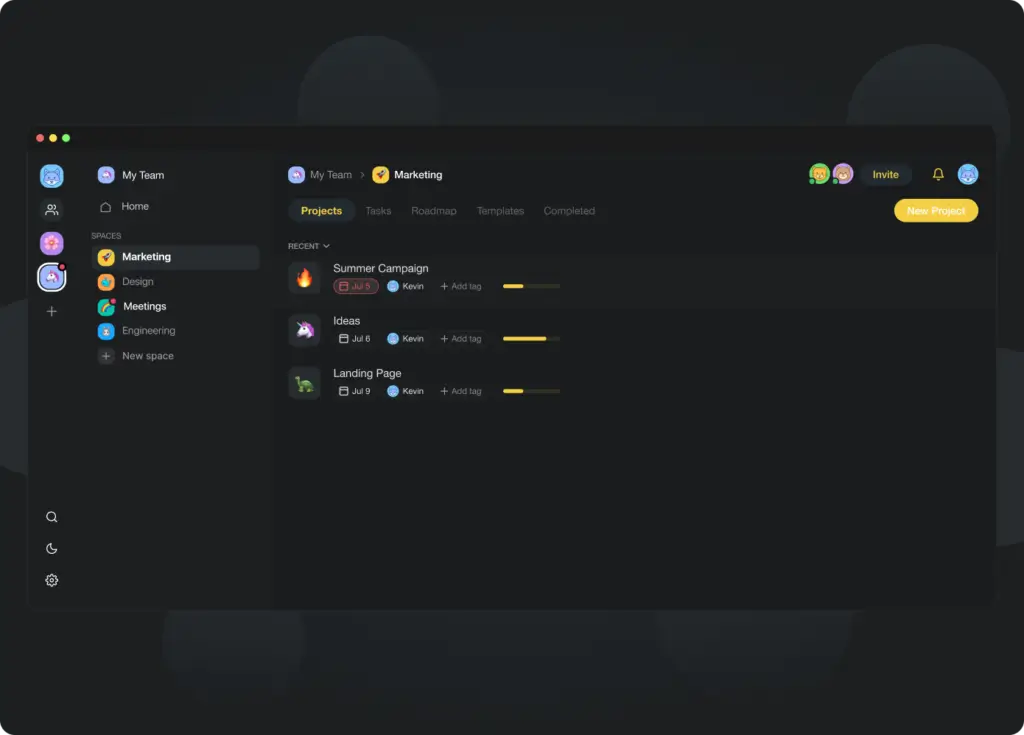
Taskade Workspace screen in all its dark mode glory!
Taskade is also one of the few project management platforms that offer integrated, 100% free video conferencing. You can chat and collaborate with your team in the same app, in the same window, without having to pay extra or install any add-ons (nobody likes those, right?).
And here's the best part.
Taskade features a powerful AI Assistant that allows you to instantly generate meeting agendas and even generate summaries of meeting notes. You no longer have to spend hours planning meetings, outlining talking points, and fleshing out actions items. Taskade AI will do that for you.
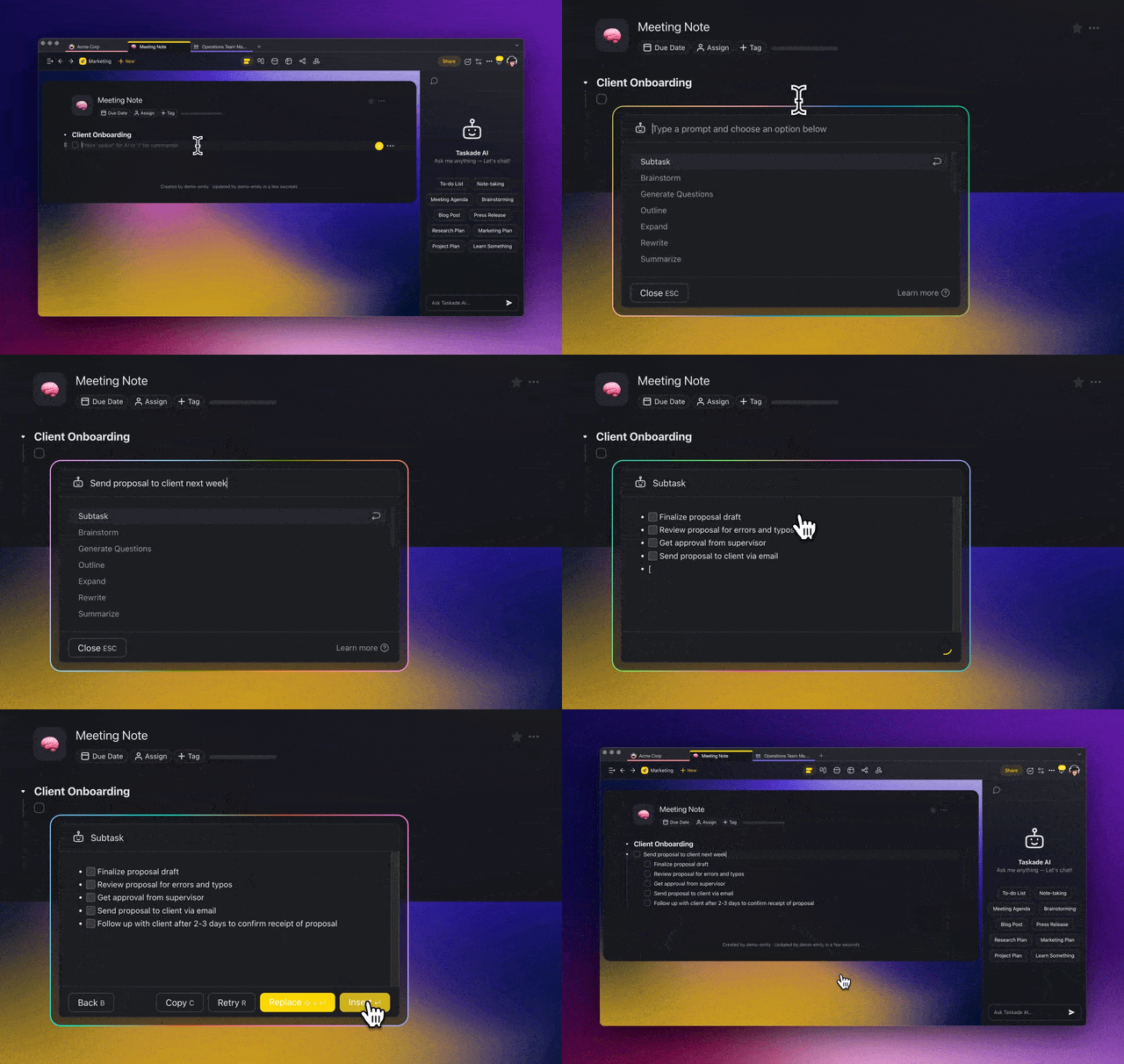
The AI Assistant will supercharge your meetings
To amp your video conferencing experience, Taskade lets you easily manage workspace members, assign tasks with @mention, engage in mind mapping, and share documents via drag-and-drop. There’s even a countdown timer to help you stay on top of things!
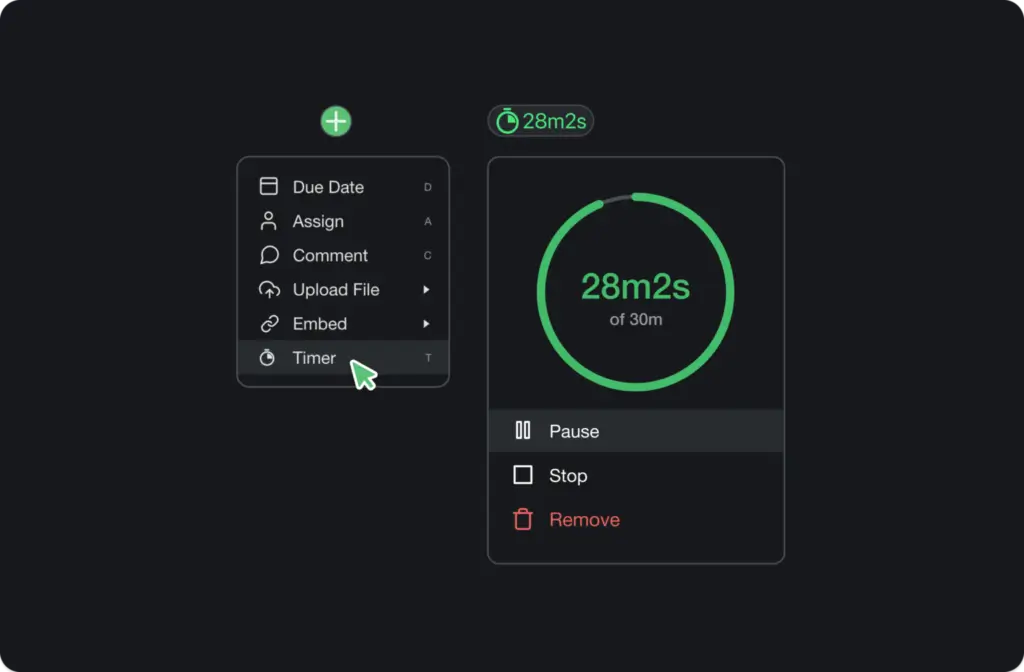
A Pomodoro timer running in Taskade
Last but not least, you can use a shared team calendar to schedule meetings and notify your team about upcoming events. The calendar syncs with Google (two-way synchronization), Apple, and Outlook calendars via API tokens.
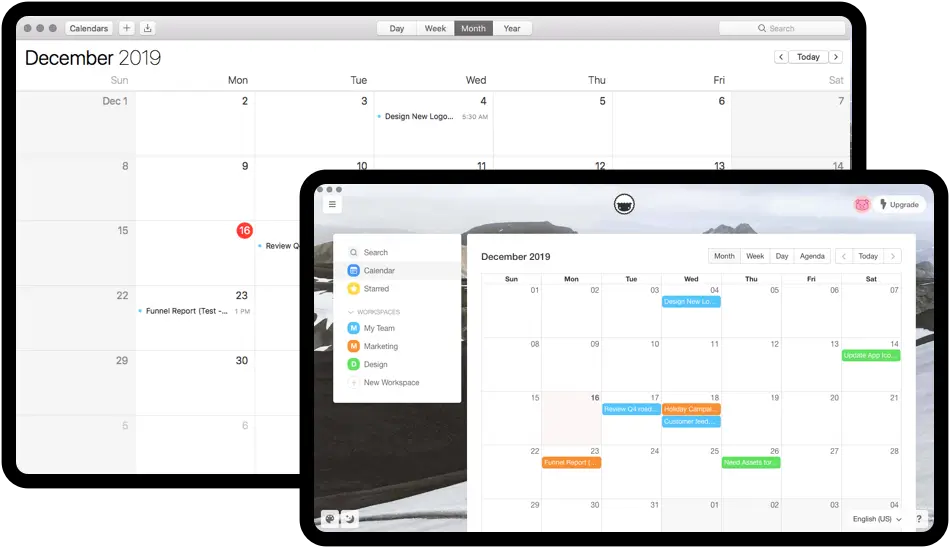
Taskade calendar integration with Apple mail
Taskade Select Meeting Features 🌟
AI Assistant and Chat
Screen sharing
Presentation mode
Countdown timer (Pomodoro)
Interactive mind maps
Workspace management
Attendee management
Desktop and mobile
Background blur
Custom backgrounds
Drag-and-drop file sharing
Chat reactions
And more…
How Much Does Taskade Cost? 💰
🟢 Free (forever!)
Free chat, calls, and video conferencing
Unlimited call time
Perfect for up to 50 participants
Unlimited file storage (up to 25MB per file)
Calendar integrations
Custom backgrounds
Background blur
Desktop and mobile apps
Countdown timers
Google/Twitter/Meta SSO
🔵 Starter ($6/month per user, billed annually)
Everything in the Free plan+
Unlimited storage space
Workspace branding and customization
Advanced workspace/editing privileges
AI agents with frontier models from OpenAI, Anthropic, and Google
🟣 Pro ($16/month, 10 users included, billed annually)
Everything in the Starter plan+
Automations with 100+ integrations
Advanced AI agent capabilities
Check the full list of Taskade features here. 🐑
Slack
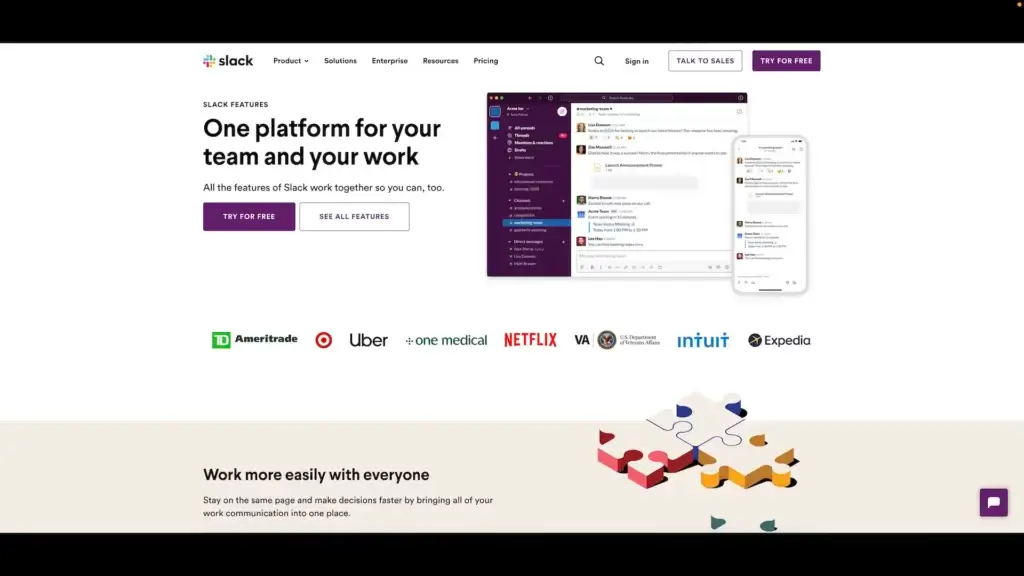
Video conferencing in Slack
Slack is a popular team collaboration tool and communication platform. While Slack’s chat and channels may be a bit overwhelming, especially in bigger teams, it does offer a solid video conferencing component for more focused video calls.
Slack Select Meeting Features 🌟
Screen sharing
Dedicated mobile apps
Multiple integrations
Document sharing
Guest invitations
1-on-1 calls
How Much Does Slack Cost? 💰
🟢 Free
Limited to 1-on-1 voice/video calls
10 third-party integrations
🔵 Pro ($6.67/month per user billed annually)
Group voice/video calls (15 participants)
Guest participants
Extended third-party integrations
🟣 Business+ ($12.50/month per user billed annually)
SAML-based SSO, OneLogin
Data export
🟡 Enterprise (custom)
Enterprise-grade security
Administration tools
Dedicated support
See why Taskade is the best free Slack alternative. 👈
Bitrix24
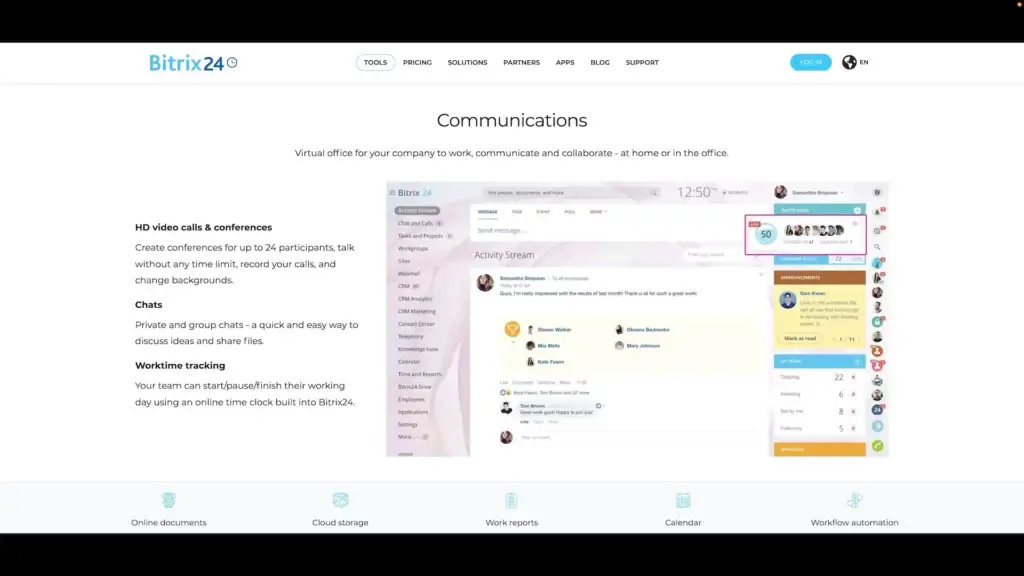
Video conferencing in Bitrix24
Bitrix24 is another interesting tool for holistic project management with a video conferencing option. The app works well for both personal and business projects across all types of industries. Bitrix24 also offers additional integrations in higher pricing tiers.
Bitrix24 Select Meeting Features 🌟
Cloud or self-hosted
Screen sharing
API/open-source code
Mobile, desktop, browser
Custom backgrounds
Call recording
How Much Does Bitrix24 Cost? 💰
🟢 Free
Unlimited call duration
Chat and calls (up to 48 users)
1-on-1 chats
5 GB of storage for files
🔵 Basic ($49/month per 5 users or $35 annually)
Everything in the Free plan +
24 GB of storage for files
Audio/video recording
Background blur
🟣 Standard ($99/month or $70 annually)
Everything in the Basic plan +
100 GB of storage
Advanced admin tools
🟤 Professional ($199/month or $140 annually)
Everything in the Standard plan +
1,024 GB of storage
Automation features
See why Taskade is the best free Bitrix24 alternative. 👈
Miro
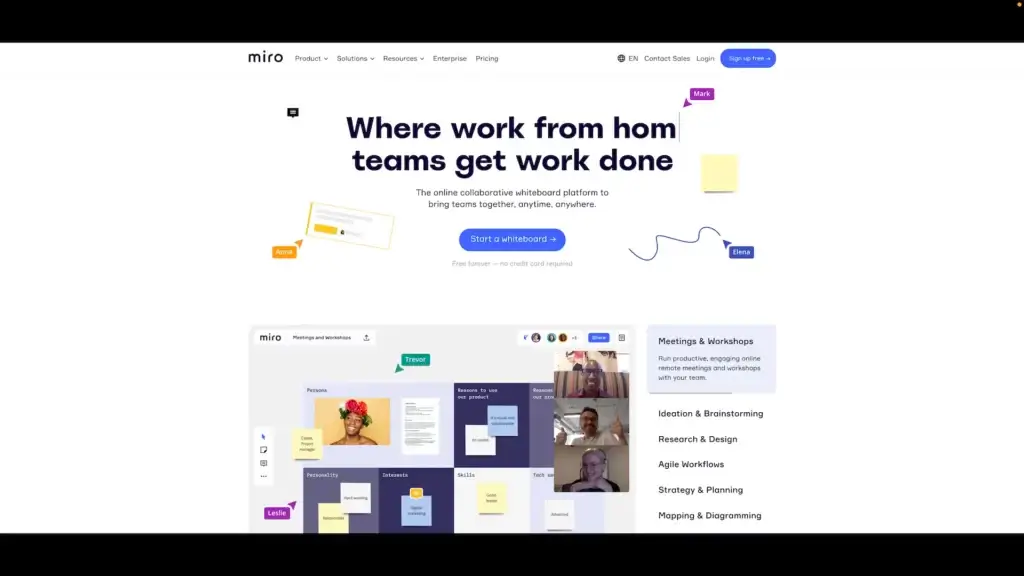
Video conferencing in Miro
Miro is a visual-first project management platform that packs integrated video chat and VoIP capabilities. A fine blend of a digital “infinite canvas” with collaboration features makes it a go-to choice for teams who want to invite clients to the creative process.
Miro Select Meeting Features 🌟
Screen sharing
Meeting templates
Mobile (iOS/Android)
Live-chat feature
Countdown timer
Attention management
How Much Does Miro Cost? 💰
🟢 Free
- Video meetings are not available in the free plan.
🔵 Team ($20/month billed annually)
Video meetings
Timers and voting
Visitors (no sign-in)
🟣 Business ($16/month per user billed annually)
Everything in the Team plan +
Guests (with sign-in)
Advanced security features
🟡 Enterprise (custom)
Everything in the Business plan +
Enterprise-grade security
Premium support
And more…
Check why Taskade is the best free Miro alternative. 👈
⚡️ The Best Video Conferencing Software for a Quick Start
BigBlueButton
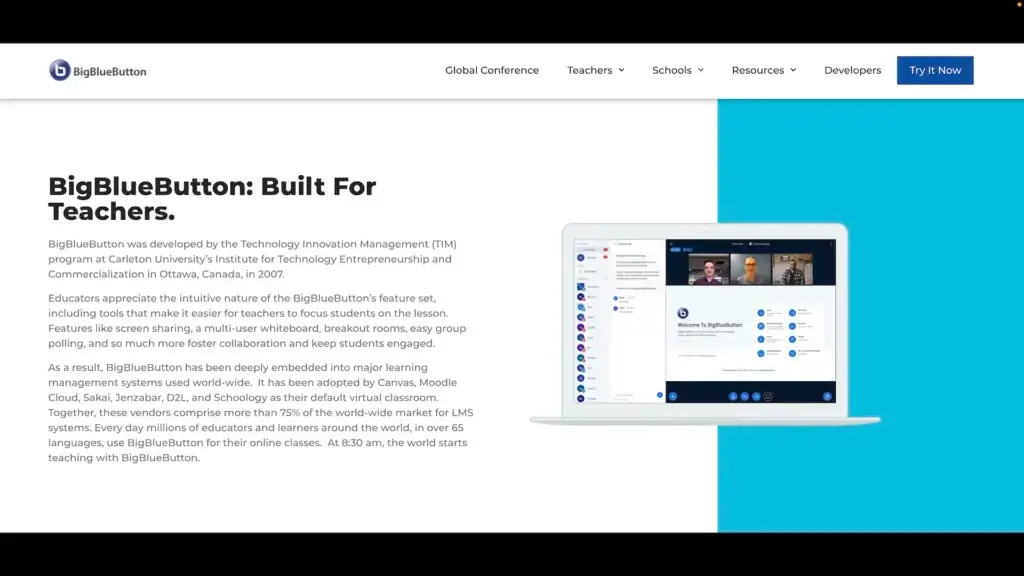
Video conferencing in BigBlueButton
BigBlueButton is free video conferencing software rooted in the e-learning space. Built “by teachers, for teachers,” the platform includes a strong lineup of features like document sharing, whiteboards, polling, and chat. And the best part? It’s open-source!
BigBlueButton Select Meeting Features 🌟
Video recording
Screen sharing
Polling and Q&A
Chat and file sharing
Whiteboards
LMS integrations
BigBlueButton Pricing 💸
- 🟢 Free (open-source)
BlueJeans
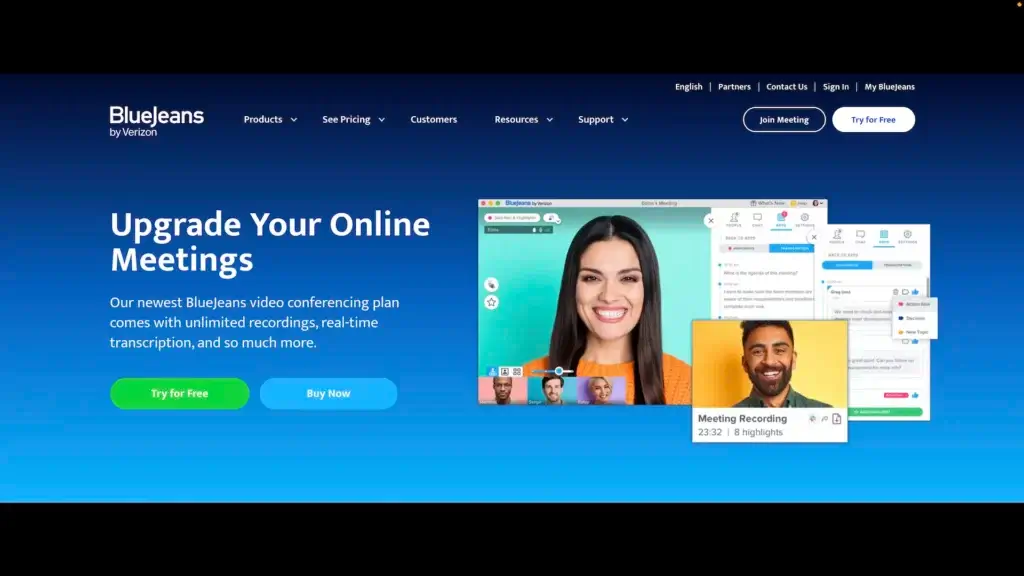
Video conferencing in BlueJeans
Another bluish tool on our list, BlueJeans is an e-meeting tool that dates back to 2009. Following its acquisition by Verizon in 2020, BlueJeans has grown into a suite of communication solutions for all kinds of applications, including events and telehealth.
BlueJeans Select Features 🌟
Instant messaging
No download required
Screen sharing
Polling and Q&A
Video recording
Integrations
How Much Does BlueJeans Cost? 💰
🟢 Standard ($9.99/month per host billed annually)
Up to 100 participants
1-on-1 meetings
No time limit
5-hour recordings
Dial-in numbers
🔵 Pro ($13.99/month per host billed annually)
Up to 150 participants
25-hour recordings
Analytics and integrations
🟣 Enterprise ($16.66/month per host billed annually)
Up to 200 participants
Unlimited recording
Real-time transcription
Brand customization
🟡 Webinars/Events Add-On ($41.67-$57.50)
100, 200, and 500 plans available
Attendee registration, chat, Q&A, and polling
And more…
Whereby
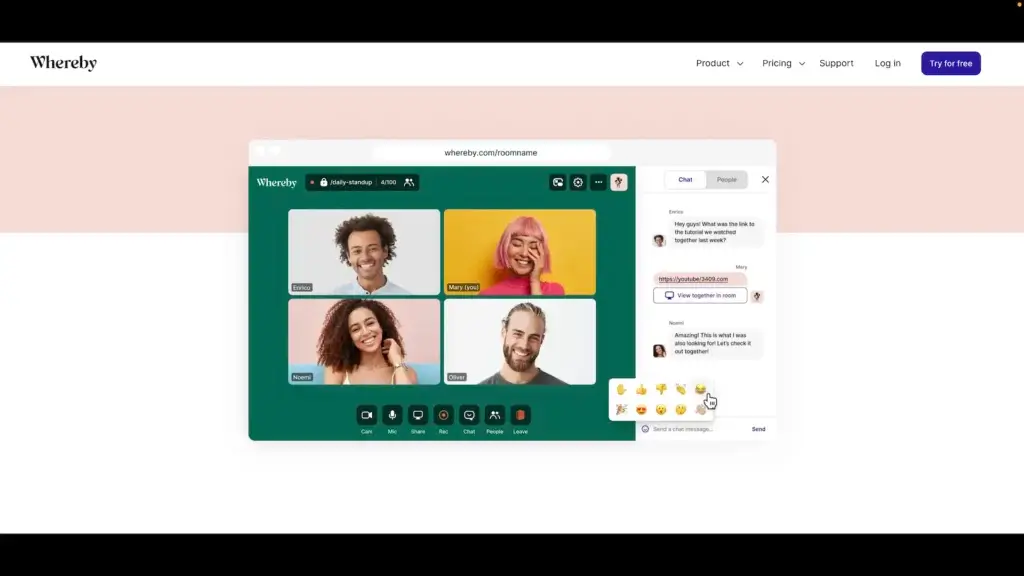
Video conferencing in Whereby
When it comes to communication aesthetics, Whereby (formerly appear.in) has it all figured out. A beautiful and simple video meeting app, Whereby is a browser-based solution that lets you host video calls without logging in or downloading anything.
Whereby Select Meeting Features 🌟
Browser-based
One-click join
Collaboration
Background effects
Noise reduction
Screen sharing
How Much Does Whereby Cost? 💰
🟢 Free
Up to 100 participants
1-on-1 meetings
Group meetings limited to 45 minutes
Background effects
Screen sharing
Integrations
🔵 Pro ($69.90/month per license billed annually)
Everything in the Free plan +
Unlimited group meetings
Meeting recording
Branding features
Custom subdomain
🟣 Business ($99.90/month per license billed annually)
Everything in the Pro plan +
Unlimited share rooms
Extended support
Early access to new features
🏢 The Best Video Conferencing Software for Large Teams
Cisco Webex
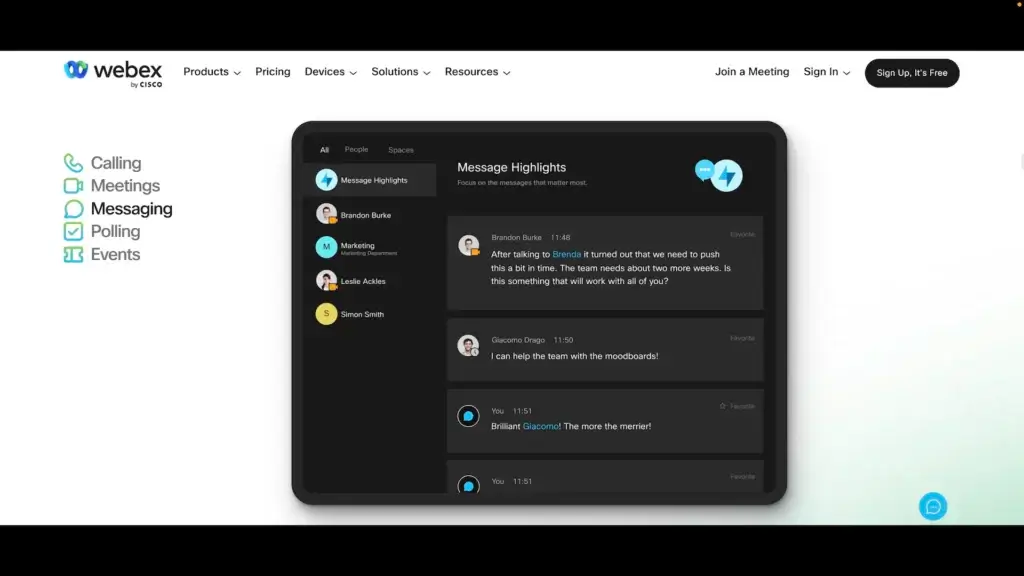
Video conferencing in Cisco Webex
Cisco’s cornerstone virtual meeting software has been around for a long time. The platform has undergone several serious overhauls since 1996 and is still one of the best video conferencing tools for larger teams and organizations.
Cisco Webex Select Meeting Features 🌟
Instant messages
Mobile apps
Presentation mode
Polling and Q&A
Enterprise suite
Video recording
How Much Does Webex Cost? 💰
🟢 Free
Meetings limited to 50 min
Limited to 100 participants
Screen sharing
Chat, notes, polling
Integrations
Interactive whiteboard
Virtual backgrounds
🔵 Starter ($13.50/month per host billed annually)
Everything in the Free plan +
Up to 150 participants
Meeting recording (5GB storage)
File sharing
Facebook Live streaming
🟣 Business ($26.96/month per host billed annually)
Everything in the Starter plan +
Up to 200 participants
10GB storage for recordings
🟡 Enterprise (custom)
Zoom
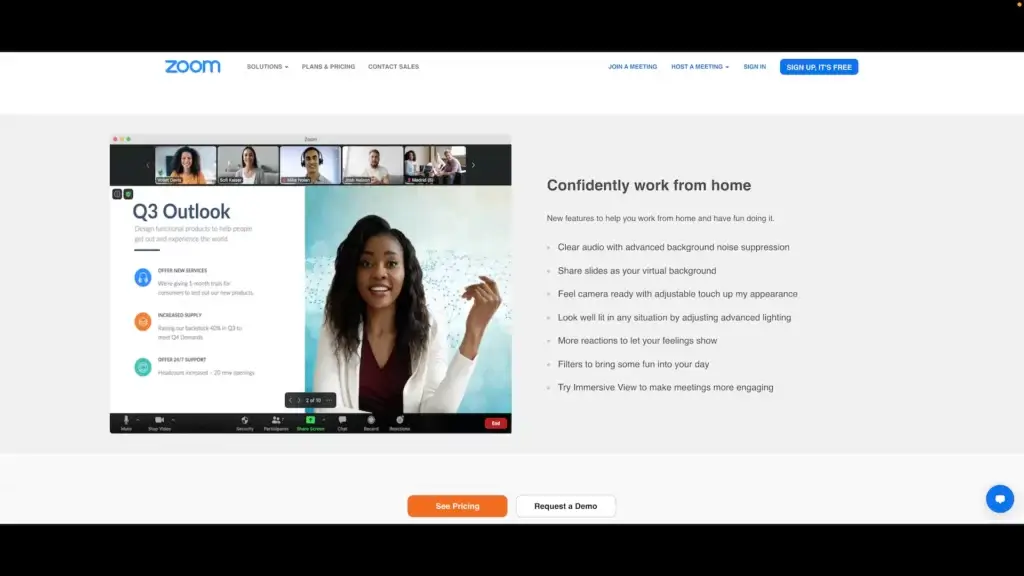
Video conferencing in Zoom
Ever since the pandemic started, Zoom has been associated with two things: remote collaboration and “Zoom fatigue.” Small hiccups notwithstanding, Zoom offers a no-nonsense virtual meeting experience that’s one of the best on the market.
Zoom Select Meeting Features 🌟
Up to 500 participants
Screen sharing
Chat and calls
Virtual backgrounds
Call recording
Mobile apps
How Much Does Zoom Cost? 💰
🟢 Free
Up to 100 participants
Group meetings limited to 40 min
1-on-1 meetings
Privacy and group chat
🔵 Pro ($149.90/year per license)
Everything in the Free plan +
Group meetings limited to 30 hours
Social media streams
Meeting recording (up to 1 GB)
🟣 Business ($199.90/year per license)
Everything in the Pro plan +
Up to 300 participants
Extended security
Branding features
🟡 Enterprise ($240/year per license)
Everything in the Business plan +
Up to 500 participants
Unlimited storage
Transcripts
See why Taskade is the best free Zoom alternative. 👈
🔗 The Best Video Conferencing Software for Integrations
Microsoft Teams
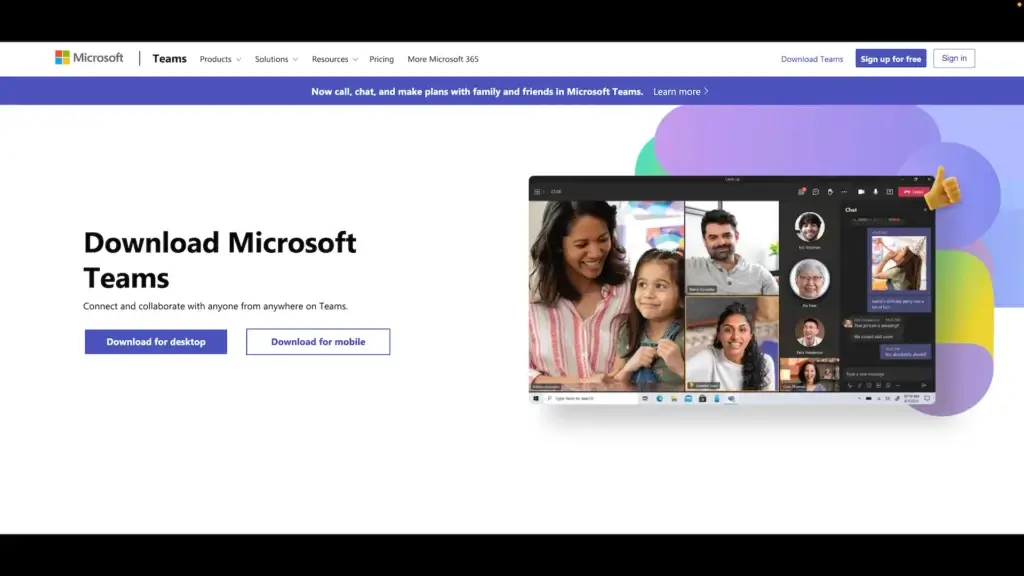
Video conferencing in Microsoft Teams
Like Zoom, Microsoft Teams needs no introduction. It’s a holistic approach to video meetings at a fair price. Consider Teams for business and personal projects if you don’t mind living inside Microsoft’s 365 ecosystem.
Microsoft Teams Select Meeting Features 🌟
Microsoft 365 integration
Industry-specific tools
One-to-one chat
Access control
Threads and feed
Scheduling
How Much Does Microsoft Teams Cost? 💰
🟢 Free
Meetings limited to 60min
Up to 100 participants
5 GB of cloud storage/user
Chat, file sharing, tasks, and polling
🔵 Essentials ($4/month per user billed annually)
Everything in the Free plan +
Up to 300 participants
10 GB of cloud storage/user
Extended support
🟣 365 Business Basic ($5/month per user billed annually)
Everything in the Essentials plan +
Transcripts
Web and mobile
1 TB of cloud storage/user
Business email
Office 365 apps
🟡 365 Business Standard ($12/month per user billed annually)
Everything in the Business Basic plan +
Desktop office apps
Registration and reporting
Webinar hosting
See why Taskade is the best free Teams alternative. 👈
Google Meet
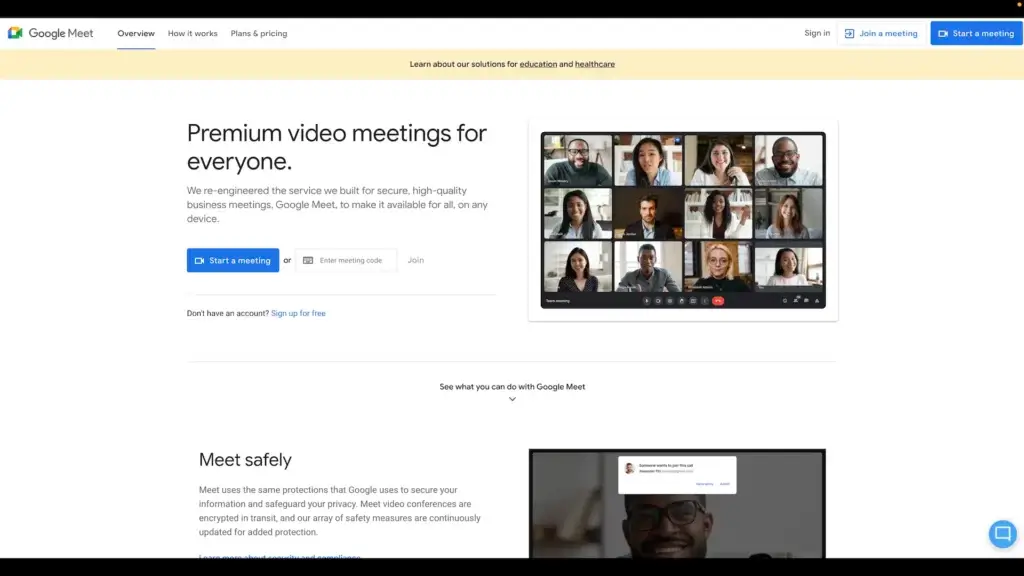
Video conferencing in Google Meet
A replacement for Hangouts, Meet is now Google’s key virtual meeting platform. The service is available for personal Gmail accounts (with limitations) as well as Google Workspace business users. It’s a no-frills tool for convenient video conferencing.
Google Meet Select Meeting Features 🌟
Whiteboard integration
Polls and Q&A
Background blur
Tiled layout
Screen sharing
Live captions
How Much Does Google Meet Cost? 💰
🟢 Business Starter ($6/month per user)
Business email
Up to 100 participants
30 GB cloud storage
🔵 Business Standard ($12/month per user)
Everything in the Starter plan +
Up to 150 participants
Meeting recording
2 TB cloud storage
🟣 Business Plus ($18/month per user)
Up to 500 participants
Attendance recording and tracking
5 TB cloud storage
Extended security
🟡 Enterprise (custom)
Noise cancellation
In-domain streaming
Extended storage
Advanced security features
Extended support
Zoho Meeting
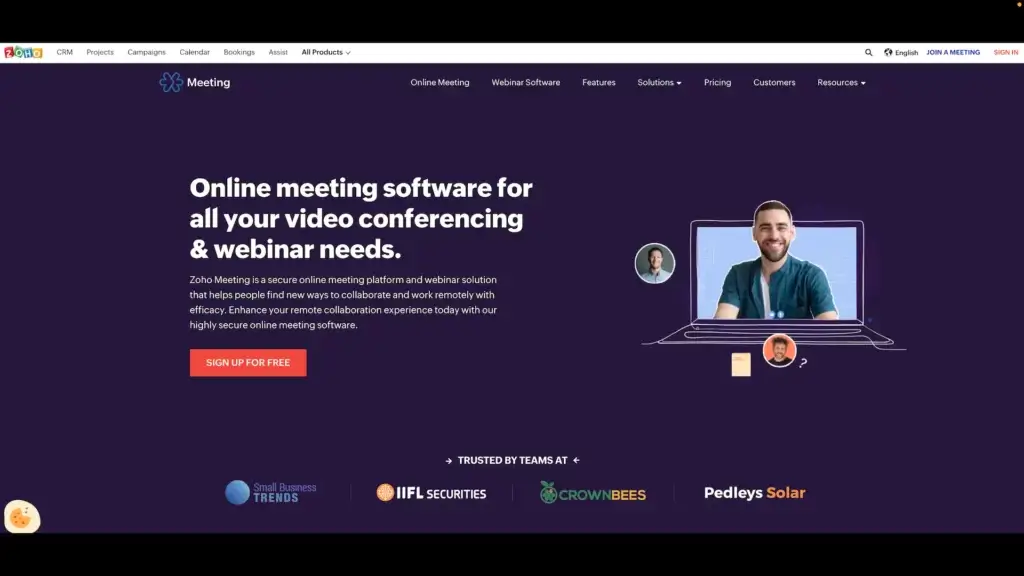
Video conferencing in Zoho Meeting
An alternative to Meet and Teams, Meeting sits on top of Zoho’s extensive infrastructure of business tools. The platform packs integrations like a CRM, note-taking app, and email client as well as a slew of third-party add-ons.
Zoho Meeting Select Meeting Features 🌟
Screen sharing
Extensive integrations
Webinar support
Polls and Q&As
Call recording
Calendar sync
How Much Does Zoho Meeting Cost? 💰
🟢 Free
Limited to 2 participants
No time limit
Screen sharing and file sharing
Chat and note-taking
Custom registrations
Reporting and analytics
🔵 Meeting (starting at $3.00/month)
Everything in the Free plan +
Cloud storage for recordings
Remote control
Integrations
Branding features
🟣 Webinar (starting at $19/month)
Everything in the Webinar plan +
Extended cloud storage for recordings
Live streaming
Q&A, polls, and registrations
More integrations
🥳 The Best Video Conferencing Software for Events
Gather. town
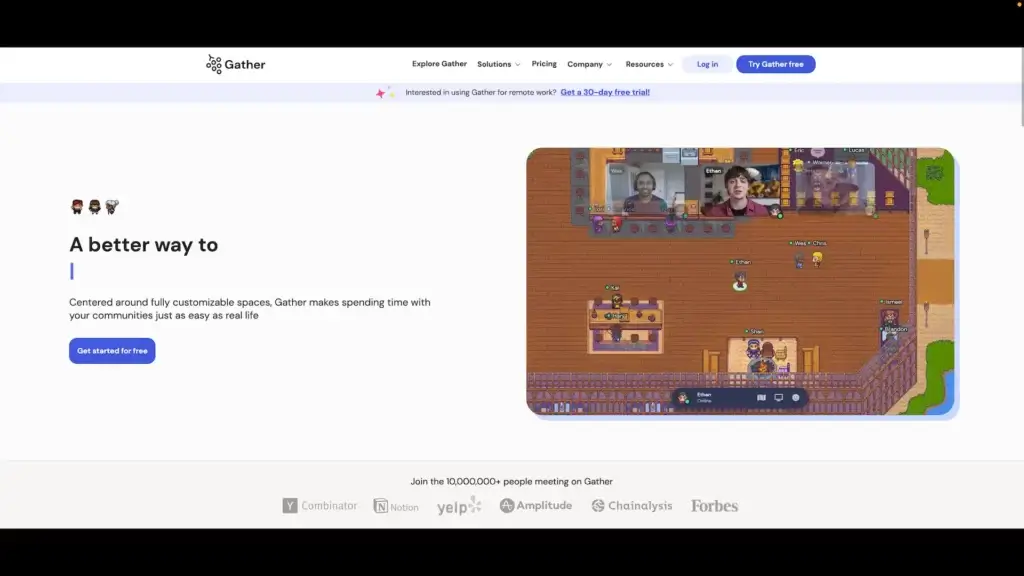
Video conferencing in Gather. town
Gather. town is a breath of fresh air in the remote collaboration and communication space. Designed around the concept of virtual rooms, Gather blends anime-esque visuals with creative tools that allow you to create unique meeting spaces for your team.
Gather.town Select Meeting Features 🌟
Gamified meetings
Customizable spaces
Whiteboards
Document sharing
Integrations
Event-oriented
How Much Does Gather. town Cost? 💰
🟢 Free
Up to 25 concurrent users
Customizable maps
Unlimited interactive objects
Password protection
🔵 Pay per hours, days, or monthly ($2-7/user)
Everything in the Free plan +
Up to 500 users
Email guest list
Domain-restricted access
Gather. town is a fine example of how the Metaverse could look like when/if it's implemented. Check our article What Is the Metaverse? The Next Step in Remote Collaboration to learn more.
Hopin
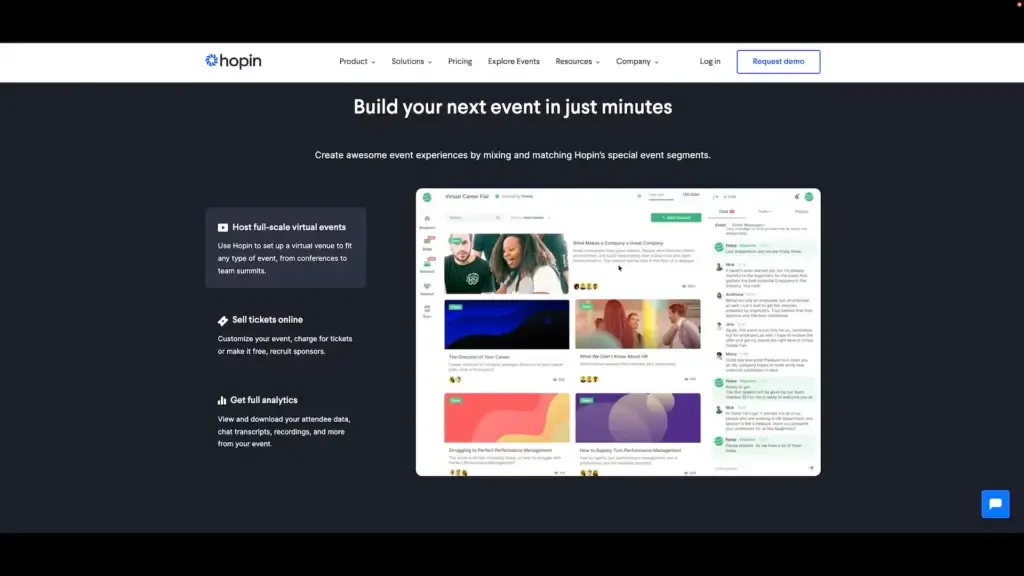
Video conferencing in Hopin
Like Gather, Hopin is a virtual venue for hosting events like webinars, workshops, and conferences, albeit in a more conventional manner. The platform comes with several cool event features like ticket sales, attendee management, and analytics.
Hopin Select Meeting Features 🌟
Screen sharing
1-on-1 meetings
Analytics tools
Welcome lobby
Private messaging
Integrations
How Much Does Hopin Cost? 💰
🟢 Free
Up to 100 registrants
Events limited to 2 hours
Event registration
Attendee experience tools
Basic integrations
🔵 Starter ($83.25/month annually)
Everything in the Free plan +
Events up to 72 hours
Customization
Extended integrations
Extended customization
🟣 Growth ($667/month annually)
Everything in the Starter plan +
Events up to 72 hours
Advanced customization
🟡 Business (business)
Advanced integrations
Full customization
Quick Comparison: Top Video Conferencing Tools at a Glance
| Tool | Free Tier | Max Participants (Free) | Time Limit (Free) | Built-In Project Mgmt | AI Features | Starting Price |
|---|---|---|---|---|---|---|
| Taskade | Yes | 50 | Unlimited | Yes (8 views) | AI agents (22+ tools) | $6/month |
| Zoom | Yes | 100 | 40 min | No | Zoom AI Companion | $13.33/month |
| Google Meet | Via Workspace | 100 | 60 min | No | Gemini (paid) | $6/month |
| Microsoft Teams | Yes | 100 | 60 min | Limited | Copilot (paid) | $4/month |
| Slack | Yes (1-on-1 only) | 2 | Unlimited | No | No | $6.67/month |
| Miro | No video in free | N/A | N/A | Whiteboard | Basic AI | $8/month |
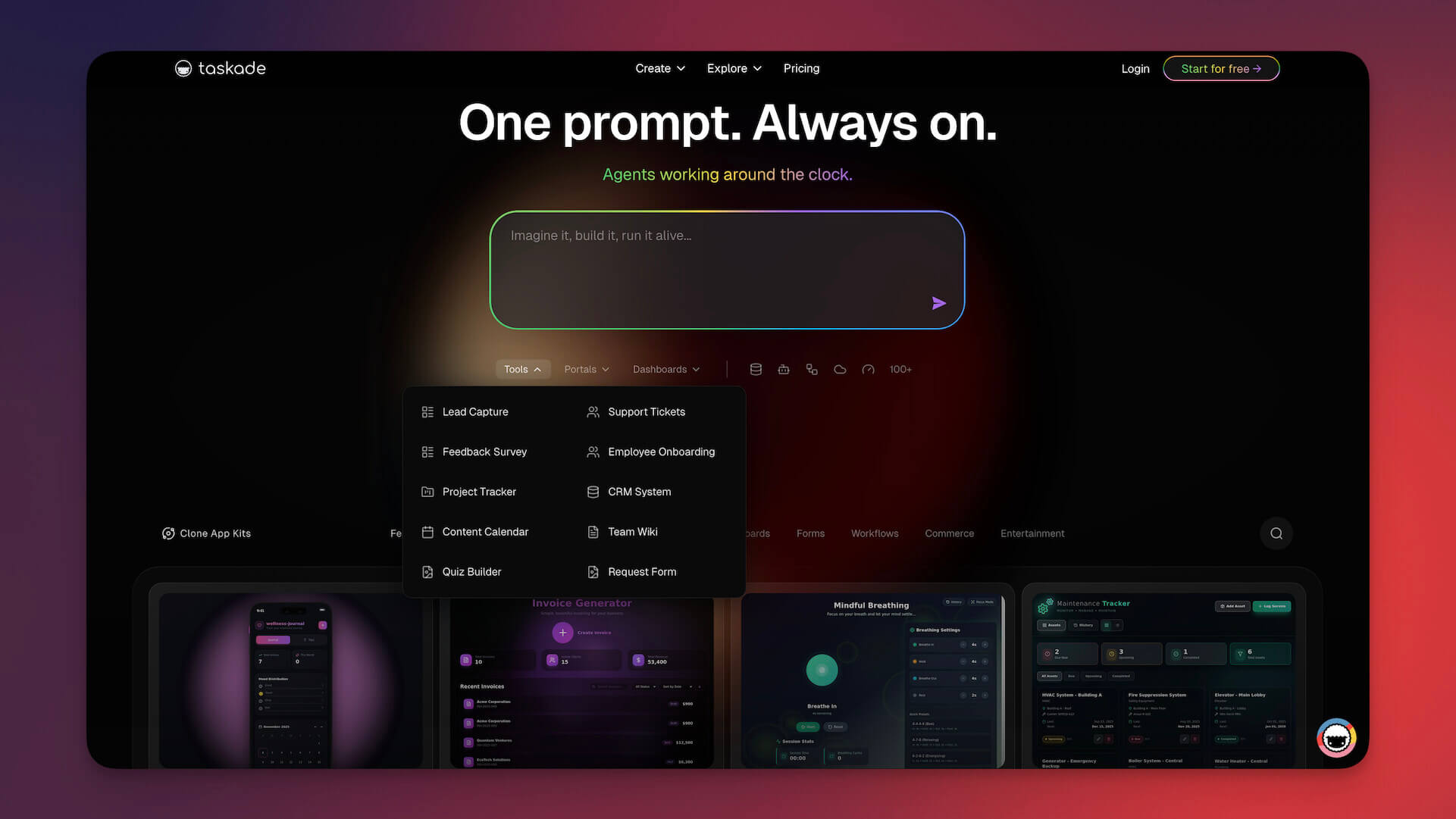
Workspace DNA: How Memory, Intelligence, and Execution Transform Virtual Meetings
Most video conferencing tools treat meetings as ephemeral events — they start, they end, and the value evaporates. Taskade's Workspace DNA architecture changes that:
- Memory — Every meeting note, decision, and action item persists as searchable project data in Taskade. Video calls happen inside the same workspace where your tasks, docs, and mind maps live, so context is never lost.
- Intelligence — AI agents powered by 11+ frontier models from OpenAI, Anthropic, and Google prepare agendas from project activity, summarize discussions in real time, and surface unresolved items from previous meetings.
- Execution — Automations with 100+ integrations convert action items into assigned tasks, set deadlines, and trigger follow-up reminders. Over 3M+ automations executed on the platform.
The loop: meetings create Memory (notes and decisions), agents transform Memory into Intelligence (summaries and priorities), and automations convert Intelligence into Execution (tasks and deadlines).
Agentic AI and Vibe Coding: Build Your Ideal Meeting System
Setting up effective meeting workflows typically requires configuring multiple tools — a calendar app, a note-taker, a task manager, and a notification system. Agentic AI and vibe coding collapse all of that into a single step.
With Taskade Genesis, describe what you need: "Build a meeting management system with agenda templates, AI-powered note-taking, action item extraction, and automated follow-ups." Genesis deploys the app with embedded agents. Over 150,000+ apps built this way.
AI agents with 22+ built-in tools and MCP connectors can:
- Auto-generate meeting agendas from recent project activity
- Capture and organize meeting notes in real time
- Extract action items with assignees and deadlines
- Trigger follow-up automations when meetings end
Browse meeting management systems in the Taskade Community or build your own.
Video Conferencing Feature Priorities by Team Size
| Team Size | Top Priority | Secondary Priority | Recommended Tool |
|---|---|---|---|
| 1-5 (Startup) | Free video + project management | AI meeting summaries | Taskade (free, unlimited) |
| 5-20 (Small Team) | Integrated workspace + async options | Automations + templates | Taskade ($6/mo Starter) |
| 20-50 (Mid-Size) | Scalable platform + recording | SSO + admin controls | Taskade Pro ($16/mo, 10 users) |
| 50-200 (Large) | Enterprise security + compliance | API + custom integrations | Zoom / Teams + Taskade |
| 200+ (Enterprise) | Multi-region infrastructure | Dedicated support | Microsoft Teams / Webex |
🚀 Pick the Best Virtual Meeting Tool for Your Team!
Remote work is growing at an incredible pace and we’re likely to see many exciting developments in 2026. But one thing’s certain: Video conferencing is here to stay. So why not revise your team’s toolbox and start the year with the best tool you can get?
With the right task management tool, you can streamline your workflow, increase productivity, and achieve your goals more efficiently. It's important to give some of these tools a try and see which one works best for you and your team.
Sign up to collaborate faster and smarter with Taskade AI! 🤖
🤖 Custom AI Agents: Empower your team by creating a fleet of AI agents designed to automate and streamline entire workflows.
🪄 AI Generator: Use natural-language commands to generate detailed project plans, task lists, documents, and more.
✏️ AI Assistant: With frontier AI models from OpenAI, Anthropic, and Google, your team can rapidly draft, brainstorm, and refine projects together, in the same window, in the same app.
🗂️ AI Prompt Templates Library: Avoid brainstorming fatigue by tapping into a vast pool of AI prompt templates for every occasion.
💬 AI Chat: Amplify team intelligence with AI discussions. Break down complex issues and explore new solutions anywhere in Taskade.
📄 Media Q&A: Share files with Taskade AI and ask questions to extract key insights. It's like having an expert analyst for every document.
🧬 Build Your Own Collaboration Hub
Why juggle multiple tools? With Taskade Genesis, build complete AI-powered collaboration systems — custom dashboards, automations, and AI agents trained on your knowledge — with a single prompt. It's vibe coding: describe what you need, Taskade builds it. Connect 100+ integrations or explore AI apps in our community.
And much more...

🔗 Resources
Frequently Asked Questions
What are the best video conferencing apps for remote teams?
Top video conferencing apps include Zoom (reliable and feature-rich), Google Meet (integrated with Google Workspace), Microsoft Teams (best for Microsoft ecosystems), and Taskade (combines video with real-time project collaboration). The best choice depends on your team's existing tools, budget, and whether you need standalone video or integrated collaboration.
What features should I look for in a video conferencing app?
Essential features include HD video and audio quality, screen sharing, recording capabilities, chat, virtual backgrounds, and breakout rooms. For productive remote teams, look for apps that integrate video directly into your workflow — like Taskade, where you can video chat while collaborating on projects in real time.
Are there good free video conferencing tools?
Yes. Google Meet, Zoom (free tier with 40-minute limit for groups), and Taskade all offer free video conferencing. Most free tiers cover basic needs like screen sharing and chat. For longer meetings and advanced features, paid plans typically start at modest per-user monthly fees.
How do I choose between Zoom, Google Meet, and Microsoft Teams?
Choose based on your ecosystem: Google Meet for Google Workspace users, Microsoft Teams for Microsoft 365 organizations, and Zoom for platform-agnostic needs. If you want video integrated into your project management and collaboration workflow, Taskade combines video conferencing with tasks, docs, and AI agents in one platform.
How does Taskade Genesis help teams build better virtual meeting workflows?
Taskade Genesis lets you build custom meeting dashboards, standup bots, and agenda systems from a single prompt. Over 150,000 apps have been built with Genesis. Describe your ideal meeting workflow and get a deployable app with embedded AI agents that prepare agendas, summarize discussions, and track action items automatically.
What is agentic AI and how does it improve virtual meetings?
Agentic AI refers to autonomous AI systems that handle tasks without constant human input. Taskade AI agents with 22+ built-in tools can prepare meeting agendas from project context, take real-time notes during video calls, extract action items, assign follow-ups, and generate meeting summaries — all without a dedicated note-taker.
How does Workspace DNA make video conferencing more productive?
Workspace DNA combines Memory (meeting notes and decisions persist as project data), Intelligence (AI agents prepare agendas and summarize discussions), and Execution (automations route action items and set deadlines after every call). This ensures meetings produce lasting results rather than forgotten conversations.
Can AI agents replace manual meeting note-taking and follow-ups?
Yes. Taskade AI agents can capture meeting context, generate structured summaries, extract action items with assignees and deadlines, and trigger follow-up automations via 100+ integrations. This eliminates the manual overhead that makes meetings feel unproductive and ensures every decision leads to action.