






Most developers start searching for a Cursor alternative for one reason: the June 2025 pricing change. Cursor swapped its 500 fixed "fast requests" for usage-based credits, which cut a $20/month Pro plan to roughly 225 requests and triggered surprise overage charges (the CEO issued a public apology). Add a 2026 wave of stronger agents — Anthropic's Claude Code and the free, open-source Cline now top community rankings — and the "default AI editor" question is genuinely open again.
Cursor still earns its $29.3B valuation: codebase-aware Cmd+K edits, Composer multi-file refactoring, and Background Agents remain best-in-class. But it is no longer the only strong choice. Nine alternatives now match or beat it on a specific dimension — price, agent autonomy, context depth, privacy, or model freedom.
TL;DR: Claude Code is the strongest autonomous agent (terminal-native, top SWE-bench). Cline is the best free pick (open-source, bring-your-own-key). GitHub Copilot wins GitHub-native teams. Windsurf offers Cascade multi-file editing. Zed is the fastest editor and Continue.dev is fully open-source. Read our full Cursor review.
This guide is for developers who write code daily. We compare form factor, context windows, agent autonomy, SWE-bench strength, and exact pricing for all nine. Also see: Best Claude Code Alternatives 2026. Not a developer? Read Best Cursor Alternatives for Non-Coders — AI app builders that ship working apps from a single prompt, no IDE required.
Quick Comparison: Cursor Alternatives for Developers
| Tool | Form Factor | Agent Mode | Self-Hosted | Pricing | Best For |
|---|---|---|---|---|---|
| Claude Code | CLI agent (+ IDE plug-ins) | Fully autonomous | No | Usage-based (API) / Pro plans | Top autonomous coding |
| Cursor | VS Code fork | Background Agents, BugBot | No | Free / $20/mo Pro | Best overall AI IDE |
| GitHub Copilot | Editor extension | Copilot Workspace | No | Free / $19/mo / $39 Business | GitHub-native teams |
| Windsurf | VS Code fork | Cascade autonomous | No | Free / $15/mo Pro | Cascade multi-file editing |
| Cline | VS Code extension | Autonomous (BYO key) | Yes (local LLM) | Free (pay per token) | Best free autonomous agent |
| Cody (Sourcegraph) | Editor extension | Growing | Enterprise only | Free / $9/mo / $19 Enterprise | Large multi-repo codebases |
| Zed | Native Rust editor | Growing | No (open-source) | Free | Fastest editor performance |
| Tabnine | Editor extension | No | Yes (on-prem) | Free / $12/mo Pro | Privacy-first enterprises |
| Continue.dev | Editor extension | No | Yes (fully open-source) | Free | Model flexibility, self-hosting |
The 2026 landscape: four form factors
The "AI code editor" category has split into four distinct shapes. Knowing which one you want narrows the list fast — a terminal lover and a privacy-bound enterprise want very different tools.
1. Cursor: The Benchmark
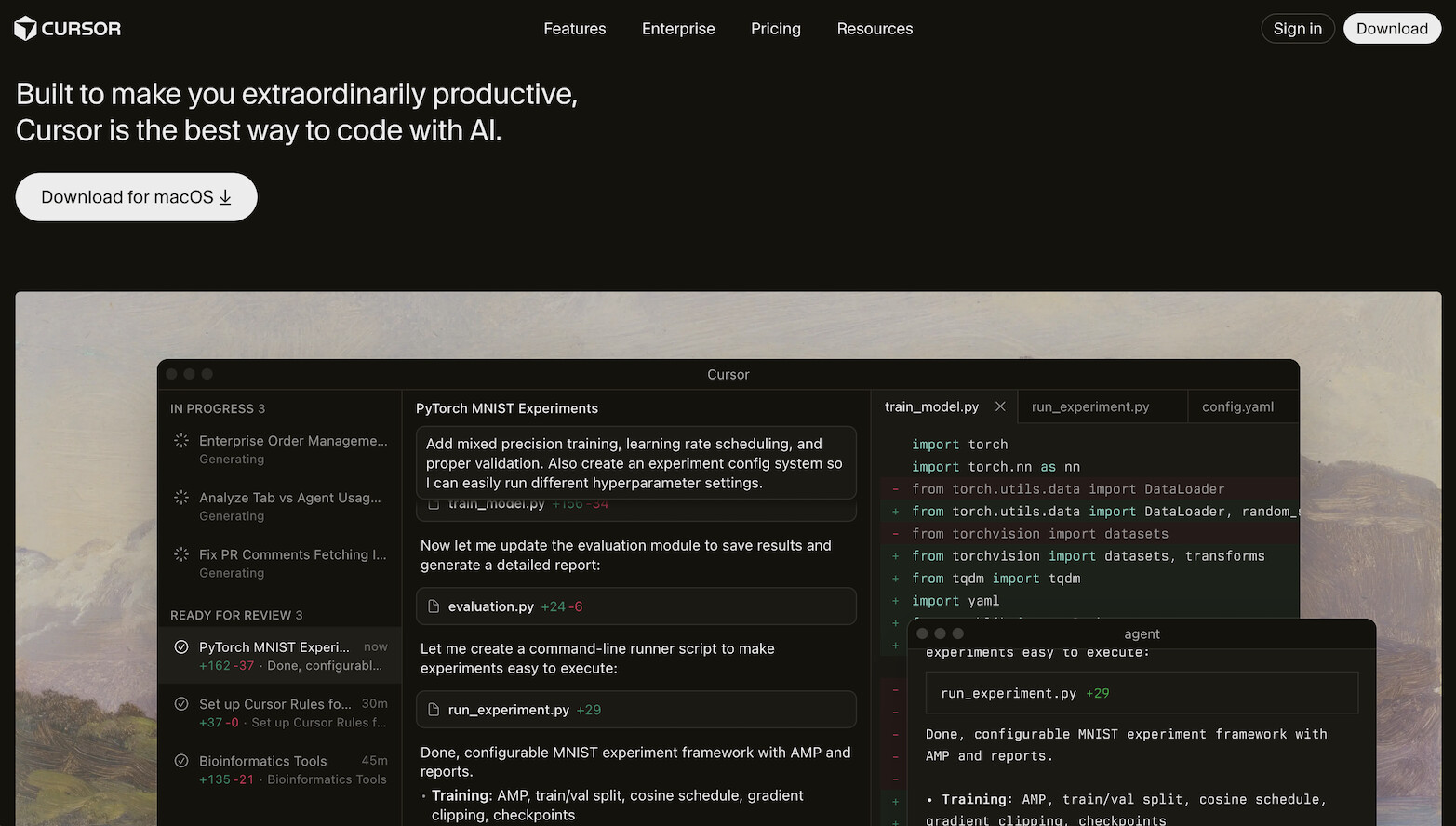
Cursor is the editor every alternative is measured against. Built as a VS Code fork, it layers proprietary AI capabilities on top of a familiar editing environment.
Context Window and Codebase Awareness
Cursor indexes your entire codebase using a proprietary system that understands file relationships, imports, type definitions, and project structure. When you ask a question in chat or use Cmd+K, Cursor pulls relevant context from across your project automatically. This is its strongest advantage over most competitors.
Multi-File Editing
Composer mode is Cursor's flagship feature for multi-file refactoring. You describe a change, and Composer edits multiple files simultaneously with a diff-based review flow. Background Agents extend this further by running autonomous coding tasks in the background while you work on other things.
Agent and Autonomous Mode
- Background Agents: Run multi-step coding tasks autonomously in cloud sandboxes
- BugBot: Automatically detects and fixes bugs in pull requests
- Composer: Multi-file editing with context-aware suggestions
Extension Ecosystem
As a VS Code fork, Cursor supports most VS Code extensions. However, some extensions require manual installation, and proprietary VS Code Marketplace extensions may not be available directly.
Pricing
- Free: 2,000 completions, 50 slow premium requests/month
- Pro ($20/month): Unlimited completions, 500 fast premium requests, Background Agents
- Business ($40/user/month): Admin controls, SAML SSO, usage analytics
Pros
- Best-in-class codebase context and multi-file editing
- Background Agents for autonomous task execution
- Familiar VS Code UX with full extension support
- Strong model selection (Claude, GPT, custom)
Cons
- $20/month is the most expensive option in this list
- VS Code fork means occasional compatibility gaps
- Cloud-dependent, no self-hosting option
- Context indexing can be slow on very large monorepos
2. GitHub Copilot: Best for GitHub-Native Workflows
GitHub Copilot has evolved from a simple autocomplete tool into a comprehensive AI coding platform. With Copilot Workspace, it now handles multi-step agentic tasks directly within the GitHub ecosystem.
Context Window and Codebase Awareness
Copilot understands your current file, open tabs, and repository structure. Copilot Workspace extends this to issue-level context, where it can read an issue description, plan a solution, and implement changes across multiple files. Context depth is good but still trails Cursor for complex cross-file reasoning.
Multi-File Editing
Copilot Workspace enables multi-file editing by translating GitHub issues into implementation plans. You review the plan, approve changes, and Copilot edits multiple files to resolve the issue. This is a different paradigm from Cursor's Composer: issue-driven rather than prompt-driven.
Agent and Autonomous Mode
- Copilot Workspace: Plan and implement multi-file changes from GitHub issues
- Copilot Chat: Context-aware Q&A within VS Code, JetBrains, Neovim
- PR summaries: Automatic pull request descriptions and review suggestions
Extension Ecosystem
Copilot runs as a plugin inside VS Code, JetBrains IDEs, Neovim, and Visual Studio. You keep your existing editor and extensions. This is a significant advantage over Cursor, which requires switching to a new editor entirely.
Pricing
- Individual ($19/month): Unlimited completions, Copilot Chat, Copilot Workspace
- Business ($39/user/month): Organization management, policy controls, audit logs
- Enterprise (custom): SAML SSO, IP indemnity, advanced security
Pros
- Deep GitHub integration (issues, PRs, repos, Actions)
- Works inside your existing editor (VS Code, JetBrains, Neovim)
- Copilot Workspace for issue-to-implementation agentic flow
- Strong enterprise controls and compliance
Cons
- Context awareness trails Cursor for complex cross-file reasoning
- Tied to GitHub ecosystem, less useful with GitLab/Bitbucket
- Individual plan increased to $19/month (was $10/month)
- Copilot Workspace is still evolving
Best for: Teams that live in GitHub and want AI integrated into their existing issue-to-PR workflow.
3. Windsurf: Best Budget Multi-File Editor

Windsurf (formerly Codeium) combines strong autocomplete with Cascade, its multi-file autonomous editing feature. Codeium was acquired by OpenAI (via Cognition), bringing significant AI resources to the platform. At $15/month for Pro, it undercuts Cursor by 25%.
Context Window and Codebase Awareness
Windsurf indexes your full codebase and uses this context for completions, chat, and Cascade operations. Context quality is close to Cursor for most projects, though Cursor maintains an edge on very large monorepos with complex dependency graphs.
Multi-File Editing
Cascade is Windsurf's answer to Cursor's Composer. It handles autonomous multi-file editing with a step-by-step plan that you can review before applying. Cascade can create files, modify existing ones, run terminal commands, and chain multiple operations together.
Agent and Autonomous Mode
- Cascade: Autonomous multi-file editing with plan-review-apply workflow
- Flow Mode: Proactive suggestions as you code, anticipating next steps
- Terminal integration: Cascade can run commands and react to output
Extension Ecosystem
Windsurf is a VS Code fork, so most VS Code extensions work. The extension compatibility is similar to Cursor, with occasional gaps for proprietary marketplace extensions.
Pricing
- Free: Unlimited autocomplete, limited Cascade and chat
- Pro ($15/month): Unlimited Cascade, priority models, faster responses
Pros
- $5/month cheaper than Cursor with comparable multi-file editing
- Cascade autonomous mode is competitive with Composer
- Strong free tier with unlimited autocomplete
- Fast completions from Codeium's optimized inference
Cons
- OpenAI/Cognition acquisition creates uncertainty about future direction
- Less mature than Cursor's context engine on complex projects
- Smaller community and ecosystem than Cursor or Copilot
- Limited model choice compared to Cursor
Best for: Developers who want Cursor-like multi-file editing at $15/month instead of $20/month.
4. Cody by Sourcegraph: Best for Large Enterprise Codebases
Cody is built by Sourcegraph, the company that pioneered universal code search across massive enterprise repositories. This gives Cody a unique advantage: it understands codebases at a scale that other editors struggle with.
Context Window and Codebase Awareness
Cody's context engine is purpose-built for enterprise-scale code. It uses Sourcegraph's code graph to understand cross-repository dependencies, internal APIs, and shared libraries. For organizations with millions of lines of code across dozens of repositories, Cody's context depth is unmatched.
Multi-File Editing
Cody supports inline edits and chat-driven code generation. Multi-file editing capabilities are growing but not yet as polished as Cursor's Composer or Windsurf's Cascade. Cody's strength is understanding context across files rather than editing them simultaneously.
Agent and Autonomous Mode
Cody focuses on assisted coding rather than autonomous agents. It excels at answering questions about large codebases, explaining unfamiliar code, and generating code that fits existing patterns.
Extension Ecosystem
Cody runs as an extension in VS Code and JetBrains IDEs. You keep your existing editor, extensions, and workflow. No editor switching required.
Pricing
- Free: Limited completions and chat for individual developers
- Pro ($9/month): Unlimited completions and chat, priority support
- Enterprise ($19/user/month): Multi-repo context, custom models, RBAC, audit logs
Pros
- Best-in-class context for large, multi-repo enterprise codebases
- Works inside VS Code and JetBrains (no editor switch)
- Cheapest paid tier at $9/month
- Enterprise features: RBAC, custom models, compliance
Cons
- Multi-file editing less mature than Cursor or Windsurf
- No autonomous agent mode
- Context advantage only matters for large codebases
- Sourcegraph infrastructure required for full enterprise features
Best for: Enterprise developers working with massive, multi-repo codebases where context depth matters most.
5. Zed: Fastest Editor with Built-In AI
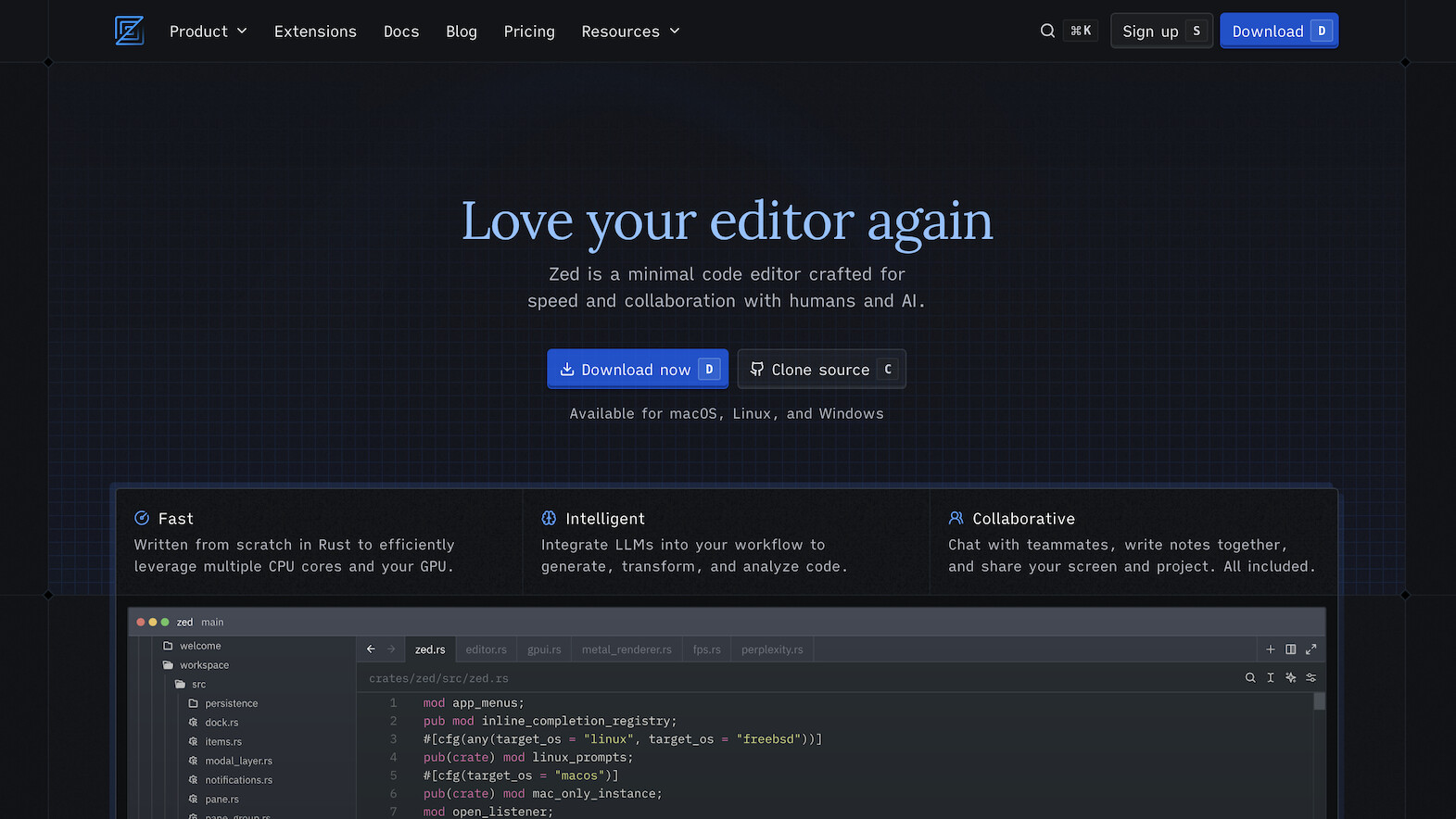
Zed is a code editor written from scratch in Rust, designed for raw performance. It is the fastest code editor available, with sub-millisecond input latency and GPU-accelerated rendering. AI features are built in, not bolted on.
Context Window and Codebase Awareness
Zed's AI integration supports context from open files and project structure. The context system is growing but not yet at the level of Cursor's full-codebase indexing. Zed's advantage is that AI completions and chat feel instantaneous because the editor itself adds zero latency.
Multi-File Editing
Zed supports inline AI edits and chat-driven code generation. Multi-file orchestration is coming but not yet a core feature. Zed's real-time collaboration features (multiplayer editing) are exceptional, and AI features are being designed to work within this collaborative paradigm.
Agent and Autonomous Mode
Agent capabilities are under active development. Zed is adding agentic features that leverage its performance advantage for rapid iteration cycles.
Extension Ecosystem
Zed has its own extension system, separate from VS Code. The ecosystem is smaller but growing. Zed extensions are written in Rust or WASM, which means they run fast but the selection is limited compared to VS Code's marketplace.
Pricing
- Free: Full editor with AI features included (uses Anthropic/OpenAI APIs)
- Zed Pro (coming): Enhanced AI features, team management
Pros
- Fastest code editor available (Rust, GPU-accelerated)
- Open-source with transparent development
- Built-in real-time multiplayer collaboration
- AI features included free, no subscription for basic usage
Cons
- AI context system less mature than Cursor or Copilot
- Smaller extension ecosystem than VS Code
- No autonomous agent mode yet
- macOS and Linux only (no Windows support)
Best for: Developers who prioritize editor speed and want AI without leaving a lightning-fast editing environment.
6. Tabnine: Best for Privacy-First Enterprises
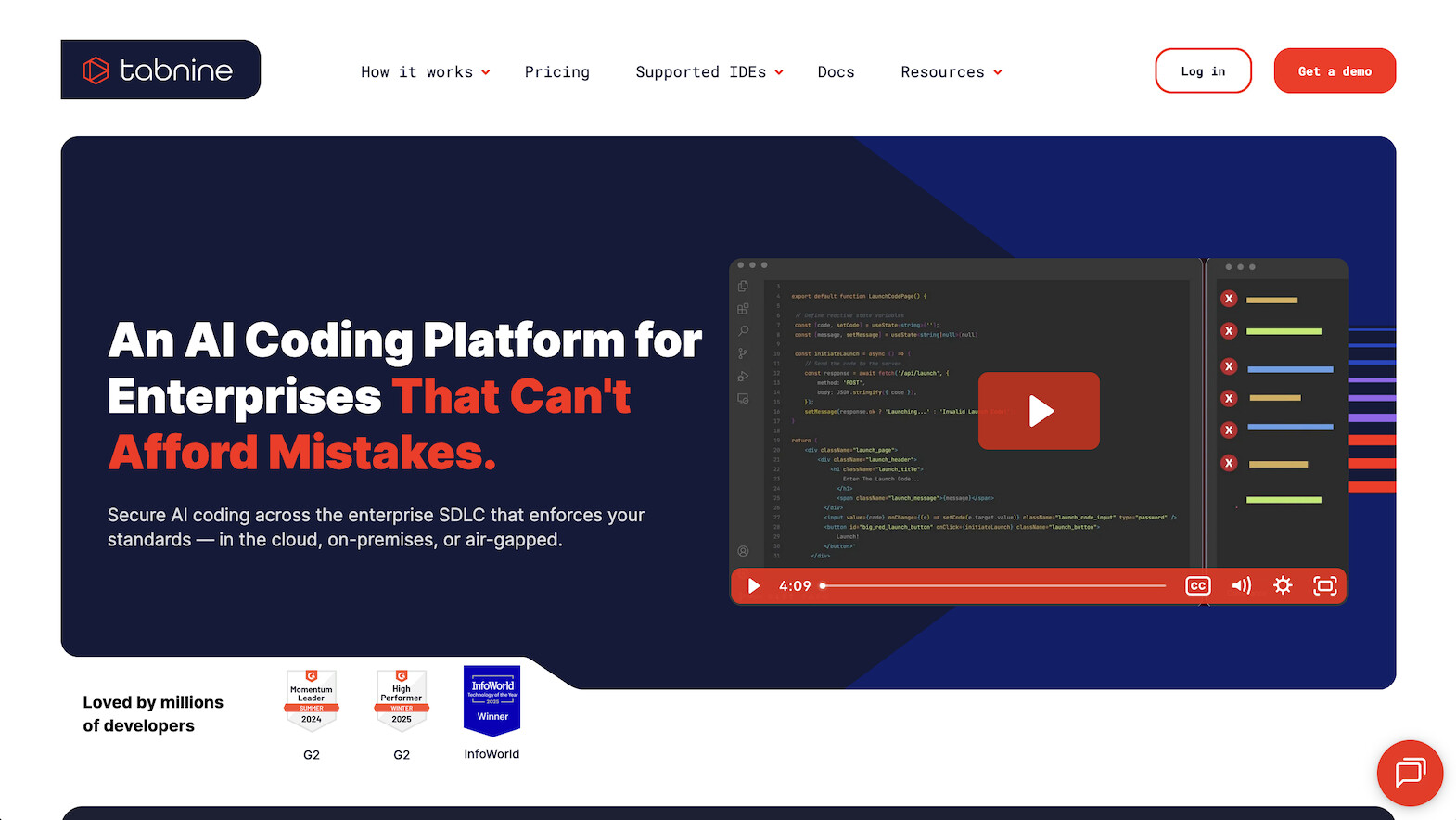
Tabnine is the privacy-first AI coding assistant. It is the only major option that offers true on-premise deployment where your code never leaves your network.
Context Window and Codebase Awareness
Tabnine trains models on your codebase locally (for enterprise deployments), giving it strong context awareness that improves over time. The context is personalized to your team's patterns, naming conventions, and internal APIs.
Multi-File Editing
Tabnine focuses on intelligent code completion rather than multi-file orchestration. Completions are context-aware and trained on your codebase patterns, but it does not offer Composer-style multi-file editing.
Agent and Autonomous Mode
Tabnine does not offer autonomous agent features. It is designed as an intelligent completion engine, not an autonomous coding agent. This is a deliberate design choice: the focus is on privacy and compliance over autonomous operation.
Extension Ecosystem
Tabnine works as a plugin in VS Code, JetBrains, Neovim, Sublime Text, Eclipse, and more. The broadest IDE support of any tool in this list.
Pricing
- Free (Starter): Basic AI completions
- Pro ($12/month): Full AI completions, personalized models
- Enterprise (custom): On-premise deployment, custom model training, GDPR/HIPAA/SOC 2 compliance
Pros
- Only option with true on-premise deployment (code never leaves network)
- Broadest IDE support (VS Code, JetBrains, Neovim, Sublime, Eclipse)
- Compliance-ready: GDPR, HIPAA, SOC 2
- Models trained on permissive open-source only (IP-safe)
Cons
- No multi-file editing or autonomous agents
- Completions less sophisticated than Cursor for complex reasoning
- $12/month for features that Windsurf offers free
- Innovation pace slower than Cursor or Copilot
Best for: Enterprise teams in regulated industries (healthcare, finance, government) that require on-premise deployment and compliance certification.
7. Continue.dev: Best Open-Source, Any-Model Option
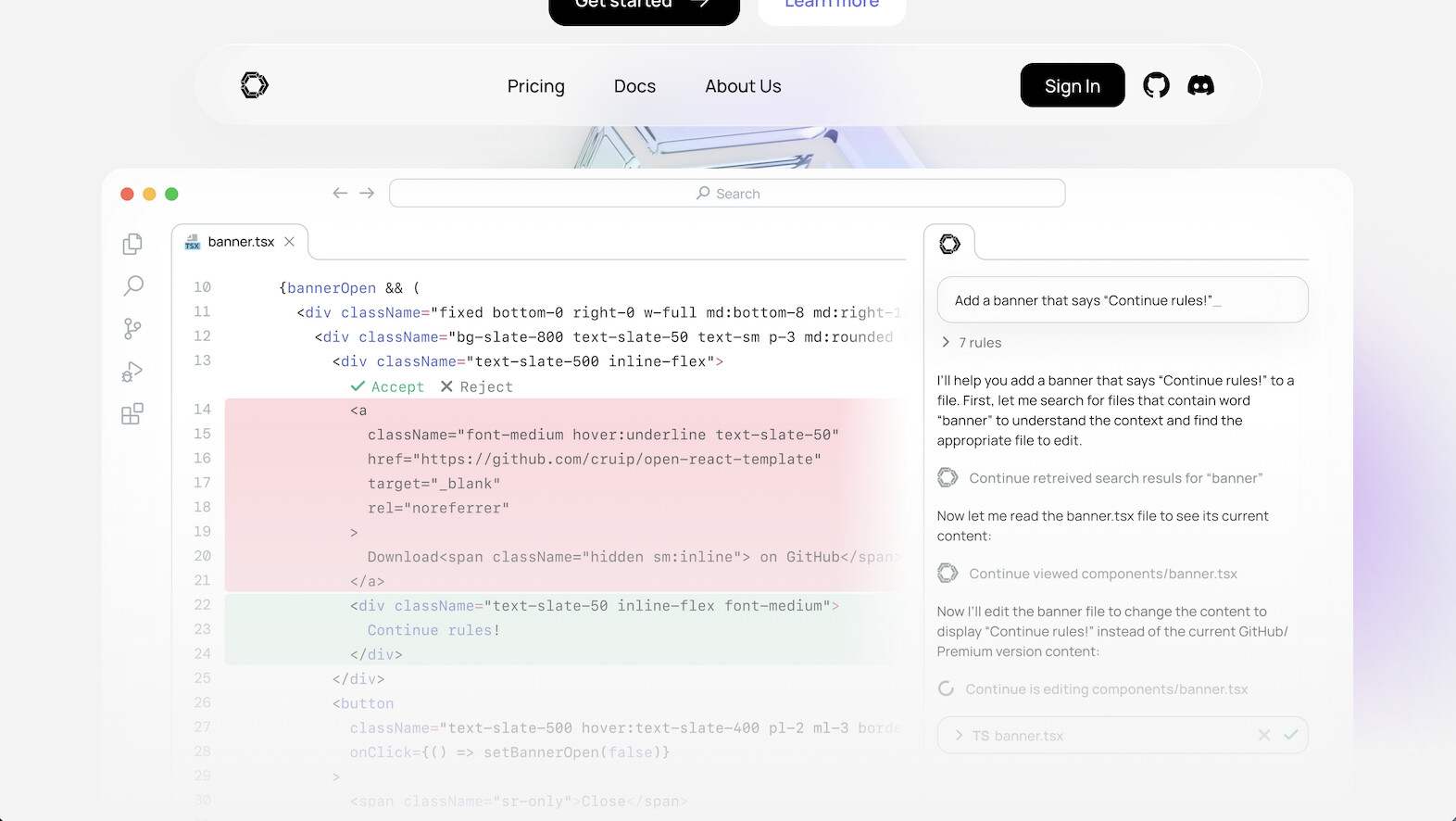
Continue.dev is a fully open-source AI coding assistant that lets you use any LLM: OpenAI, Anthropic, Google, Mistral, Llama via Ollama, or any other provider. No vendor lock-in, no subscription required.
Context Window and Codebase Awareness
Context awareness depends on the model you choose and how you configure it. With large-context models (Claude, GPT), you get strong file-level and project-level context. With local models via Ollama, context is limited by your hardware. Continue.dev gives you full control over the context strategy.
Multi-File Editing
Continue.dev supports inline edits and chat-driven generation. Multi-file editing is possible through chat commands but less streamlined than Cursor's Composer. The focus is on flexibility and model choice rather than polished multi-file workflows.
Agent and Autonomous Mode
Continue.dev does not offer autonomous agent features. It provides assisted coding through completions, chat, and inline edits. The open-source nature means community-built agent features could emerge.
Extension Ecosystem
Continue.dev runs as an extension in VS Code and JetBrains IDEs. You keep your existing editor and all your extensions.
Pricing
- Free: Completely open-source, self-hostable
- Cost: Only the LLM API costs you choose (or free with local models)
Pros
- Fully open-source with no vendor lock-in
- Use any LLM (OpenAI, Anthropic, local Ollama models, custom)
- Works offline with local models
- Self-hostable for complete data control
Cons
- Requires manual setup and configuration
- No autonomous agent mode
- Context and quality depend entirely on chosen model
- Less polished UX than commercial alternatives
Best for: Developers who want full control over their AI stack, need offline capability, or want to avoid vendor lock-in.
8. Claude Code: Best for Autonomous, Terminal-First Coding
Claude Code is Anthropic's terminal-native coding agent, and it climbed to the top of community Cursor-alternative rankings through 2025-2026. Instead of an editor UI, you run it from the command line and it works across your entire repository — reading files, planning, editing, running tests, and iterating until the task is done. It also plugs into VS Code, JetBrains, and Neovim.
Context Window and Codebase Awareness
Claude Code explores your repo on demand rather than pre-indexing it: it reads the files it needs, follows imports, and builds context as it works. Powered by Anthropic's frontier Claude models, it is one of the strongest performers on the SWE-bench Verified benchmark (the standard test of fixing real GitHub issues), which is why developers reach for it on genuinely hard, multi-step tasks.
Multi-File Editing and Agent Mode
This is Claude Code's whole point. It is autonomous by design: give it a goal ("add Stripe checkout and tests"), and it edits across files, runs commands, reads the output, and corrects itself in a loop. It is closer to a junior engineer you delegate to than an autocomplete you steer.
Pricing
- API usage-based: pay per token through your Anthropic API key
- Claude Pro / Max plans: bundled Claude Code usage for a flat monthly fee
Pros
- Top-tier autonomous coding and SWE-bench results
- Terminal-native — scriptable, CI-friendly, no editor lock-in
- Works alongside any editor (VS Code, JetBrains, Neovim)
- Excellent at large, multi-step tasks with self-correction
Cons
- No graphical editor UI — command-line comfort required
- Usage-based cost can climb on heavy, long-running tasks
- Less hand-holding than a visual IDE for beginners
Best for: Developers who want maximum agent autonomy and live in the terminal. (Looking for alternatives to Claude Code? See our Claude Code alternatives guide.)
9. Cline: Best Free, Open-Source Autonomous Agent
Cline (formerly Claude Dev) is a free, open-source VS Code extension that brings autonomous, multi-file coding to the editor you already use. You bring your own API key — or point it at a local model via Ollama — so there is no subscription and no vendor lock-in. It has become the default answer to "what is the best free Cursor alternative?"
Context Window and Codebase Awareness
Cline reads your workspace, opens the files it needs, and can run terminal commands and browser actions to verify its work. Context quality scales with whichever model you connect, from frontier cloud models to local open-weight ones.
Multi-File Editing and Agent Mode
Cline is fully agentic: it proposes a plan, edits multiple files, runs commands, and shows every diff for approval before applying. Because it is open-source and BYO-key, heavy users often pay 3-5x less than a bundled subscription for the same work.
Pricing
- Free: the extension is open-source at no cost
- Model cost: pay only for the tokens you use (or $0 with a local Ollama model)
Pros
- Genuinely free and open-source — no subscription
- Bring-your-own-key or run fully local/offline
- Autonomous multi-file edits with transparent diff review
- Lives inside standard VS Code (keep your extensions)
Cons
- You manage your own API keys and model costs
- Quality depends entirely on the model you connect
- Less polished onboarding than a paid product
Best for: Cost-conscious developers who want autonomous coding for free and are comfortable supplying a model key.
Detailed Feature Matrix
| Feature | Cursor | Copilot | Windsurf | Cody | Zed | Tabnine | Continue |
|---|---|---|---|---|---|---|---|
| Codebase indexing | Full | Repo-level | Full | Multi-repo | Growing | Trained models | Configurable |
| Multi-file editing | Composer | Workspace | Cascade | Growing | Coming | No | Chat-driven |
| Agent/autonomous | Background Agents | Workspace | Cascade | No | Coming | No | No |
| Inline completions | Strong | Strong | Strong | Good | Good | Strong | Configurable |
| Chat | Yes | Yes | Yes | Yes | Yes | Limited | Yes |
| VS Code extensions | Most (fork) | All (plugin) | Most (fork) | All (plugin) | Own ecosystem | All (plugin) | All (plugin) |
| JetBrains support | No | Yes | No | Yes | No | Yes | Yes |
| Self-hosted | No | No | No | Enterprise | Open source | Enterprise | Yes |
| Offline capable | No | No | No | No | Partial | Enterprise | Yes (local) |
| Free tier | Limited | No | Yes | Yes | Yes | Yes | Fully free |
| Pro price | $20/mo | $19/mo | $15/mo | $9/mo | Free | $12/mo | Free |
How to Choose: Decision Framework
Start with one question: what matters most — autonomy, cost, integration, privacy, or speed? This tree routes you to a top pick in three steps.
By Priority
| Your Top Priority | Best Choice | Runner-Up |
|---|---|---|
| Best overall AI IDE | Cursor ($20/mo) | Windsurf ($15/mo) |
| GitHub integration | GitHub Copilot ($19/mo) | Cursor |
| Lowest cost (paid) | Cody Pro ($9/mo) | Tabnine ($12/mo) |
| Free forever | Continue.dev or Zed | Windsurf free tier |
| Large enterprise codebase | Cody Enterprise ($19/user) | Cursor |
| Privacy / on-premise | Tabnine Enterprise | Continue.dev |
| Model flexibility | Continue.dev | Cody Enterprise |
| Editor speed | Zed | Cursor |
| Autonomous agents | Cursor (Background Agents) | Windsurf (Cascade) |
By Team Size
| Team | Recommended | Why |
|---|---|---|
| Solo developer | Cursor Pro or Windsurf Pro | Best individual productivity |
| Small team (2-10) | GitHub Copilot Business | GitHub integration + admin controls |
| Enterprise (50+) | Cody Enterprise or Tabnine Enterprise | Multi-repo context or privacy |
| Open-source team | Continue.dev + Zed | Free, transparent, community-driven |
Annual Cost Comparison
| Tool | Monthly | Annual | Savings vs Cursor |
|---|---|---|---|
| Cline | $0 (+ token cost) | Pay-per-token | Often 3-5x cheaper for light use |
| Continue.dev | $0 | $0 | $240/year |
| Zed | $0 | $0 | $240/year |
| Claude Code | Usage-based | Scales with use | Variable (per-token) |
| Cody Pro | $9 | $108 | $132/year |
| Tabnine Pro | $12 | $144 | $96/year |
| Windsurf Pro | $15 | $180 | $60/year |
| GitHub Copilot | $19 | $228 | $12/year |
| Cursor Pro | $20 | $240 | baseline |
Note on "usage-based" pricing: Claude Code and Cline charge per token rather than a flat monthly fee. For light, focused work this is often cheaper than a subscription; for all-day autonomous runs it can exceed $20/month. The advantage is you only pay for what you actually use.
A Different Approach: No-Code App Builders
If you arrived here looking for ways to build apps without writing code, AI code editors may not be what you need. Platforms like Taskade Genesis take a fundamentally different approach: you describe what you want in natural language, and the platform builds a complete, deployed application with AI agents, automations, and a database built in. No IDE, no terminal, no Git. Genesis starts at $6/month with 150,000+ apps built on the platform. See our Cursor alternatives for non-coders guide for a full comparison of no-code app builders.
The Bottom Line
Cursor remains the best overall AI editor in 2026 with its combination of codebase context, Composer multi-file editing, and Background Agents. But it is no longer the only strong option — and for autonomous work, no longer the obvious one.
Pick Claude Code if you want the strongest autonomous agent and live in the terminal. Pick Cline if you want that same autonomy for free with your own API key. Pick GitHub Copilot if your team lives in GitHub. Pick Windsurf for Cascade multi-file editing at $15/month. Pick Cody for massive multi-repo enterprise codebases. Pick Zed if editor speed is non-negotiable. Pick Tabnine if on-premise compliance is required. Pick Continue.dev for open-source, any-model freedom.
And if you came here because you want a working app — not a codebase to maintain — the honest answer is that no code editor is your tool. Taskade Genesis turns a plain-language prompt into a deployed app with AI agents, automations, and a database built in. For non-developers, that is the difference between editing code faster and skipping it entirely — a working app in days, with no engineering team required.
The best Cursor alternative is the one that matches your specific workflow, team size, and priorities.
▲ ■ ● Memory · Intelligence · Execution — the right tool turns intent into shipped software.
Related Resources
- Cursor Review: Complete Deep Dive - Full review of Cursor's features and capabilities
- History of Anthropic and Claude - The AI behind Cursor's best model
- History of OpenAI and ChatGPT - GPT models powering code editors
- Best GitHub Copilot Alternatives - More Copilot alternatives
- Best Windsurf Alternatives - Windsurf competitor comparison
- Best Vibe Coding Tools 2026 - Complete AI coding landscape
- Cursor Alternatives for Non-Coders - No-code app builders instead of code editors
- Taskade vs Cursor - Side-by-side comparison
- Taskade vs Windsurf - AI code editors compared
- Taskade vs GitHub Copilot - Coding assistants compared
Frequently Asked Questions
What is the best Cursor alternative for developers in 2026?
It depends on your priorities. GitHub Copilot ($19/mo) offers the deepest GitHub integration and Copilot Workspace for agentic tasks. Windsurf ($15/mo) provides Cascade multi-file editing at lower cost. Cody by Sourcegraph excels with large enterprise codebases. Zed is the fastest editor with built-in AI. Continue.dev gives maximum model flexibility for free.
Is Cursor worth $20 per month?
Cursor Pro costs $20/month and delivers best-in-class codebase context, Composer multi-file editing, Background Agents, and BugBot. At $29.3B valuation and over $1B ARR, it is the market leader. However, GitHub Copilot at $19/month and Windsurf at $15/month offer comparable features at lower cost for many workflows.
Which AI code editor has the best context window?
Cody by Sourcegraph handles the largest context with multi-repo enterprise-scale indexing. Cursor offers strong full-codebase context with its proprietary indexing. GitHub Copilot has improved context with Copilot Workspace but remains more limited for cross-file reasoning compared to Cursor and Cody.
Can I self-host an AI code editor?
Yes. Continue.dev is fully open-source and self-hostable with any LLM including local models via Ollama. Tabnine Enterprise offers on-premise deployment where code never leaves your network. Cursor, GitHub Copilot, and Windsurf are cloud-only and cannot be self-hosted.
Which Cursor alternative supports autonomous agent mode?
Cursor has Background Agents and BugBot for autonomous coding. GitHub Copilot has Copilot Workspace for multi-step agentic tasks. Windsurf has Cascade for autonomous multi-file workflows. Zed is adding agent capabilities. Continue.dev and Tabnine focus on assisted completion rather than autonomous agents.
What is the cheapest paid AI code editor?
Cody Pro by Sourcegraph costs $9/month, making it the cheapest paid option. Tabnine Pro is $12/month. Windsurf Pro is $15/month. GitHub Copilot Individual is $19/month. Cursor Pro is $20/month. Continue.dev and Zed are completely free with built-in AI features.
Which AI code editor is best for large codebases?
Cody by Sourcegraph is purpose-built for massive enterprise codebases with multi-repo context, local embeddings, and cross-repository dependency resolution. Cursor also handles large codebases well with its proprietary indexing. GitHub Copilot has improved but remains more limited for million-line codebases.
Do any AI code editors work offline?
Continue.dev with local models via Ollama works fully offline. Tabnine Enterprise with on-premise deployment works offline. Zed has some local AI capabilities. Cursor, GitHub Copilot, Windsurf, and Cody all require an internet connection for AI features.
Is Claude Code a good Cursor alternative?
Yes. Claude Code is Anthropic's terminal-native coding agent and one of the strongest autonomous coders available in 2026, with top-tier results on the SWE-bench Verified benchmark. It reads, edits, and runs commands across your whole repo from the command line and plugs into VS Code, JetBrains, and Neovim. It is the best pick for developers who want maximum agent autonomy rather than an editor UI. For non-developers who want a finished app instead of code, Taskade Genesis turns a prompt into a deployed app with no terminal.
What is the best free Cursor alternative?
Cline is the strongest free, open-source choice: it runs as a VS Code extension, brings your own API key (or a local model via Ollama), and handles autonomous multi-file edits with no subscription. Continue.dev and Zed are also free, and GitHub Copilot has a free tier. You only pay for the model tokens you use, which is often 3-5x cheaper than Cursor's bundled pricing for light usage.