







TL;DR: Calculator and converter apps are the highest-traffic Genesis category — generating 8.6x more pageviews per app than dashboards — yet until now, no guide existed for building them. Below are 10 working AI calculators you can clone in one click or build from a single prompt with Taskade Genesis. Plus: a deep comparison of every major calculator builder, the economics of building vs. buying, and a step-by-step tutorial for creating your own.
Why Calculator Apps Matter More Than You Think
In February 2025, Andrej Karpathy — the former head of AI at Tesla and co-founder of OpenAI — described a new way of building software. Instead of writing code line by line, you describe what you want in plain English and let AI build it for you. He called it vibe coding, and by the end of 2025, Collins Dictionary had named it their Word of the Year.
Calculator apps are the purest expression of vibe coding. They follow a simple pattern — input, transform, output — that is trivially easy to describe in a prompt and immediately useful to the person who builds them. But the simplicity is deceptive. Behind every "simple" calculator is a system that needs a database (to store calculations), a UI (to collect inputs), business logic (to transform data), and often an AI layer (to explain results or make recommendations).
This is why calculators are the highest-leverage category for Genesis apps:
╔══════════════════════════════════════════════════════════════╗
║  Genesis App Traffic — By Category (30-day snapshot)         ║
╠══════════════════════════════════════════════════════════════╣
║                                                              ║
║  Category              Apps    PV/30d    PV/App   Coverage   ║
║  ───────────────────    ────    ──────    ──────   ────────   ║
║  Calculator/Converter     8     8,708    1,088    0 articles ║
║  Booking/Events          29     6,771      233    3 articles ║
║  Education/Learning      47     5,207      111    2 articles ║
║  Dashboard/Analytics    151    19,028      126    2 articles ║
║  Finance                 21     3,957      188    2 articles ║
║                                                              ║
║  Calculator apps generate 8.6x more traffic per app than     ║
║  dashboards — the clearest signal of unmet demand.           ║
╚══════════════════════════════════════════════════════════════╝
The takeaway: calculators are small to build, high in demand, and easy to share. They are the best starting point for anyone exploring what AI app builders can do.
Quick Reference: All 10 Vibe Calculator Apps
| # | App | Category | Best For | Clone Link |
|---|---|---|---|---|
| 1 | Meeting Cost Calculator | Business | Managers, ops teams | Clone → |
| 2 | Expense Splitter | Finance | Roommates, group trips | Clone → |
| 3 | QR Code Studio | Converter | Marketing, events | Clone → |
| 4 | Invoice Generator | Finance | Freelancers, agencies | Clone → |
| 5 | Personal Expense Tracker | Finance | Budgeting, cash flow | Clone → |
| 6 | Time Tracker + Billing | Billing | Consultants, hourly rates | Clone → |
| 7 | Finance Tracker Dashboard | Analytics | Startups, small business | Clone → |
| 8 | Multiplication Playground | Education | Students, math learning | Clone → |
| 9 | Color Palette Extractor | Converter | Designers, branding | Clone → |
| 10 | Investor Dashboard | Finance | Founders, portfolio tracking | Clone → |
Every app above is a living Genesis app — built from a prompt, backed by a database, and powered by AI agents. Clone any of them in one click, then customize through conversation.
How Calculator Apps Evolved: From Spreadsheets to Living Software
Calculator apps did not start with AI. They evolved through three distinct eras, each expanding who could build them and what they could do.
Era 1: Spreadsheets (1979-2010)
The first "calculator apps" were Excel formulas. VisiCalc launched in 1979, and for the next three decades, every business calculator — from mortgage amortization tables to project cost estimators — lived inside a spreadsheet. The limitation was obvious: spreadsheets are powerful for the person who builds them and incomprehensible for everyone else. Sharing meant emailing a file and hoping the recipient did not break the formulas.
Era 2: Drag-and-Drop Builders (2010-2024)
Tools like Calconic (2017), Outgrow (2016), and involve.me (2019) created a new category: the embeddable calculator widget. Instead of spreadsheets, you used drag-and-drop editors to build calculators that could be embedded on websites. This solved the sharing problem but introduced a new one — the tools were specialized and rigid. Building a calculator required learning a builder-specific interface, and extending the calculator (adding a database, connecting to a CRM, adding an AI chatbot) meant integrating with entirely separate products.
Era 3: Vibe Coding (2025-Present)
The current era began when AI models became capable enough to generate complete applications from natural language descriptions. Instead of dragging widgets or writing Excel formulas, you describe the calculator you want:
"Build a meeting cost calculator that takes the number of attendees, average hourly rate, and meeting duration, then calculates the cost per meeting and annual cost if it recurs weekly."
And a working app appears. No drag-and-drop. No formulas. No code.
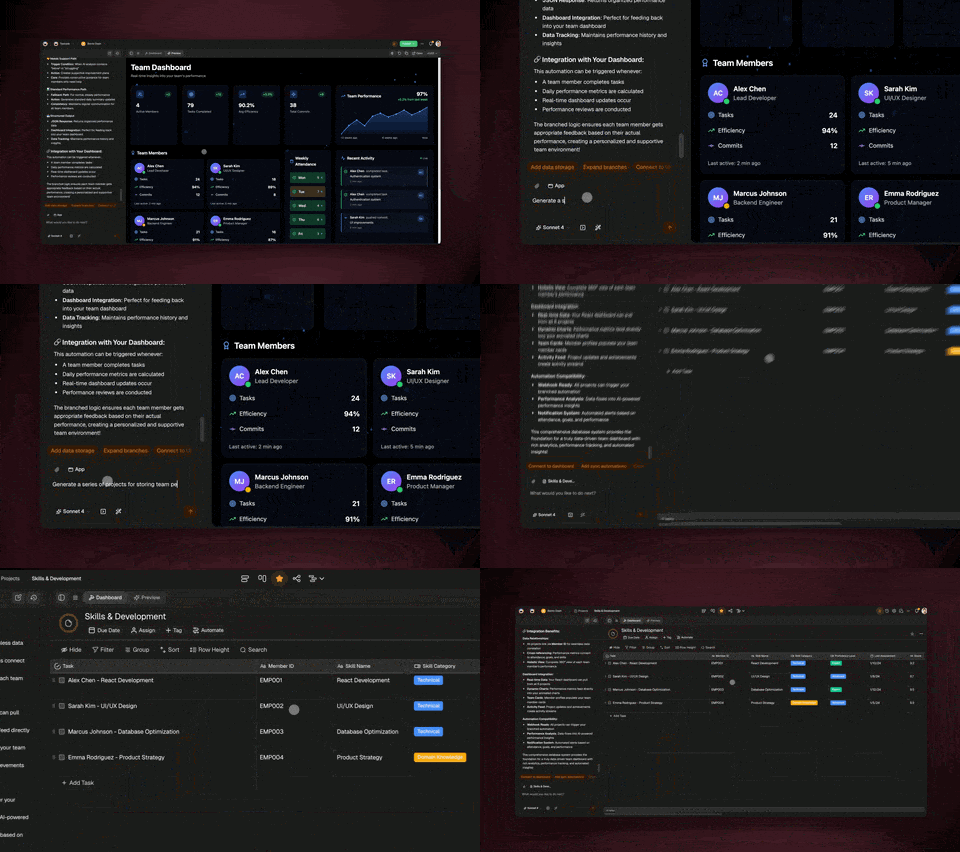
But the real shift is not in how you build the calculator — it is in what the calculator becomes after you build it. A drag-and-drop widget stays a widget. A Genesis calculator is a living application backed by the full Taskade infrastructure:
┌─────────────────────────────────────────────────────────────┐
│  WORKSPACE DNA — What makes a Genesis calculator different    │
│                                                              │
│  ┌──────────────┐   ┌──────────────┐   ┌──────────────┐    │
│  │   MEMORY     │   │ INTELLIGENCE │   │  EXECUTION   │    │
│  │   (Projects) │   │  (AI Agents) │   │(Automations) │    │
│  │              │   │              │   │              │    │
│  │ • 7 views    │   │ • 15+ models │   │ • 100+ integ │    │
│  │ • Custom     │   │ • 34 tools  │   │ • Durable    │    │
│  │   fields     │   │ • Persistent │   │   execution  │    │
│  │ • Relations  │   │   memory     │   │   engine     │    │
│  │ • Search     │   │ • Multi-     │   │ • Branching  │    │
│  │              │   │   agent      │   │ • Scheduling │    │
│  └──────┬───────┘   └──────┬───────┘   └──────┬───────┘    │
│         │                  │                  │              │
│         └──────────────────┼──────────────────┘              │
│                            │                                 │
│              All three layers interconnected                 │
│              All generated from a single prompt              │
└─────────────────────────────────────────────────────────────┘
This is what the Taskade growth team calls Workspace DNA — the combination of Memory, Intelligence, and Execution that turns a static calculation into a living system. Your meeting cost calculator does not just compute a number; it stores historical calculations, explains trends via an AI agent, and triggers a Slack notification when costs exceed a threshold.
The 10 Apps: Deep Dives
1. Meeting Cost Calculator
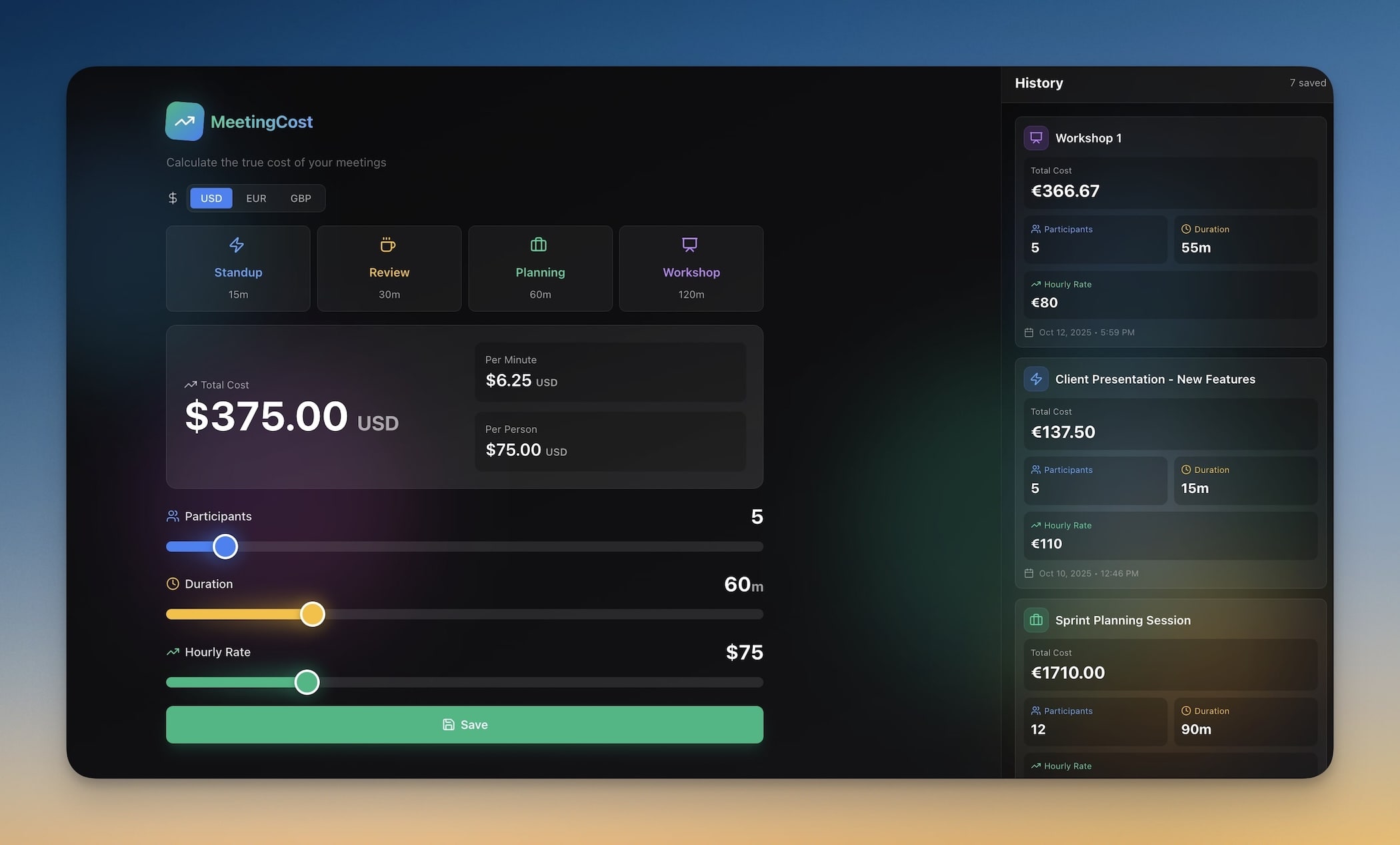
What it does: Calculates the true dollar cost of any meeting based on attendees, hourly rates, and duration — then projects the annual cost if the meeting recurs.
Best for: Engineering managers, operations teams, executives who suspect meetings are consuming more budget than anyone realizes.
Why it works: Most organizations track headcount and project costs but never quantify meeting costs. A weekly 1-hour meeting with 8 people at $75/hour costs $31,200 per year. This calculator makes that cost visible and actionable.
Under the hood:
- 1 Project for storing calculation history
- 1 AI Agent that suggests meeting optimization strategies
- Input fields: attendees, avg hourly rate, duration, recurrence
- Output: per-meeting cost, annual cost, comparison to industry benchmarks
The prompt that built it:
Build a meeting cost calculator. Inputs: number of attendees, average
hourly rate ($), meeting duration (minutes), recurrence (one-time,
weekly, bi-weekly, monthly). Calculate total cost per meeting and
annual cost. Include an AI advisor that suggests ways to reduce
meeting costs based on the inputs.
We also wrote a step-by-step tutorial on building a QR code generator using the same process — the pattern is identical for any calculator.
Clone Meeting Cost Calculator →
2. Expense Splitter
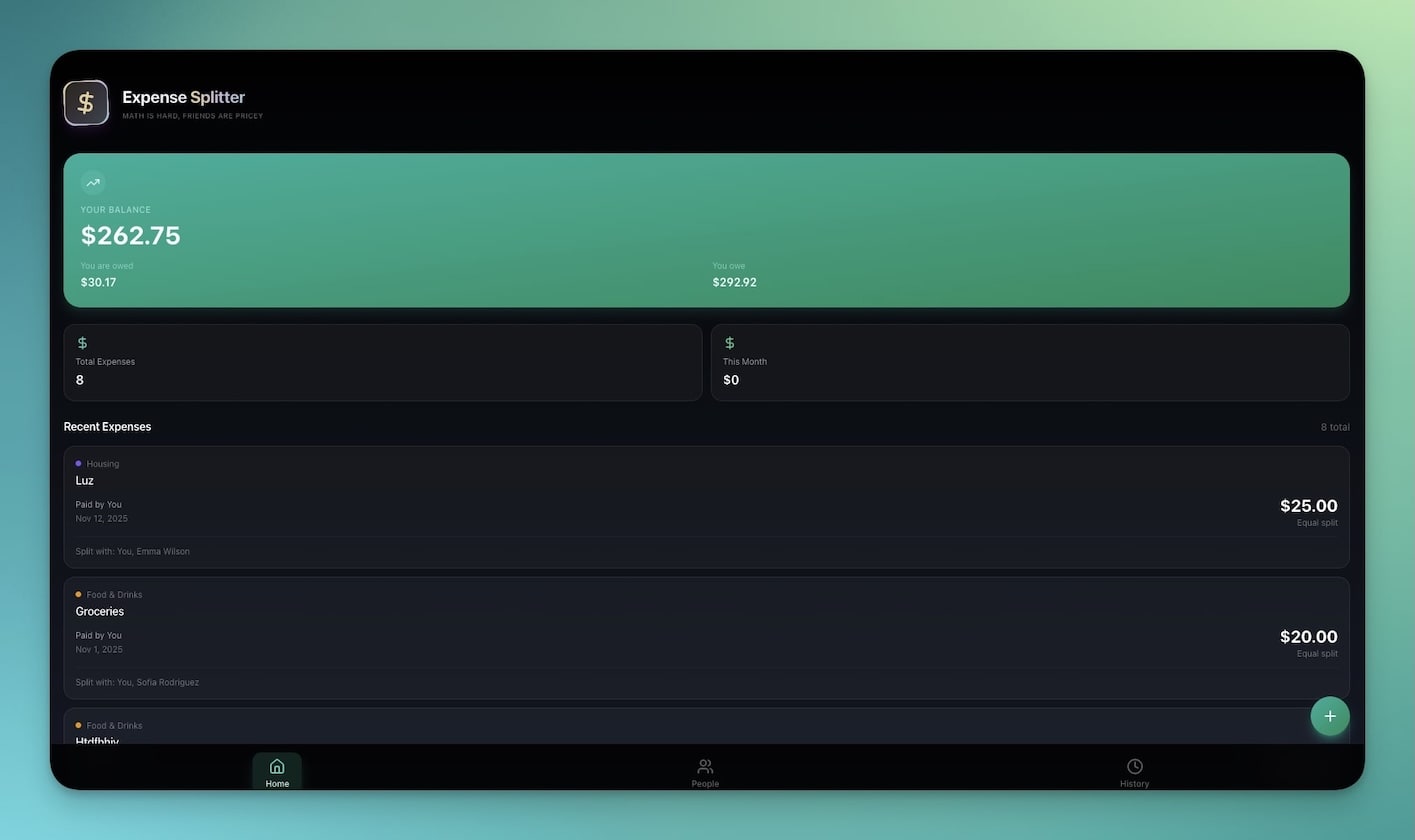
What it does: Splits group expenses across multiple people and calculates the optimal settlement — the fewest transactions needed to balance all debts.
Best for: Roommates splitting rent and utilities, friends on group trips, teams splitting dinner tabs, shared subscription management.
Why it works: The "who owes whom" problem gets exponentially complex as you add people and expenses. With 5 people and 10 shared costs, there are dozens of possible settlement paths. The app uses a minimum-transfer algorithm to find the optimal solution.
Under the hood:
- Multi-person expense entry with custom split ratios
- Real-time balance tracking per person
- Optimal settlement calculation (fewest transactions)
- Payment history and confirmation tracking
Real-world example: A group of 4 roommates shares rent ($2,400), utilities ($180), internet ($60), and groceries ($400/month). Some costs split evenly; others vary. The app tracks everything month-over-month and tells each person exactly what they owe — updated in real time as new expenses are added.
3. QR Code Studio
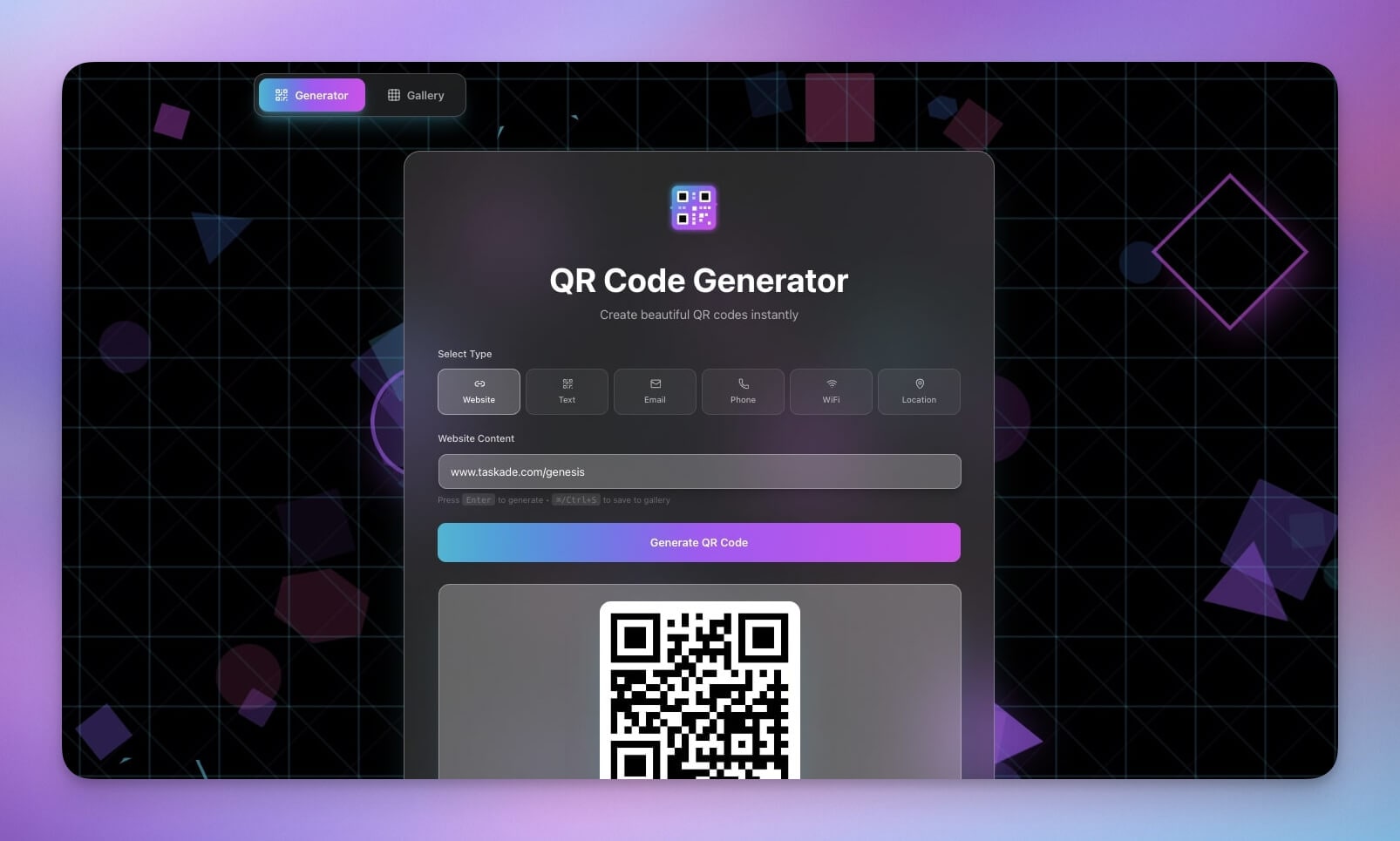
What it does: Generates QR codes for any URL, text, or data — with size options and PNG download.
Best for: Marketing campaigns, event signage, business cards, restaurant menus, conference badges.
Why it works: QR code generators are one of the most-searched utility tools on the web. The Genesis version was built in under 5 minutes and includes generation history (Memory), so you never lose a code you created.
Under the hood:
- URL and text input → QR code output
- Size options (small, medium, large)
- PNG download with one click
- Generation history stored in a Project
We documented the entire build process in our QR Code Generator Tutorial — from prompt to published app in 4 minutes and 38 seconds.
4. Invoice Generator
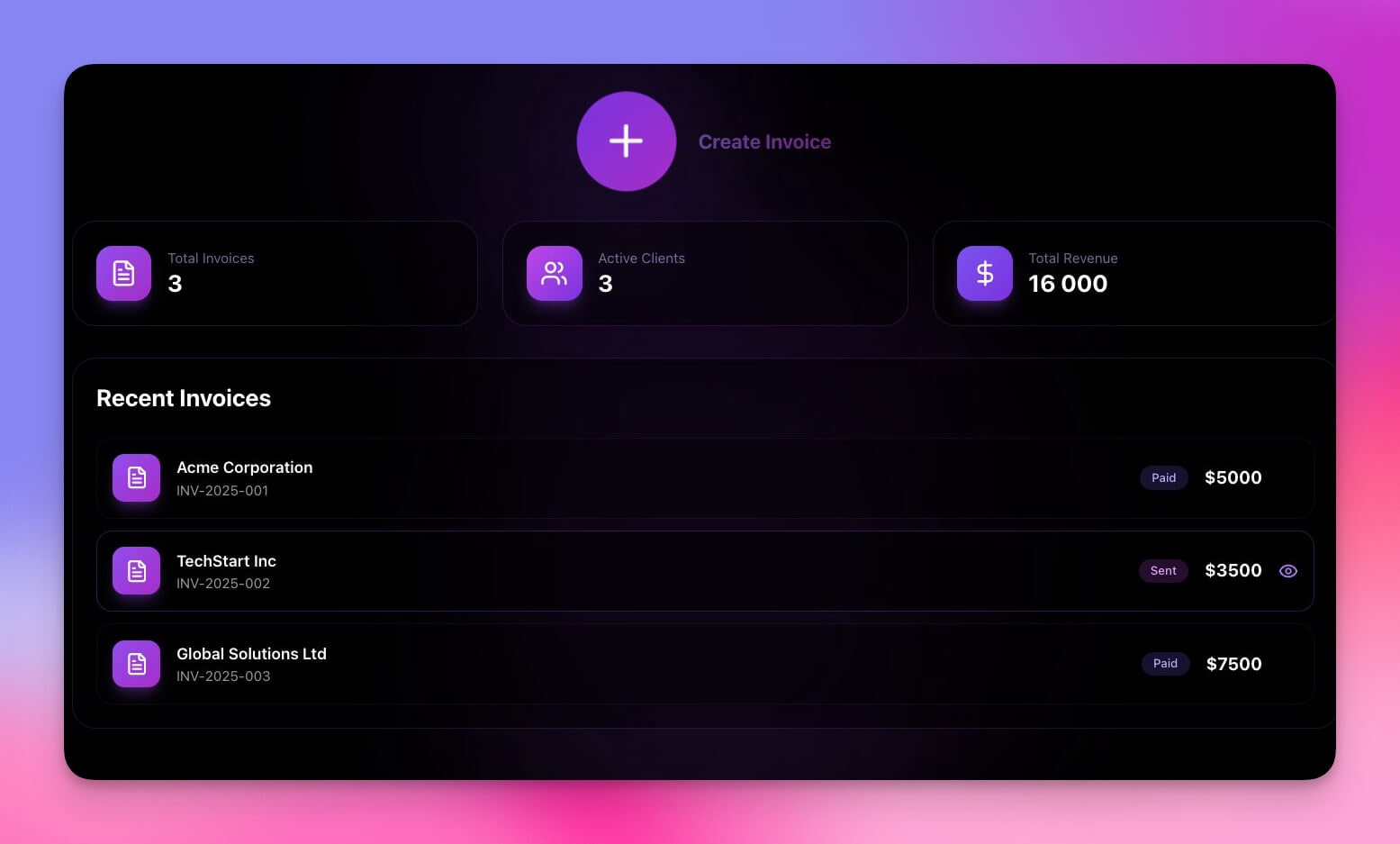
What it does: Generates professional invoices with line items, automatic tax calculation, totals, and one-click sharing.
Best for: Freelancers, agencies, small businesses that need to bill clients without the overhead of QuickBooks or FreshBooks.
Why it works: Invoicing is the intersection of calculation (totals, tax, discounts) and document generation (PDF, shareable link). Most invoicing tools charge per-invoice or per-user. This Genesis app is free to use after building.
Under the hood:
- 1 Project for client database and invoice history
- 1 Automation for payment status tracking
- Line items with quantity, rate, and description
- Automatic subtotal, tax, and total calculations
- Client database with history (who you have billed before, when, how much)
- Export and share options
How it compares: Standalone invoicing tools like Wave (free but ad-supported), FreshBooks ($17/month), and QuickBooks ($30/month) are full accounting platforms. If you just need to generate and track invoices, a Genesis app gives you 80% of the value at $0 marginal cost.
5. Personal Expense Tracker

What it does: Logs daily spending by category, generates summaries, and uses AI to spot spending patterns.
Best for: Personal budgeting, cash flow awareness, spending audits, financial goal tracking.
Why it works: Most budgeting apps (Mint, YNAB, Copilot) require connecting bank accounts. Many people want something lighter — a manual log they control, with just enough intelligence to spot trends.
Under the hood:
- Expense logging with custom categories
- Daily, weekly, and monthly summaries
- AI agent that identifies spending patterns and anomalies
- Budget targets with progress tracking
- 7 project views: List, Board, Calendar, Table, Mind Map, Gantt, Org Chart
The AI insight layer is what separates this from a spreadsheet. The agent can tell you "Your dining spending increased 40% this month compared to your 3-month average" without you having to build a formula.
Clone Personal Expense Tracker →
6. Time Tracker + Billing

What it does: Logs billable hours per project, calculates costs automatically, and exports timesheets for invoicing.
Best for: Consultants, freelancers, agencies, and anyone who bills by the hour.
Why it works: Time tracking is a calculation problem (hours × rate = cost) that most people solve with spreadsheets, Toggl ($10/user/month), or Harvest ($12/user/month). A Genesis app does the same thing with zero per-user fees.
Under the hood:
- Start/stop timer per task
- Tag entries by project, client, or category
- Automatic cost calculation based on hourly rates
- Weekly and monthly summaries
- Export timesheets for integration with invoicing
Pro tip: Pair this with the Invoice Generator (app #4) for a complete billing workflow — track time, calculate costs, generate invoices, all within Taskade.
Clone Time Tracker + Billing →
7. Finance Tracker Dashboard

What it does: Tracks income, expenses, and profit with visual charts and AI-powered financial insights.
Best for: Startups tracking burn rate, freelancers managing cash flow, small businesses monitoring P&L.
Why it works: This is the most complex app on the list — and a good example of what separates Genesis from a simple calculator builder. It uses 2 Projects for data storage (income and expenses), 1 AI Agent for financial analysis, and 2 Automations for workflow triggers.
Under the hood:
- Income and expense logging with categories
- Profit/loss visualization with charts
- AI agent for anomaly detection ("Revenue dropped 15% from last month — here are possible causes")
- Monthly and quarterly trend views
- Budget vs. actual comparisons
This is the calculator-as-dashboard pattern: the calculation is simple (income minus expenses), but the system around it — data storage, visualization, AI insights, automated alerts — is what makes it useful.
Clone Finance Tracker Dashboard →
8. Multiplication Playground
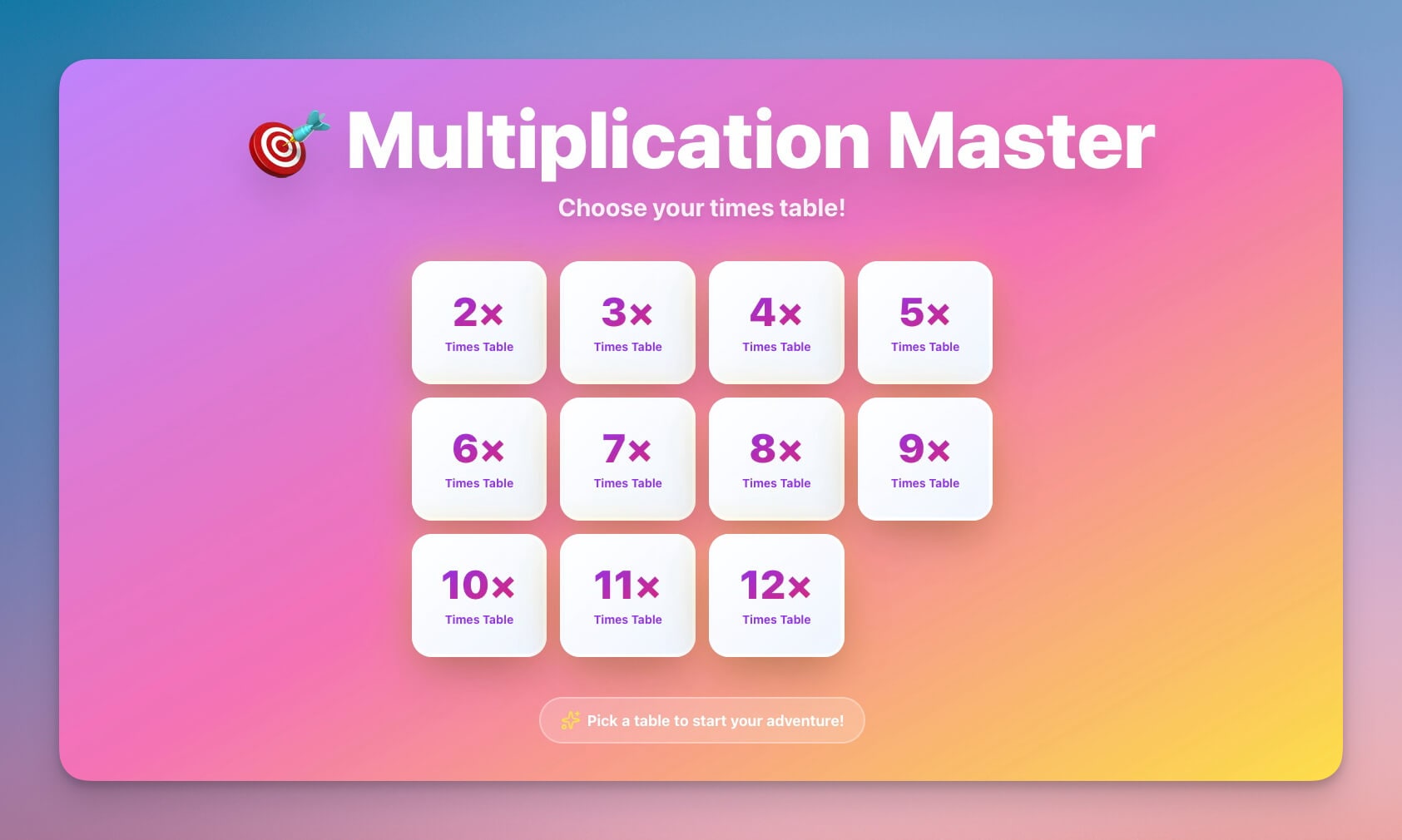
What it does: Interactive multiplication practice with difficulty levels, timed challenges, and progress tracking.
Best for: Students (ages 6-12), teachers creating math practice tools, parents supplementing homework.
Why it works: Education is one of the fastest-growing Genesis categories. One builder — KSE Academy — created 10+ calculator and study apps that now generate 8,400 pageviews per month, representing 12.5% of all Genesis traffic. The multiplication playground is a template for building any educational calculator: quiz-based, gamified, with progress tracking.
Under the hood:
- Difficulty levels (easy, medium, hard)
- Timed challenge mode
- Progress tracking with streaks
- Instant feedback on correct/incorrect answers
Why this matters for builders: Educational tools have the highest sharing rate of any Genesis category. Parents share them with other parents. Teachers share them with students. The viral loop is built into the use case.
Clone Multiplication Playground →
9. Color Palette Extractor
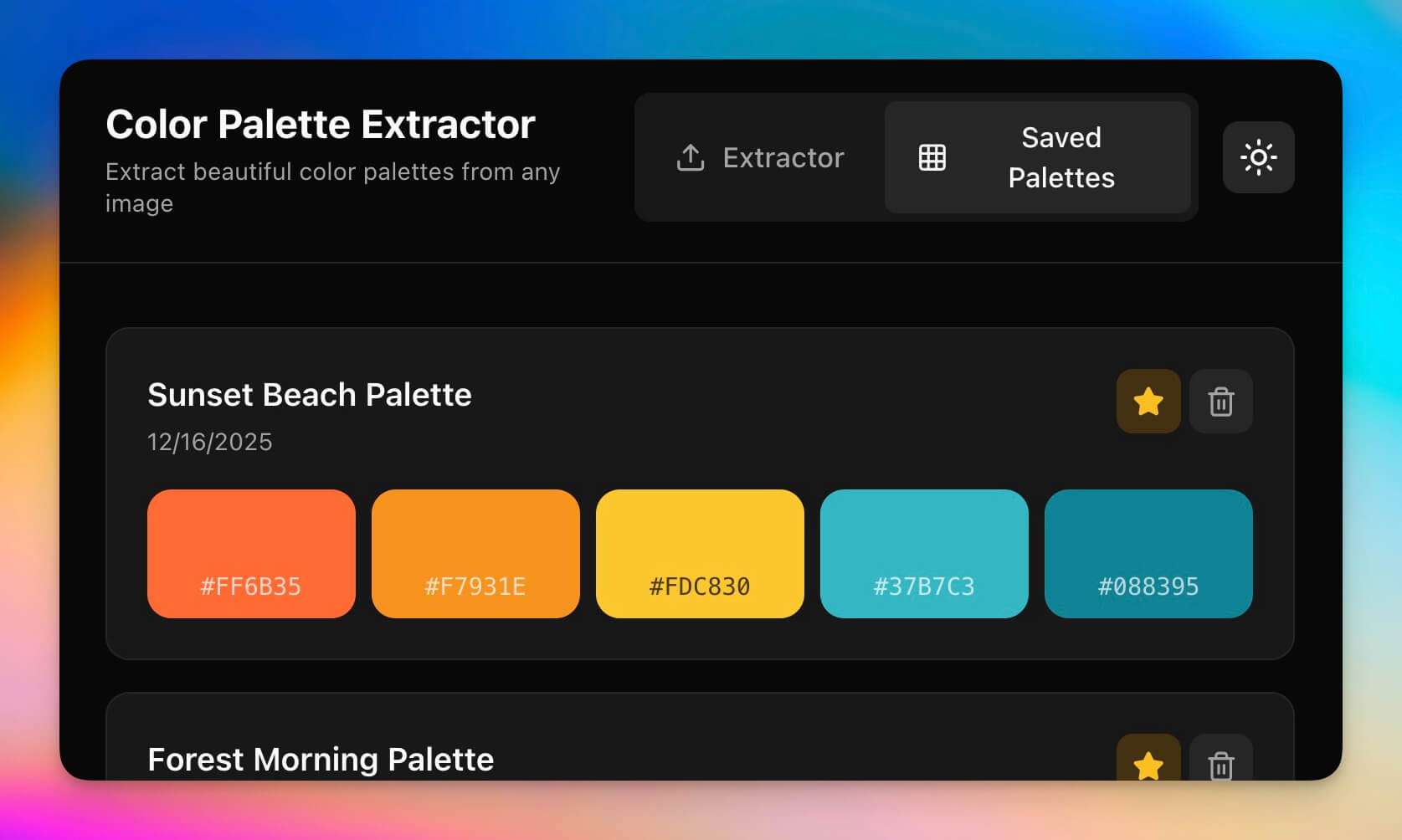
What it does: Extracts, converts, and organizes color values between HEX, RGB, and HSL formats.
Best for: Designers building color systems, developers implementing design tokens, branding teams maintaining consistency.
Why it works: Converters are the "utility knife" of vibe coding. They follow the simplest possible pattern — input in one format, output in another — which makes them trivially easy to describe in a prompt and immediately shareable.
Under the hood:
- HEX → RGB → HSL conversion (bidirectional)
- Palette extraction from images
- Save and share color collections
- Copy-to-clipboard for each format
The prompt pattern: Converter apps all follow the same template: "Build a tool that takes [input format] and converts it to [output format] with [additional features]." This makes them ideal first projects for anyone learning to build with Genesis.
Clone Color Palette Extractor →
10. Investor Dashboard
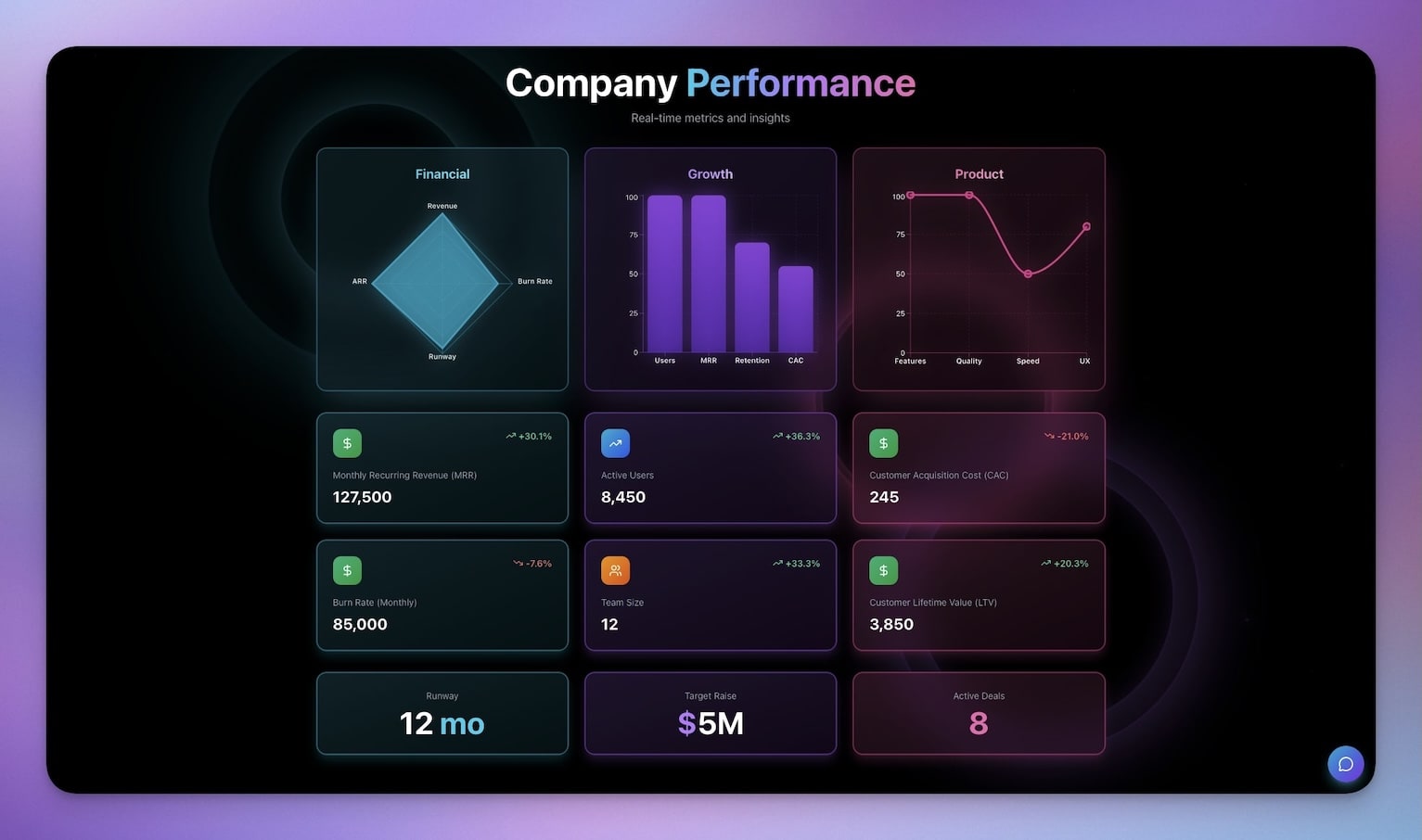
What it does: Tracks portfolio performance, investment returns, and allocation across asset classes with AI-generated insights.
Best for: Angel investors, founders tracking their cap table, portfolio managers, anyone with multiple investments to track.
Why it works: Portfolio tracking tools like Personal Capital (now Empower) and Kubera are subscription-based and opinionated about how you should organize investments. A Genesis dashboard lets you define your own categories, metrics, and views.
Under the hood:
- 3 Projects (investments, returns, insights)
- 1 AI Agent for investment analysis
- 2 Automations for periodic reporting
- Investment logging with dates, amounts, and categories
- Return calculations and performance metrics
- Portfolio allocation visualization
- Multi-period comparison views
This is the most complex Genesis app on the list — 3 Projects, 1 Agent, 2 Automations — all generated from a single conversation. It demonstrates that "calculator" apps can scale from a simple formula (meeting cost) to a complete business intelligence system (portfolio analytics).
Try It: Live Meeting Cost Calculator
See what a Genesis calculator looks and feels like — no signup required:

Taskade Genesis vs. Dedicated Calculator Builders
If you are evaluating calculator-building tools, here is how Genesis compares to the four major dedicated platforms. Each serves a different use case, and the right choice depends on whether you need a simple embeddable widget or a complete application.
| Feature | Taskade Genesis | Calconic | Outgrow | involve.me | ConvertCalculator |
|---|---|---|---|---|---|
| Founded | 2017 (Genesis: 2025) | 2017 | 2016 | 2019 | 2018 |
| Build method | Text prompt (vibe coding) | Drag-and-drop | Drag-and-drop | Drag-and-drop | Drag-and-drop |
| Time to first calculator | ~2 minutes | ~30 minutes | ~45 minutes | ~30 minutes | ~20 minutes |
| AI agents built in | Yes (15+ models) | No | No | No | No |
| Database/storage | Yes (Projects, 7 views) | No | Limited | Limited | No |
| Automations | Yes (100+ integrations) | No | Zapier only | Zapier only | Zapier only |
| Collaboration | Real-time multiplayer (7 RBAC tiers) | No | No | No | No |
| Custom domains | Yes (Business+) | Yes (paid) | Yes (paid) | Yes (paid) | Yes (paid) |
| Free plan | 1,000 AI credits/mo | Limited | No free plan | 100 submissions/mo | Limited |
| Pricing model | Flat fee ($6/mo Starter) | Per-embed | Per-lead | Per-submission | Per-calculation |
| Published apps cost | $0 (no credits used) | Ongoing embed fee | Per-lead fee | Per-submission fee | Per-calc fee |
| Evolves with you | Yes (Workspace DNA) | Static widget | Static widget | Static widget | Static widget |
The Cost Comparison
The pricing difference becomes dramatic at scale. Here is what a calculator with database, AI chatbot, and workflow automations costs on each platform:
╔══════════════════════════════════════════════════════════════╗
║  Monthly Cost: Calculator + Database + AI + Automations      ║
╠══════════════════════════════════════════════════════════════╣
║                                                              ║
║  DIY Stack (Bolt + Supabase + OpenAI + Zapier + Vercel)     ║
║  $20 + $25 + $20-50 + $20-50 + $20 = $105-165/month        ║
║                                                              ║
║  Outgrow Pro ($45) + Zapier ($20) + OpenAI ($20)            ║
║  = $85/month (capped at 15,000 leads/year)                  ║
║                                                              ║
║  involve.me Business ($83) + Zapier ($20)                   ║
║  = $103/month (unlimited submissions, no AI)                ║
║                                                              ║
║  Taskade Genesis Starter                                     ║
║  = $6/month (all included, unlimited published apps)         ║
║                                                              ║
║  Genesis is 7-11x cheaper with more functionality.           ║
╚══════════════════════════════════════════════════════════════╝
The key difference is not just price — it is what happens after you build the calculator. With dedicated builders, the calculator is a finished product. With Genesis, the calculator is a starting point. Add an AI agent that explains results. Add an automation that sends a Slack notification when costs exceed a threshold. Add a second view that shows historical trends. The app grows through conversation.
Build Your Own Calculator: Step-by-Step
You do not need to clone an existing app. Here is how to build a custom calculator from scratch.
Watch: Build a live AI app from a single prompt with Taskade Genesis.
Step 1: Describe the Calculator
Open Taskade Genesis and describe what you need:
Build a [CALCULATOR TYPE] that:INPUTS:
- [field 1: type and description]
- [field 2: type and description]
- [field 3: type and description]
CALCULATIONS:
- [formula or logic in plain English]
- [any conditional logic]
OUTPUT:
- [what the user sees: numbers, charts, recommendations]
- [any export or sharing options]
STYLE:
- Clean, professional layout
- Mobile responsive
- [any specific branding or color preferences]
Genesis generates the complete app — UI, logic, and data storage — in 1-2 minutes.
Step 2: Iterate by Chatting
This is where vibe coding differs from traditional building. Instead of editing code or rearranging drag-and-drop elements, you talk to Genesis:
| What You Want | What You Say |
|---|---|
| Add tax calculation | "Add a tax field with configurable rate, default 8.5%" |
| Add PDF export | "Let users download results as a PDF" |
| Add comparison mode | "Show a side-by-side comparison of two scenarios" |
| Add AI advisor | "Add an AI agent that explains the results and suggests optimizations" |
| Connect to Slack | "Send a Slack notification when the calculated cost exceeds $10,000" |
| Add historical tracking | "Store every calculation and show a trend chart over time" |
Each instruction modifies the live app. No code changes, no page refreshes, no deploy steps.
Step 3: Enhance with AI Agents
The most powerful feature that no dedicated calculator builder offers is the ability to add AI agents to your calculator. Add this to any calculator:
Add an AI agent that:
- Reviews the calculation results
- Explains what the numbers mean in plain English
- Suggests 3 specific actions to improve the outcome
- Answers follow-up questions about the results
Now your pricing calculator has a built-in sales assistant. Your expense tracker has a financial advisor. Your meeting cost calculator has an operations consultant. All powered by the same AI Agents that support 15+ models from OpenAI, Anthropic, and Google.
Step 4: Connect Automations
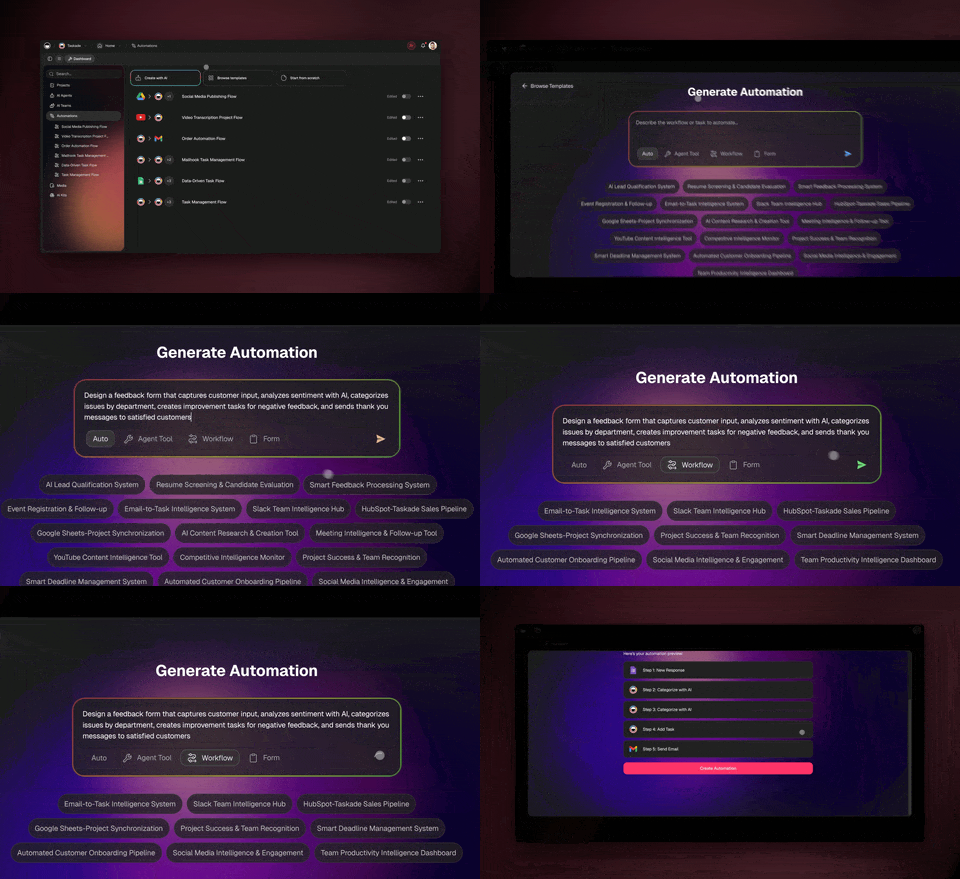
Wire your calculator to your business tools using Taskade Automations:
| Trigger | Action | Integration |
|---|---|---|
| User completes calculation | Log results to spreadsheet | Google Sheets |
| Cost exceeds threshold | Send alert | Slack, Email |
| User clicks "Get Started" | Create deal in CRM | HubSpot, Salesforce |
| User requests quote | Generate and send PDF | Email, Stripe |
| Daily at 9am | Send usage summary | Slack, Email |
Automations run on durable execution — your workflows complete reliably even if a step fails temporarily.
Step 5: Publish
Click Publish in Genesis. Your calculator gets:
- A shareable URL (e.g.,
yourapp.taskade.com) - Embeddable iframe code for any website
- Custom domain support on Business+ plans
- Password protection and OIDC authentication options
- Analytics on usage
Html
<!-- Embed on any website -->
<iframe
  src="/share/apps/YOUR_APP_ID"
  width="100%" height="600" frameborder="0" loading="lazy"
></iframe>
Published apps run without consuming AI credits — unlimited visitors, zero marginal cost.
Prompt Templates for Common Calculators
Use these as starting points — paste directly into Genesis:
ROI Calculator
Build an ROI calculator with inputs: initial investment ($), expected
monthly revenue increase ($), implementation time (months), monthly
operating cost ($). Calculate: net ROI %, payback period in months,
12-month and 36-month projections, break-even point. Show results
as both numbers and a chart.
Mortgage Calculator
Build a mortgage calculator with inputs: home price, down payment %,
interest rate, loan term (15 or 30 years). Calculate: monthly payment,
total interest paid, total cost of loan. Show an amortization schedule
table and a chart comparing 15-year vs 30-year options.
Service Pricing Estimator
Build a pricing estimator for a design agency. Inputs: project type
dropdown (logo, website, branding package), complexity (basic,
standard, premium), rush delivery toggle (+50%), number of revisions.
Output: estimated price range, delivery timeline, what is included.
Add a "Request Quote" button.
Calorie / Macro Calculator
Build a daily calorie and macro calculator. Inputs: age, weight (lbs/kg),
height (in/cm), activity level (sedentary to very active), goal (lose,
maintain, gain). Calculate: daily calories, protein (g), carbs (g),
fat (g). Show a pie chart of macro distribution.
When Not to Use a Calculator App
Calculator apps are powerful, but they are not the right tool for every problem. Here are the cases where a different approach makes more sense:
| Scenario | Better Alternative | Why |
|---|---|---|
| Complex financial modeling (DCF, Monte Carlo) | Spreadsheet (Google Sheets, Excel) | Spreadsheets handle complex formulas with cell references better than prompt-generated apps |
| Calculator needs to process payments | Dedicated payment tool (Stripe, Square) | Payment processing requires PCI compliance that no app builder provides natively |
| Calculator is part of a larger SaaS product | Custom development | If the calculator is a core feature of a product you are selling, it should be built into your codebase |
| Scientific computing with specialized libraries | Python/Jupyter notebooks | NumPy, SciPy, and specialized scientific libraries are not available in prompt-generated apps |
| Real-time data feeds (stock prices, weather) | API-connected dashboard | Genesis apps do not pull live external data unless connected via automations |
For everything else — business calculators, financial estimators, educational tools, pricing pages, cost comparisons, unit converters — a Genesis calculator app is the fastest path from idea to working tool.
More in the Vibe Apps Series
This article is part of the Vibe Apps series — a collection of AI-powered tools organized by category:
- Vibe Calculator Apps ← You are here
- Best Calculator Builders 2026 — 10 tools compared
- Build a Pricing Calculator — Step-by-step tutorial
- Vibe Booking Apps — AI appointment and scheduling systems
- Vibe Event Apps — Event management tools for small teams
- Vibe Finance Apps — Invoice generators, expense trackers, dashboards
- Vibe Utility Apps — Converters, dev tools, and productivity utilities
- Vibe Learning Apps — LMS platforms and course builders
- Build an Event Landing Page — Step-by-step tutorial
Browse all categories in the Vibe Apps Directory.
Also read: Best Vibe Coding Tools 2026 | What is Vibe Coding?
Ready to build? Create a free Taskade account and describe the calculator you need. Your app will be live in under 5 minutes.

Frequently Asked Questions
What is a vibe calculator app?
A vibe calculator app is a calculator, converter, or financial tool built using vibe coding — describing what you want in plain English and letting AI generate a working app. Andrej Karpathy coined the term 'vibe coding' in February 2025, and Collins Dictionary named it Word of the Year. With Taskade Genesis, you describe a calculator in a few sentences and get a complete app with UI, calculation logic, data storage, and AI agents — in under 5 minutes.
Can I build a calculator app without coding?
Yes. Taskade Genesis turns natural language prompts into complete, working calculator apps in minutes. Describe the inputs, calculations, and outputs you need, and Genesis builds the UI, logic, and data storage automatically. Over 150,000 Genesis apps have been generated to date, and calculators are the highest-traffic category.
How much does it cost to build a calculator with Taskade?
Taskade's Free plan includes 1,000 AI credits per month — enough to build and publish multiple calculator apps. Published apps run without consuming additional credits, so your calculators can serve unlimited visitors at zero marginal cost. Paid plans start at $6/month for more credits and features like custom domains.
What types of calculators can I build with AI?
You can build pricing calculators, expense splitters, meeting cost calculators, ROI trackers, invoice generators, unit converters, financial dashboards, mortgage calculators, tax estimators, and more. Any calculation that can be described in words can be turned into a working app. Genesis apps also support AI agents that provide insights and recommendations alongside the calculations.
How is Taskade different from dedicated calculator builders like Calconic or Outgrow?
Dedicated calculator builders (Calconic, Outgrow, involve.me, ConvertCalculator) create embeddable widgets using drag-and-drop editors. Taskade Genesis creates complete applications from text prompts — with built-in databases (Projects with 7 views), AI agents (15+ models from OpenAI, Anthropic, Google), workflow automations (100+ integrations via durable execution), and team collaboration. Your calculator is not a static widget — it is a living app that evolves through conversation.
Can I embed a Taskade calculator on my website?
Yes. Every Genesis app gets a shareable URL and can be embedded via iframe on any website, blog, or landing page. Business+ plans support custom domains and OIDC authentication. The embed code is a single line of HTML — no JavaScript SDK or complex integration required.
Do calculator apps built with Taskade use AI credits after publishing?
No. Once published, Genesis apps run without consuming AI credits. Only building and iterating on apps uses credits. This means your calculators can serve unlimited users at no additional cost — unlike competitors like Outgrow and involve.me that charge per lead or per submission.
What is Workspace DNA and how does it relate to calculators?
Workspace DNA is the architecture that makes Genesis apps different from static widgets. It consists of three layers: Memory (Projects — your calculator stores and retrieves data across 7 views), Intelligence (AI Agents — your calculator can explain results, suggest optimizations, and answer questions using 15+ AI models), and Execution (Automations — your calculator can trigger workflows across 100+ integrations when certain conditions are met). Traditional calculator builders only handle the calculation; Genesis builds the entire system.
How do Genesis calculator apps compare on cost?
Genesis is 7-11x cheaper than assembling equivalent functionality from competitors. A calculator with database, AI chatbot, and automations would cost $174-224/month using Bolt.new ($20) + Supabase ($25) + ChatGPT API ($20-50) + Zapier ($20-50) + hosting ($10-20) + Vercel ($20). Genesis includes all of this for $6/month on the Starter plan, with unlimited app generation.
What AI models power Genesis calculator apps?
Genesis supports 15+ frontier AI models from 3 providers — OpenAI, Anthropic Claude, and Google Gemini. You choose which model powers your calculator's AI agents, and you can use different models for different agents within the same app. Models are continuously updated to the latest releases.
Can I build a calculator that integrates with Stripe, Google Sheets, or Slack?
Yes. Taskade Automations support 100+ integrations including Stripe (14 actions), Google Sheets (read/write), Slack (notifications), HubSpot (CRM sync), and more. You can build a pricing calculator that sends a quote to Slack, creates a Stripe checkout session, and logs the lead in Google Sheets — all triggered automatically when the user clicks 'Get Started'.
How long does it take to build a calculator with Genesis?
Most calculator apps take 2-5 minutes to generate from a prompt. The median time from first prompt to a working, published app is 20 minutes (including iterations). Over 85% of Genesis users who start building convert to a working app within 3 hours.
Can multiple people collaborate on a Genesis calculator app?
Yes. Taskade supports real-time multiplayer collaboration with 7-tier role-based access control (Owner, Maintainer, Editor, Commenter, Collaborator, Participant, Viewer). Multiple team members can edit the app, its AI agents, and its automations simultaneously.