






FFmpeg is the invisible engine behind nearly every video and audio experience on the internet. When you stream a movie on Netflix, play a clip on YouTube, join a video call on Discord, or edit footage in DaVinci Resolve — FFmpeg is almost certainly doing the heavy lifting somewhere in the pipeline.
Yet most people have never heard of it. And the project that processes more multimedia data than any software in history is maintained by a small group of volunteers, funded by sporadic donations, and governed by a community that once split in half over a commit policy disagreement. This is the complete history of FFmpeg — from a French programmer's side project to the most critical piece of open-source infrastructure on the planet. 🎬
TL;DR: FFmpeg is the open-source multimedia framework behind Netflix, YouTube, VLC, and NASA's Perseverance rover. Created in 2000 by Fabrice Bellard, it now has 57,700+ GitHub stars, 1.5M lines of code, and 2,400+ contributors across 8 major versions — yet it's maintained mostly by volunteers. Build AI-powered workflows in Taskade →
Looking for deep dives on other foundational tech companies? Read our histories of OpenAI, Anthropic, Google Gemini, Vercel, and Replit.
📼 What Is FFmpeg?
FFmpeg is a free, open-source software project that handles virtually every aspect of multimedia processing — decoding, encoding, transcoding, muxing, demuxing, streaming, filtering, and playback of audio and video in nearly any format ever created.
The name breaks down simply: FF stands for "Fast Forward" (a nod to VCR controls), and mpeg references the Moving Picture Experts Group, the standards body behind the MPEG family of codecs and container formats.
At its core, FFmpeg is a collection of libraries and command-line tools:
- ffmpeg — The main transcoding tool that converts between formats
- ffplay — A minimal media player built on the FFmpeg libraries
- ffprobe — A stream analyzer that inspects multimedia file metadata
- libavcodec — The codec library with 100+ decoders and 80+ encoders
- libavformat — The muxer/demuxer library supporting 300+ container formats
- libavfilter — The audio/video filtering framework
- libswscale — Image scaling and pixel format conversion
- libswresample — Audio resampling and format conversion
- libavutil — Shared utility functions
What makes FFmpeg extraordinary isn't any single feature — it's the sheer comprehensiveness. If a multimedia format exists, FFmpeg almost certainly supports it. H.264, H.265/HEVC, AV1, VP9, VVC, ProRes, DNxHD, MPEG-2, Theora, and dozens of legacy formats nobody remembers. The same goes for audio: AAC, MP3, Opus, FLAC, Vorbis, AC-3, DTS, and everything in between.
This universality is why FFmpeg became the default dependency for almost every media application on Earth.
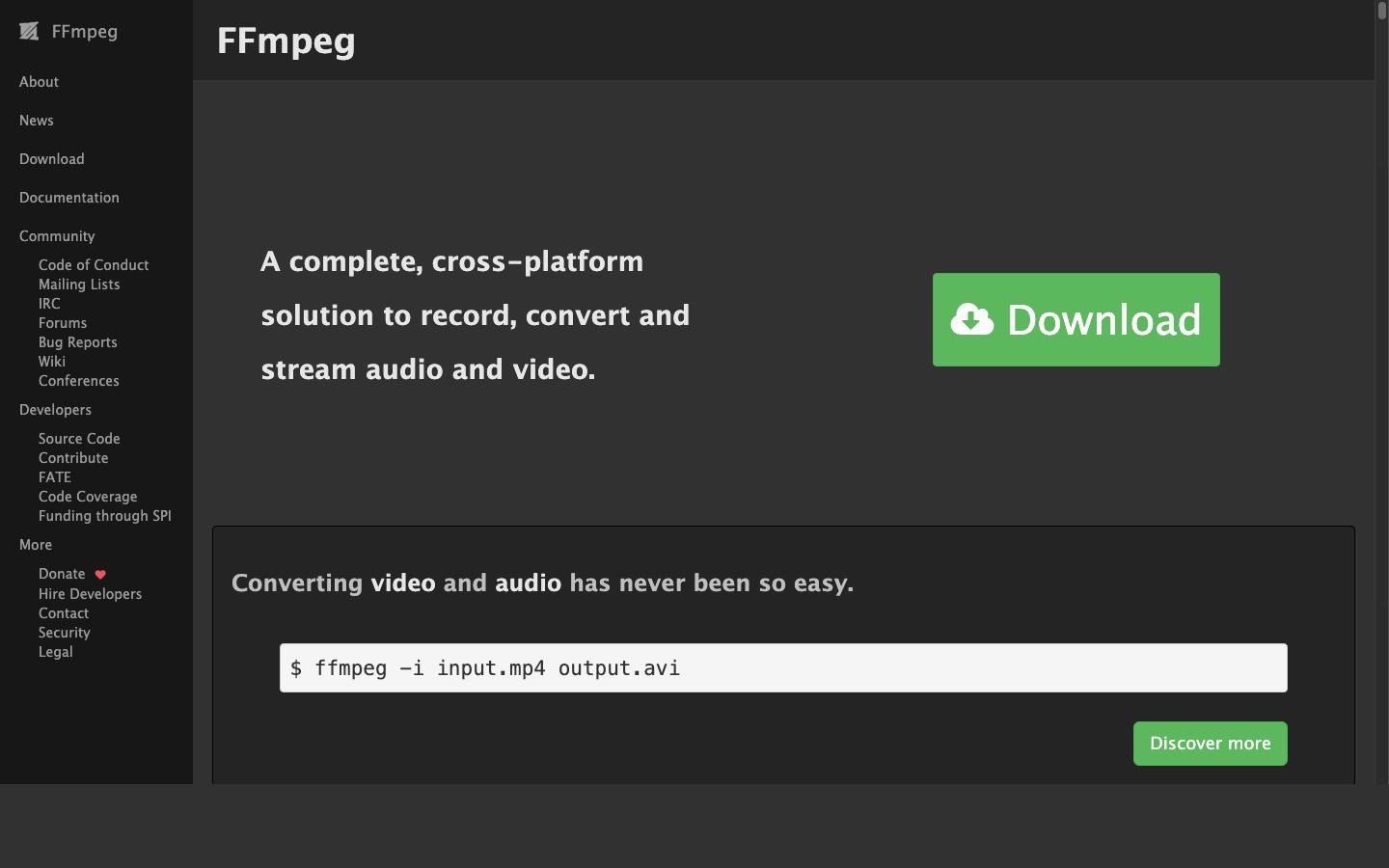
The FFmpeg project homepage at ffmpeg.org. Understated for a project that powers most of the internet's video infrastructure.
🥚 The Origins: Fabrice Bellard and the Birth of FFmpeg (2000–2004)
The Genius Behind the Code
FFmpeg's story begins with one of the most prolific programmers in history: Fabrice Bellard.
Born in 1972 in France, Bellard is not a household name, but his contributions to computing are staggering. Before FFmpeg, he created QEMU, the open-source processor emulator that underpins most cloud virtualization today (including the basis for KVM, which powers AWS, Google Cloud, and Azure). He held the world record for computing the most digits of pi — 2.7 trillion digits on a single desktop PC in 2009. He wrote a JavaScript-based PC emulator that runs Linux in a web browser. He created TinyCC (TCC), a C compiler small enough to compile itself in under a second.
Bellard is, by any measure, one of the most important programmers alive. And in late 2000 — initially publishing under the pseudonym "Gerard Lantau" — he turned his attention to multimedia.
Fabrice Bellard's Greatest Hits:
QEMU (2003) — Open-source processor emulator, basis for KVM cloud virtualization
TinyCC (2001) — C compiler that compiles itself in <1 second
FFmpeg (2000) — The multimedia framework that powers the internet
Pi Record (2009) — 2.7 trillion digits on a single desktop PC
JSLinux (2011) — Full Linux running in a web browser via JavaScript
December 20, 2000: The First Commit
FFmpeg was born on December 20, 2000, when Bellard (still using the "Gerard Lantau" pseudonym in early commits) made the first commit to the project. The initial motivation was practical: Linux had poor multimedia support compared to Windows, and the existing tools were fragmented, proprietary, or both.
Bellard's approach was characteristically ambitious — build a universal multimedia framework from scratch that could handle any format, any codec, and any platform. The early versions of FFmpeg were modest, but they already demonstrated the core architectural insight that would make the project indispensable: a clean separation between the codec layer (libavcodec) and the format layer (libavformat), connected by a flexible pipeline.
By 2001, FFmpeg could decode and encode MPEG-1, MPEG-2, MPEG-4, H.263, and several audio formats. It was rough, but it worked — and crucially, it was open-source under the LGPL license, which allowed both free and commercial use.
Early Adoption and the MPlayer Connection
FFmpeg's first major adoption came through MPlayer, the popular open-source media player for Linux. MPlayer integrated FFmpeg's libavcodec as its primary decoding engine, giving millions of Linux users the ability to play Windows Media, RealVideo, QuickTime, and other proprietary formats without reverse-engineering each one individually.
This symbiosis between FFmpeg and MPlayer established a pattern that would repeat for the next two decades: application developers would embed FFmpeg's libraries rather than building their own codec implementations, and FFmpeg would benefit from the bug reports and patches generated by those integrations. It's the same composability principle that drives modern AI agent architectures — modular components that become more powerful when integrated into larger systems.
By 2003, FFmpeg supported dozens of codecs and formats. The project was gaining contributors, and the mailing list was active. But there was a problem: Bellard was losing interest in day-to-day maintenance.
Bellard Steps Back
In 2004, Fabrice Bellard handed over maintainership of FFmpeg to Michael Niedermayer, a prolific contributor who had been writing increasingly large portions of the codebase. Niedermayer would go on to lead FFmpeg for the next decade — a tenure marked by both extraordinary technical achievement and bitter community conflict.
Bellard's departure from FFmpeg followed a pattern common in his career: build something groundbreaking, get it to a self-sustaining point, then move on to the next challenge. He would go on to create JSLinux, the LTE base station software, and continue his work on QEMU.
timeline
title FFmpeg Complete Timeline
2000 : Fabrice Bellard creates FFmpeg
: First commit December 20
2001 : MPEG-1/2/4, H.263 support
: LGPL open-source license
2003 : MPlayer integration
2004 : Niedermayer takes maintainership
2005 : YouTube launches on FFmpeg
2011 : Libav fork splits community
2014 : Debian returns to FFmpeg
2015 : Niedermayer steps down
2022 : FFmpeg 5.0, Sovereign Tech Fund
2024 : FFmpeg 7.0 "Dijkstra" + native VVC
2025 : FFmpeg 8.0 "Huffman" + Whisper AI
: Forgejo migration, 25th anniversary
⚙️ The Growth Years: FFmpeg Becomes Infrastructure (2004–2010)
The YouTube Effect
When YouTube launched in 2005, it faced an immediate problem: users were uploading video in every format imaginable — AVI, MOV, WMV, FLV, MPEG, RealMedia, and dozens of others. The site needed to convert everything into a single playable format (initially Flash Video, later H.264).
The answer was FFmpeg.
YouTube's early transcoding pipeline was built entirely on FFmpeg, converting the chaos of user uploads into streamable Flash video. As YouTube grew from a startup to the world's largest video platform (acquired by Google in 2006 for $1.65 billion), FFmpeg grew with it. Every video uploaded to YouTube passed through FFmpeg's encoding pipeline.
This wasn't unique to YouTube. As the web video explosion of the mid-2000s took off, FFmpeg became the default transcoding engine for virtually every video platform: Vimeo, Dailymotion, Twitch, and hundreds of smaller services all relied on FFmpeg for ingest, transcoding, and delivery.
VLC and the Desktop Revolution
On the desktop side, VLC media player (created by the VideoLAN project) became the world's most popular media player largely because of FFmpeg. VLC uses FFmpeg's libavcodec for the majority of its codec support, which is why VLC can "play anything" — it inherits FFmpeg's universal format support.
VLC reached 1 billion downloads by 2012 and over 3.5 billion by 2023. Every one of those installations carries FFmpeg inside it.
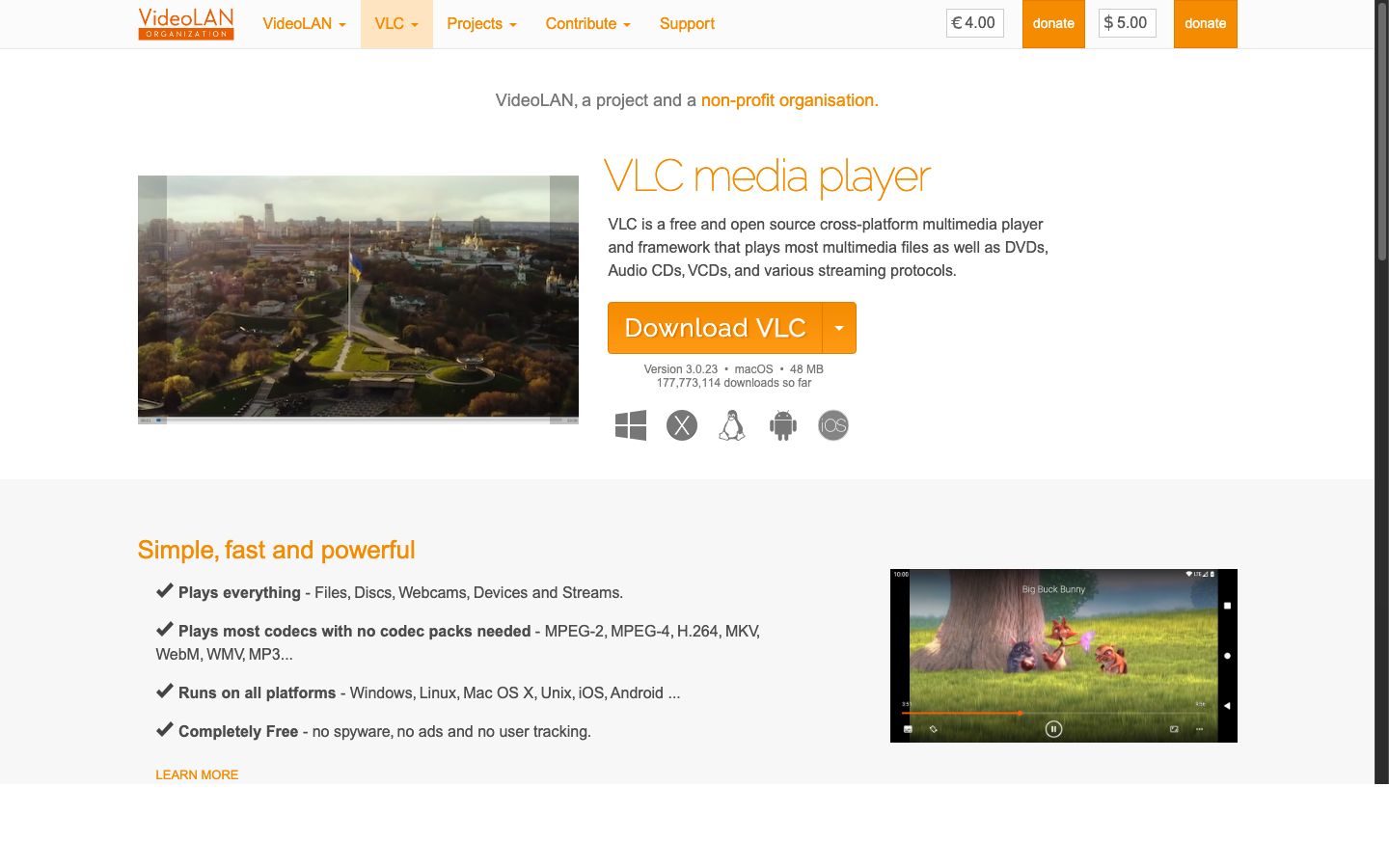
VLC media player — 3.5 billion downloads, all powered by FFmpeg's codec libraries under the hood.
The Rise of H.264 and the Codec Wars
The mid-2000s saw H.264/AVC emerge as the dominant video codec for everything from Blu-ray discs to mobile video to web streaming. FFmpeg's integration of libx264 (the open-source H.264 encoder written by the VideoLAN team) gave anyone with a command line access to broadcast-quality video encoding for free.
This democratization was transformative. Before FFmpeg + libx264, high-quality video encoding required expensive proprietary software or hardware. After it, a $500 Linux box could encode broadcast-quality H.264 video. Entire industries — from independent filmmaking to live streaming to surveillance — were transformed. It's the same kind of democratization happening now with AI app builders and vibe coding — technology that was once exclusive to well-funded teams becoming accessible to anyone.
But H.264 was covered by patents held by the MPEG-LA patent pool, which created ongoing tension between FFmpeg's open-source ethos and the patent-encumbered reality of modern video codecs. This tension would later fuel the push for royalty-free alternatives like VP8, VP9, and AV1.
The Command-Line Culture
By the late 2000s, FFmpeg had developed a reputation for being incredibly powerful but notoriously difficult to use. The command-line syntax was (and remains) dense and unintuitive:
Bash
ffmpeg -i input.mp4 -c:v libx264 -preset slow -crf 22 -c:a aac -b:a 128k output.mp4
Stack Overflow became littered with thousands of FFmpeg questions, and "how to use FFmpeg" tutorials became a genre unto themselves. The difficulty was a feature, in a sense — FFmpeg's command-line interface exposed hundreds of parameters for fine-grained control over every aspect of encoding, filtering, and muxing.
But it also meant that FFmpeg remained a tool primarily for engineers and power users. GUI wrappers like HandBrake emerged to make FFmpeg accessible to non-technical users, and HandBrake itself became one of the most popular video conversion tools in the world — another application built on FFmpeg's libraries. Today, no-code and low-code platforms are solving the same accessibility challenge for entirely different domains — making complex operations available through natural language instead of cryptic command-line flags.
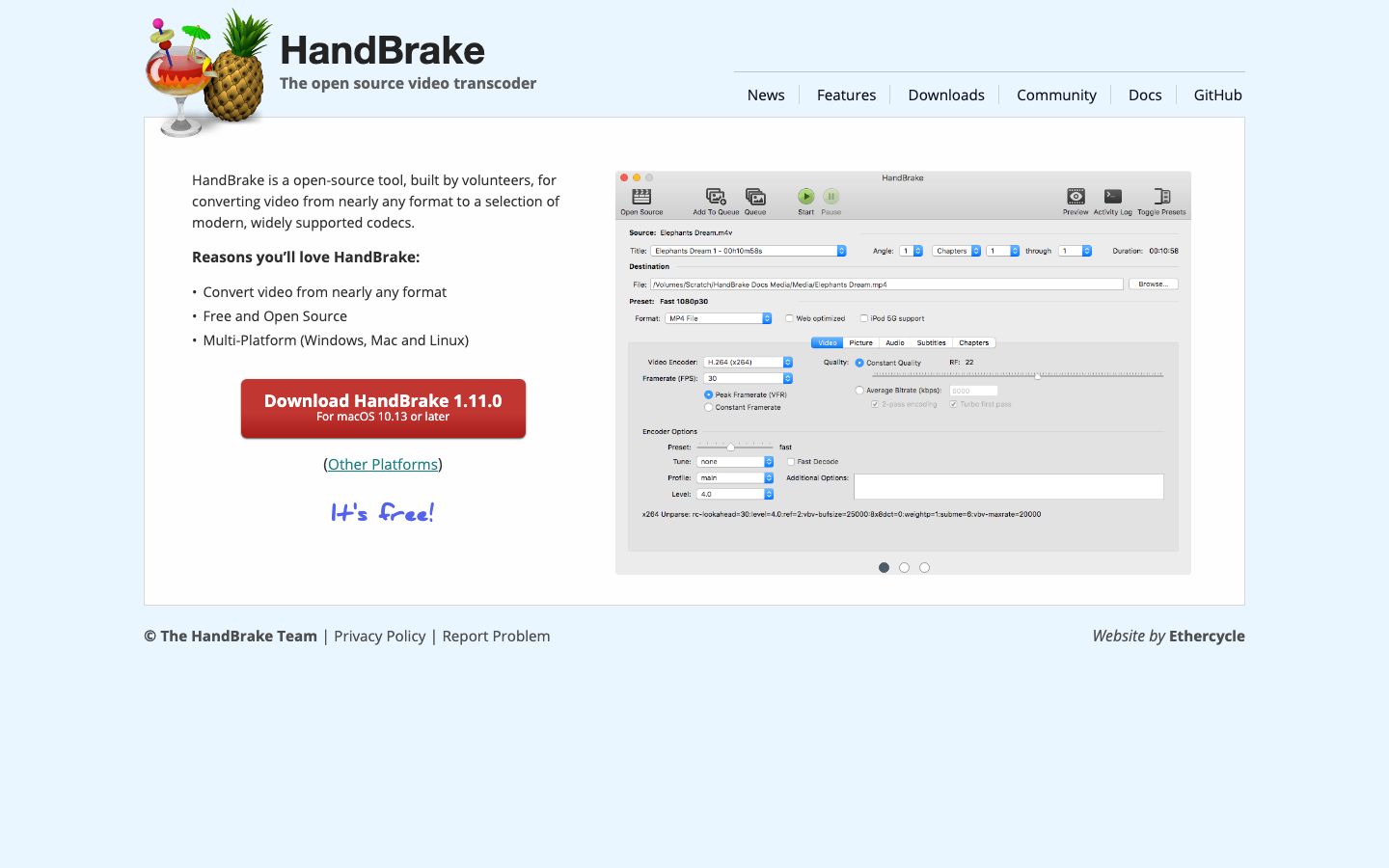
HandBrake — one of dozens of popular GUI applications that wrap FFmpeg's libraries to make video conversion accessible to non-technical users.
💥 The Fork: FFmpeg vs. Libav (2011–2015)
The Governance Crisis
By 2010, tensions within the FFmpeg community had been building for years. The core disagreement centered on Michael Niedermayer's leadership style and the project's governance model.
Critics argued that Niedermayer's approach to commit access, code review, and project management was too centralized and sometimes arbitrary. Supporters argued that his hands-on maintenance was the reason FFmpeg remained coherent despite hundreds of contributors and thousands of supported formats.
The conflict was deeply personal and played out publicly on mailing lists and IRC channels, as is common in open-source projects of that era.
January 2011: The Split
On January 10, 2011, a group of prominent FFmpeg developers — including several who had commit access — announced they were forking FFmpeg into a new project called Libav.
The Libav developers argued that they could build a better-governed project with cleaner code, more rigorous review processes, and a more collaborative development model. They took control of the ffmpeg.org domain briefly (before it was recovered) and convinced several major Linux distributions — including Debian, Ubuntu, and Gentoo — to switch from FFmpeg to Libav as their default multimedia library.
This was a devastating blow. For several years, if you installed Ubuntu and ran ffmpeg, you were actually running a Libav binary with an FFmpeg compatibility wrapper.
The Long War
The FFmpeg/Libav split was one of the most acrimonious forks in open-source history. Both projects continued development in parallel, often implementing the same features independently. Bug fixes in one project wouldn't necessarily make it to the other. Users were confused about which project to use, and application developers had to decide which fork to support.
Niedermayer continued to lead FFmpeg and, controversially, regularly merged Libav patches into FFmpeg — sometimes without the Libav developers' explicit consent. This "merge everything" approach meant FFmpeg maintained compatibility with both codebases, while Libav only contained its own work.
Over time, this asymmetry proved decisive. FFmpeg had everything Libav had, plus its own contributions. Libav had only its own work.
FFmpeg Wins
By 2014, the tide had turned. Debian switched back to FFmpeg in 2014. Ubuntu followed in 2015. One by one, distributions returned to FFmpeg as the default.
Several factors contributed to FFmpeg's victory:
- Niedermayer's merge strategy — FFmpeg absorbed Libav's improvements while retaining its own
- Contributor momentum — More developers chose FFmpeg, creating a virtuous cycle
- User trust — FFmpeg's brand recognition and backward compatibility won over pragmatic users
- Libav attrition — Key Libav developers moved on to other projects or returned to FFmpeg
In June 2015, Niedermayer himself stepped down as FFmpeg project leader amid renewed governance tensions, though he remained an active contributor. Leadership transitioned to a more distributed model with multiple committers sharing responsibility — an arrangement that persists today.
By 2016, Libav was effectively dormant. The last meaningful commit activity occurred around 2018. The fork that once threatened to split the multimedia world had lost.
The Libav episode left lasting scars on the FFmpeg community, but it also forced improvements in FFmpeg's governance and development practices. The project emerged stronger, if more cautious about internal politics. The saga is a case study in open-source governance — a reminder that even the most technically brilliant projects can be destabilized by organizational dysfunction, a lesson that applies equally to modern startup ecosystems.
🚀 The Streaming Era: FFmpeg at Scale (2015–2026)
Netflix, Spotify, and the Hyperscalers
As streaming became the dominant model for media consumption, FFmpeg's role shifted from a desktop encoding tool to critical cloud infrastructure.
Netflix built its encoding pipeline on FFmpeg, processing millions of titles for 280+ million subscribers. Netflix's engineering team contributed significant patches back to FFmpeg, particularly around per-title encoding optimization, VMAF quality metrics integration, and hardware acceleration support. Netflix engineers like Anne Aaron and Jan De Cock became influential voices in the video encoding community, and their work was built on FFmpeg foundations.
Spotify uses FFmpeg for audio transcoding across its catalog of 100+ million tracks. Discord uses FFmpeg for real-time audio/video in voice channels. WhatsApp, Instagram, and TikTok all use FFmpeg or its libraries in their media processing pipelines.
The scale is staggering: FFmpeg processes more multimedia data per day than any other software in existence. It's the kind of invisible infrastructure layer that, much like multi-agent systems in AI workflows, does the heavy lifting while users interact only with polished front-end interfaces.
The H.265/HEVC Patent Mess
The transition from H.264 to H.265/HEVC should have been straightforward — HEVC offers roughly 50% better compression at the same quality. But the licensing situation was catastrophic.
Unlike H.264's single patent pool (MPEG-LA), HEVC patents were split across three separate licensing bodies (MPEG-LA, HEVC Advance, and Velos Media), with some patent holders refusing to join any pool. The total licensing cost was unclear, and companies faced the risk of lawsuits from unaffiliated patent holders.
FFmpeg supported HEVC encoding (via libx265) and decoding, but the patent situation suppressed adoption. This directly fueled the creation of the Alliance for Open Media (AOM) in 2015, which developed AV1 as a royalty-free alternative.
AV1 and the Royalty-Free Future
The Alliance for Open Media, founded by Amazon, Cisco, Google, Intel, Microsoft, Mozilla, and Netflix, developed AV1 as a royalty-free video codec to replace both VP9 and compete with HEVC.
FFmpeg added AV1 support through libaom (the reference encoder) and later through libsvtav1 (the SVT-AV1 encoder developed by Intel and Netflix), which offered dramatically better encoding speed. By 2023, AV1 was supported in every major browser and was being adopted by YouTube, Netflix, and other platforms.
FFmpeg's role in the AV1 ecosystem was crucial — it provided the integration layer that allowed existing encoding pipelines to adopt AV1 without rewriting their infrastructure.
timeline
title Video Codec Evolution (FFmpeg supported them all)
2003 : H.264/AVC
: libx264 in FFmpeg
2013 : H.265/HEVC
: Patent mess begins
2015 : Alliance for Open Media formed
: VP9 gains traction
2018 : AV1 finalized
: Royalty-free future
2020 : H.266/VVC finalized
: Patent concerns continue
2024 : FFmpeg 7.0 "Dijkstra"
: Native VVC decoder
2025 : FFmpeg 8.0 "Huffman"
: Whisper AI + Vulkan compute
Hardware Acceleration Evolves
The 2010s and 2020s saw a dramatic expansion of hardware-accelerated encoding support in FFmpeg:
| Technology | Vendor | FFmpeg Support |
|---|---|---|
| NVENC/NVDEC | NVIDIA | GPU encoding/decoding via CUDA |
| Quick Sync Video | Intel | Integrated GPU encoding (VAAPI/QSV) |
| AMF/VCE | AMD | GPU encoding via Advanced Media Framework |
| VideoToolbox | Apple | macOS/iOS hardware encoding |
| Vulkan Video | Khronos | Cross-platform GPU video processing |
| NETINT T408/T432 | NETINT | Dedicated ASIC video transcoding |
Hardware acceleration improved encoding throughput by 5-20x over software-only encoding, enabling real-time 4K and 8K workflows. But as NETINT's testing revealed, the interaction between FFmpeg's application-level threading and hardware acceleration could create unexpected bottlenecks — a problem the community has been working to resolve across FFmpeg versions 5, 6, and 7.
The Multithreading Challenge
One of FFmpeg's persistent limitations is its approach to multithreading. The core issue was exposed clearly in real-world testing by companies like NETINT:
When running complex encoding workflows — such as a 4K input transcoded to a 5-6 rung HEVC encoding ladder — throughput would drop significantly even when CPU cores and hardware capacity were available.
The root cause is architectural. FFmpeg has multiple threading layers:
- Codec-level threads — Created by individual encoders like x264 or x265
- Application-level threads — Created by the FFmpeg binary itself
- Operating system scheduling — The kernel's thread scheduler
When these layers interact poorly, the result is excessive context switching (the CPU spends time swapping between threads instead of computing) and cache thrashing (frequently switching cores invalidates CPU caches, forcing expensive memory fetches).
As GPAC developer Romain Bouqueau explained: "If you put too many threads, the scheduler allocates slices of time, typically tens of milliseconds. And each tens of milliseconds it's going to look if there are new eligible tasks. Instead of spending time doing computation, you're spending time switching tasks."
FFmpeg 5 (2022) addressed part of this by running multiple outputs in separate threads. FFmpeg 6 (2023) continued the effort. The threading overhaul continued through FFmpeg 7 and 8.
FFmpeg 7.0 "Dijkstra" (April 2024)
FFmpeg 7.0, codenamed "Dijkstra" after the legendary computer scientist, was a landmark release. The headline feature was a native VVC (H.266) decoder — the first open-source VVC decoder built directly into FFmpeg without requiring an external library. This was a significant achievement, as VVC promises 50% better compression than HEVC and is the next-generation codec for 4K/8K broadcast and streaming.
Other FFmpeg 7.0 highlights included IAMF (Immersive Audio Model and Formats) support, multi-threaded ffmpeg CLI processing, and the removal of many deprecated APIs. The "Dijkstra" release demonstrated that FFmpeg was not just maintaining — it was innovating.
FFmpeg 8.0 "Huffman" (August 2025)
FFmpeg 8.0, codenamed "Huffman" (after the creator of Huffman coding), pushed the project further into AI and hardware territory:
- OpenAI Whisper decoder — Native support for Whisper AI speech recognition models, allowing FFmpeg to perform AI-powered transcription directly in the encoding pipeline
- Vulkan compute shaders — GPU-accelerated video filtering via the Vulkan API, enabling cross-platform hardware acceleration beyond vendor-specific solutions
- AVX-512 assembly optimizations — Community contributor reports showed up to 100x speedups for specific operations using handwritten AVX-512 assembly, demonstrating that low-level optimization still matters in the age of AI
- Continued VVC improvements — Expanded VVC decoder capabilities and encoder support
The Whisper integration was particularly significant — it marked FFmpeg's first major AI feature, foreshadowing a future where multimedia processing and AI are deeply intertwined. The same convergence of AI and traditional tooling is happening across software development, project management, and workflow automation.
NASA and Beyond: FFmpeg in Space
FFmpeg's reach extends beyond Earth. NASA's Perseverance rover, which landed on Mars in February 2021, uses FFmpeg-based tools in its image and video processing pipeline for transmitting visual data back to Earth. When you see Mars footage from Perseverance, FFmpeg helped get it to your screen — a remarkable journey for a project that started as a Linux multimedia utility.
🔒 Security, Sustainability, and the Open-Source Paradox (2023–2026)
The "Critical Infrastructure" Problem
FFmpeg exemplifies what the open-source community calls the "infrastructure problem" — software that billions of people depend on, maintained by a handful of volunteers with minimal funding.
The famous xkcd comic #2347 ("Dependency") depicting all of modern digital infrastructure balanced on a tiny project maintained by one person in Nebraska could have been drawn about FFmpeg. The project has a small core team of active contributors, sporadic corporate donations, and no full-time paid maintainers in the traditional sense.
This isn't for lack of importance. A critical vulnerability in FFmpeg could theoretically affect:
- Every Netflix, YouTube, and Spotify stream
- Every VLC, Chrome, and Firefox installation
- Every WhatsApp, Discord, and Telegram video call
- Every surveillance camera system using open-source software
- Thousands of enterprise media processing pipelines
The attack surface is enormous, and the resources devoted to securing it are disproportionately small.
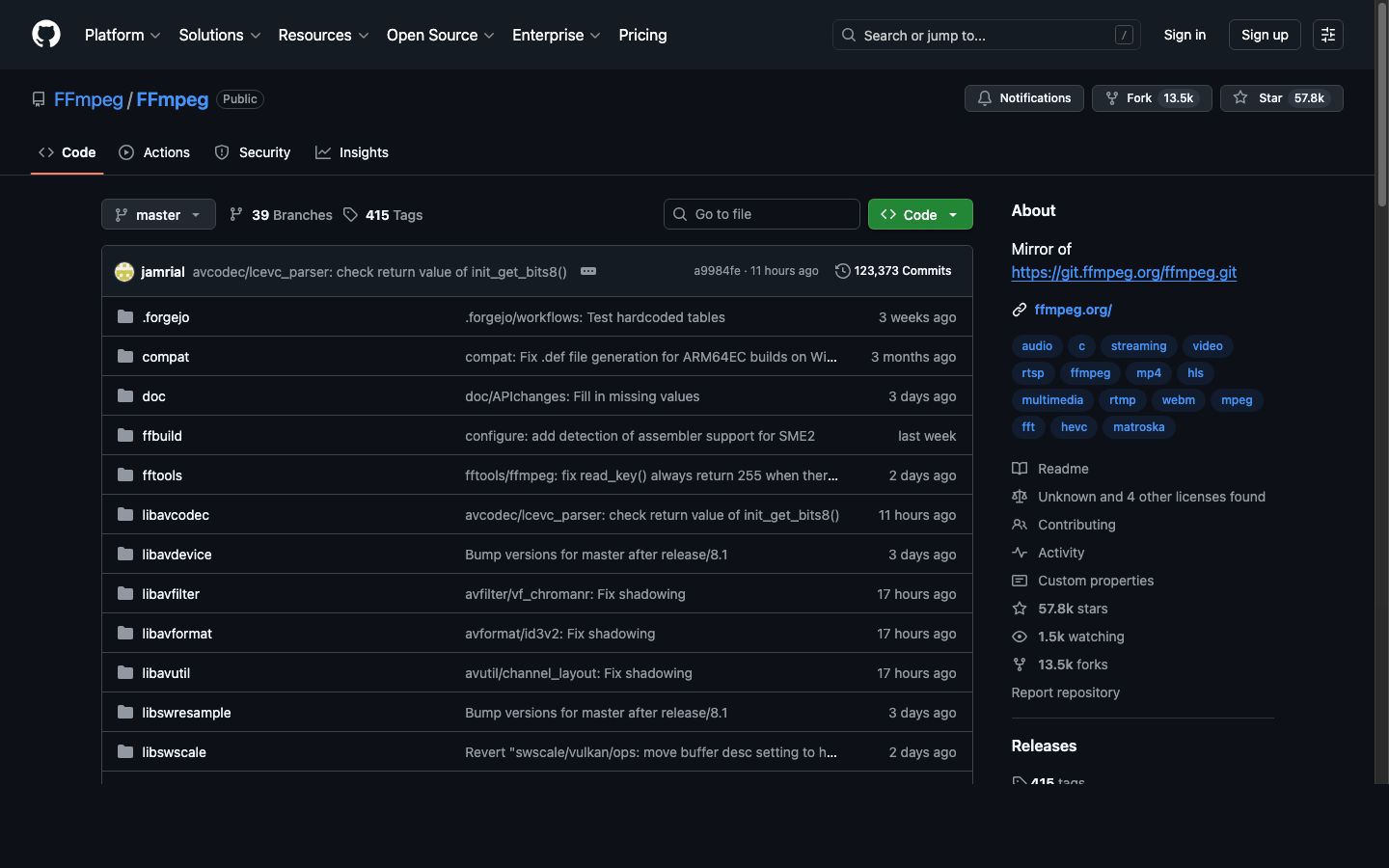
The FFmpeg GitHub mirror (primary development now on Forgejo). Over 57,700 stars and 1.5 million lines of code — one of the most critical open-source projects on the planet.
Google's Big Sleep Controversy (2025)
The tension between corporate dependence and open-source funding exploded into public view in late 2025 when Google's Project Big Sleep — an LLM-based vulnerability discovery system — found a security flaw in FFmpeg's LucasArts Smush codec decoder, a legacy format handler for 1990s-era video game cutscenes.
Google submitted the vulnerability report with a standard 90-day disclosure deadline: fix it within 90 days, or Google would publish the details publicly. FFmpeg maintainers dubbed this kind of AI-discovered-but-not-AI-fixed vulnerability report "CVE slop" — a play on the AI-generated content term.
FFmpeg's official X (Twitter) account fired back publicly, arguing that:
- Google has the compute resources to find vulnerabilities at scale using AI
- Google profits enormously from FFmpeg (YouTube is built on it)
- A 90-day deadline imposed on volunteers is unreasonable
- If Google can find bugs with AI, it should also help fix them with AI
The controversy struck a nerve across the open-source community. As one commentator put it: "Microsoft claims 30% of new code is AI-generated, but when AI finds bugs in volunteer-maintained critical infrastructure, somehow fixing those bugs is still the volunteers' problem."
The incident reignited broader debates about:
- Corporate responsibility to the open-source projects they depend on
- Disclosure timelines for volunteer-maintained projects
- AI-assisted security research and who bears the burden of remediation — a topic closely related to the rise of agentic AI and agentic engineering in software development
- Sustainable funding models for critical open-source infrastructure
FFmpeg and Sovereign Tech Fund
Some progress has been made on the funding front. Germany's Sovereign Tech Fund (STF), launched in 2022 to invest in critical open-source infrastructure, awarded FFmpeg 157,580 euros for development work. The STF recognized FFmpeg as essential digital infrastructure for European sovereignty and allocated resources for security audits, code modernization, and contributor support.
The FLOSS/fund initiative contributed an additional $100,000 to FFmpeg. Similar efforts from the Linux Foundation, Open Source Security Foundation (OpenSSF), and individual corporate sponsors have provided additional resources, though the combined total still falls far short of what a project of FFmpeg's importance arguably requires — for context, a single senior video engineer at Netflix or Google earns 3-5x these amounts annually.
Germany's Sovereign Tech Fund — one of the first government programs to recognize open-source projects like FFmpeg as critical digital infrastructure worth investing in.
The Rockchip DMCA Takedown (2025–2026)
In December 2025, Chinese semiconductor company Rockchip filed a DMCA takedown against FFmpeg on GitHub, claiming that FFmpeg's implementation of Rockchip's Media Process Platform (MPP) codec libraries violated Rockchip's copyright. In January 2026, GitHub complied and temporarily restricted access to affected FFmpeg repositories.
The community was outraged. Rockchip's own hardware relies on FFmpeg for video processing, and the DMCA was widely seen as a corporate overreach against the very open-source project that makes Rockchip's products functional. The incident was resolved after community pressure, but it highlighted a recurring pattern: companies that benefit from open-source sometimes turn adversarial — a dynamic familiar to anyone following the AI agent ecosystem and platform governance debates.
Forgejo Migration: Leaving GitHub (August 2025)
In a move that surprised many, FFmpeg announced its migration from GitHub to Forgejo — a community-owned, self-hosted Git forge — in August 2025. The decision was driven by several factors:
- Growing concerns about GitHub's (Microsoft's) control over open-source infrastructure
- The Rockchip DMCA incident demonstrating GitHub's vulnerability to takedown abuse
- A desire for greater autonomy and self-hosting
- Alignment with FFmpeg's philosophy of independence and community ownership
The migration was part of a broader trend of open-source projects seeking alternatives to centralized platforms — the same decentralization impulse driving the agentic workspace movement in productivity software. FFmpeg's GitHub mirror remains active with 57,700+ stars, but primary development now happens on the self-hosted Forgejo instance.
25th Anniversary (December 2025)
On December 20, 2025, FFmpeg celebrated its 25th anniversary — a quarter century since Fabrice Bellard's first commit. The milestone was marked by community celebrations, retrospective blog posts, and renewed calls for sustainable funding. Twenty-five years of continuous development, across 8 major versions, with 2,400+ contributors — few open-source projects can claim such longevity and impact.
VVC and the Next Codec Generation
H.266/Versatile Video Coding (VVC), finalized in 2020, promises another 50% compression improvement over HEVC. FFmpeg 7.0 "Dijkstra" delivered a native VVC decoder built directly into FFmpeg — a major milestone that eliminates the need for external VVC libraries. FFmpeg 8.0 expanded VVC support further.
As GPAC's Romain Bouqueau noted, GPAC had VVC packaging support three years before most other tools, and FFmpeg's native decoder has now caught up. The codec landscape continues to evolve, and FFmpeg continues to be the integration layer that makes new codecs accessible to existing workflows.
🏗️ FFmpeg Architecture: How It Actually Works
The Pipeline Model
FFmpeg's architecture is built around a multimedia processing pipeline:
- Demuxing (libavformat) — Reads the input container and separates audio, video, and subtitle streams
- Decoding (libavcodec) — Converts compressed data into raw frames
- Filtering (libavfilter) — Applies transformations (scaling, cropping, color correction, overlays, etc.)
- Encoding (libavcodec) — Compresses raw frames into the target codec
- Muxing (libavformat) — Writes encoded streams into the output container
Each stage operates on packets (compressed data) or frames (uncompressed data), passed through a graph of connected processing nodes. This pipeline-based architecture — where each stage transforms data and feeds the next — is a design pattern that shows up everywhere in modern software, from CI/CD systems to the Workspace DNA framework powering Taskade Genesis, where Memory feeds Intelligence, Intelligence triggers Execution, and Execution creates Memory in a self-reinforcing loop.
The Library Architecture
Most serious applications don't use the ffmpeg command-line tool. They integrate FFmpeg's libraries directly:
| Library | Purpose | Why It Matters |
|---|---|---|
| libavcodec | Encoding/decoding | 100+ decoders, 80+ encoders |
| libavformat | Container I/O | 300+ demuxers, 200+ muxers |
| libavfilter | Processing graph | Scaling, overlays, color, audio mixing |
| libavutil | Shared utilities | Math, memory, pixel formats |
| libswscale | Image scaling | Fast, high-quality rescaling |
| libswresample | Audio resampling | Sample rate and format conversion |
| libavdevice | Device I/O | Capture from cameras, screens, audio devices |
Companies like YouTube, Netflix, and Vimeo integrate libavcodec and libavformat directly into their transcoding services, bypassing the ffmpeg binary's overhead and gaining fine-grained control over threading, memory allocation, and I/O.
As Bouqueau explained: "When you consider big companies like Vimeo, YouTube, or other projects like GPAC, we integrate the libraries and we could investigate with some improvements on the performances. FFmpeg is really great for this, because you can plug at many points for the I/O, or for the memory allocators, or for the threading."
Filtering: FFmpeg's Hidden Superpower
FFmpeg's filter system is one of its most underappreciated capabilities. The libavfilter library supports hundreds of audio and video filters that can be chained into complex processing graphs:
- Video: scale, crop, overlay, rotate, deinterlace, denoise, stabilize, color correct, add text, generate test patterns
- Audio: volume, equalizer, compressor, noise gate, crossfade, tempo change, channel mapping
- Analysis: VMAF quality measurement, scene detection, black frame detection, silence detection
Filter graphs enable complex workflows in a single command:
Bash
ffmpeg -i input.mp4 -vf "scale=1920:1080,unsharp=5:5:1.0,drawtext=text='Watermark':fontsize=24" output.mp4
This single command scales to 1080p, sharpens the image, and burns in a text watermark — all in one pass through the video.
🌐 FFmpeg vs. GStreamer vs. GPAC: The Multimedia Framework Landscape
Three Frameworks, Three Philosophies
The open-source multimedia world is dominated by three major frameworks, each with distinct strengths:
FFmpeg is the universal Swiss Army knife. Its strength is codec and format coverage — if it exists, FFmpeg supports it. The command-line interface is stable (commands from a decade ago still work), and the library API, while it changes between major versions, is well-documented. FFmpeg is the default choice for transcoding workflows.
GStreamer is a pipeline-based multimedia framework that excels at real-time streaming and hardware integration. Its element-based architecture (connecting processing modules into a directed graph) provides superior buffer management — when a buffer fills up, GStreamer emits signals that let the pipeline adjust dynamically. This makes it particularly strong for hardware-accelerated workflows and embedded systems.
GPAC specializes in packaging, streaming, and standards compliance. Originally built around MP4Box for file-based packaging, GPAC has evolved into a full multimedia framework with encoding, packaging, streaming, and deep inspection capabilities. Netflix licenses GPAC for content packaging, and the project is active in ISO BMFF standardization.
When to Use Each
| Use Case | Best Framework | Why |
|---|---|---|
| File transcoding | FFmpeg | Widest codec/format support |
| Live streaming pipeline | GStreamer | Superior real-time buffer management |
| Content packaging (DASH/HLS) | GPAC | Deepest ISO BMFF compliance |
| Hardware-accelerated encoding | GStreamer or FFmpeg | Both have strong hardware support |
| Codec development/testing | FFmpeg | Most complete reference implementations |
| Deep media inspection | GPAC | Bit-level packet inspection |
| Quick format conversion | FFmpeg | Simplest command-line interface |
In practice, many production workflows combine multiple frameworks. A typical streaming service might use FFmpeg for transcoding, GPAC for packaging, and GStreamer for real-time ingest — each playing to its strengths.
GPAC — the open-source multimedia framework licensed by Netflix for content packaging. Specializes in ISO BMFF standards compliance.
GStreamer — the pipeline-based multimedia framework with superior buffer management for real-time and hardware-accelerated workflows.
The Packaging Gap
One area where FFmpeg is notably weaker is packaging — the process of wrapping encoded streams into streaming-ready containers for DASH, HLS, or CMAF delivery.
FFmpeg can produce HLS and DASH output, but its packaging capabilities are less sophisticated than dedicated tools like GPAC or Shaka Packager. For simple packaging workflows, FFmpeg is sufficient. For complex requirements (DRM encryption, multi-key content protection, live low-latency streaming, advanced manifest manipulation), specialized tools are typically necessary.
The convergence toward CMAF (Common Media Application Format) — which uses ISO BMFF segments compatible with both HLS and DASH — is simplifying the packaging landscape. As Bouqueau noted: "I think we're pretty close to the point where you would have only one media format to distribute."
📊 FFmpeg by the Numbers
| Metric | Value |
|---|---|
| First commit | December 20, 2000 |
| Age | 25 years (anniversary December 2025) |
| Supported decoders | 100+ |
| Supported encoders | 80+ |
| Supported demuxers | 300+ |
| Supported muxers | 200+ |
| GitHub stars | 57,700+ |
| Contributors (all time) | 2,400+ |
| Active core maintainers | ~10-15 |
| Lines of code | 1,547,167 (1.5M+) |
| License | LGPL 2.1+ (GPL with optional components) |
| Major versions | 8 (FFmpeg 8.0 "Huffman", August 2025) |
| Primary hosting | Forgejo (self-hosted), GitHub mirror |
| Used by | Netflix, YouTube, VLC, Chrome, Firefox, Spotify, Discord, WhatsApp, NASA Perseverance, and thousands more |
🔮 The Future of FFmpeg (2026 and Beyond)
Threading Overhaul
The threading rewrite has been in progress since FFmpeg 5, with significant improvements landing in FFmpeg 7.0 and 8.0. The goal is native support for efficient multi-output encoding workflows without the context-switching overhead that plagues earlier implementations. FFmpeg 8.0's multi-threaded CLI and improved scheduler represent major progress, but developers have stated the full overhaul will continue through FFmpeg 9 and beyond.
AI-Enhanced Encoding
Machine learning is already transforming multimedia processing, and FFmpeg 8.0's native Whisper decoder was the first major step — enabling AI-powered speech transcription directly inside the encoding pipeline. Looking ahead:
- Content-adaptive encoding — Using neural networks to analyze content and select optimal encoding parameters per-scene or per-frame
- Neural codec development — Entirely new codecs based on neural networks rather than traditional block-based transform coding
- AI-powered quality metrics — Beyond VMAF, neural quality assessment that correlates better with human perception
FFmpeg is following the same pattern it has used with traditional codecs: provide the integration layer that makes new technology accessible.
Tools like Taskade's AI agents are already demonstrating how AI can automate complex multi-step workflows — from content creation to team coordination. The same principle applies to video encoding — AI can optimize parameters that would take a human engineer hours to tune manually. Taskade's automation platform shows how these kinds of intelligent pipelines can be built and managed at scale using the Workspace DNA framework — where Memory feeds Intelligence, Intelligence triggers Execution, and Execution creates Memory in a self-reinforcing loop.
VVC Adoption
H.266/VVC promises 50% better compression than HEVC, and FFmpeg 7.0 already ships with a native VVC decoder — no external library required. Adoption will depend on patent licensing (the same issue that hampered HEVC) and hardware decoder availability. As hardware decoders ship in consumer devices through 2026-2027, FFmpeg will be the primary encoding and decoding tool for VVC content.
The Sustainability Question
The biggest question facing FFmpeg isn't technical — it's organizational. Can a volunteer-maintained project continue to serve as critical infrastructure for a multi-trillion-dollar streaming industry?
The project's 2025 migration to Forgejo was itself a statement of intent — prioritizing community ownership and independence over platform convenience. Possible futures include:
- Corporate consortium funding (similar to the Linux Foundation model)
- Government infrastructure funding (expanding beyond Germany's Sovereign Tech Fund)
- Commercial entity (following the FFLabs model, similar to GPAC's Motion Spell)
- Status quo — volunteers maintain it, corporations use it, and everyone hopes nothing breaks
The Google Big Sleep controversy of 2025 suggests the status quo is increasingly untenable. As AI-powered vulnerability discovery accelerates, the gap between the rate at which bugs are found and the rate at which volunteers can fix them will only widen. Meanwhile, platforms like Taskade Genesis are demonstrating a different model — where AI agents and durable automations handle complex, failure-prone workflows (like media batch processing) with automatic retry and state persistence, removing the brittleness that plagues traditional CLI pipelines.
🧰 Getting Started with FFmpeg
Basic Commands
Convert a video file:
Bash
ffmpeg -i input.mp4 output.avi
Transcode to H.264 with quality control:
Bash
ffmpeg -i input.mp4 -c:v libx264 -crf 23 -c:a aac -b:a 128k output.mp4
Extract audio from a video:
Bash
ffmpeg -i video.mp4 -vn -c:a mp3 audio.mp3
Create an HLS stream:
Bash
ffmpeg -i input.mp4 -c:v libx264 -c:a aac -f hls -hls_time 6 -hls_list_size 0 output.m3u8
Scale video to 720p:
Bash
ffmpeg -i input.mp4 -vf "scale=-1:720" output.mp4
Best Practices for Production
- Use the libraries, not the binary — For production applications, integrate libavcodec/libavformat directly for better performance and control
- Match threads to physical cores — Set thread count to 1-2x your physical core count, not logical cores
- Monitor memory usage — FFmpeg's internal queues can consume gigabytes when processing high-resolution content; monitor RAM and consider buffer limits
- Test hardware acceleration carefully — NVENC, QSV, and VideoToolbox produce different quality characteristics than software encoding; benchmark quality, not just speed
- Pin your FFmpeg version — Different versions can produce different output for the same command; lock your version in production
🎬 FFmpeg's Unlikely Legacy
FFmpeg is one of the most important software projects ever created. It processes more multimedia data than any other software in history. It enabled the streaming revolution, democratized video production, and became the invisible foundation of the modern internet's audiovisual layer.
And it did all of this as an open-source project started by one programmer in France, maintained by volunteers, and funded by donations that wouldn't cover the salary of a single Google engineer.
The story of FFmpeg is the story of open source at its most powerful and most precarious — a reminder that the software infrastructure we all depend on is often held together by the passion and dedication of people who do the work because it matters, not because it pays.
Whether that model is sustainable for the next 25 years is an open question. What's not open to question is that FFmpeg changed the world — one frame at a time. And as tools like Taskade Genesis demonstrate, the next generation of infrastructure will be built not just by volunteers writing C, but by AI agents and automations that can build, deploy, and maintain living software at a pace no single contributor can match.
Dive deeper into the tools and frameworks shaping the tech landscape:
- What is OpenAI? Complete History of ChatGPT, GPT-5 & More
- What is Anthropic? History of Claude AI & Claude Code
- What is Google Gemini? History of DeepMind & Bard AI
- What Are AI Agents? Complete Guide
- What is Agentic AI? Autonomous Agents & LLM Frameworks
- What is Agentic Engineering? The Complete History
- What is Vibe Coding? The AI-First Development Paradigm
- What Are Micro Apps? The Trend Reshaping Software
- The Origin of Living Software
- Claude Code vs. Cursor vs. Taskade Genesis
- Best Free AI App Builders
- Explore AI-Powered Apps in the Taskade Community
🧬 Build AI-Powered Multimedia Workflows
While FFmpeg handles the encoding, Taskade Genesis lets you build complete AI-powered applications and workflows with a single prompt. One prompt creates a live app — your workspace becomes the backend, your AI agents become the team, and your automations become the execution layer.
Create custom AI agents with 22+ built-in tools that automate repetitive tasks, build intelligent automations that connect to 100+ integrations, and deploy living software that evolves with your needs. It's vibe coding — describe what you need, and Taskade builds it. Explore ready-made AI apps or start building now.
Frequently Asked Questions
What is FFmpeg and what does it do?
FFmpeg is a free, open-source multimedia framework that can decode, encode, transcode, mux, demux, stream, filter, and play almost any audio or video format. Created by Fabrice Bellard in 2000, it is the most widely deployed multimedia tool in history, used by Netflix, YouTube, VLC, Chrome, Firefox, and virtually every streaming platform and media player in existence.
Who created FFmpeg and when was it first released?
FFmpeg was created by French programmer Fabrice Bellard (born 1972), initially publishing under the pseudonym "Gerard Lantau", and first released on December 20, 2000. Bellard also created QEMU (the processor emulator) and held the world record for computing the most digits of pi. He started FFmpeg as a way to handle multimedia on Linux when proprietary codecs dominated the landscape.
What does FFmpeg stand for?
The FF in FFmpeg stands for Fast Forward, a reference to VCR tape controls. The mpeg portion refers to the Moving Picture Experts Group, the standards body behind MPEG video and audio formats. Together, the name signals fast multimedia processing using open standards.
Why did FFmpeg fork into Libav in 2011?
In January 2011, a group of FFmpeg developers forked the project into Libav over governance disagreements. The core dispute was about project management, commit access policies, and the role of the lead maintainer Michael Niedermayer. The fork divided the community for years, but FFmpeg ultimately prevailed as the dominant project, and most Libav developers eventually returned or stopped active development.
How does Netflix use FFmpeg?
Netflix uses FFmpeg as a core component of its video encoding pipeline, processing millions of hours of content for 280+ million global subscribers. Netflix engineers have contributed significant patches to FFmpeg, particularly around codec support, hardware acceleration, and quality metrics. Netflix also licenses GPAC for packaging and has publicly shared its encoding architecture at conferences.
What is the FFmpeg multithreading problem?
FFmpeg has historically struggled with efficient multithreading for complex encoding workflows. When running multi-rung encoding ladders (e.g., 4K input to 5-6 output resolutions), throughput can drop significantly even when CPU and hardware capacity is available. This is because the FFmpeg application layer creates its own threads on top of codec-level threads, leading to excessive context switching and cache thrashing. FFmpeg 5 and 6 improved output parallelism, but the threading overhaul is expected to continue through FFmpeg 7.
What is the difference between FFmpeg, GStreamer, and GPAC?
FFmpeg excels at encoding and transcoding with a massive codec library. GStreamer is a pipeline-based multimedia framework better suited for hardware integration and real-time streaming with superior buffer management. GPAC specializes in packaging, streaming, and standards compliance (ISO BMFF, DASH, HLS) and is used by Netflix for content packaging. Many production workflows combine all three.
Is FFmpeg really free to use commercially?
FFmpeg is licensed under LGPL 2.1+ by default, which allows commercial use with some conditions. If you link FFmpeg as a shared library without modifying its source, you can use it in proprietary software. However, enabling certain optional components (like libx264 or libfdk-aac) triggers GPL licensing, which requires releasing your full source code. Many companies use FFmpeg commercially, but licensing compliance requires careful configuration.
What codecs and formats does FFmpeg support?
FFmpeg supports virtually every multimedia format in existence. As of 2026, it includes over 100 decoders, 80+ encoders, 300+ demuxers, and 200+ muxers. It handles H.264, H.265/HEVC, AV1, VP9, H.266/VVC, ProRes, DNxHD, and dozens of legacy formats. It also supports audio codecs like AAC, MP3, Opus, FLAC, Vorbis, AC-3, and many more.
How did Google's AI vulnerability disclosure controversy affect FFmpeg?
In late 2025, Google used its Big Sleep LLM-based security system to discover a vulnerability in FFmpeg's LucasArts Smush codec decoder and submitted it with a 90-day disclosure deadline. FFmpeg maintainers publicly criticized Google, coining the term "CVE slop" for AI-discovered-but-not-AI-fixed vulnerability reports. They argued that a multi-billion dollar corporation finding bugs in volunteer-maintained critical infrastructure should also help fix them, not impose deadlines. The incident reignited debate about corporate responsibility toward open-source projects.
What are the main components of the FFmpeg project?
FFmpeg consists of several components: ffmpeg (the command-line transcoding tool), ffplay (a simple media player), ffprobe (a stream analyzer), and a set of libraries including libavcodec (encoding/decoding), libavformat (muxing/demuxing), libavfilter (audio/video filtering), libavutil (utility functions), libswscale (image scaling), and libswresample (audio resampling). Most applications integrate the libraries directly rather than calling the ffmpeg binary.
What hardware acceleration does FFmpeg support?
FFmpeg supports hardware-accelerated encoding and decoding through NVIDIA NVENC/NVDEC (CUDA), Intel Quick Sync Video (VAAPI/QSV), AMD AMF/VCE, Apple VideoToolbox, Vulkan Video, and dedicated hardware from vendors like NETINT. Hardware acceleration can improve encoding speed by 5-20x compared to software-only encoding, though quality-per-bit may differ.
Why is FFmpeg considered critical infrastructure?
FFmpeg processes the majority of video on the internet. YouTube, Netflix, Spotify, Chrome, Firefox, VLC, Discord, WhatsApp, Instagram, TikTok, NASA Perseverance, and thousands of other applications depend on FFmpeg or its libraries. With 57,700+ GitHub stars, 1.5 million lines of code, and 2,400+ contributors over 25 years, a critical bug in FFmpeg could theoretically affect billions of devices. Despite this, the project is maintained primarily by volunteers with limited funding, making it one of the most important yet under-resourced open-source projects in existence.