

TL;DR: Triggers in. Actions out. 100+ integrations on call. Automations are the Execution layer of Workspace DNA, the third pillar alongside Memory (Projects) and Intelligence (Agents). They listen for events (new email, new task, webhook, schedule), run multi-step flows with branching, looping and filtering, call 15+ frontier models from OpenAI, Anthropic, Google, and leading open-source providers, plug into 100+ integrations across 10 categories, and write results straight back into your projects. AI agents can drive an entire flow as a step. Available on every plan from Free through Enterprise. Browse the full action and trigger catalog at /integrations. Build your first automation →
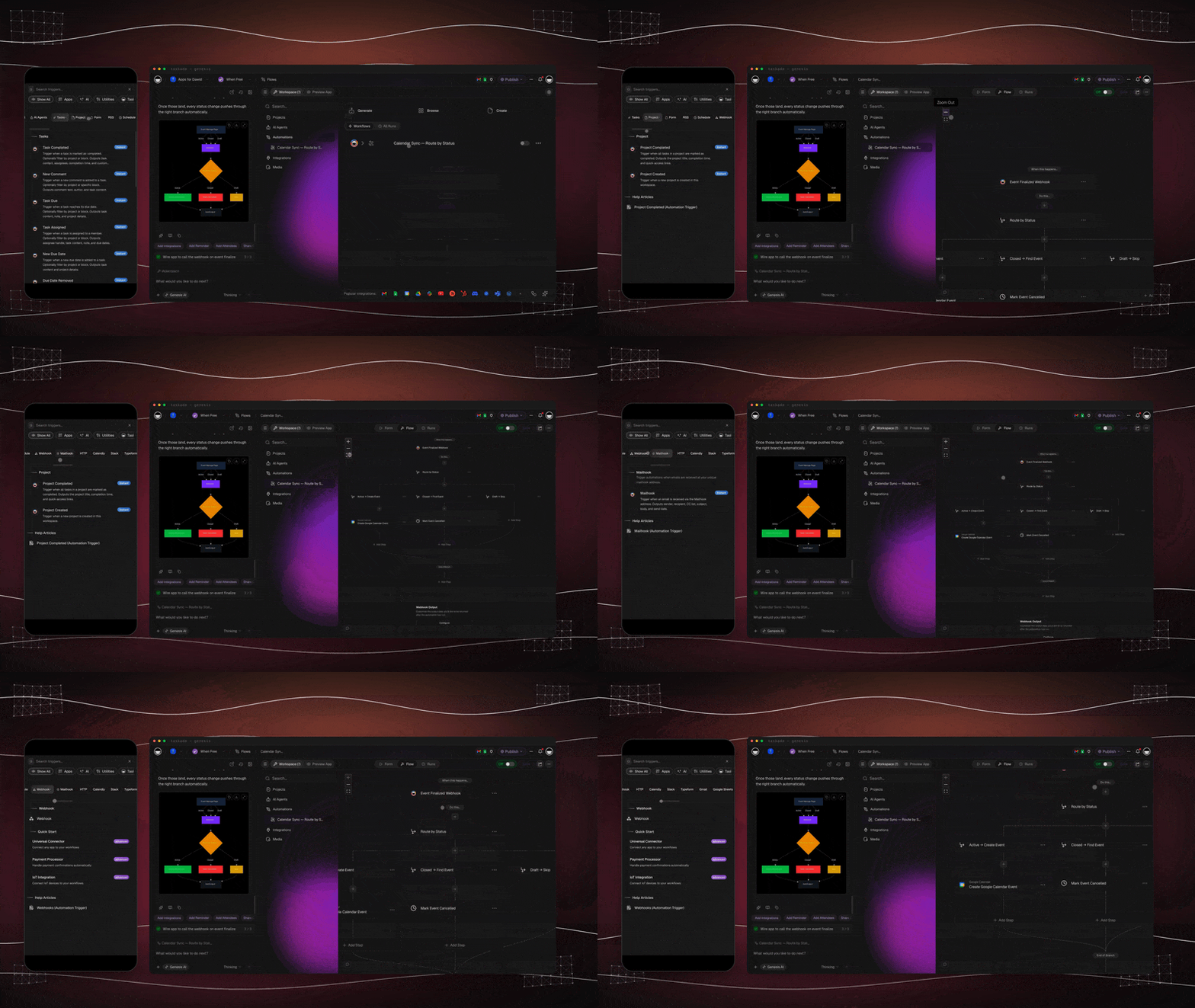
What are Taskade Automations?
Taskade Automations are reliable, multi-step workflows that listen for an event, make decisions, and take action across your workspace and 100+ external services — without you lifting a finger. Every automation follows the same model: a trigger kicks off the flow, control-flow steps (branch, loop, filter, delay) shape the logic, actions do the work, and results get written back into your Projects so your workspace keeps learning.
Unlike standalone tools like Zapier or Make, Taskade Automations live inside the same workspace as your data and your AI agents. That means an AI agent can be a step in a flow, a flow can update the very project that triggered it, and a published Taskade Genesis app can use its automations as the live execution layer for end users.
The Execution Layer of Workspace DNA
Workspace DNA has four layers: Memory stores what your workspace knows, Intelligence decides what to do, Execution does it, and App UI surfaces it to users. Automations are the Execution layer — they take signals from Memory, ask Intelligence for judgment, and write results back into Memory in a continuous loop.
Read it as a loop, not a pipeline. Every automation run feeds new facts back into Memory, which gives your agents better context next time, which leads to smarter execution. That self-reinforcing loop is what makes a Taskade workspace feel alive instead of static.
Anatomy of an Automation
Every automation — from a one-step notifier to a 30-step revenue-ops pipeline — is built from the same primitives. A trigger kicks it off. Control-flow steps shape the logic. Actions do the work. Outputs land in your projects, in an external system, or in front of a user.
That's the entire mental model. Once you've built one automation, you've built them all — the only thing that changes is which trigger fires, which actions you chain, and where the data lands.
How to Build an Automation: The Full Path
Here is the whole flow: pick how you want to start, set the trigger, chain the steps, then test it in Preview before it goes live. The dots that matter: an automation is the Execution layer, so its real power shows when an agent makes a decision inside it and the result writes back to a project.
There are four ways to create one. They all land in the same flow editor.
| Method | Best for | How to start |
|---|---|---|
| Generate with AI | Describing the workflow in plain English | Click Create with AI, describe the flow, pick a mode, then Create |
| Ask Taskade EVE | Hands-off setup from a sentence | Tell Taskade EVE "When a form is submitted, email the lead and add a task" |
| Start from scratch | Full control over every step | Add a Trigger, then Add Step for each action and condition, then Save |
| From a template | A proven flow you can customize | Browse templates, pick a tile, then adjust the trigger and actions |
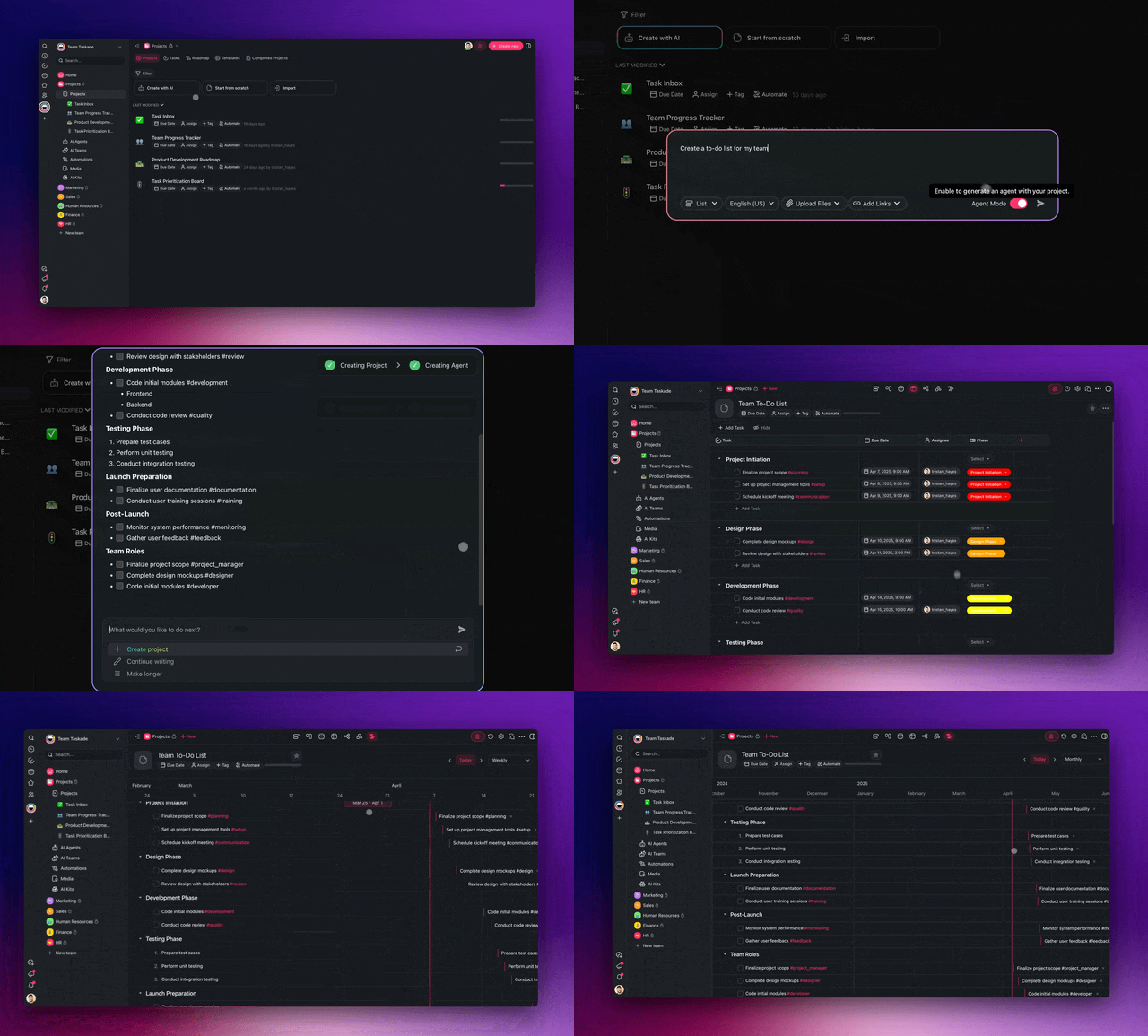
When you generate with AI, you pick a mode that shapes the result:
| Mode | What it builds |
|---|---|
| Auto | Taskade picks the best structure for your description |
| Agent Tool | A flow an agent can call as a tool inside chat |
| Workflow | A standard trigger-to-action automation |
| Form | A form that starts the flow when submitted |
You can also start straight from a project. Open any project, click Automate at the top, then pick a trigger and action. The project is added to the flow automatically, so the automation already knows where to read and write.
Pass Data Between Steps
Steps share data through variables. Type @ in most fields to reference the output of an earlier step, such as the trigger's email body or an agent's reply. That is how a later step uses what an earlier step produced. Force an agent's reply into a fixed shape with Ask Agent With Structured Output so downstream steps can read it reliably.
Preview, Build, and History
Every flow has three working tabs. Build is where you assemble triggers and steps. Preview shows forms and shared views the way other people see them. History logs every run with the data that flowed through each step, plus one-click retry.
Triggers
Triggers are the "if this" half of an automation. They monitor your workspace and external services, and the moment a condition is met they kick off the flow. Taskade supports 20+ trigger sources spanning workspace events, schedules, inbound email, webhooks, forms, AI agent chats, and 15+ third-party services.
Full catalog: Automation Triggers
| Category | Common triggers |
|---|---|
| Workspace | Task Added, Task Completed, Task Assigned, Task Due, New Comment, Custom Field Updated, Project Completed |
| AI | Agent Trigger (in-chat), Agent Public Chat Ended |
| Time | Schedule (hourly / daily / weekly / monthly), Delay Until |
| Inbound | Webhook, Mailhook (unique email address), Form Trigger |
| Communication | Slack New Message, Slack Mention, Discord New Message |
| Email & Calendar | Gmail New Email, Google Calendar New/Updated Event, Calendly Event Scheduled |
| Files & Data | Google Sheets New Row, Google Drive New File, Google Forms New Response |
| CRM & Marketing | HubSpot New Deal, HubSpot Deal Stage Reached, Typeform New Submission |
| Web & Dev | RSS New Item, YouTube New Video, GitHub New PR/Issue/Push, Webflow Form Submission |
Actions
Actions are the "then do that" half. Once a trigger fires and your control-flow steps decide what should happen, actions are the steps that actually do the work — inside Taskade, with AI, on the open web, or in any of 100+ connected services.
Full catalog: Automation Actions
| Category | Common actions |
|---|---|
| Workspace | Create Project, Add Task, Assign Task, Move Task, Update Custom Fields, Create Project From Template, Find Task(s) |
| AI | Ask AI, Generate with AI, Ask Agent, Run Agent Command, Ask Agent With Structured Output, Add Knowledge to Agent |
| Web | Scrape Webpage, Search Web, Transcribe YouTube Video, Convert File to Text, Send HTTP Request |
| Communication | Slack Send Channel Message, Slack Send DM, Discord Send Message, Microsoft Teams Send Message, Twilio Send SMS, WhatsApp Send Message |
| Gmail Send Email, Gmail Find Emails, Gmail Create Draft | |
| Docs & Files | Google Docs Create / Append, Google Drive Create File / Folder, Google Sheets Insert / Update / Find Row(s) |
| Calendar | Google Calendar Create Event, Google Calendar Delete Event |
| CRM & Marketing | HubSpot Create Contact / Deal, Mailchimp Add Contact, WordPress Create Post |
| Social | LinkedIn Share Update, X/Twitter Create Post / Reply, Facebook Create Page Post |
| Dev | GitHub Create Issue / Comment, Lock/Unlock Issue, Get Issue Info |
Branching, looping, filtering
Real workflows aren't straight lines. A new lead might need different handling depending on company size. A list of 50 transcripts needs the same step run 50 times. A noisy webhook needs to be filtered down to the events that actually matter. Taskade's automation engine handles all three with first-class control-flow steps.
- Branch routes the flow down different paths based on if/else conditions on any variable.
- Loop runs a sub-flow once for each item in an array — perfect for pairing with Find Task(s) or Find Row(s).
- Filter stops the flow unless data matches your conditions, so cheap checks happen first and expensive AI/integration steps only fire when they should.
- Delay pauses the flow for a duration or until a specific date — useful for follow-ups, waiting on approvals, and time-of-day sends.
Agents as steps in flows
This is the bridge between Intelligence and Execution. Any custom AI agent you've built can be dropped into an automation as a step — and once it's there, it brings its full toolkit with it: persistent memory, custom commands, 33 built-in tools, and the ability to choose from 15+ frontier models from OpenAI, Anthropic, Google, and leading open-source providers.
Three action types let agents drive flows:
- Ask Agent — query the agent and use its reply as a variable in later steps. Great for classification, summarization, or "should I do X?" decisions.
- Run Agent Command — execute one of the agent's named slash commands with structured inputs. Great for repeatable specialist tasks.
- Ask Agent With Structured Output — force the agent's reply into a JSON shape you define so downstream steps (Branch, Update Custom Fields, integrations) can read it reliably.
Deep dive: Agent Actions in Automations and Taskade EVE Assistant for the workspace-wide assistant that can build automations for you.
Writing results back to Projects
This is what closes the Workspace DNA loop. An automation that only sends a Slack message is a one-shot. An automation that also writes its result back into the project that triggered it turns every run into new memory your workspace can use next time.
Use these workspace actions inside any flow to feed the loop:
- Add Task — append the result as a new task in a target project.
- Update Custom Fields — write status, score, owner, summary, or any structured field back onto the originating task.
- Create Project From Template — spin up a fresh project (e.g., onboarding, incident response) populated with the trigger's data.
- Add Knowledge to Agent — feed the run's output into an agent's persistent memory so future decisions get smarter.
The result: every successful automation run is also a learning event. Your projects get richer, your agents get more context, and the next run starts from a smarter baseline.
100+ integrations across 10 categories
Taskade Automations connect to 100+ services across 10 categories, all OAuth-secured and managed from a single Connections panel. You authenticate once per service, and any automation in your workspace can use it.
| Category | Examples |
|---|---|
| Communication | Slack, Discord, Microsoft Teams, Twilio, WhatsApp |
| Email & CRM | Gmail, HubSpot, Mailchimp, Calendly |
| Productivity | Google Docs, Google Sheets, Google Drive, Google Calendar, Google Forms |
| Content & Social | WordPress, LinkedIn, X/Twitter, Facebook, YouTube |
| Forms & Surveys | Typeform, Webflow, Google Forms |
| Development | GitHub, Webhooks, Send HTTP Request |
| Data & Analytics | Google Sheets, RSS feeds, Web Scrape, Web Search |
| Storage | Google Drive |
| Calendar | Google Calendar, Calendly |
| AI & Web | 15+ frontier models (OpenAI, Anthropic, Google, plus open-source), web scraping, file-to-text, YouTube transcription |
Real workflow example
Here's a flow you could build in under five minutes: when a support email lands in Gmail, an AI agent reads it and classifies severity, the flow branches on the result, and either way the outcome is written back into a Taskade project so the team has a single source of truth.
Notice how step 7 closes the loop — the automation writes back into the same project that the agent will read from on the next run. That's Workspace DNA in motion.
All Runs tab
The workspace-wide Runs tab in the sidebar lists every automation run across every flow in one place. Use it when you want a global view, not just one flow at a time.
- Failed-run badge in the sidebar tab so failures never hide
- Filter by status to focus on errors, retries, or completed runs
- Drill into any run for the full payload, action chain, and final result
- Cross-flow patterns become obvious when you see every run side by side
A failed-run health badge also shows up on each automation in the listing, so the same data is one click away from the per-flow History tab below.
Reliability & error handling
Automations run on a reliable workflow engine designed for production use. A few things you can count on:
- Retries on transient failures — network blips, API rate limits, and 5xx responses are retried automatically with backoff.
- Run history — every flow has a History tab showing each run, the data that flowed through each step, and any errors. Click ↻ to retry a failed run.
- Per-step inspection — hover any step in the History view to see its exact input and output variables.
- Manual retries — fix the underlying issue (bad credential, missing field) and retry without re-triggering the flow.
- Concurrency-safe — multiple runs of the same flow can execute in parallel without stepping on each other.
- Connection management — re-auth a single integration in one place; every automation that uses it picks up the new token.
See: Preview & Monitor Automations below for the History view walkthrough.
Pricing & AI credits
Automations are included on every Taskade plan. The differences between plans are run frequency, total run volume, and the AI credits available for steps that call agents or AI models.
| Plan | Price (annual) | Best for |
|---|---|---|
| Free | $0 | Trying automations, personal flows, 3,000 one-time AI credits |
| Starter | $6/mo | Solo creators and freelancers running daily flows |
| Pro | $16/mo | Small teams (10 users included), heavy AI usage, agent-driven flows |
| Business | $40/mo | Growing teams, higher run volume, advanced integrations |
| Enterprise | Custom | SSO, audit logs, dedicated support, custom limits |
AI-powered actions (Ask Agent, Generate with AI, Ask Agent With Structured Output, etc.) consume credits from your workspace pool. Non-AI steps — workspace actions, integrations, control flow — do not.
Common Questions
Do I need to know how to code?
No. Every automation is built visually by adding triggers and steps from a dropdown. If you can describe the workflow in plain English, you can also let Taskade EVE or the AI Workflow Generator build it for you.
Can an AI agent decide what an automation does, not just run a single step?
Yes. With Agent-Powered Automations, an AI agent can sit at the top of a flow and decide which downstream steps to run based on the trigger data. It's the difference between hard-coded "if/else" and a flow that reasons about each input.
What happens when an automation fails?
The run is marked as failed in the History tab with the exact step and error message. You can fix the issue and click ↻ to retry, or set up a Slack/email notification step on the failure path so you hear about it immediately.
Can automations write back to the project that triggered them?
Yes — and they should. Use Add Task, Update Custom Fields, or Add Knowledge to Agent to feed results back into Memory. This is what closes the Workspace DNA loop and makes your workspace learn from every run.
Can I share an automation with my team or embed it on a website?
Yes. From the Automations tab, click ··· → Share on any flow to generate a public link or embed code. You can password-protect shared flows from the same panel.
Do automations run when my Taskade tab is closed?
Yes. Automations execute server-side on the reliable workflow engine. Your browser doesn't need to be open.
Can I use a Taskade Genesis app's automations as its live backend?
Yes. When you build a Taskade Genesis app, the automations attached to the app become its live execution layer — handling form submissions, payments, notifications, and any custom logic the app needs.
Where can I see what an automation actually did?
Open the flow and click the History tab. Each run is logged with full input/output data per step, success/failure status, and a one-click retry.
How do I find a task or project ID for an automation?
Open the task or project, click ···, then choose Copy Link. The ID is the text right after node- in the link. Paste it into any automation field that asks which task or project to read from or write to.
Related guides
- Automation Triggers — Full trigger catalog
- Automation Actions — Full action catalog
- Branch Action · Loop Action · Filter Data · Delay Action — Control-flow primitives
- Agent Action — Use AI agents as workflow steps
- AI Workflow Generator — Text-to-automation
- Automation Prompts — Prompt library for Taskade EVE-built automations
- Custom AI Agents — Build the agents that drive automations
- Taskade EVE Assistant — The workspace-wide assistant that can build automations for you
- Workspace DNA — How Memory, Intelligence, Execution, and App UI fit together
- Taskade Genesis — When automations become the execution layer of a published app
Deep reading
- Durable Execution for AI Workflows — why retries, timeouts, and idempotency matter more than model choice
- The Execution Layer Thesis — why AI without execution is a demo
- Stop Worshipping Prompts. Start Building Workflows — the core Taskade thesis on automation-first AI
- The 2026 Productivity Playbook — the hub for workflow-first operators