






TL;DR: Lovable generates deployable React code; Taskade Genesis creates live apps with AI agents, 100+ integrations, and workspace-backed databases — 150,000+ apps built, from $6/mo. Lovable starts at $20/mo with credit limits; Genesis ships instantly with no deployment steps. Try Genesis free →
Deciding between Lovable and Taskade Genesis? See our head-to-head comparison — plus 6 other alternatives ranked below in the Lovable Alternatives section.
What is Lovable?
Lovable (rebranded from GPT Engineer) is an AI platform that generates full-stack web applications from natural language descriptions. You describe your app, Lovable creates the code, and you can deploy it to production. For a deeper look at how AI app builders like Taskade Genesis differ from code generators, see our wiki on Genesis.
The promise: describe what you want, get a working application. No coding required — though you can edit the code if you want.
Founding Story
Lovable was founded by Anton Osika in Sweden, originally launched as GPT Engineer — an open-source project that went viral on GitHub. The platform rebranded to Lovable in late 2024 to signal a shift from developer tooling to a broader audience of non-technical builders.
Lovable by the Numbers (2026)
- Valuation: $6.6 billion (Series B, December 2025)
- ARR: $300M+ — from $0 to $300M in under 12 months, one of the fastest growth stories in AI
- Users: 8M+ registered users
- Total Funding: $653 million from 39 investors
- Lead Investors: Benchmark (Series B), Accel, NVIDIA, Salesforce Ventures, Databricks Ventures, Atlassian Ventures, HubSpot Ventures
- Enterprise Customers: Klarna, HubSpot, Photoroom
Lovable's explosive growth has been fueled by viral social media demos and a wave of non-technical users discovering vibe coding — the practice of describing apps in natural language and letting AI write the code.
What Changed in 2026
| Date | Event | Impact |
|---|---|---|
| Late 2024 | Rebranded from GPT Engineer to Lovable | New brand, new focus on non-technical builders |
| Dec 2025 | Series B at $6.6B valuation ($330M) | Benchmark led, 39 investors total |
| Jan 2026 | Crosses $300M+ ARR | From $0 in under 12 months |
| Jan 2026 | 8M+ users milestone | Viral growth from social media demos |
| Feb 2026 | Lovable 2.0 launch | Multiplayer collaboration, Dev Mode, Visual Edits |
| Feb 2026 | Enterprise customers announced | Klarna, HubSpot, Photoroom onboarded |
Lovable 2.0 Features
Lovable 2.0 (February 2026) was the platform's biggest update, adding several features that address earlier criticisms:
- Real-time multi-user collaboration for up to 20 users — the "single-player" limitation is gone
- Chat Mode Agent for reasoning through problems without editing code directly
- Dev Mode for direct code editing within the platform
- Visual Edits for CSS-level visual editing without touching code
- Built-in domain purchasing — no more configuring custom domains manually
- Vulnerability scanning on publish — automated security checks before deployment
These additions make Lovable more competitive, but the core model remains the same: you get code that you deploy and maintain. The deployment gap between "generated code" and "running business application" still exists.
Lovable Pricing (2026)
| Plan | Price | What You Get |
|---|---|---|
| Free | $0 | 5 daily credits |
| Starter | $20/month | 100 credits/mo, GitHub sync, custom domains |
| Launch | $50/month | 500 credits/mo, priority generation |
| Scale | $100/month | 1,500 credits/mo, advanced features |
Lovable uses a credit system where each generation consumes credits based on complexity. The free tier provides only 5 credits per day — enough for roughly 3 interactions before credits are exhausted. There is no pay-as-you-go option, and unused credits do not roll over beyond the monthly cap.
What Lovable Does Well
1. Full-Stack Generation
Lovable creates both frontend and backend code. You get a complete application, not just UI components.
"Lovable actually generates the full stack - frontend, backend, database schema. Went from idea to working prototype in like 30 minutes. The code quality is surprisingly good."
— r/SaaS
2. Editable Code
Unlike some no-code tools, you own the code. Edit it, extend it, deploy it wherever you want.
"I love that Lovable gives you actual code you can modify. Not locked into their platform. Downloaded the code, made custom changes, deployed to my own server. Full control."
— r/Entrepreneur
3. Modern Stack
Generated apps use modern technologies — React, TypeScript, Supabase. Clean, professional code.
4. Iteration Through Chat
Describe changes and Lovable updates the code. "Add a login page" or "Change the color scheme" and it modifies the application.
5. Growing Ecosystem
Active community, regular updates, and improving capabilities as the model learns.
Where Lovable Falls Short
1. Still Code-Centric
Lovable generates code that you need to deploy and maintain. For non-technical users, this creates friction:
- Where do you host it?
- How do you update it?
- What happens when something breaks?
2. Bring Your Own Backend
While Lovable can scaffold Supabase integration, you're managing the database, authentication, and infrastructure yourself.
3. No AI Agents
Lovable creates applications, but those applications don't have built-in intelligence. No autonomous agents, no workflow execution, no adaptive behavior.
4. Single-Player Building (Partially Addressed in 2.0)
Lovable 2.0 added real-time multi-user collaboration for up to 20 users, which addresses the original single-player limitation. However, collaboration is limited to building the app together — there is no built-in team workspace, chat, or video calling for ongoing team operations.
5. Generic Apps
Generated apps are starting points. For business-specific logic — your workflows, your data, your processes — you'll need customization.
The Credit Drain Problem
Credit depletion is the number one user complaint about Lovable in 2026. Despite the platform's impressive growth, the credit system creates real friction:
- Repetitive credit burn: Users report burning 60-150 credits on layout issues and AI-created bugs. The AI sometimes enters repetitive loops — fixing one thing, breaking another, consuming credits with each iteration
- Free tier exhaustion: The free tier's 5 daily credits are exhausted in approximately 3 interactions, making it nearly impossible to evaluate the platform before committing to $20/month
- No pay-as-you-go option: If you run out of credits mid-project, you either wait for the next billing cycle or upgrade to a higher tier. There is no way to purchase additional credits on demand
- Credit rollover caps: Unused credits do not roll over beyond the monthly limit, so you lose what you do not use
- Unpredictable consumption: Complex projects with database schemas, authentication flows, and multi-page layouts burn through credits unpredictably. A project estimated at 50 credits might consume 150 if the AI struggles with your requirements
"Burned through my entire Starter plan in 2 days trying to get a simple dashboard layout right. The AI kept breaking the sidebar every time I asked it to fix the header. $20 gone."
— r/webdev
For comparison, Taskade starts at $6/month (billed annually) with unlimited app creation through Genesis — no credit system, no generation limits, no surprise costs.
Lovable vs Taskade Genesis: Head-to-Head
| What You Need | Lovable ($20-100/mo) | Taskade Genesis ($6-16/mo) |
|---|---|---|
| Output | React/TypeScript code files | Deployed living app |
| Backend | Supabase (you configure) | Built in (Workspace DNA) |
| Database | Supabase (BYO setup) | 7 project views, custom fields, unique constraints |
| AI agents | None | 33 tools, custom tool schemas, persistent memory, 15+ models |
| Automations | None (code webhooks yourself) | reliable, branching/looping, 100+ integrations |
| Deployment | Manual (Vercel/Netlify) | Instant (custom domains, 6 TLDs, one-click SSL) |
| Credit system | Yes (5-1,500/mo, burns fast) | No (unlimited apps on paid plans) |
| Real-time collab | 20 users (Lovable 2.0) | Native multiplayer + video calls + chat |
| RBAC | None | 7-tier (Owner → Viewer), SOC 2 aligned |
| MCP support | None | Hosted MCP v2 servers (connect from Cursor/Claude Code) |
| Learning curve | Must understand code to customize/deploy | Natural language only |
| Cost for 10 apps/year | $240-1,200 + $1,200-6,000 infra | $72 (Starter) or $192 (Pro, 10 users) |
Bottom line: Lovable generates beautiful code. Genesis generates working systems. If you need source code ownership and Supabase-native apps, Lovable wins. If you need deployed, intelligent apps with AI agents and automations — Genesis wins at 70-90% less cost.
Beautiful Code vs Complete Stack: Understanding What You Actually Get
Lovable generates production-quality React + TypeScript + Supabase code, but "deployable code" is not the same as "working business application." The gap between Lovable's output and a live system costs $13,000-38,000 in year-one development and infrastructure — a cost Taskade Genesis eliminates entirely at $6/mo.
What "Full-Stack" Means with Lovable
Lovable markets itself as "full-stack" generation, which is technically true — it generates both frontend (React) and backend scaffolding (Supabase integration). But "full-stack code" ≠ "complete working system."
What Lovable's "Full-Stack" Includes:
✅ React/TypeScript frontend components
✅ Basic Supabase database schema
✅ Authentication scaffolding
✅ API route structures
✅ Modern styling (Tailwind CSS)
What's Still Missing After Generation:
❌ Actual database deployment and configuration
❌ Production environment setup
❌ AI capabilities and intelligent behavior
❌ Automation workflows and integrations
❌ Email system configuration
❌ File storage setup
❌ Monitoring and error tracking
❌ Security hardening
❌ Scaling infrastructure
❌ Ongoing maintenance plan
The Post-Generation Work: What Lovable Doesn't Tell You
Let's break down the real work required after Lovable generates your "full-stack" code:
Phase 1: Infrastructure Setup (8-16 hours)
Database Configuration (3-6 hours):
- Create Supabase project and get API keys
- Review and refine generated database schema
- Set up Row Level Security (RLS) policies
- Configure database indexes for performance
- Set up database backups and point-in-time recovery
- Plan database migration strategy for future changes
Authentication Setup (2-4 hours):
- Configure Supabase Auth with email/password
- Set up OAuth providers (Google, GitHub, etc.) if needed
- Configure password reset flows
- Set up email templates for auth emails
- Test authentication edge cases
- Implement role-based access control (RBAC)
Hosting & Deployment (3-6 hours):
- Choose hosting provider (Vercel, Netlify, Railway)
- Configure build settings and environment variables
- Set up staging and production environments
- Configure custom domains and SSL certificates
- Set up CDN and caching strategies
- Configure CORS and security headers
Phase 2: Intelligent Features (12-20 hours)
AI Integration (8-14 hours):
- Choose AI provider (OpenAI, Anthropic, etc.)
- Design prompts for your specific business use case
- Implement streaming responses for better UX
- Add token counting and cost management
- Build rate limiting to prevent abuse
- Handle AI errors and fallback behaviors
- Test AI outputs for quality and consistency
- Implement caching for frequent queries
Search & Intelligence (4-6 hours):
- Implement full-text search across data
- Build advanced filtering and sorting UI
- Optimize database queries for performance
- Add search result ranking and relevance
- Implement autocomplete and suggestions
Phase 3: Business Logic & Automation (10-18 hours)
Automation Workflows (6-12 hours):
- Build webhook endpoints for external services
- Implement email notification system (SendGrid, Resend)
- Create email templates for various triggers
- Code Slack/Discord integration for alerts
- Build Zapier/Make webhook receivers
- Add background job processing for heavy tasks
- Implement retry logic for failed operations
Third-Party Integrations (4-6 hours):
- Integrate payment processing (Stripe, PayPal)
- Connect to calendar services (Google Calendar, Outlook)
- Add CRM webhooks (Salesforce, HubSpot)
- Implement analytics tracking (Mixpanel, Amplitude)
- Build reporting and data export features
Phase 4: Production Readiness (8-12 hours)
Quality Assurance (4-6 hours):
- Write unit tests for critical functions
- Test edge cases and error scenarios
- Cross-browser compatibility testing
- Mobile responsiveness verification
- Security audit and vulnerability scanning
- Load testing for expected traffic
Monitoring & Maintenance Setup (4-6 hours):
- Configure error tracking (Sentry, LogRocket)
- Set up performance monitoring (Vercel Analytics, etc.)
- Create alerting for critical failures
- Document deployment procedures
- Plan backup and disaster recovery
- Set up logging and log aggregation
Total Post-Generation Work: 38-66 hours
Developer Cost: $3,800-13,200 (at $100-200/hour)
Monthly Infrastructure: $100-400 (Supabase $25 + Vercel $20 + SendGrid $20 + others $35-335)
First-Year Total: $5,000-18,000 (dev time + 12 months infrastructure)
Full-Stack Code Generators (Lovable): Beautiful Code, Significant Assembly Required
What Makes Lovable's Code Quality Good:
- Modern Stack Choices: React 18, TypeScript, Tailwind CSS, Supabase — industry-standard tools
- Clean Code Structure: Well-organized components, proper typing, readable patterns
- Responsive UI: Mobile-first designs that work across devices
- Iterative Refinement: Chat-based editing makes improvements fast
Why "Full-Stack Code" Still Requires 40-60 Hours of Work:
The code Lovable generates is a blueprint, not a building. It's like getting architectural plans — beautiful, detailed, professional — but you still need to:
- Pour the foundation (deploy infrastructure)
- Install plumbing (set up integrations)
- Wire electricity (add automation)
- Furnish rooms (add business logic)
- Maintain the property (ongoing updates)
Real Cost of Lovable-Built Apps:
For a moderately complex business app (e.g., client portal with authentication, dashboard, file uploads, notifications):
- Lovable subscription: $20/month
- Supabase (database + auth): $25/month
- Vercel (hosting): $20/month
- SendGrid (email): $20/month
- OpenAI (AI features): $40/month
- Sentry (error tracking): $26/month
- File storage (S3/Cloudinary): $15/month
- Infrastructure total: $166/month = $1,992/year
- Development/integration: 40-60 hours = $4,000-12,000 one-time
- Ongoing maintenance: 6-10 hours/month = $7,200-24,000/year
Year 1 cost per app: $13,192-38,000
Ongoing years: $9,192-26,000/year per app
Living System Orchestrators (Taskade Genesis): Complete Stack from Prompt
Understanding Taskade Workspace DNA:
Taskade Genesis doesn't generate code — it orchestrates Taskade Workspace DNA, a proven application infrastructure refined over 3+ years by thousands of teams:
1. Memory (Projects Database) — Battle-Tested Data Layer
Not Lovable's "you configure Supabase" — an enterprise-grade database system used in production by thousands:
- Proven at scale: Handles millions of operations daily
- 7 view types: List, Board, Calendar, Table, Action, Mindmap, Org Chart, Workflow
- Custom fields: 15+ field types (text, numbers, dates, files, locations, ratings, etc.)
- Relationships: Link data entities (contacts → companies → deals)
- Real-time sync: WebSocket-based live updates across all users
- Version history: Automatic change tracking and rollback
- Permissions: Workspace-level access control
- No configuration: Describe your app, database schema created automatically
Developer advantage: Skip 8-16 hours of database setup + ongoing schema migration work
Business advantage: Non-developers design complex data structures with natural language
2. Intelligence (AI Agents) — Workspace-Aware Digital Teammates
Not Lovable's "you integrate OpenAI" — AI agents trained on YOUR workspace data:
- Context-aware: Agents index your workspace (projects, documents, files, team knowledge)
- Business-specific: Understand your terminology, processes, historical patterns
- Autonomous execution: Work 24/7 without supervision, make decisions, take actions
- Multi-agent collaboration: Multiple specialized agents working together
- Continuous learning: Results flow back to Memory, agents improve from outcomes
Developer advantage: Skip 12-20 hours of AI integration + prompt engineering per app
Business advantage: Intelligence that knows your business, not generic ChatGPT responses
Example: Customer support app → AI agent knows your product features, pricing tiers, common issues, resolution procedures from actual support history (not generic "how to do customer support" knowledge)
3. Execution (Automations) — Pre-Built Integration Orchestra
Not Lovable's "you code webhooks" — visual workflow builder with 100+ proven integrations:
- 100+ integrations: Slack, Gmail, Salesforce, Stripe, Google Sheets, HubSpot, Calendly, etc.
- Visual builder: Drag-and-drop workflow creation (no code required)
- AI-powered steps: Ask Agent, Analyze Data, Generate Content, Make Decisions
- Complex logic: Branching, loops, conditional paths, data transformations
- Reliable execution: Built-in retry logic, error handling, monitoring
- Results capture: Every workflow writes results back to Memory (feedback loop)
Developer advantage: Skip 10-15 hours per workflow
Business advantage: Business users configure complex automations without developers
4. Continuous Learning Loop — The Living System Difference
What makes Genesis apps "living systems" vs Lovable's "static code":
Memory (data) → Intelligence (AI analysis) → Execution (automation action) → Results → Memory (enhanced)
How it works in practice:
Lovable CRM: Code that displays contacts, you manually update logic
Genesis CRM: Living system that learns which leads convert, AI adjusts scoring automatically
Lovable support system: Form submissions stored in database
Genesis support system: Learns resolution patterns, AI improves triage accuracy over time
Lovable email campaign: Send emails, manually analyze what worked
Genesis email campaign: Captures open rates, AI learns best subject lines, improves suggestions
Time to Working Business App:
- Full orchestration + customization: 5-15 minutes
Monthly Cost:
- Unlimited apps: Starting at $6/month (Starter, billed annually)
- Infrastructure: Included
- AI agents: Included
- Automations: Included
- Total: $6-16/month for unlimited apps (Starter $6/mo annual, Pro $16/mo annual)
First-year cost: $72-192 (vs $13,192-38,000 with Lovable)
Savings: $13,000-37,808 per app
Real Comparison: Building a Client Portal
Prompt: "Create a client portal where clients can view project status, upload files, communicate with our team, and track invoices"
Lovable Approach:
Hour 1-4: Lovable generates React code for client portal with dashboard, file upload UI, messaging interface
Hour 5-10: You set up Supabase (database schema, RLS policies, auth configuration)
Hour 11-16: You deploy to Vercel, configure environment variables, custom domain, SSL
Hour 17-24: You integrate file upload (S3/Cloudinary), handle file permissions, generate thumbnails
Hour 25-32: You code email notifications (SendGrid), create templates for various events
Hour 33-40: You add Slack integration for team notifications, build webhook endpoints
Hour 41-48: You implement invoice tracking, integrate with Stripe API for payment status
Hour 49-56: You add user permissions (admin vs client), test security, fix edge cases
Total: 56 hours of development work after Lovable generation
Monthly cost: $20 Lovable + $25 Supabase + $20 Vercel + $20 SendGrid + $20 S3 + $40 Stripe webhooks = $145/month
Developer cost: $5,600-11,200 initial build + $720-1,200/month maintenance
Taskade Genesis Approach:
Minute 1: "Create a client portal where clients can view project status, upload files, communicate with our team, and track invoices"
Minute 2-8: Genesis orchestrates Workspace DNA:
- Memory: Client projects database (project name, status, files, messages, invoices, due dates)
- Intelligence: Client Success AI agent (answers questions, provides updates, analyzes engagement)
- Execution: Automations (Project status change → Email client + Slack team notification)
- Interface: Professional client portal with login, dashboard, file uploads, messaging, invoice tracking
Minute 9-12: Customize branding (logo, colors), configure notifications, add company info
Total: 12 minutes
Monthly cost: $6/month (Starter, billed annually) or $16/month (Pro, billed annually)
Developer cost: $0
Savings: $5,600-11,200 initial + $129-139/month x 12 = $7,148-12,868 first year
💡 Lovable generates beautiful full-stack code. Taskade Genesis orchestrates complete systems powered by Workspace DNA. Both create apps — one requires assembly, one runs immediately.
Lovable vs Taskade Genesis
| Feature | Lovable | Taskade Genesis |
|---|---|---|
| Output | Deployable code | Live app with workspace backend |
| Backend | Supabase (you manage) | Workspace is the backend |
| AI Agents | No | Multi-agent orchestration |
| Data Storage | External database | Built into workspace |
| Collaboration | Up to 20 users (2.0) | Real-time with chat & video |
| Automations | Write in code | 100+ integrations |
| Deployment | Manual to hosting | Instant sharing |
| Best For | Developers wanting code | Teams wanting live apps |
The Fundamental Difference
Lovable generates code. You get a codebase that you own, deploy, and maintain. Great if you want to build on top of generated foundations.
Genesis creates living software. Your app runs on your workspace — data, agents, and automations already connected. No deployment, no maintenance, no infrastructure.
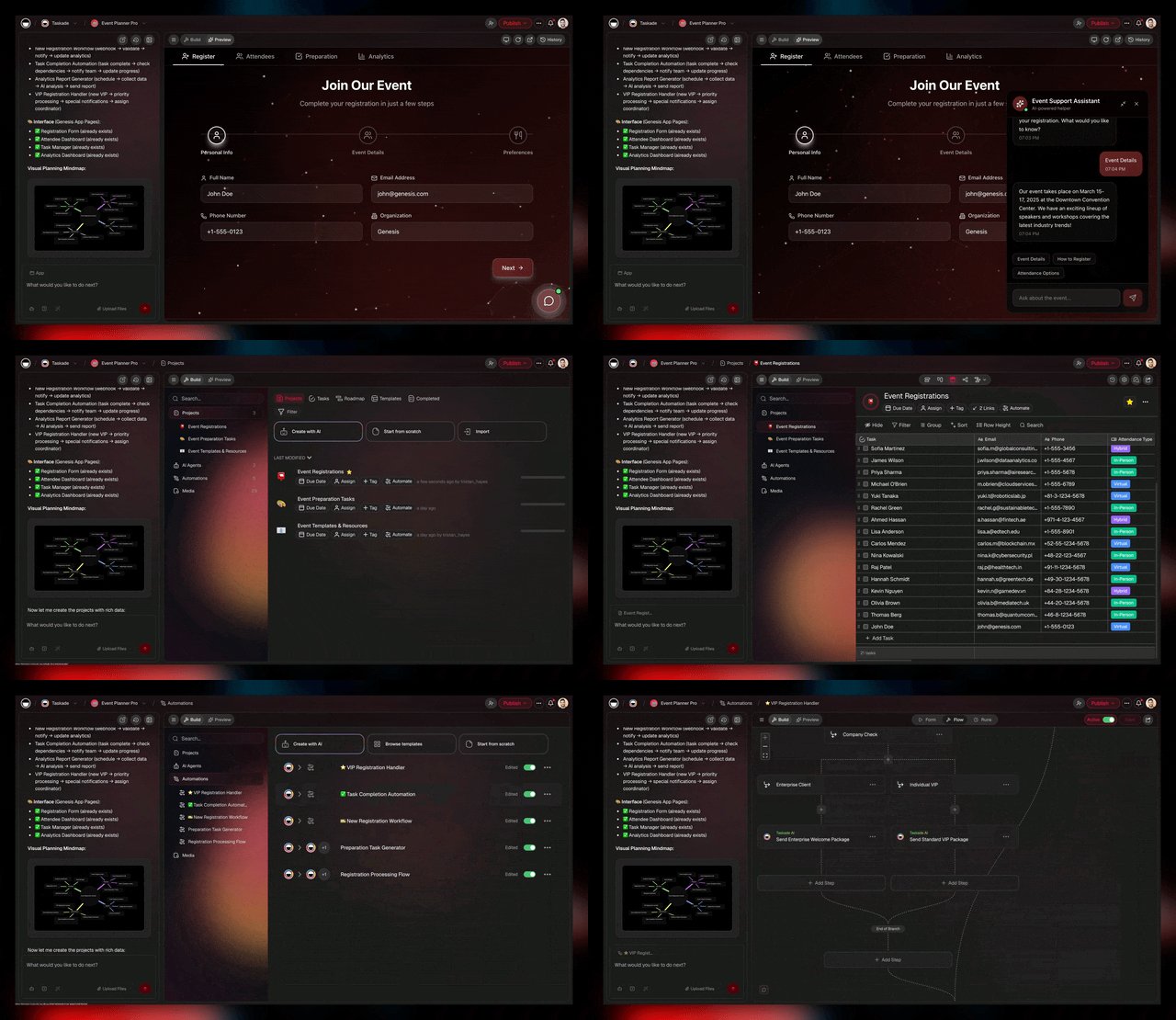
This isn't better or worse — it's different models for different needs.
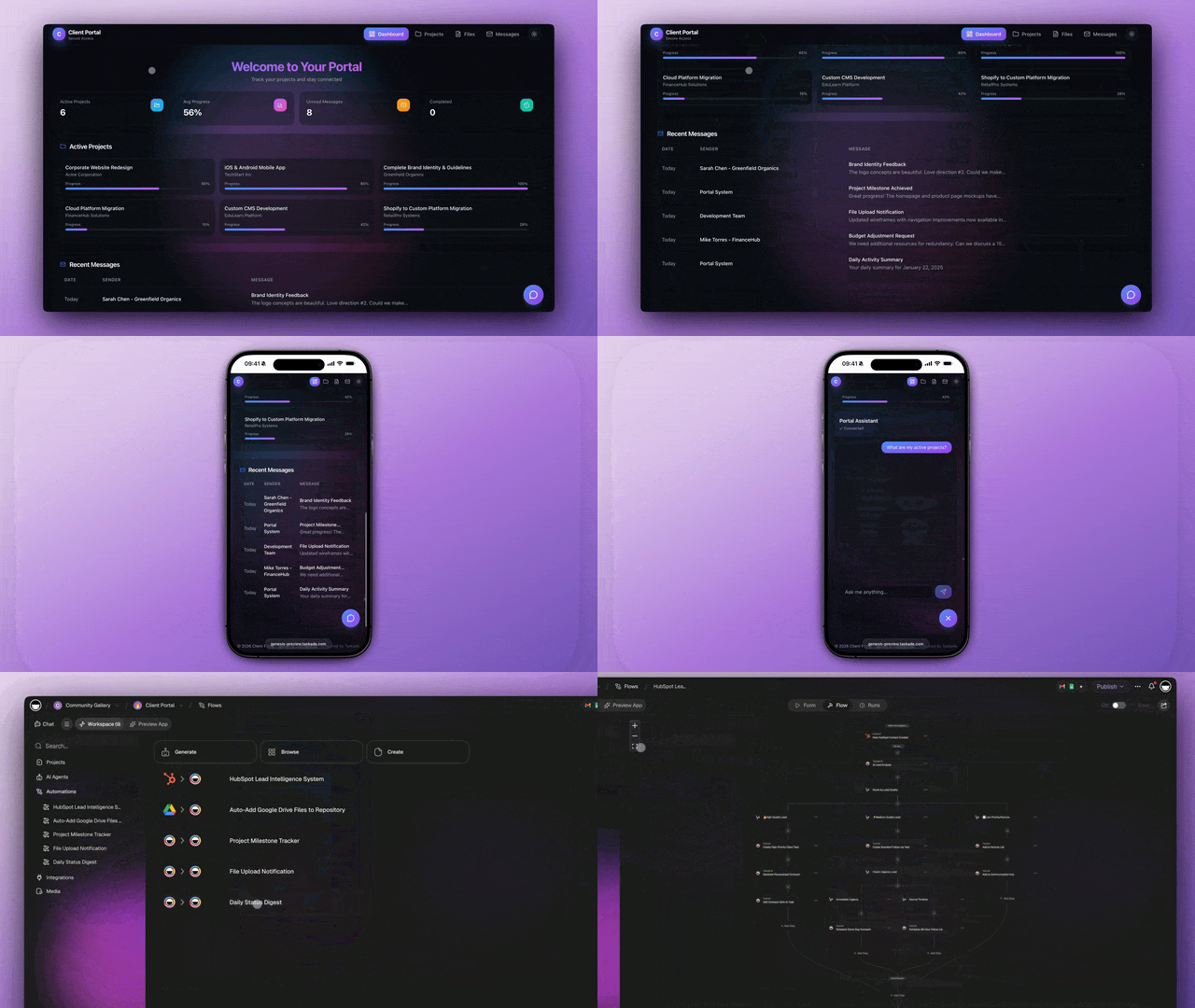
Code vs Living Software
Code generators like Lovable stop at deployment — you manage hosting, databases, and maintenance indefinitely. Living software platforms like Taskade Genesis handle infrastructure, AI agents, and automations as part of the app itself. The question to ask: What happens after the app is built?
With Lovable:
- Deploy to hosting (Vercel, Netlify, etc.)
- Connect and manage database
- Handle authentication
- Maintain code over time
- Update manually when needs change
With Genesis:
- Share instantly with a link
- Data lives in your workspace
- AI agents handle logic
- Automations keep things moving
- Workspace evolves, app evolves
If you want to own code, Lovable makes sense. If you want to solve a business problem, Genesis is more direct.
Who Should Use Lovable vs Taskade Genesis?
Use Lovable when:
- You want to own the generated code and customize extensively
- You have technical skills to deploy, host, and maintain applications
- You're building a long-term product that will evolve significantly
- Code ownership and full customization control are priorities
- You have 40-60 hours to invest in post-generation integration work
Use Taskade Genesis when:
- You want working apps immediately without deployment or infrastructure work
- You're non-technical or don't have developer bandwidth
- You need AI agents working autonomously on YOUR business data
- You're building multiple internal/operational apps (from $6/month unlimited vs $145+/month each with Lovable)
- Speed to value matters more than code ownership (5 minutes vs 40-60 hours)
- You want apps integrated with your workspace and team collaboration
Cost Comparison for 5 Business Apps:
- Lovable approach: $8,700/month ($145 × 5 infrastructure + $600-1,000 maintenance/app)
- Genesis approach: from $6/month unlimited (Starter, billed annually)
- Savings: $8,694/month = $104,328/year
The Verdict
Lovable is exciting. The ability to generate full-stack applications from prompts is genuinely impressive, and the code quality is good enough for production use.
But Lovable is a tool for creating code, and code comes with responsibilities. Hosting, databases, maintenance, updates — these don't disappear just because AI wrote the first version.
Taskade Genesis takes a different bet: that for many business applications, code is not the goal — outcomes are. A client portal does not need custom React code if a workspace-powered app does the job. A dashboard does not need Supabase if your data already lives in Taskade. Genesis apps come with self-healing deploys (automatic health checks and auto-restart), built-in Tinybird analytics, and Element Selector for visual click-to-edit refinement — all without generating a single line of code you need to maintain.
The right choice depends on your situation. If you're building a product that will evolve for years, own the code. If you need a business app working by Friday, skip the code entirely →.
🐑 Before you go... Looking for an AI app builder that eliminates deployment complexity? Taskade Genesis delivers instant apps without the code generation, hosting, and maintenance overhead.
- 💬 AI Chat: Brainstorm app ideas, refine requirements, and collaborate with AI-powered assistance that helps you articulate what you need—no technical jargon required.
- 🤖 AI Agents: Unlike Lovable's code generation approach, Taskade AI Agents build live apps that run on your workspace—no deployment, no hosting bills, no database setup. Just describe your app and it materializes through vibe coding.
- ✏️ AI Assistant: Generate app specifications, user flows, feature lists, and project roadmaps with intelligent templates that work whether you're technical or not.
- 🔄 Workflow Generator: Build automations that connect your apps to existing tools—powered by your workspace memory and 100+ integrations without writing a single line of code.
Sign up today and experience app building reimagined—where living software handles infrastructure while you focus on solving problems.
Lovable Alternatives in 2026
If Lovable's credit system or code-centric approach doesn't fit your team, these seven alternatives cover every major category — from no-code living apps to IDE-native code editors.
1. Taskade Genesis — Best for Living Apps Without Code (Featured)
Taskade Genesis is the best Lovable alternative for teams that want working software, not a codebase. Where Lovable generates React code locked to Supabase, Genesis orchestrates Workspace DNA — a proven Memory layer (structured database with 7 views, custom fields, unique constraints), Intelligence layer (AI agents with 33 built-in tools, custom tool schemas, persistent memory, selectable across 15+ frontier models from OpenAI, Anthropic, and Google), and Execution layer (reliable automation workflows with branching, looping, 100+ integrations including Shopify, Slack, HubSpot, Stripe). No credit burn (unlimited apps on paid plans), no Supabase dependency, no deployment gap. Custom domains (6 TLDs), password protection, analytics dashboard, version history with rollback, MCP integration. 150,000+ apps built. Free tier (3 apps, 1 agent, 3,000 credits), Starter $6/mo, Pro $16/mo (10 users). Try Genesis free → | Genesis vs Lovable →
2. Bolt.new — Best for In-Browser Speed
Bolt.new generates full-stack apps in the browser via WebContainers. Faster preview than Lovable, but same code-centric output. Bolt V2 adds Bolt Cloud for hosting. $25/mo Pro. Bolt review →
3. v0 by Vercel — Best for Clean React Components
v0 generates polished shadcn/ui components with the cleanest React output in the category. Best for frontend-only work when you own the backend. $20/mo Premium. v0 review →
4. Cursor — Best AI Code Editor for Developers
Cursor works inside your existing codebase — codebase-aware AI, multi-file editing, Background Agents. Not a generator. $20/mo Pro. Cursor alternatives →
5. Windsurf — Best Cascade Agent Experience
Windsurf maintains deep context across long coding sessions via Cascade. $15/mo Pro — cheapest IDE in the category. Windsurf review →
6. Claude Code — Best for Terminal-Native Agents
Claude Code is Anthropic's terminal coding agent with 1M-token context. Pay-per-token, deep git integration. Claude Code alternatives →
7. Replit — Best for Build + Host in One
Replit bundles code generation, editing, and hosting with Agent 3 autonomous coding. $25/mo Core. Replit review →
🔗 Resources
- Lovable Official Website
- Lovable Documentation
- Lovable Pricing
- Lovable Community Forum
- Lovable GitHub
- Lovable Blog
- Lovable vs Competitors
- GPT Engineer → Lovable Rebrand Announcement
💬 Frequently Asked Questions About Lovable
What is Lovable and how does it work?
Lovable (formerly GPT Engineer) is an AI-powered platform that generates full-stack web applications from natural language descriptions. You describe your app, Lovable creates React + TypeScript + Supabase code, and you can deploy it to production. It uses large language models to understand requirements and generate clean, modern code. Unlike no-code platforms, Lovable outputs code you own and can customize—but that code still requires deployment, hosting, and ongoing maintenance.
Who created Lovable and when was it founded?
Lovable was founded by Anton Osika in Sweden, originally launched as GPT Engineer — an open-source project that went viral on GitHub. The platform rebranded to Lovable in late 2024 to signal a shift from developer tooling to a broader audience of non-technical builders. The company raised $653 million total from 39 investors, reaching a $6.6 billion valuation after its December 2025 Series B led by Benchmark. Like many AI startups, Lovable focuses on democratizing app creation through natural language interfaces — and its growth to $300M+ ARR in under 12 months made it one of the fastest-growing AI companies ever.
How much does Lovable cost?
Lovable offers four pricing tiers: Free ($0 with 5 daily credits), Starter ($20/month with 100 credits), Launch ($50/month with 500 credits), and Scale ($100/month with 1,500 credits). The platform uses a credit system where each generation consumes credits based on complexity. There is no pay-as-you-go option. For comparison, Taskade starts at $6/month (billed annually) with unlimited app creation through Genesis—no credit system, no limits, no additional hosting costs.
Is Lovable better than Bolt or V0?
It depends on your priorities. Lovable generates full-stack code with backend scaffolding (Supabase), while Bolt focuses on frontend speed and V0 specializes in UI components. All three generate code that requires deployment and maintenance. For teams seeking instant apps without code generation overhead, Taskade Genesis eliminates the deployment gap entirely—apps are live immediately without infrastructure setup.
What technology stack does Lovable generate?
Lovable generates modern web applications using React for the frontend, TypeScript for type safety, Supabase for backend services (database, authentication), and Tailwind CSS for styling. The output is production-quality code that follows current best practices. However, "modern stack" doesn't eliminate infrastructure needs—you still need hosting ($20-100+/month), database management, authentication setup, and ongoing maintenance as dependencies update.
Can non-technical users build apps with Lovable?
Lovable markets itself as accessible to non-developers through natural language prompts. However, in practice, deploying and maintaining the generated code requires technical knowledge: understanding hosting (Vercel, Netlify), configuring databases (Supabase setup), managing authentication, debugging when things break, and handling dependency updates. For truly non-technical users, no-code platforms like Taskade Genesis eliminate all infrastructure complexity.
What happens after Lovable generates my code?
After generation, you get React/TypeScript files that you can download and deploy. You'll need to: (1) Set up hosting on Vercel/Netlify ($0-100+/month depending on scale), (2) Configure Supabase database and authentication ($0-25+/month), (3) Connect custom domains ($10-15/year), (4) Monitor errors and performance, (5) Update dependencies as they evolve. This "deployment gap" is why $20/month for code generation becomes $145+/month for a running application.
Can I edit the code Lovable generates?
Yes, unlike true no-code platforms, Lovable gives you full code ownership. You can download the React/TypeScript source, modify it however you want, extend features, and deploy anywhere. This flexibility is Lovable's strength for developers who want AI-generated starting points with customization ability. The trade-off: you now own code that requires technical expertise to maintain, debug, and evolve over time.
Does Lovable include AI agents or automations?
No, Lovable generates static code—the applications it creates don't have built-in intelligence, autonomous agents, or adaptive behavior. If you want AI agents working within your apps, you'd need to code that functionality yourself or integrate external AI services. Taskade Genesis apps include AI agents by default—agents trained on your workspace data that can execute workflows, respond to events, and make decisions autonomously.
How does Lovable compare to hiring developers?
Lovable can generate basic app structure faster than hiring developers for simple CRUD applications. However, for complex business logic, unique features, or long-term product development, experienced developers still provide value that AI can't match: architectural decisions, performance optimization, security hardening, and deep debugging. Smart teams use both: Lovable for quick prototypes, developers for core product work, and Genesis for internal operations that don't need custom code.
Try Both
- Lovable: Great for code ownership → lovable.dev
- Genesis: Great for instant apps → Try Genesis Free
More Comparisons
AI App Builders:
- Taskade vs Lovable — Full feature comparison
- Taskade vs Bolt — Full Review
- Taskade vs V0 — Full Review
- Taskade vs Cursor — Full Review
- Taskade vs Replit — Full Review
- Taskade vs Windsurf — Full Review
Workspace Tools:
- Taskade vs Notion — Full Review
- Taskade vs Webflow — Full Review
- All Taskade Reviews — What users say
Explore Taskade Genesis
- AI App Builder — One prompt, one app
- Vibe Coding — Natural language app creation
- AI Agent Platform — Digital teammates that work 24/7
- Workflow Automation — Business process automation
- Community Apps — Clone and customize