






TL;DR: Taskade is rated 4.9/5 stars across G2, Product Hunt, Trustpilot, and Capterra. Users love the AI agents, Genesis app builder, and real-time collaboration. The main criticism? It's almost too feature-rich for simple use cases.
What Is Taskade?
Taskade is an AI-powered workspace that combines project management, note-taking, and team collaboration with custom AI agents and the Genesis app builder. Unlike traditional productivity tools, Taskade lets you build complete AI applications from a single prompt — and your workspace becomes the backend.
Founded in 2017 by John Xie, Dionis Loire, and Stan Chang, Taskade is backed by Y Combinator and has grown to serve millions of users worldwide. The platform works across web, desktop (Mac, Windows, Linux), and mobile (iOS, Android), with 150,000+ apps built on the Genesis platform.
TL;DR: Taskade combines project management, AI agents, and an app builder in one workspace. Rated 4.9/5 across review platforms with 150,000+ Genesis apps built. Pricing starts at $0. Build your first app →
What makes Taskade different from other productivity tools:
- AI Agents with 33 built-in tools, persistent memory, and public embedding
- Taskade Genesis App Builder — one prompt, one live application
- Real-time collaboration with built-in chat and video
- 100+ integrations with workflow automation
- 7 project views — List, Board, Calendar, Table, Mind Map, Gantt, Org Chart
The Taskade Genesis Revolution
Taskade Genesis represents a fundamental shift in how apps are built. Instead of months of development, you describe what you want in plain English and get a live, functional app in minutes. Your Taskade workspace becomes the backend — what we call Workspace DNA — with three pillars:
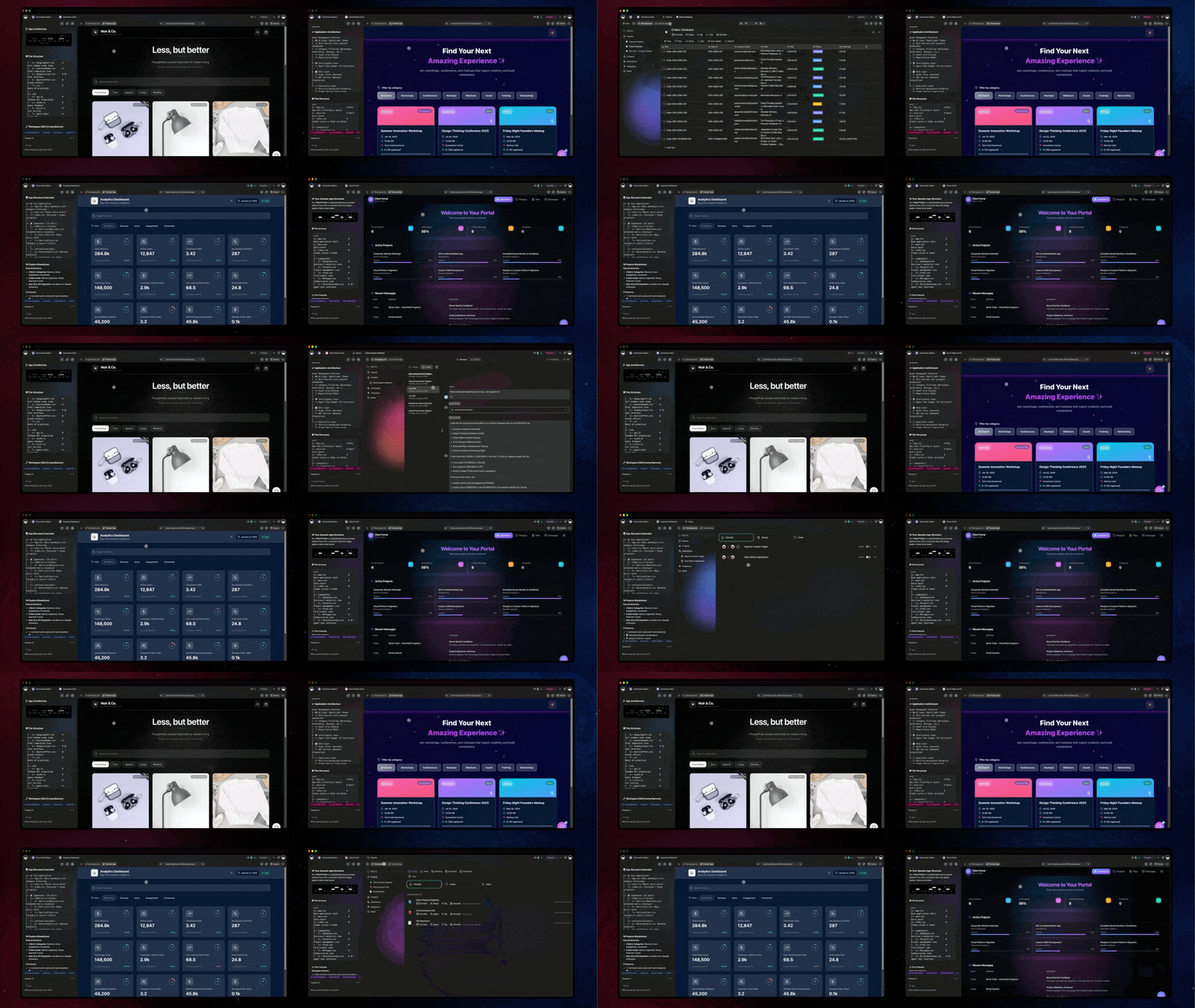
- Memory (Projects & Databases) — Your data lives here. Structured knowledge that agents learn from.
- Intelligence (AI Agents) — They think and act for you. 33 built-in tools with persistent memory.
- Execution (Automations) — Work flows automatically. 100+ integrations with branching and looping.
This isn't just a feature — it's a new paradigm. Software that's alive, connected to your data, and evolves with your business. Learn more in the ultimate Taskade Genesis guide.
Taskade Ratings Across Review Platforms
Taskade consistently ranks among the highest-rated productivity tools across all major review platforms.
| Platform | Rating | Reviews | Highlights |
|---|---|---|---|
| G2 | 4.9/5 | 500+ reviews | #1 in AI-powered project management |
| Product Hunt | 4.9/5 | #1 Product of the Day (5x) | Most upvoted AI workspace |
| Trustpilot | 4.8/5 | 200+ reviews | Praised for customer support |
| Capterra | 4.7/5 | 100+ reviews | Top marks for ease of use |
| App Store | 4.8/5 | 10K+ ratings | Fast, intuitive mobile experience |
| Google Play | 4.6/5 | 5K+ ratings | Reliable cross-platform sync |
What Users Love About Taskade
1. AI Agents That Actually Work
"I've tried ChatGPT, Claude, and custom GPTs. Taskade's AI agents are different — they actually do things, not just chat. My marketing agent runs campaigns while I sleep."
— Marketing Director, SaaS Startup
Users consistently praise Taskade's AI agents for being action-oriented rather than just conversational. Unlike chatbots, these agents can execute workflows, update projects, and coordinate with other agents — all powered by 33 built-in tools with persistent memory.
What sets Taskade agents apart from chatbots:
| Capability | Taskade AI Agents | Typical Chatbots |
|---|---|---|
| Execute workflows | 100+ integrations, custom tools | Chat responses only |
| Persistent memory | Learns from every interaction | Forgets between sessions |
| Multi-agent teams | Agents collaborate and delegate | Single-agent conversations |
| Background execution | Runs autonomously 24/7 | Requires active prompting |
| Custom tools | Expose any automation as a tool | Fixed tool set |
| Public embedding | Embed agents on your website | Platform-locked |
Learn how to build your own agents with the custom agents guide.
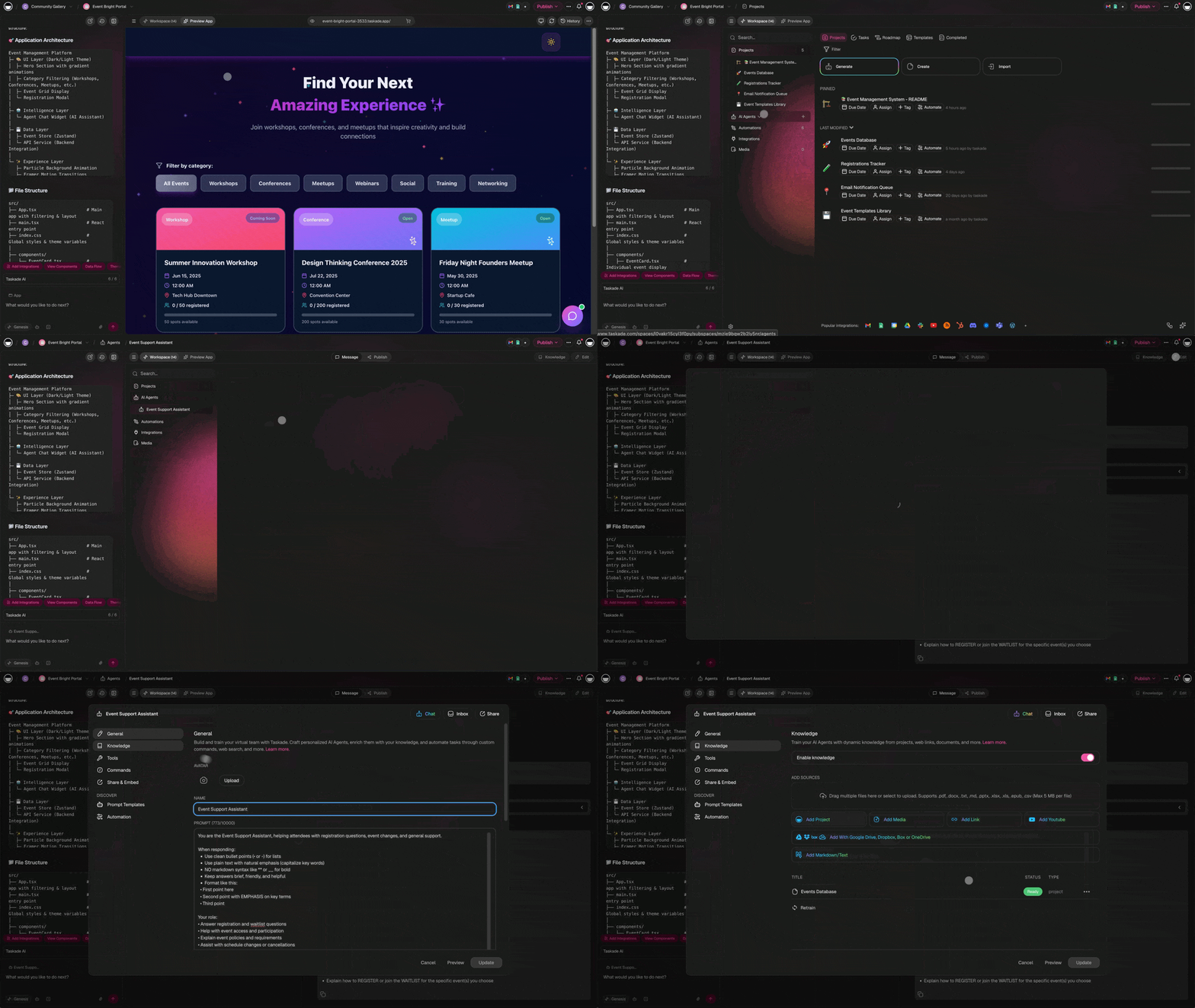
2. Taskade Genesis App Builder
"I built a complete client portal in 10 minutes. No code. Just described what I wanted. This is the future."
— Freelance Consultant
The Taskade Genesis app builder is the platform's flagship feature — the embodiment of "one prompt, one app." Users describe apps with natural language, and Genesis creates complete, functional applications with databases, forms, and AI agents built in. Your workspace becomes the backend, running on Workspace DNA.
With custom domains, password protection, and built-in SSO, Genesis apps are production-ready from day one.
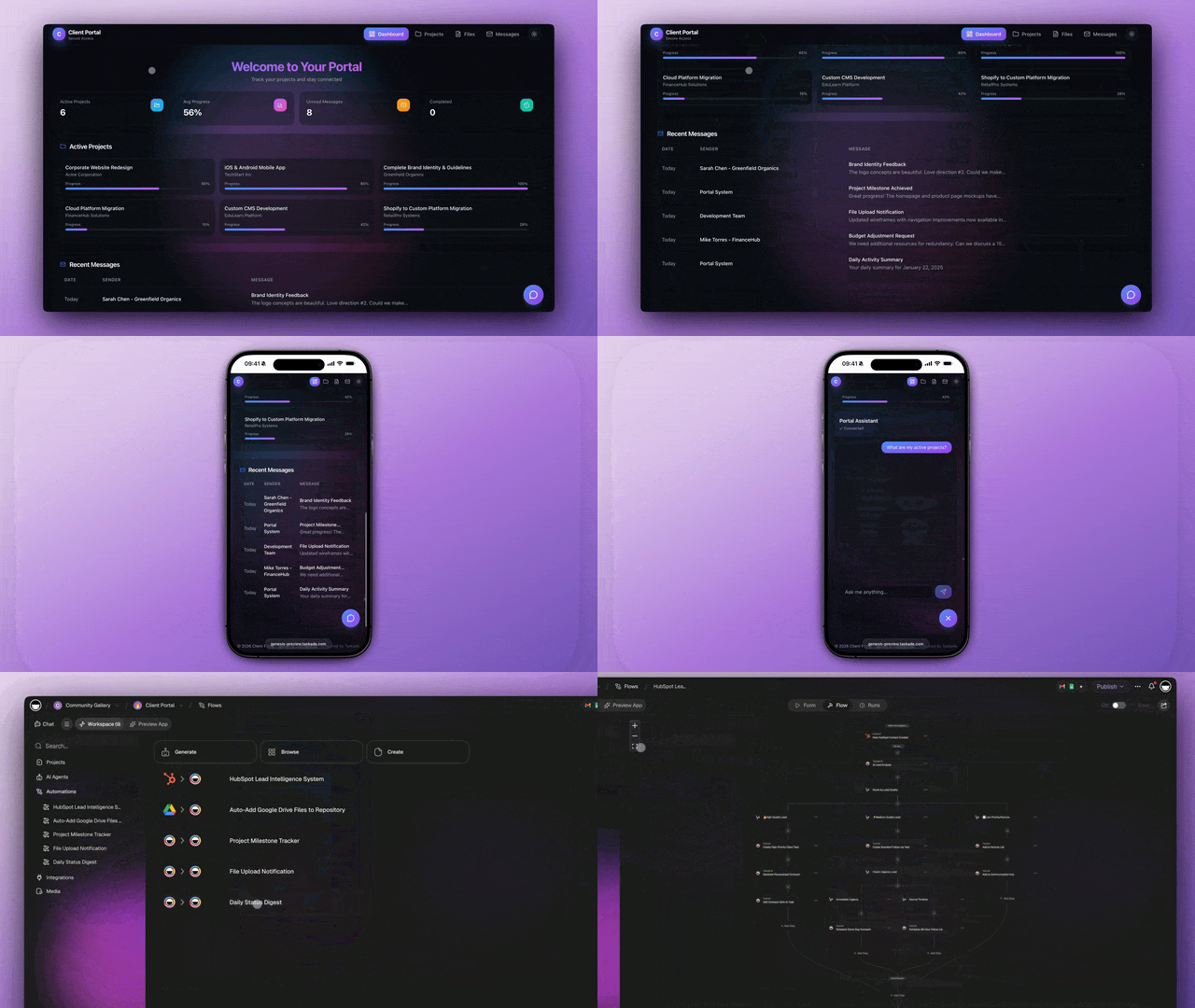
What users build with Taskade Genesis:
- AI Dashboards for business metrics
- Client Portals for service businesses
- Booking Systems for appointments
- Custom Apps for specific workflows
- Internal tools for team operations
- Public-facing portals with custom domains
3. Real-Time Collaboration
"We ditched Slack, Notion, and Zoom. Taskade does all three, but integrated. Our team finally has one source of truth."
— Remote Team Lead, 15-person agency
Every Taskade project includes built-in chat and video conferencing. Teams can collaborate in real-time on documents, tasks, and mind maps without switching apps. This eliminates the tool-switching tax that fragments modern workflows.
4. Flexibility Across 7 Project Views
"I start with a list, drag it to a mind map for brainstorming, then convert to a Kanban board for execution. Same data, different views."
— Product Manager
Taskade offers 7 project views: List, Board (Kanban), Mind Map, Org Chart, Calendar, Table, and Gantt. Users love switching between views without losing data — every view shows the same underlying information, just presented differently.
| View | Best For | Key Feature |
|---|---|---|
| List | Task management, outlines | Nested subtasks, drag-and-drop |
| Board | Kanban workflows, sprints | Columns with status tracking |
| Mind Map | Brainstorming, planning | Visual node connections |
| Org Chart | Hierarchy, team structure | Top-down relationship mapping |
| Calendar | Scheduling, deadlines | Date-based task visualization |
| Table | Data entry, spreadsheets | Column sorting and filtering |
| Gantt | Project timelines, dependencies | Timeline view with milestones |
5. Automation That Connects Everything
"We automated our entire client onboarding — folder creation, welcome emails, task assignment — in one afternoon. It would have taken a developer a week."
— Agency Operations Manager
Taskade's automation engine connects 100+ integrations across 10 categories with visual workflow builder. Set up triggers that fire when tasks are completed, forms are submitted, or external events occur — then chain actions with branching, looping, and filtering logic.
Honest Criticisms of Taskade
No product is perfect. Here's what users mention as drawbacks:
1. Learning Curve for Power Features
"The basic features are intuitive, but the AI agents and automation took me a week to really understand."
— G2 Review
Our take: Taskade is simple for basic use, but the advanced features (agents, automation, Genesis) require learning. Start with the beginner's guide and the Learn Taskade help center which has 314 step-by-step articles across 7 categories.
2. Can Feel Overwhelming at First
"So many features! I just wanted a simple to-do list and got... everything."
— Capterra Review
Our take: If you only need a basic task list, Taskade might be overkill. But if you want a tool that grows with you, the extra features become valuable over time. Start with List view and add complexity when you're ready.
3. Mobile App Limitations
"Desktop is amazing. Mobile is good but missing some power features."
— App Store Review
Our take: The mobile apps cover 90% of functionality. Complex automations and Genesis app building work better on desktop, which is expected for power features. Core project management, AI chat, and collaboration work on all platforms.
Feature Deep Dive: What You Get with Taskade
AI Agents v2
Taskade's AI Agents v2 go far beyond basic chatbots. Here's the full capability set:
| Feature | Details |
|---|---|
| Built-in tools | 33 tools including web search, code execution, image generation |
| Custom tools | Expose any automation workflow as an agent tool |
| Slash commands | Create custom /commands for common agent actions |
| Persistent memory | Agents remember context across conversations |
| Multi-agent teams | Multiple agents collaborate on shared projects |
| Knowledge sources | Train on files, projects, web links, YouTube videos |
| Model selection | 15+ frontier models from OpenAI, Anthropic, and Google |
| Public embedding | Embed agents on external websites |
| Background execution | Agents run autonomously on Pro plans and above |
Taskade Genesis App Builder
The Genesis app builder transforms natural language prompts into production-ready applications:
Workspace DNA Architecture
Every Taskade workspace runs on Workspace DNA — the self-reinforcing architecture that makes apps intelligent:
- Memory (Projects & Databases) → feeds → Intelligence (AI Agents) → triggers → Execution (Automations) → creates → Memory
This loop means your workspace gets smarter with every interaction. Learn how it works.
Who Is Taskade Best For?
Based on user reviews and platform data, Taskade works best for:
| User Type | Why Taskade Works | Key Feature |
|---|---|---|
| Remote Teams | Built-in chat, video, real-time collaboration | 7 project views + live cursors |
| Solopreneurs | AI agents do the work of a team | Genesis app builder + automations |
| Agencies | Client portals, project management, Genesis apps | Custom domains + 7-tier access control |
| Startups | Fast iteration with Genesis, scales with growth | 150,000+ apps built, $0 to start |
| Students | Free tier, mind maps, collaborative study | Free plan with AI features |
| Creators | Content workflows, AI writing, automation | Multi-model AI + templates |
| Sales Teams | Lead tracking, CRM dashboards, automations | 100+ integrations + agent tools |
Who might prefer alternatives:
- Users who only need a simple to-do list (try Todoist)
- Teams heavily invested in existing ecosystems with no intent to switch
- Organizations that need only documentation without AI features (consider Notion for pure docs)
Taskade Pricing (V8, 2026)
All prices shown are annual billing (monthly prices are higher).
| Plan | Price | Seats | Best For |
|---|---|---|---|
| Free | $0/month | 1 | Personal use, getting started |
| Starter | $6/month | Up to 3 | Individuals, small projects |
| Pro | $16/month | Up to 10 | Small teams, custom domains, full AI |
| Business | $40/month | Unlimited | Advanced security, priority support |
| Enterprise | Custom | Unlimited | Custom SLA, dedicated support |
All plans include AI agents, Genesis, and core collaboration features. The Pro plan is the most popular choice for teams. See full pricing details.
Pricing Comparison with Competitors
| Tool | Price (per user/mo) | AI Included | App Builder | Automation |
|---|---|---|---|---|
| Taskade Pro | $1.60/user (10 seats) | Yes — all models | Yes — Genesis | Yes — 100+ integrations |
| Notion | $10 + $10 AI add-on | $10 extra/user | No | Limited |
| Monday.com | $9-19 | No native AI | No | Limited |
| ClickUp | $7-12 | Limited AI | No | Basic |
| Asana | $11-25 | Limited AI | No | Rules only |
Taskade vs. Competitors: Detailed Comparison
How does Taskade compare to alternatives across key dimensions?
| Feature | Taskade | Notion | Monday.com | ClickUp | Asana |
|---|---|---|---|---|---|
| AI Agents | 33 tools, persistent memory | Basic AI assistant | No native AI | Limited ClickUp Brain | No |
| App Builder | Genesis — full apps from prompts | No | No | No | No |
| Video/Chat | Built-in video + chat | No | No | Limited chat | No |
| Project Views | 7 views | 4 views | 8+ views | 15+ views | 5 views |
| Mind Maps | Yes — native | No | No | Yes | No |
| Real-time | Yes — live cursors | Yes | Yes | Yes | Yes |
| Automation | 100+ integrations | Limited | CRM focus | Basic rules | Rules only |
| Custom Domains | Yes — Genesis apps | No | No | No | No |
| Free Tier | Generous — AI included | Yes — no AI | Limited trial | Yes — limited | Yes — limited |
For detailed head-to-head comparisons, see our comparison pages:
Productivity Tool Comparisons:
AI App Builder Comparisons:
- Taskade vs Bolt — Full Review
- Taskade vs V0 — Full Review
- Taskade vs Cursor — Full Review
- Taskade vs Lovable — Full Review
- Taskade vs Replit — Full Review
- Taskade vs Windsurf — Full Review
- Taskade vs Webflow — Full Review
What Users Build with Taskade: Real Examples
Here are real use cases from the Community Gallery:
Marketing Teams
Build campaign dashboards, content calendars, and social media schedulers. AI agents draft copy, analyze performance, and suggest optimizations. Browse marketing templates →
Sales Teams
Create CRM pipelines, lead scoring systems, and automated follow-up sequences. Agents qualify leads, draft outreach, and update records. Explore automation workflows →
Engineering Teams
Set up sprint boards, bug trackers, and documentation wikis. Agents review code, draft specs, and monitor deployments. View engineering templates →
Consultants and Freelancers
Deploy client portals with custom domains, project trackers, and invoicing workflows. Generate client portal apps →
Frequently Asked Questions
Is Taskade worth it in 2026?
Yes, for teams and individuals who want AI-powered productivity. The free tier is generous for trying it out, and the Pro plan ($16/mo for up to 10 seats) offers significant value compared to using multiple separate tools for project management, AI chat, automation, and app building. Over 150,000 apps have been built on the Genesis platform.
Is Taskade better than Notion?
For AI features and real-time collaboration, yes. Taskade has autonomous AI agents with 33 built-in tools and persistent memory, plus the Genesis app builder that Notion lacks. Notion charges an extra $10 per user per month for its AI add-on. Taskade includes AI in all plans. See full comparison.
Is Taskade safe and secure?
Yes. Taskade uses industry-standard AES-256 encryption, SOC 2 Type II aligned practices, and offers SSO/SAML for enterprise. The platform includes 7-tier role-based access control (Owner, Maintainer, Editor, Commenter, Collaborator, Participant, Viewer).
Can I use Taskade for free?
Yes. The free plan includes projects, AI features with starter credits, and real-time collaboration. All 7 project views are available. Upgrade to Starter ($6/mo) or Pro ($16/mo) for more AI usage, advanced features, and priority support.
How many project views does Taskade offer?
Taskade offers 7 project views: List, Board (Kanban), Mind Map, Org Chart, Calendar, Table, and Gantt. Each view shows the same underlying data, so you can switch freely without losing information.
What integrations does Taskade support?
Taskade supports 100+ integrations across 10 categories: Communication (Slack, Teams), Email/CRM (HubSpot, Salesforce), Payments (Stripe, Shopify), Development (GitHub, GitLab), Productivity, Content, Data/Analytics, Storage (Google Drive, Dropbox), Calendar, and E-commerce. All integrations work with the automation workflow builder.
What's the best way to get started?
- Sign up free →
- Explore the Community Gallery to clone apps
- Build your first Genesis app — try it now
- Learn the basics at the Learn Taskade help center
- Browse agent templates and prompt templates
How does Taskade compare to AI app builders like Bolt or Cursor?
The Verdict
Taskade earns its 4.9/5 rating. It's not just another project management tool — it's a platform where AI agents and humans work together to build, automate, and scale. With 150,000+ Genesis apps built and 100+ integrations, Taskade has evolved into a complete AI workspace.
Best for: Teams and individuals who want AI-powered productivity without juggling multiple tools. Especially strong for agencies, startups, and solopreneurs who need to move fast.
Skip if: You only need a simple to-do list or are deeply locked into another ecosystem with no plans to switch.
See More Reviews
Ready to try Taskade? Start free →
Read more:
- 5 Genesis Apps You Can Build in 10 Minutes — Quick start guide
- The End of the App Store — Why living software matters
- What Are AI Agents? — Complete guide
- What Is Vibe Coding? — Natural language app creation
- AI Dashboard Examples — Business intelligence apps
- How Workspace DNA Works — The architecture explained
- Ultimate Taskade Genesis Guide — Everything about Genesis
Explore Taskade:
- AI App Builder — One prompt, one app
- AI Agents — Digital teammates with 33 tools
- Automations — 100+ integrations
- Community Apps — Clone and customize
- Integrations — Connect all your tools
- Pricing — Free to Enterprise
- Templates — Get started fast
- Learn Taskade — 314 help articles